
Plug dsh into research: Tavily literature search, step by step
What dsh's literature search delivers, how to install the Tavily search plugin, and how to run Chinese and English paper searches — a 12-step field recording.
Last updated: 2026-10-04
Can dsh look up literature, pull references, and give a review a skeleton? Yes. This page is a 12-step screenshot field recording of exactly that: install the dsh-plugin-tavily search provider, configure the key, restart, then run Chinese core-journal and English paper searches until a tagged reference list lands in the chat. Every frame below was checked against the source recording's watermarks and burned-in subtitles before export.
Found papers also need somewhere to live: the knowledge base stores your own documents for dsh to cite, while this page covers searching the open web for new literature — the two tracks complement each other. Store documents in the knowledge base
TL;DR
- ▸One command installs dsh-plugin-tavily: the web_search tool's backend becomes Tavily, and a settings card appears under Settings → Plugins → Web search.
- ▸Register free at tavily.com — the console issues tvly-dev- keys and the free tier carries a monthly credit allowance; free-tier rate limiting is real, so retry a failed search before blaming the setup.
- ▸Paste the key into the settings card, confirm the run status line credits Tavily for your searches, then restart dsh (Ctrl+C → pnpm dsh web) so the provider loads.
- ▸Search both ways: Chinese core journals and English paper lists come back as result cards; the review workflow runs plan directions → 10-paper list → build the framework → write section by section.
The 12-step walkthrough
First, what the workflow delivers
- 1
See the destination: a tagged Chinese reference list
Before installing anything, look at what the workflow outputs. In the source recording, dsh answers a Chinese literature request with a reference list tagged review-track, must-read, and optional, each entry carrying journal, year, and link fields. That is the deliverable the next eleven steps build toward.
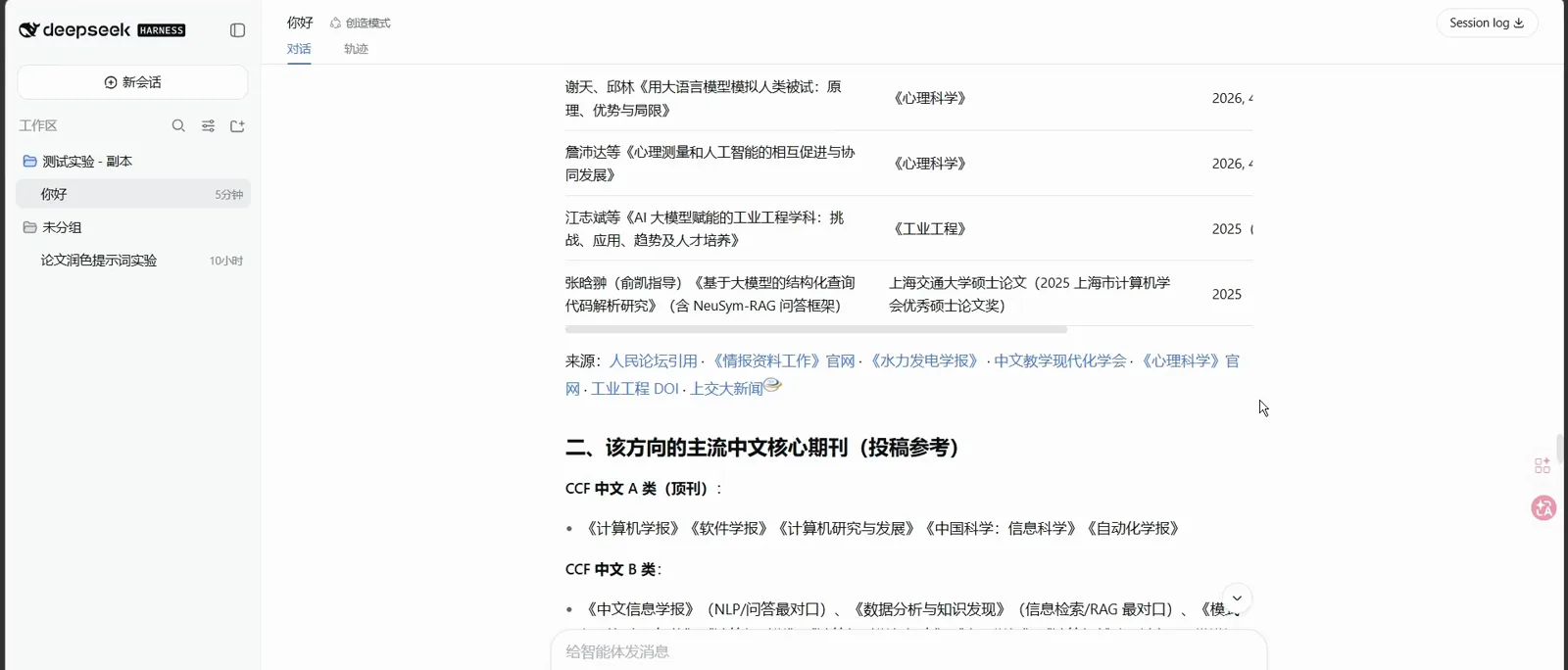
The deliverable: references sorted into review-track, must-read, and optional, with sources attached.Watch at 0:06 - 2
Ask for a triage, get a three-column taxonomy
The same workflow also sorts what it finds: the frame shows papers split into three columns — clinical practice, NLP expert journals, and LLM medical-literature feedback. Having dsh classify references before you read them is what turns a search dump into a reading plan.
Same workflow, triage mode — three columns that set the reading order.Watch at 1:36 - 3
Orient yourself in the plugin ecosystem
The awesome-dsh-plugin README's tools section is the map: it lists the Tavily search plugin this page installs alongside voice-input, hdc-bridge, computer-use, and more. Prof. He Jing's lecture frames the same landscape as three routes — reuse a plugin, orchestrate scripts, or build your own. This page is route one.
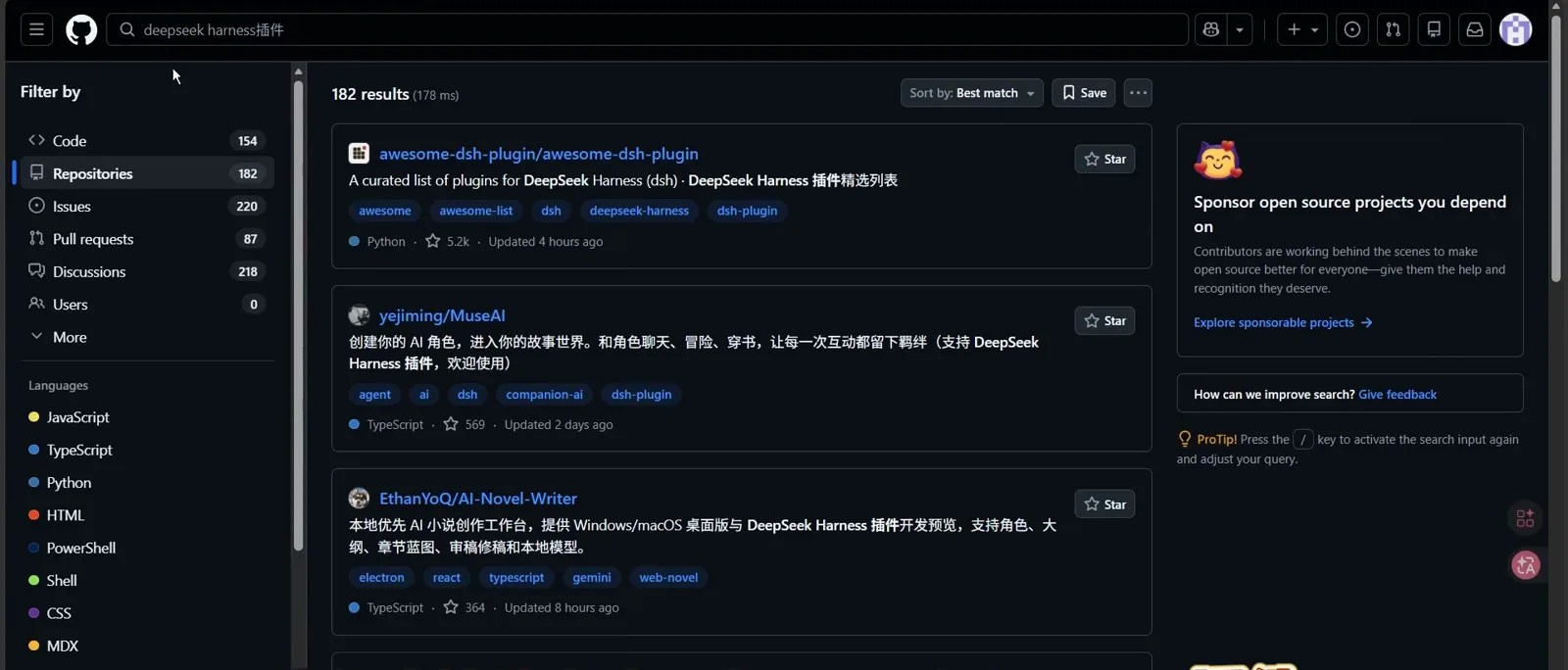
The ecosystem map: the Tavily plugin sits on a longer list of community tools.Watch at 0:44
Install and configure the Tavily plugin
- 4
Open the dsh-plugin-tavily repo and install it
The GitHub page introduces the plugin in one line: a Tavily-backed web search provider that registers into dsh's web seam and ships a settings card in the web GUI — TypeScript throughout, MIT-licensed, ★5. The README's install section (re-checked via the GitHub API on 2026-10-04) is one command; a local-path variant exists for development.
$dsh plugin --profile web add "github:1624318455/dsh-plugin-tavily#main"$dsh plugin --profile web add "file:/absolute/path/to/dsh-plugin-tavily"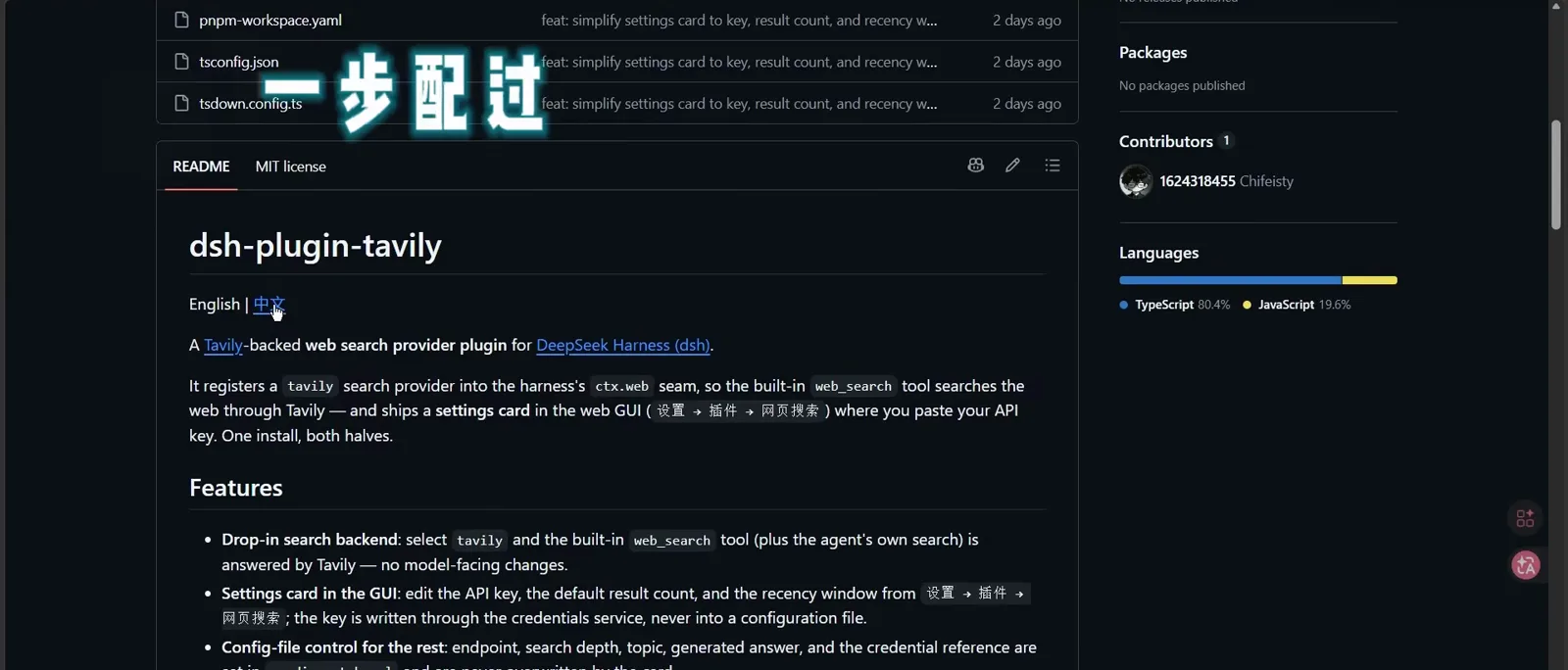
One README command installs the plugin; the local-path variant is for development.Watch at 1:02 - 5
Read the README's platform and priority notes first
The frame shows the README section worth two minutes before installing: which settings surface manually in the web GUI and how environment-variable priority resolves. Knowing which layer wins when values collide saves the classic mistake of editing a file the GUI overwrites.
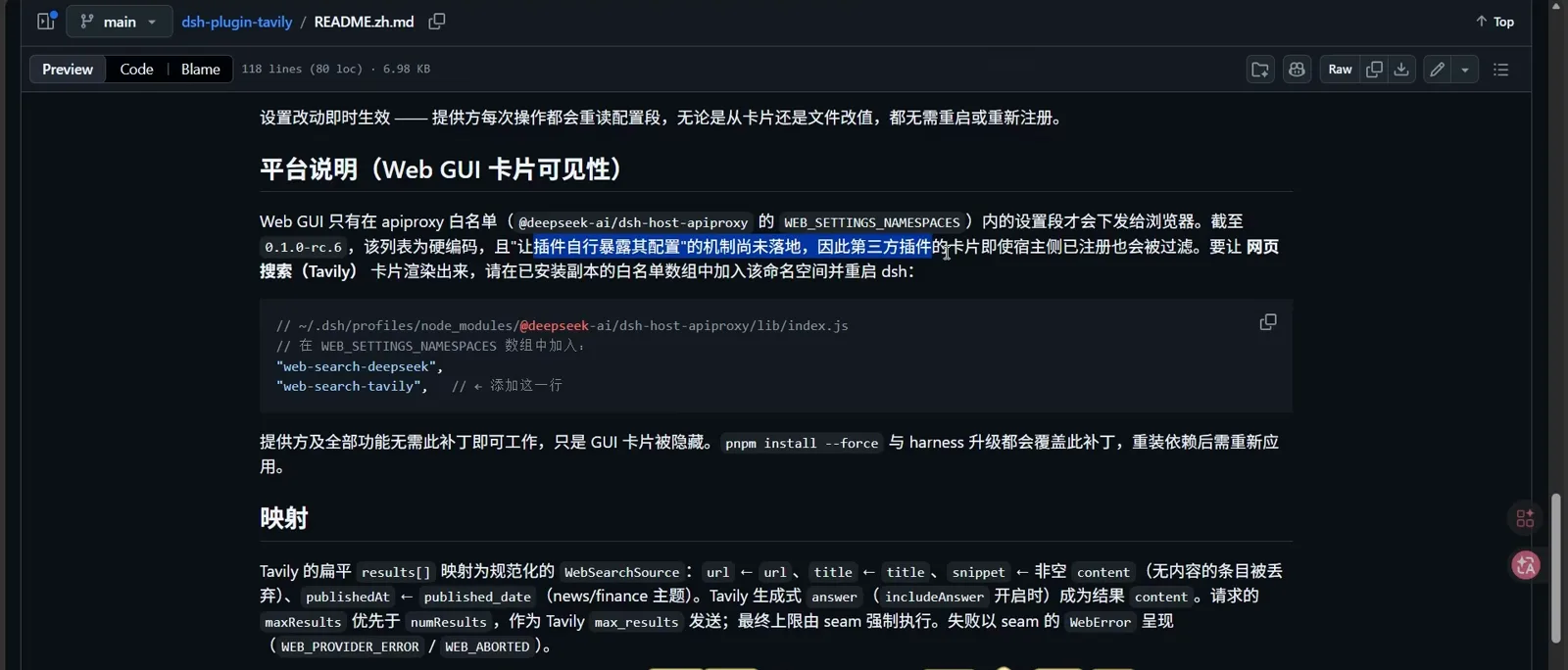
Two minutes here saves an hour of guessing which layer wins when values collide.Watch at 1:20 - 6
Find the settings card you'll paste the key into
Inside dsh's web UI, Settings → Plugins opens the modal in the frame: the agent-key row plus the API-key field where the Tavily credential will live. The plugin registers this card at install time, so once step 4's command has run, the field is already waiting.
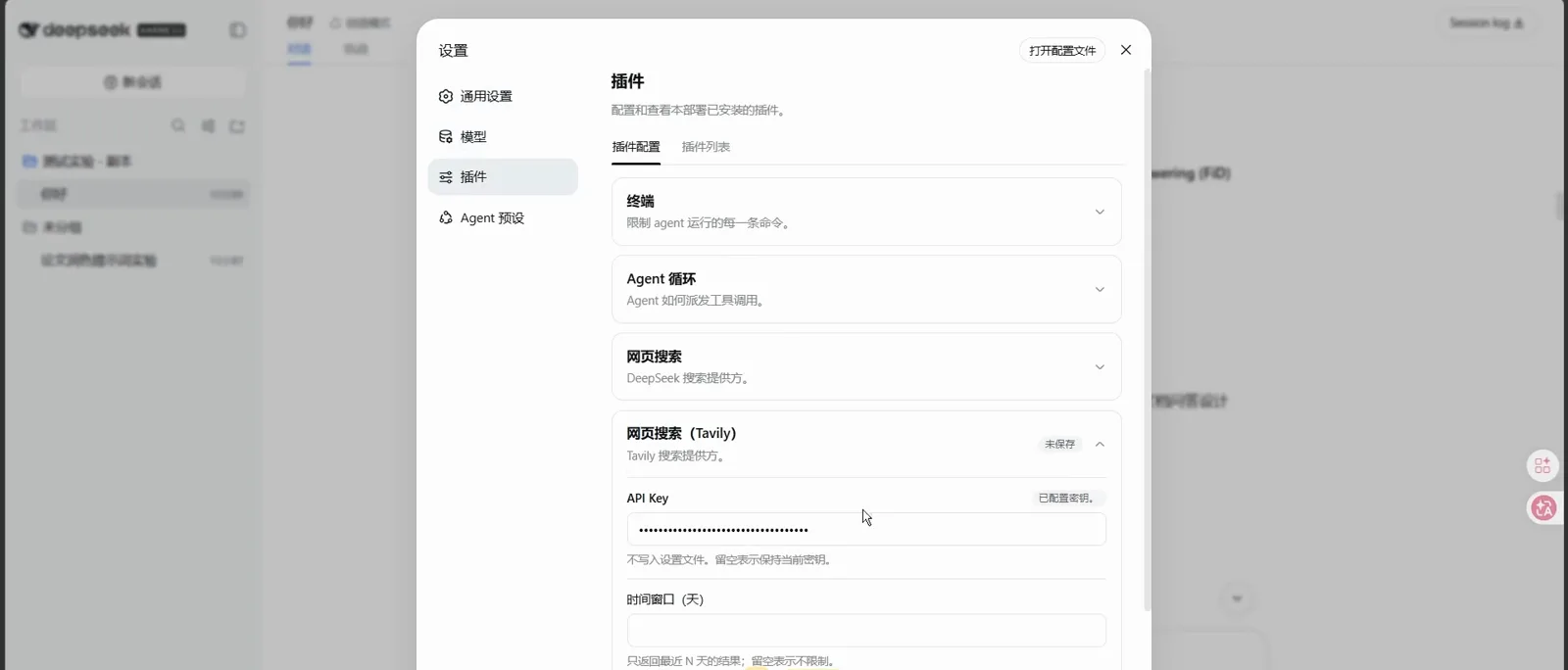
The card registers at install time — the field is already waiting for your key.Watch at 1:54 - 7
Create the Tavily account
Tavily's homepage pitches itself as the way to connect AI agents to the web — precisely the role it plays here. Registration is free, and the free tier is what powers this entire walkthrough; no paid plan involved.
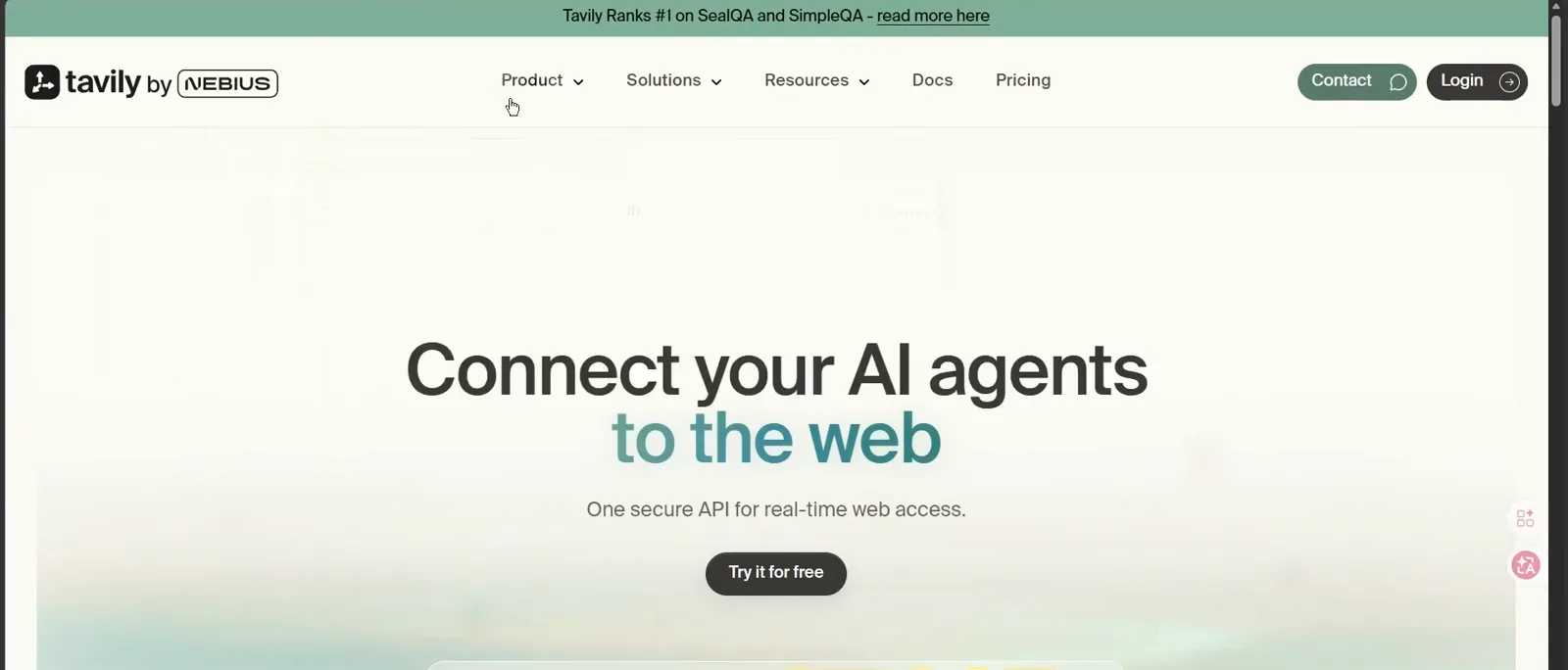
Free account, free tier — this walkthrough never leaves it.Watch at 2:03 - 8
Issue a tvly-dev API key in the console
On the Tavily console's API Keys page, the recording shows default and dev keys with the tvly-dev- prefix plus a free monthly credit balance (the frame caught 17 of 1,000 credits used). Copy the key now — the next step pastes it into dsh.
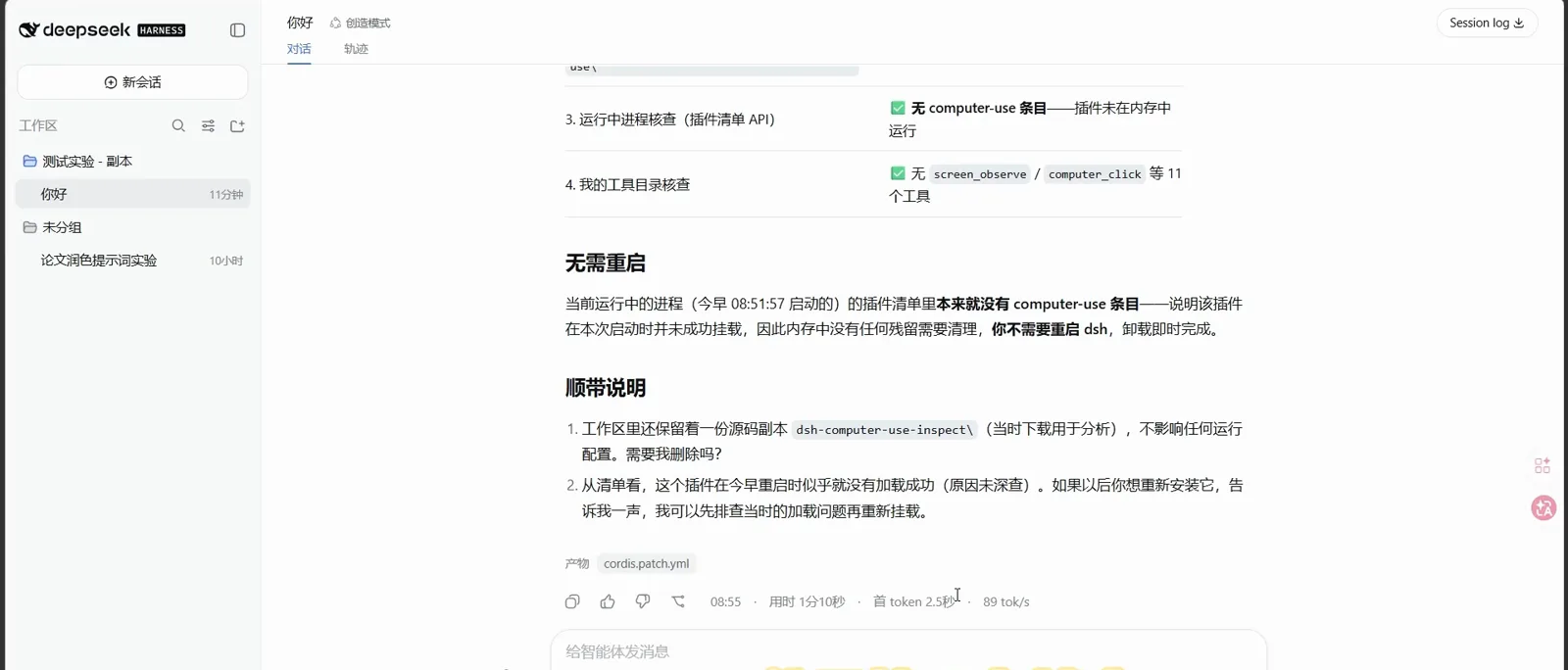
default and dev keys both work; the frame caught 17 of 1,000 monthly credits used.Watch at 2:16 - 9
Paste the key and confirm the card reads configured
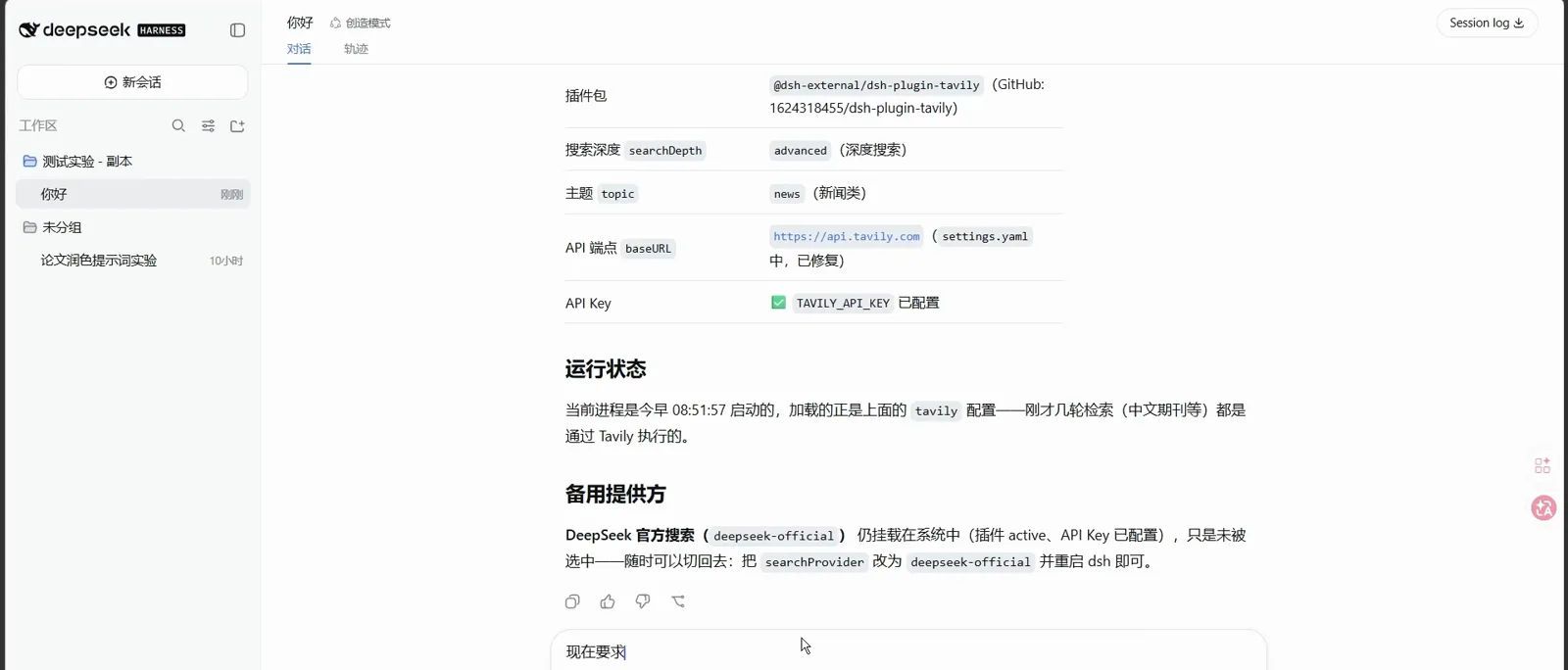
Back in dsh, this frame is the payoff: the plugin card shows the @dsh-external/dsh-plugin-tavily package, advanced search depth, news topic, the api.tavily.com endpoint, and TAVILY_API_KEY checked as configured — while a run status line notes the process loaded the tavily config at startup and that recent Chinese-journal searches ran through Tavily. The deepseek-official provider stays mounted as a fallback: flip searchProvider back and restart to restore it.
Configured, and provably in use: the status line bills the day's searches to Tavily.Watch at 2:30
Restart, then search Chinese and English literature
- 10
Restart dsh so the provider actually loads
The recording pauses here to warn: searchProvider is a startup-time setting, so a running dsh keeps the old backend until you stop it. Press Ctrl+C in the terminal running dsh, then relaunch — the frame shows the exact sequence.
$pnpm dsh web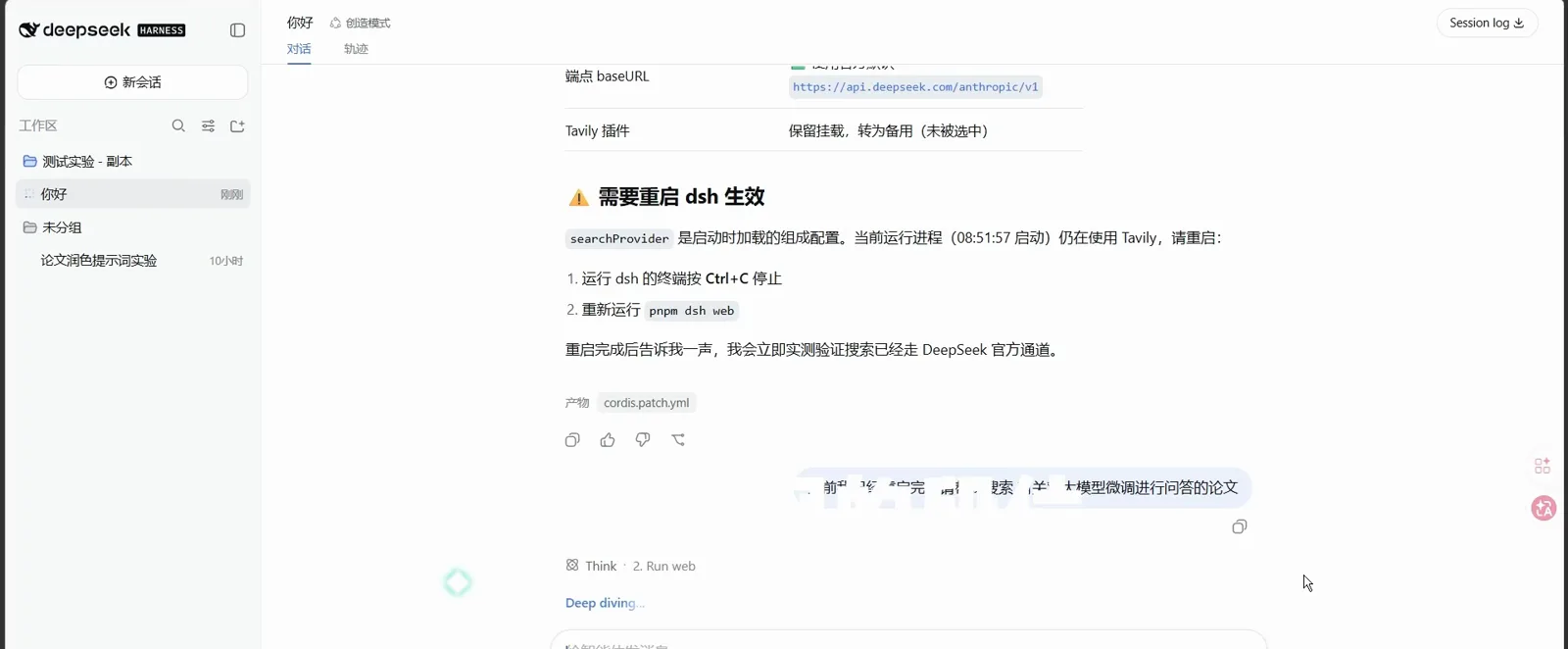
The step people skip: no restart, old backend.Watch at 3:10 - 11
Run a Chinese core-journal search
With the provider live, a Chinese query returns core-journal entries as SearchExtCard result cards — the run status from step 9 is the proof these went through Tavily. The plugin's recommended recipes cover the bases: DeepSearch for literature, SearchAll with Chinese, English, or mixed queries, and DeepSearch Shell for full-flow retrieval.
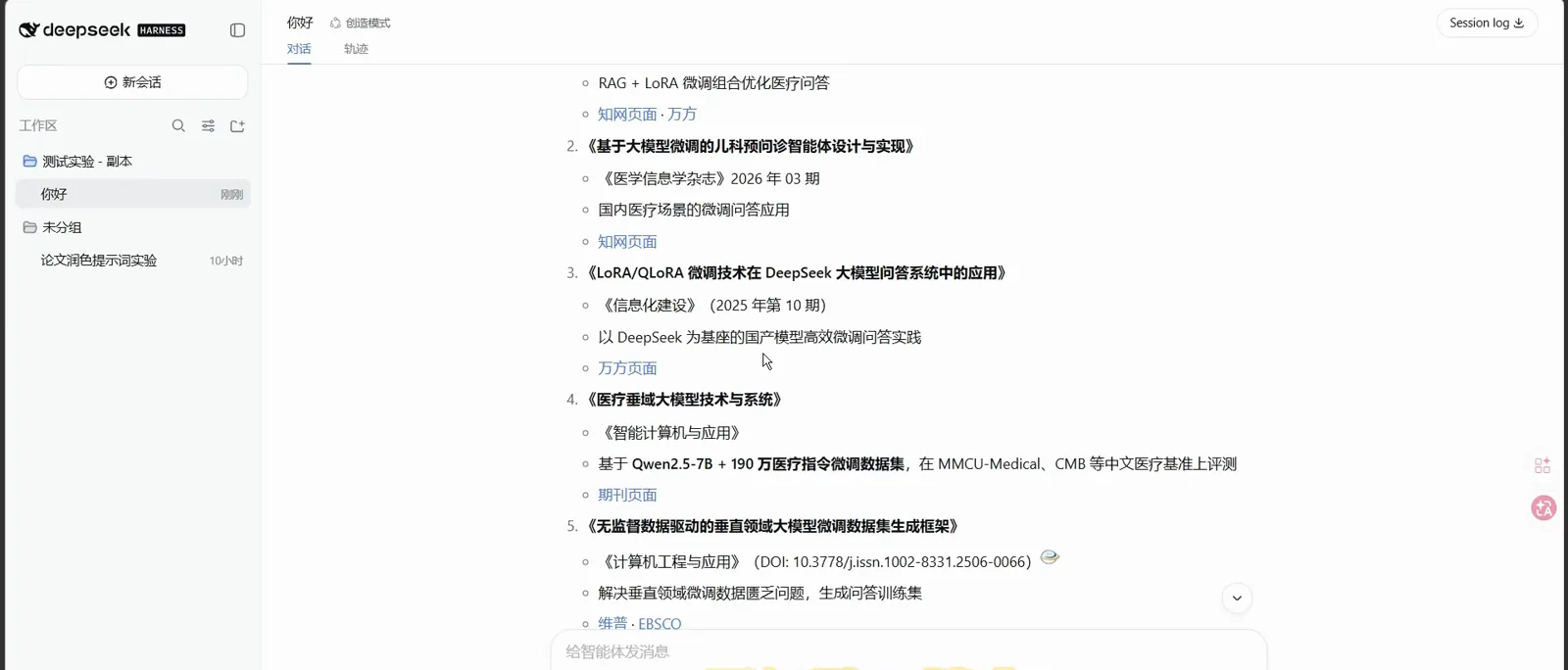
Chinese core journals come back as result cards, not bare links.Watch at 3:20 - 12
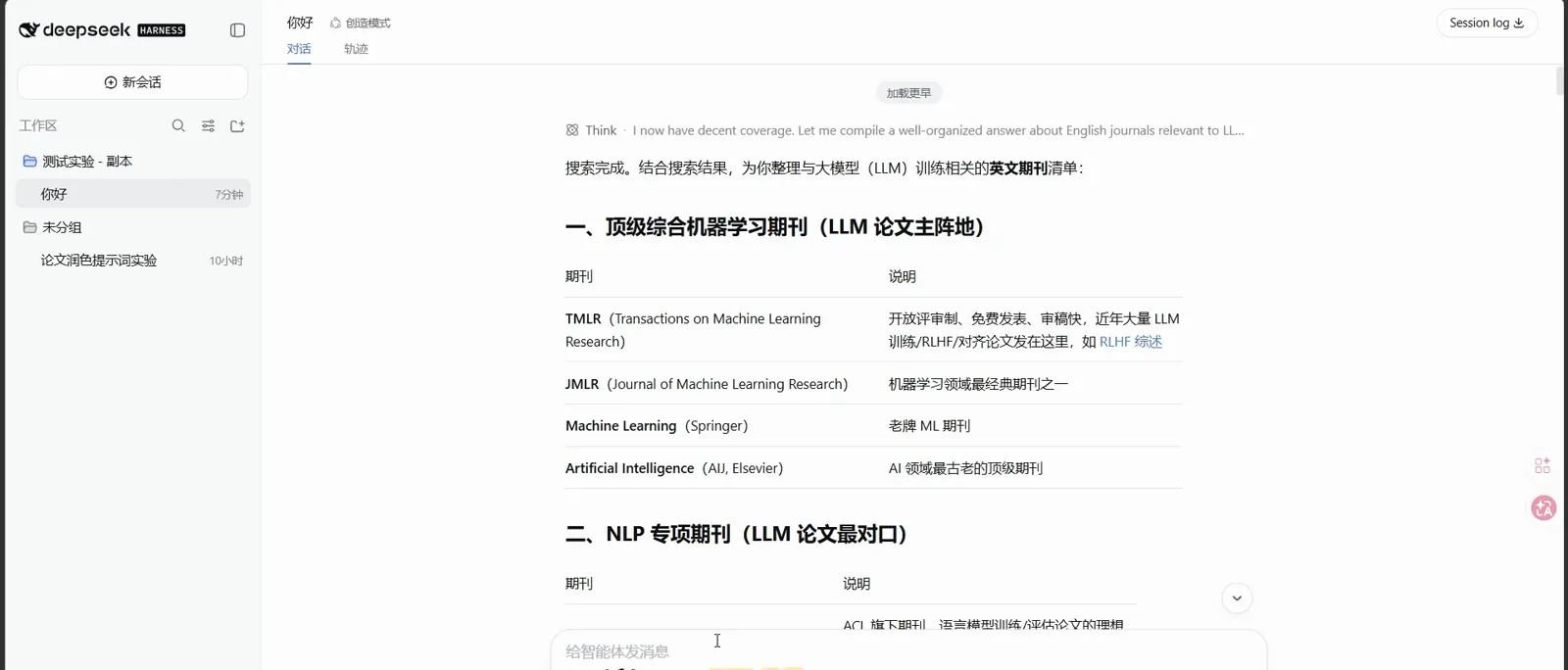
Run the English sweep and start the review
The English pass returns a paper list (the frame shows MedMCQA, UltraMedical, and small-language-model entries). The channel's companion review video completes the loop: searches stayed under the 30-tool cap in 12 tool calls, retrieval tests passed 3-of-3, the output became a 10-paper annotated list, then a curated framework — don't let the model improvise it — and finally section-by-section drafting. Budget for free-tier rate limits: that video's first search failed three times before succeeding.
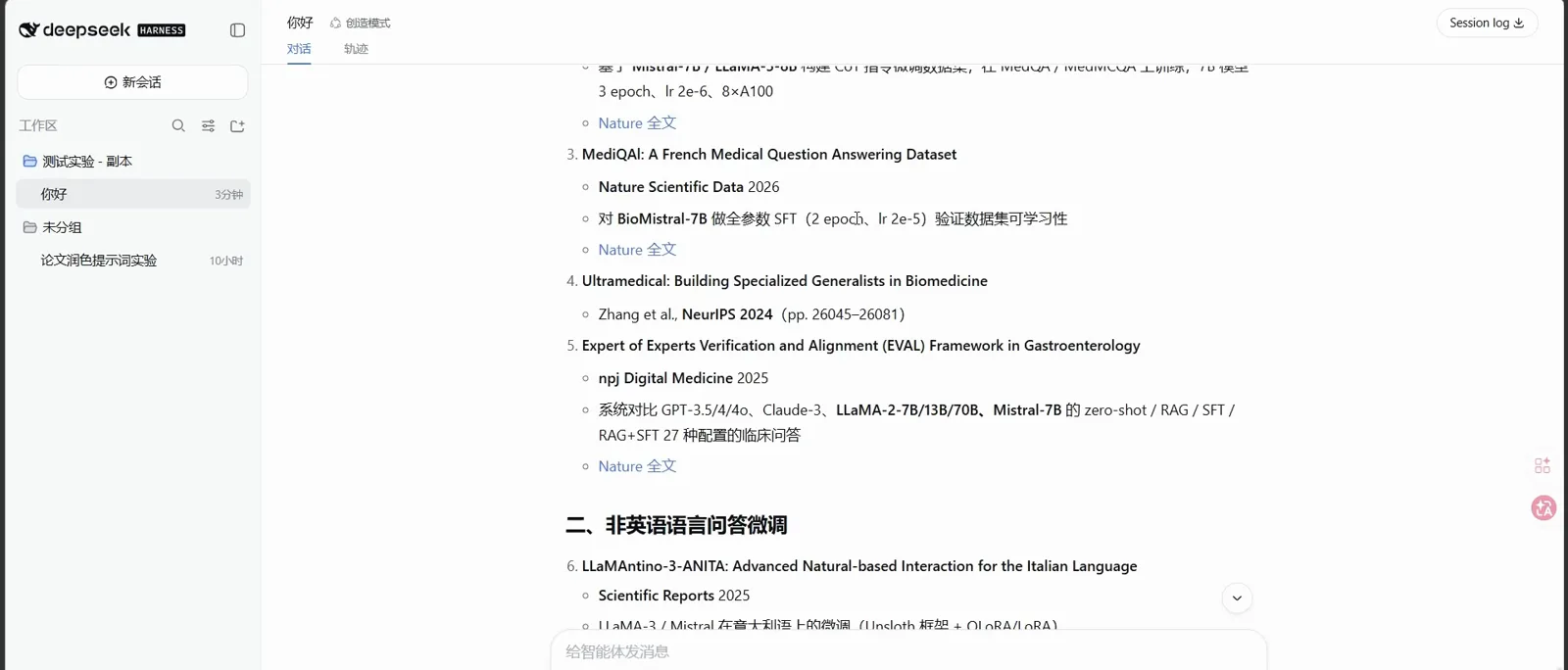
The English sweep that feeds the review workflow's 10-paper list.Watch at 4:22
FAQ
Quick answers about dsh research plugins, Tavily keys, costs, and privacy.
What can dsh research plugins actually do?
The route this page walks — dsh-plugin-tavily — swaps the web_search backend so literature queries return real, linked papers in Chinese and English, and it powers the review workflow: direction planning, a 10-paper annotated list, framework building, and sectioned drafting. Beyond search, the ecosystem adds one-stop workbenches: 1692775560/dsh-Mimir-Academic-research (★543, MIT) covers LaTeX compile-as-you-write, arXiv literature management, experiment tracking, metric charts, and GPU-server SSH orchestration; literaf/dsh-ai4scholar (★29) ships 38 academic tools over Semantic Scholar, PubMed, and arXiv; SihanLv/dsh-literature (★5) does dblp + arXiv search with BibTeX export.
Where does the TAVILY_API_KEY come from?
Register at tavily.com, open the console's API Keys page, and copy a key — the free tier issues tvly-dev- keys as shown in step 8. Paste it into dsh's settings card (Settings → Plugins → Web search); dsh stores it through its credentials service rather than a settings file.
Is it free?
Three free layers: the plugin itself is MIT-licensed open source; Tavily has a free tier with a monthly credit allowance (step 8's frame caught 17 of 1,000 credits used); and Tavily even runs keyless at reduced rate limits. The real cost is free-tier rate limiting — the review video's first search failed three times on free-link errors before succeeding, so retry before assuming the setup is broken.
How is this different from just asking DeepSeek?
Asking plain DeepSeek means the model answers from training data — citations can be plausible inventions. With the plugin, the web_search tool is answered by Tavily, so results are fetched documents with real titles and links, while the model-facing tool stays unchanged. And you're not locked in: the deepseek-official provider stays mounted, and flipping searchProvider back (then restarting) restores it.
What about data privacy?
Your queries go to Tavily's API (api.tavily.com) to be searched — that is the service's job. The key itself is stored through dsh's credentials service (~/.dsh/.credentials.yaml), not in a settings file or a plain environment variable, and the settings card is designed so the browser cannot read stored secrets back. There is no third-party relay between dsh and Tavily.
Does it support Chinese literature?
Yes — step 11's frame shows Chinese core-journal results returning as Tavily-backed cards, and the plugin's recommended recipe list includes SearchAll with Chinese queries and Chinese-English mixes alongside English searches. The recording's own run note confirms its Chinese-journal searches executed through Tavily.
Is dsh-Mimir-Academic-research the same thing this page installs?
No. This page installs dsh-plugin-tavily (★5, an individual developer's plugin — not official) to upgrade dsh's search backend. dsh-Mimir-Academic-research (★543, MIT) is a far larger one-stop research workbench — LaTeX writing with live compile, arXiv literature management, experiment tracking, metric charts, GPU-server SSH orchestration. It headlines the academic collection, which is where to compare options; this page is where to follow steps.
Related guides
Where to go next on the dsh research and workflow track.
The academic plugins catalog
Mimir, arXiv, PubMed and more, ranked — browse the field before you install.
Read the guideStore documents in the knowledge base
Searching the web finds new literature; the knowledge base keeps your own files ready to cite. The two tracks complement each other.
Read the guideBuild your own research plugin
Route three of the three-routes map: when no existing plugin fits your workflow, develop the one that does.
Read the guidedsh for data analysis
From a 100k-row CSV to Cox regression and journal-grade figures — the analysis track this literature work feeds.
Read the guidedsh for Excel reports
Turn results into spreadsheets and formatted reports your supervisor can open.
Read the guidePlugin installation, the general manual
Every install method beyond this page's one command, with troubleshooting.
Read the guideSources & credits
All 12 frames come from Paperjia免费开题报告's reference-list tutorial on Bilibili (main source); exports were re-checked frame by frame against its watermarks and burned-in subtitles. The channel's later literature-review video supplied the review-workflow facts — no frames were taken from its sticker segments. Prof. He Jing's (Beihang) lecture supplied the three-routes framing — no frames were taken from its slide or talking-head segments. Repository facts re-checked via the GitHub API on 2026-10-04: 1624318455/dsh-plugin-tavily (★5, MIT), 1692775560/dsh-Mimir-Academic-research (★543, MIT), literaf/dsh-ai4scholar (★29, MIT), SihanLv/dsh-literature (★5). Every screenshot deep-links back to its source video at the exact second.