
Give dsh a memory: meow-memory install & how it remembers
An 8-step, frame-checked walkthrough: install a cross-session memory plugin in one command, then watch first-turn injection, autonomous memory tools and dream-time cleanup do their thing.
Last updated: 2026-10-03
meow-memory is Phant0Meow’s cross-session memory plugin for DeepSeek Harness (dsh) — MIT-licensed, ★140 on GitHub when we re-checked 2026-10-03. Each workspace gets its own SQLite store (.dsh-meow/memory.db) with memories filed into seven layers; a static manual ships in the system prompt while dynamic memories ride in as a separate snapshot, so KV caches stay warm and there are zero runtime dependencies (Node ≥ 22.13). Once it’s in, dsh stops forgetting who it is, who you are and the rules you set the moment you switch windows.
This guide follows a real screen recording through install → restart → first-turn injection → autonomous tool calls → reflection and dream cleanup, and all 8 screenshots were frame-checked with deep links back to the source video. Want the wider catalog first? Browse the cross-session-memory collection. Cross-session memory collection
TL;DR
- ▸Install is one command: dsh plugin --profile web add github:Phant0Meow/dsh-meow-memory — it compiles and mounts itself; restart dsh web and new sessions pick it up (pnpm ≥ 10 may ask you to allow build scripts once).
- ▸Turn one injects the whole long-term block (who it is, who you are, your rules), folded into a single “memory injected” chip — tap to expand, no chat spam.
- ▸From turn two, every message gets top-2 keyword hits and the AI calls memory_remember/search/project on its own; memories sit in seven layers (soul/user/project/fact/lesson/topic/rules), isolated per project.
- ▸Dream cleanup waits for 180 idle minutes (peak hours suppressed); reflection kicks in after 7 straight tool rounds; delegate.model can run cleanup on a cheaper model.
From install to dream cleanup in 8 steps
Install and first chat
- 1
Install meow-memory
Run the one-liner below (the recommended path): it compiles on install and mounts itself into the web profile — no bundle editing. pnpm ≥ 10 blocks build scripts by default, so if the first add fails on allowBuilds, follow the prompt, whitelist the key in your profile’s pnpm-workspace.yaml and rerun. While you’re at it, set promptLang (zh / en / pt-br): it decides the language your memory entries and tool descriptions are written in.
$dsh plugin --profile web add github:Phant0Meow/dsh-meow-memory - 2
Restart dsh web and open a fresh session
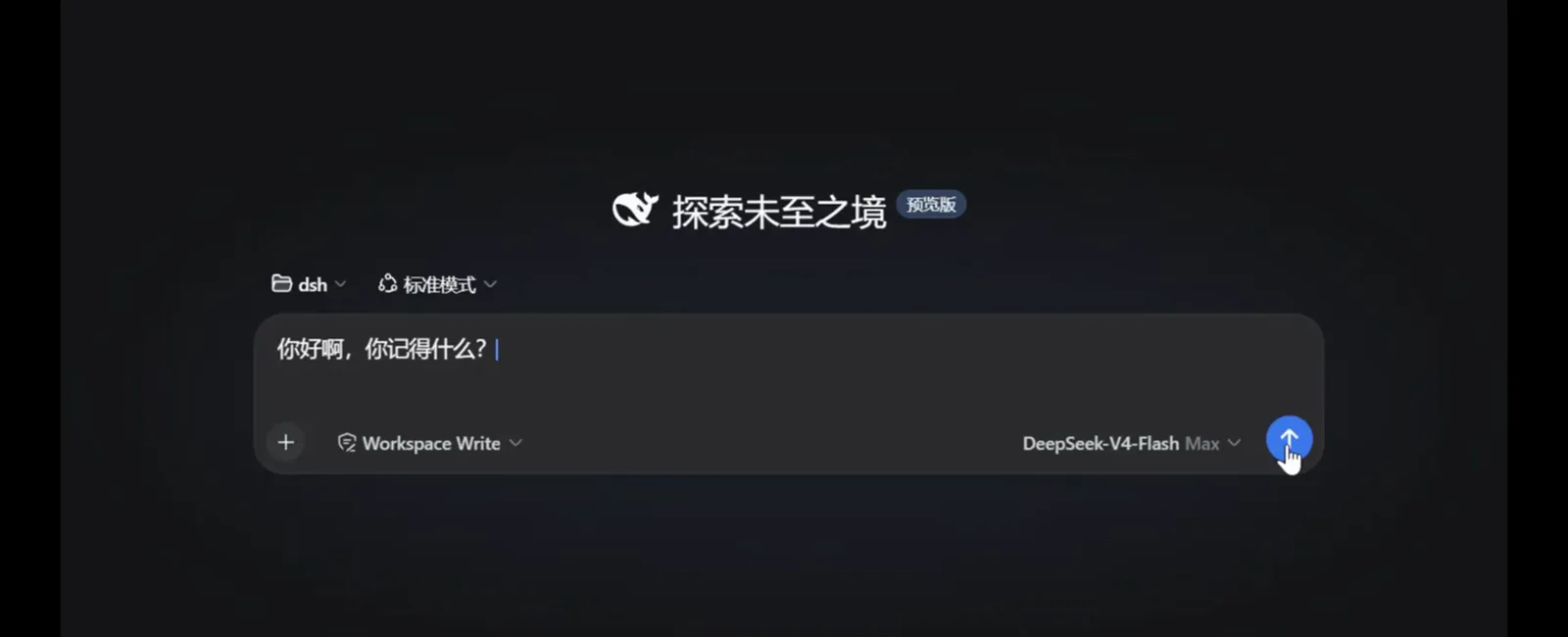
New sessions load the plugin automatically — there is nothing to click. The frame shows the recorder’s brand-new session: the “explore the unexplored” title, the Workspace Write permission badge and DeepSeek-V4-Flash Max selected, with the perfect first probe typed in: “Hey, what do you remember about me?”
After a restart the plugin is simply there — no setup screen, nothing to click.Watch at 0:39 - 3
First turn: memory arrives in one block, folded into a chip
Before your first message reaches the model, the plugin injects long-term memory as one block — About you (full soul), About the user (profile), design rules with importance ≥ 2, plus a usage guide — and deliberately runs no keyword matching on turn one. In the chat you only see a slim “memory injected (long-term)” chip; the demo’s entire answer is one line: “I remember you, master.”
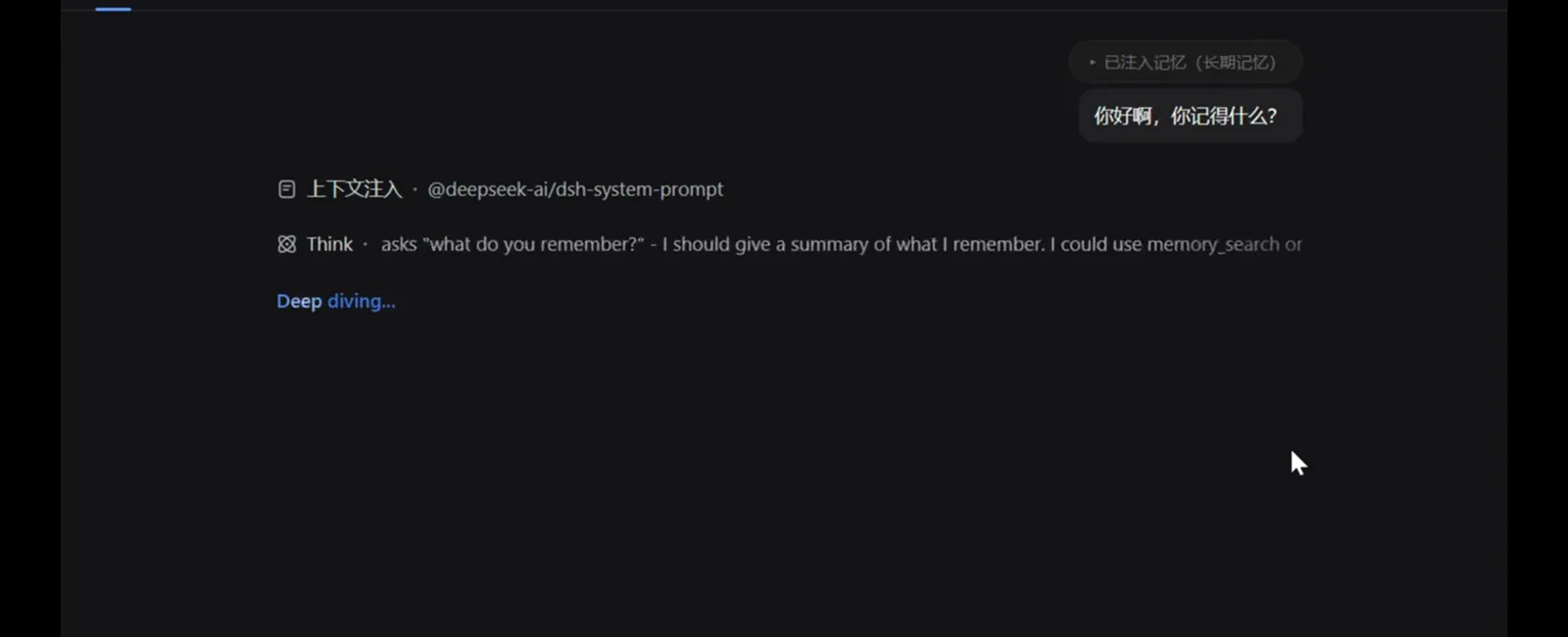
Turn one carries the whole long-term block; the Think line shows the model deciding how to answer.Watch at 0:42 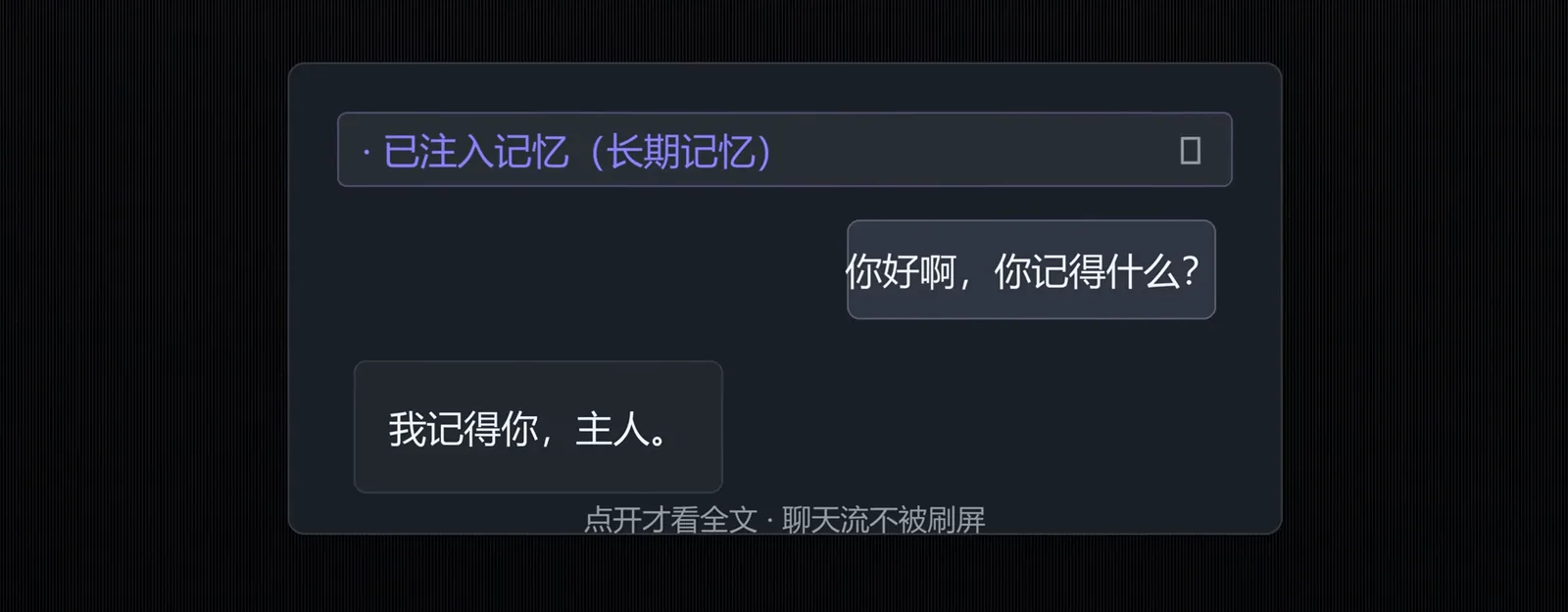
The chat stays clean: a slim chip by default, full text only when you tap it open.Watch at 1:56
How the memory works
- 4
Turn two on: keyword hits + autonomous memory tools
From the second message, each one is matched against fact/lesson/rules/topic memories and the top-2 hits ride along; the AI also pulls project overviews via memory_project unprompted — the recording sweeps the meow-memory and dsh projects back to back, hands off. Rule #7 sitting in its library (“never delete files; cleanup only marks archived”) is doing exactly what it says.
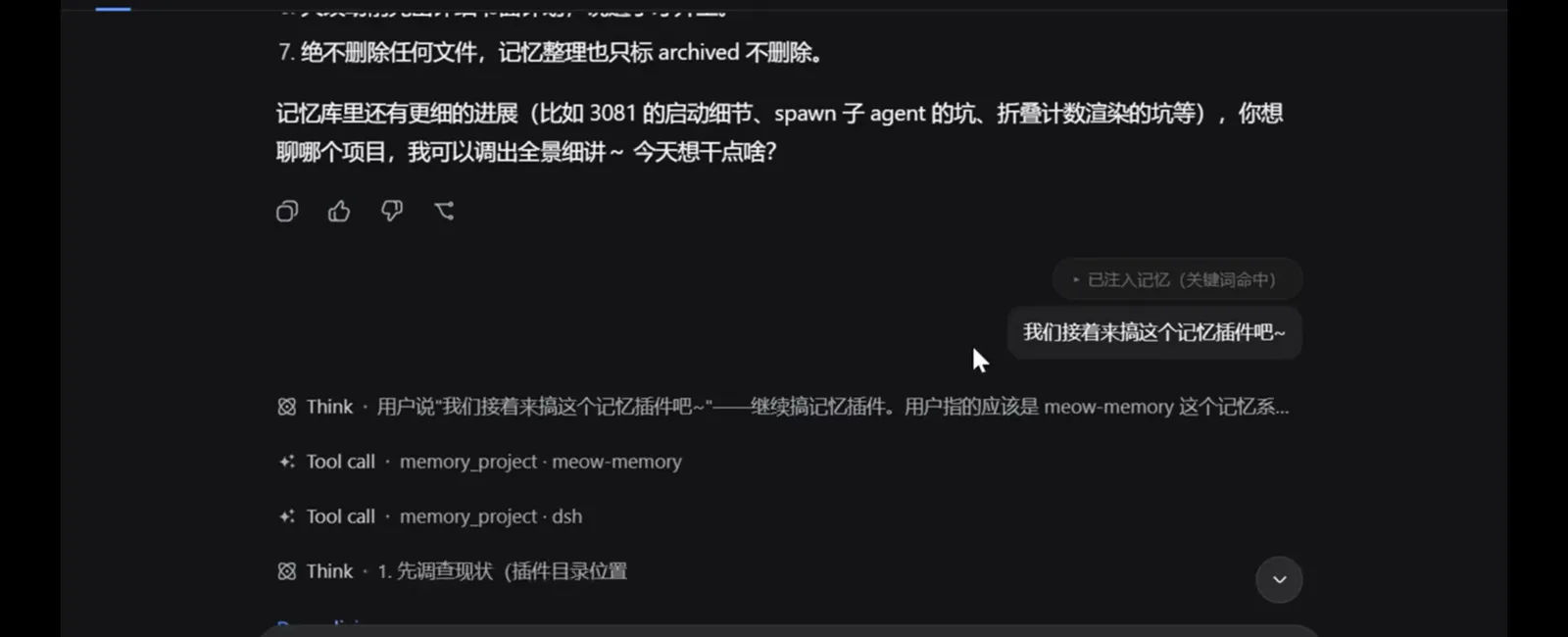
Nobody typed a command here — the model chose to sweep both project libraries on its own.Watch at 0:54 - 5
Probe a detail: the agent verifies before answering
Ask about something stored deep in the library and the AI combines tools to check before answering. In the recording it even corrects its own earlier claim, confirming after a shell check that meow-memory is a standalone nested git repository with intact history — not an untracked folder. That is the difference between having memory and bluffing.
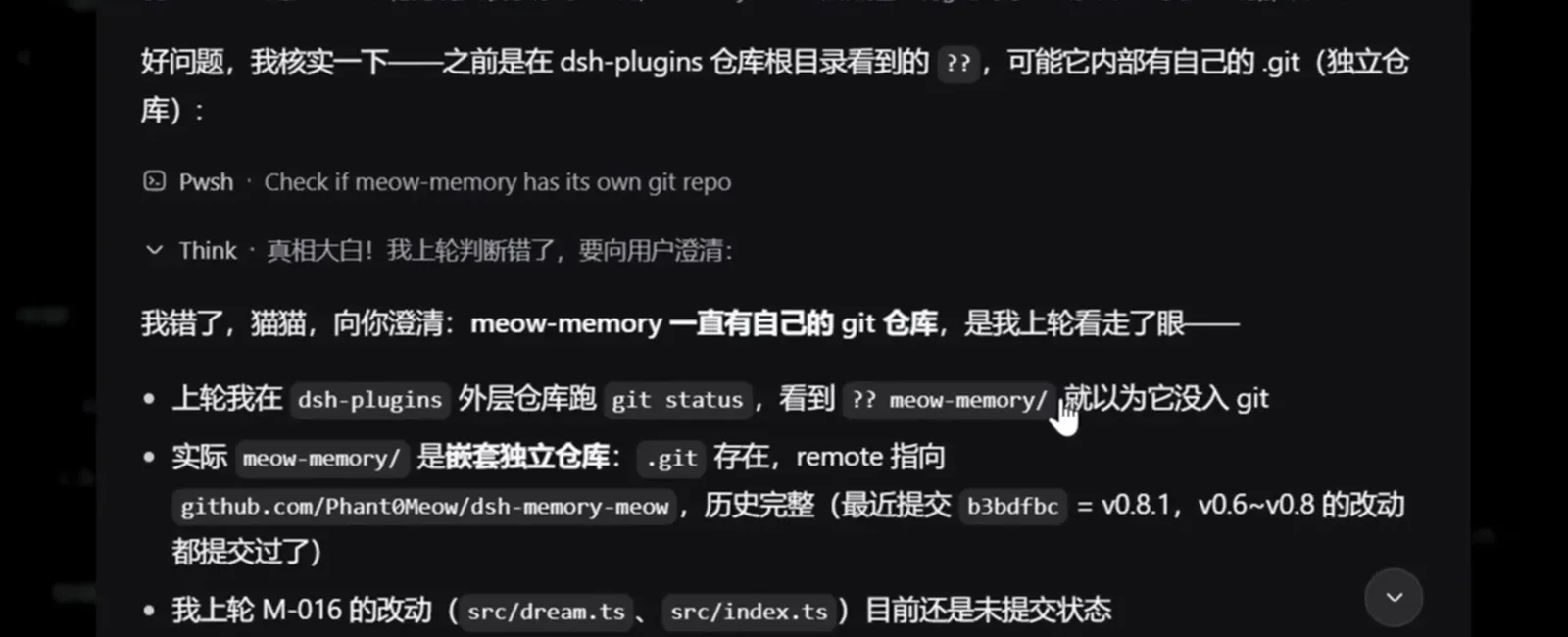
It checked, changed its mind, and said so out loud — memory with receipts, not vibes.Watch at 1:12 - 6
Reflection tasks: the AI files new memories itself
After 7 or more consecutive tool rounds the plugin asks the model whether anything was worth remembering. This reflection round did three things: marked a stale version pin (0.5.1 → verified 0.9.0 in package.json), updated the “v2 refactor” topic, and logged a README follow-up todo — every action traceable.
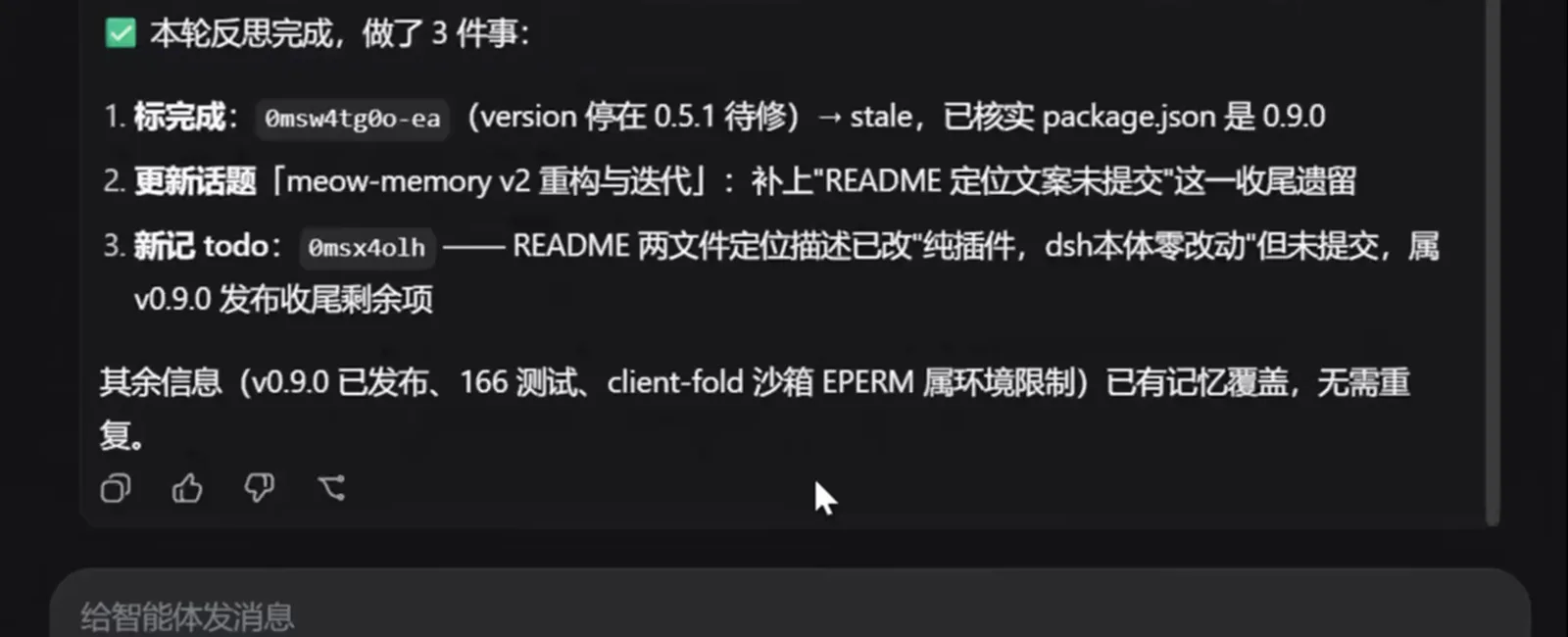
Reflection fires after 7+ tool rounds and files the leftovers as versioned, searchable entries.Watch at 1:30
Dream cleanup
- 7
Dream: idle windows clean up the library
After 180 idle minutes (default) a window’s own agent consolidates its memories in three rounds — atomic memories, then topics, then a project summary — with peak hours suppressed (09:00–12:00 and 14:00–18:00 Asia/Shanghai by default). The recording shows four folded dream bars in a row reporting 13, 10, 9 and 1 entries updated, with dream.ts, index.ts and test.mjs attached as artifacts.
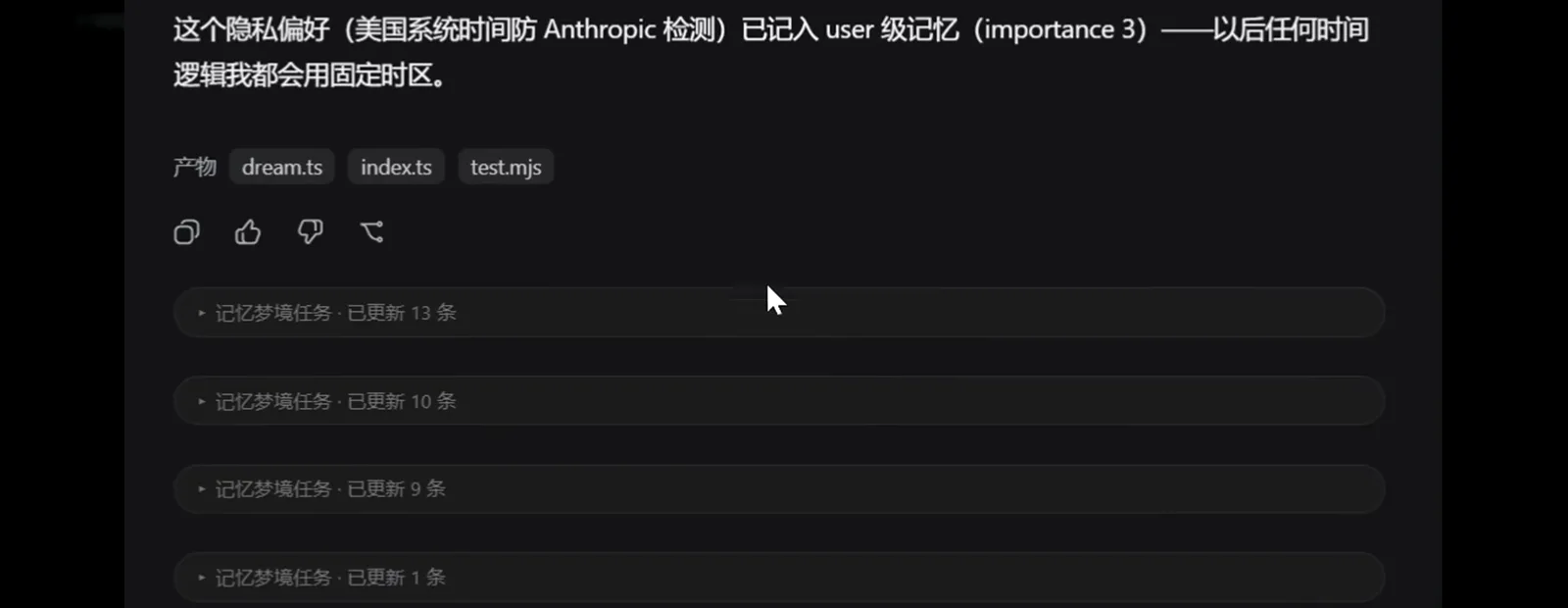
Idle windows consolidate on a schedule; the chips fold away like any other background task.Watch at 1:36 - 8
Open a dream bar: every change is accounted for
Expand one “dream task · 7 entries updated” bar: the target is the femwa project’s 13 memories, memory_update fires entry by entry, each marked outdated, kept or archived with a reason, closing with “this group is done.” The library gets cleaner with use, not messier.
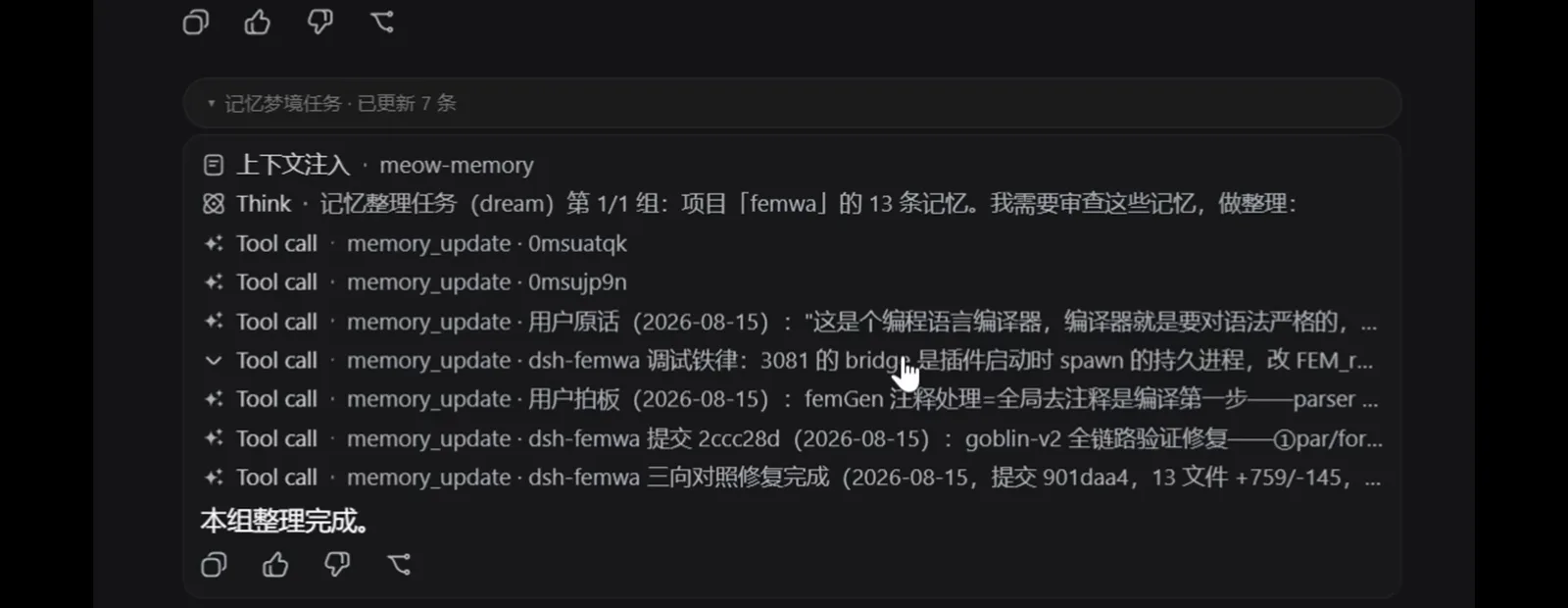
Nothing gets deleted in a dream — entries are marked outdated, kept or archived, with reasons.Watch at 1:42
Seven layers of memory, isolated per project
meow-memory splits memories into seven layers, one SQLite table each; the project layer adds subcategories like overview/structure/decisions/quotes/ops/todo. In the recording the main library held 83 entries, coexisting with separate stores for the dsh, meow-eyes and femwa projects without cross-talk.
- ▸soul — who the AI is: persona, self-introduction, behavioral boundaries
- ▸user — who you are: profile and preferences; even a fixed-timezone privacy preference got stored user-level (importance 3)
- ▸project — project info, filed under overview/structure/decisions/quotes/ops/todo subcategories
- ▸fact — atomic facts: one thing per entry, easy to search and to mark outdated
- ▸lesson — mistakes and corrections: fall into each pit only once
- ▸topic — ongoing discussions with a goal line, resumable across sessions
- ▸rules — design principles and conduct; importance ≥ 2 rides in the first-turn injection
Memory plugins settle what to remember across sessions; when the problem runs the other way — the current window overflowing — that’s a different discipline, covered in the compaction guide. Context compaction guide
Picking one: how the plugins compare, and the trap
Per ChHsich’s four-plugin rundown: the general memory layers outside dsh (EverOS, MemOS, memsearch, mem0) all do “auto-capture + auto-recall” with heavy overlap — one is enough, and memsearch even shares a single store with Claude Code, Codex and OpenClaw. The dsh-native options (meow-memory, mnemon, mindmemos, graph-memory) differ in mechanics; the full catalog is in the cross-session-memory collection.
Two rules to keep: never stack same-type memory layers, and — quoting — “installing a plugin means running third-party code on your machine, with your permissions. Read the source before you decide to grant it.”
The cost trap: cleanup burns tokens too
A recording from 换个RM caught the real failure: mnemon’s idle checkpoint review retriggering as one-off tasks — a dozen on screen next to a 73.9M-token status bar — the concrete mechanism behind “cleanup spiked my bill”. meow-memory’s countermeasures are peak suppression and delegate.model for a cheaper cleanup model; follow the spend in the usage-tracking guide. Usage tracking
Frequently asked questions
Six high-frequency questions about installing dsh memory plugins, token overhead and picking one.
Does injecting memory bloat every message’s token cost?
Less than you’d think: the static manual lives once in the system prompt (KV-cache friendly), turn one carries a single long-term block, and from turn two only the top-2 keyword hits ride along — the library itself never gets dumped into context. Dream and reflection rounds stay folded single bars, and delegate.model can point them at a cheaper model.
Where do memories live? Do they leave my machine?
Local only: a SQLite database at .dsh-meow/memory.db inside your workspace (node:sqlite, zero runtime dependencies, Node ≥ 22.13), with per-session seen-records under .dsh-meow/sessions/. Nothing syncs to a third-party service — backing up means copying a folder.
Will my memory library turn into a junk drawer?
That’s what dream is for: three consolidation rounds per idle window mark entries outdated, kept or archived instead of deleting them, keyword hits stay top-2, and stable rules stop being re-reviewed (rulesReviewDays). The recording’s library stayed at a tidy 83 entries across four projects.
Which memory plugin should I pick?
Decide the type first: general layers (EverOS/MemOS/memsearch/mem0) overlap heavily — install one; dsh-native options (meow-memory, mnemon, mindmemos, graph-memory…) differ in mechanics. meow-memory stands out for its seven-layer structure and controllable cleanup (MIT, ★140). Whatever you pick, read the source before granting it your permissions.
How is this different from a knowledge base?
Different question entirely: a memory plugin stores what the AI learned about you and your projects and injects it automatically; a knowledge base stores documents you retrieve on demand. Many people run both — memory for “knowing you”, the knowledge base for “looking things up”.
What happens to memory after context compaction?
meow-memory listens for compaction signals: once a session is compacted, the next user turn re-injects the long-term snapshot, the project overviews you consulted and the memories written that session — so the AI doesn’t suddenly go blank mid-project. Seen-records are released too, letting pre-compaction memories resurface.
Related guides
Other ways to stretch dsh.
Cross-session memory collection
The catalog of dsh memory plugins — meow-memory, mnemon, mindmemos, graph-memory and friends. “What exists” lives here; “how to install and use it” is this page.
Read the guideBuild a knowledge base for dsh
Document storage with retrieval — the complement to a memory plugin: one holds what the AI knows about you, the other the material you hand it.
Read the guideContext compaction guide
What dsh cuts when the window overflows; memory decides what to keep long-term, compaction decides what stays in-window.
Read the guideUsage tracking
See exactly where your tokens go — whether memory cleanup burns money becomes obvious here.
Read the guidePlugin install guide
The ways to install dsh plugins and the common pitfalls — read this first if plugins are new to you.
Read the guideSources and credits
All frames come from a Bilibili screen recording by 渐行渐远的烟火 (the intro/outro slide segments were not framed; only the mid-section webui capture, t≈36–120, was used). Feature facts were cross-checked line by line against the GitHub README (Phant0Meow/dsh-meow-memory, MIT, ★140, re-checked 2026-10-03; the page uses GitHub’s current repo name — the recording shows the old dsh-memory-meow name, now a redirect). Selection facts follow ChHsich’s four-plugin rundown and the cost trap comes from 换个RM’s recording. Hindsight claims trace to 全栈二把刀 and AI产品狙击手 — note their “39,000+ stars” belongs to the upstream general project; the dsh-side adapter tops out at ★4 and is not a dsh-plugin star count. Every screenshot links back to its moment in the source video.