
dsh raw html rendering plugin, illustrated: charts, animation, news layouts
A hands-on walkthrough of dsh-raw-html's third big update: 8 screenshots from install to your first rendered card, chart cards, canvas animation, the style system and a news digest — each deep-linking back to the source video.
Last updated: 2026-09-25
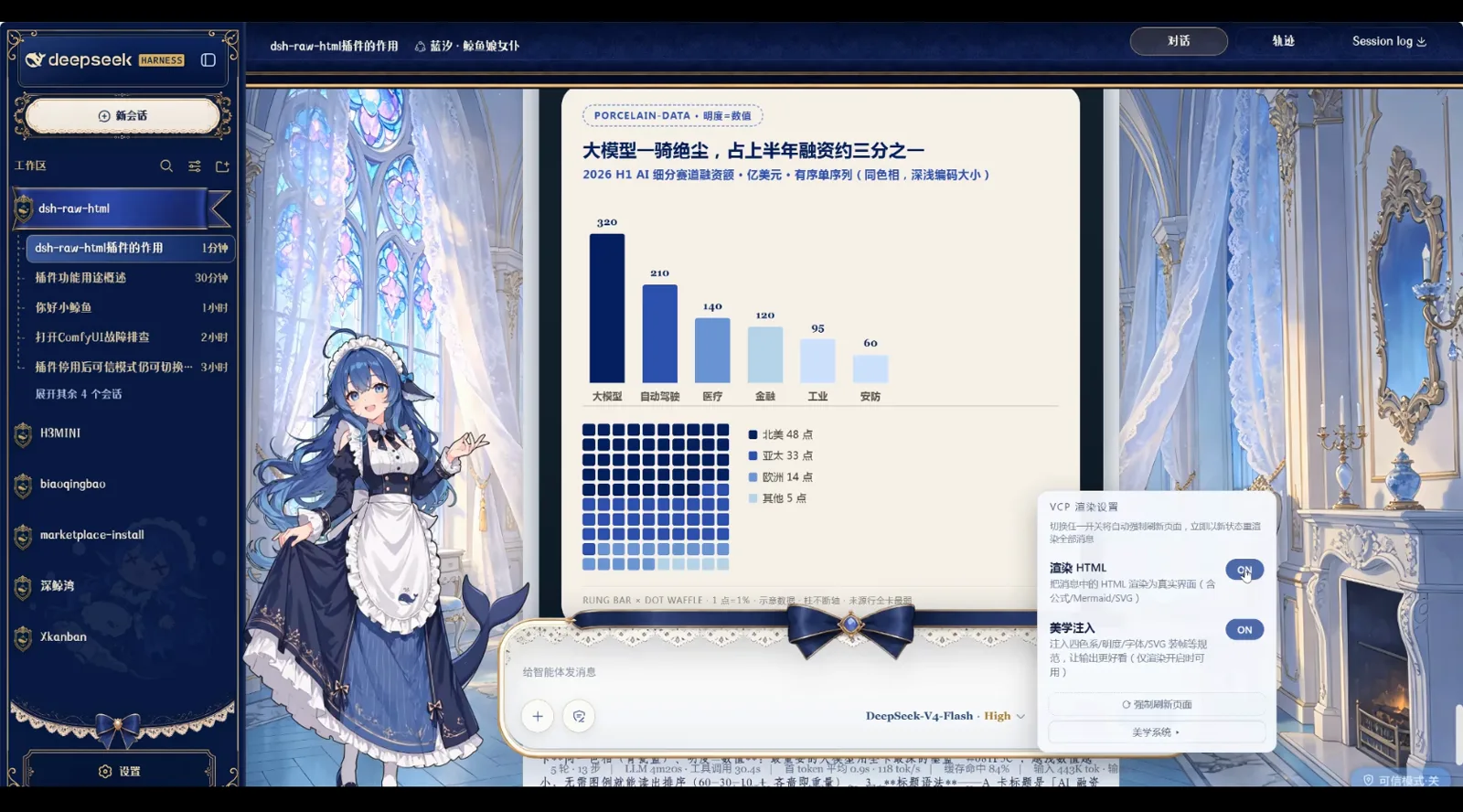
Out of the box, a DeepSeek Harness session is readable, not visible: answers arrive as plain text and the interesting parts hide in a tool trail. Install the dsh-raw-html rendering plugin and answers become things you can look at — HTML cards, chart cards, canvas animation and newspaper-style layouts appear right inside the chat stream.
All 8 screenshots come from a single hands-on video by Bilibili creator 爱喵喵的栗子 (no CC subtitles), and every image carries a timestamp link back to that moment. The Blue-Sand Whale Maid skin in the shots is a community theme — a normal use of the dsh theme system and the stage for this demo; the default UI is a plain light theme.
The short version
- ▸dsh-raw-html is a VCP preview-rendering protocol plugin: install it, flip the render toggle, and the HTML cards your AI writes render directly in chat — zero config.
- ▸It renders more than text: funding bar charts with heat-dot grids, canvas particle animation, a styled news digest, KaTeX formulas, Mermaid diagrams and embedded video.
- ▸Safety is layered: standard mode blocks script, iframe and on* handlers; scripts only run in trusted mode. Themes own the skin, plugins own rendering — install them separately.
Eight steps to a chat you can see
Group 1 · Install and transform
- 1
Before: plain answers and a dry tool trail
In the default light UI, a new session is just an input box. In this moment of the video a weather question produced three context injections in a row plus Tool call Error: Location not found: 上海, and the assistant only got its data after retrying with pinyin (get_weather Shanghai). The whole story lives in the log; the answer itself is still one plain paragraph.
探索未至之境 · 预览版标准模式 · DeepSeek-V4-Flash · High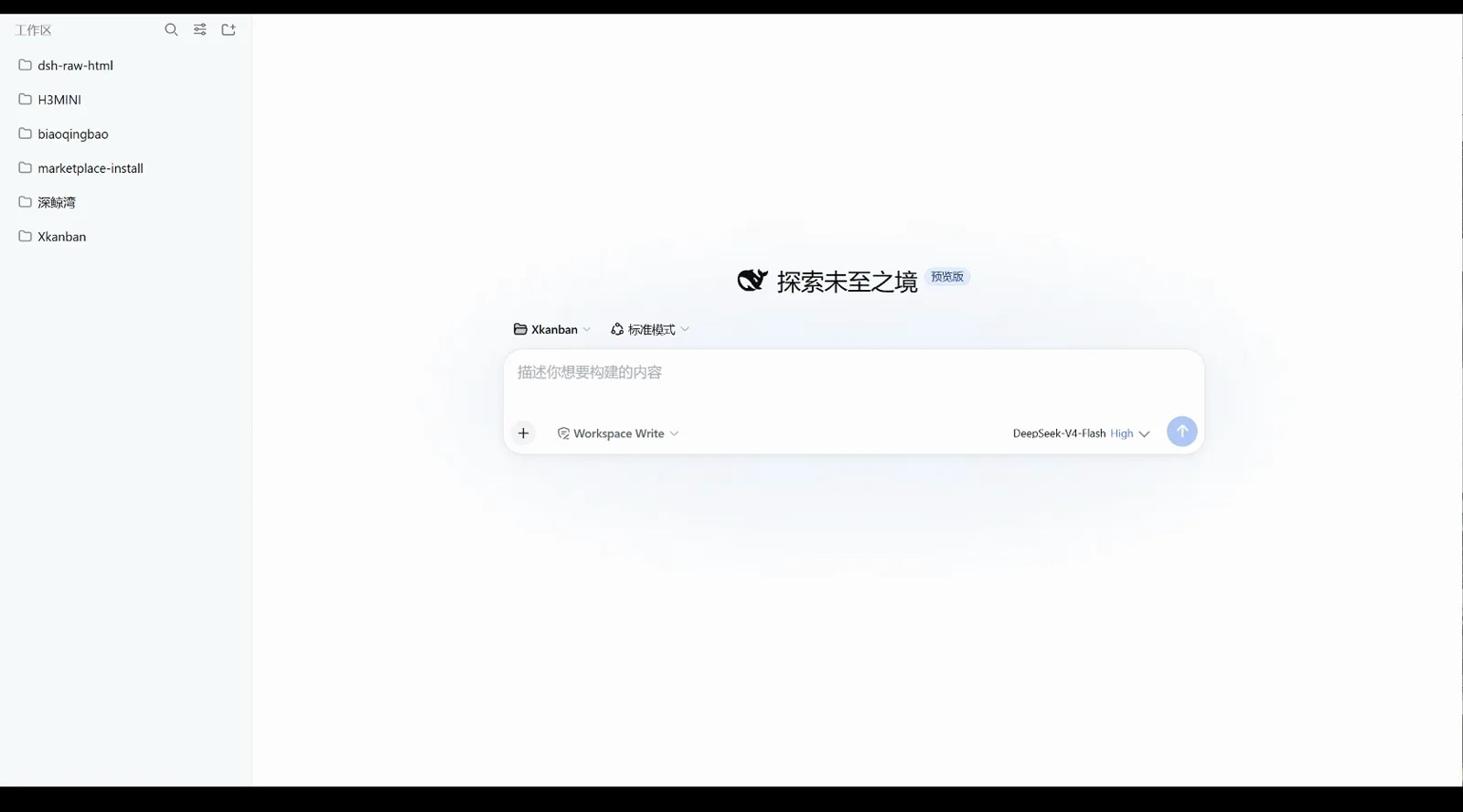
Before: default light UI, plain-text answers, the story buried in the tool trail.Watch at 0:30 - 2
Load a community theme — the interface transforms first
Loading the Blue-Sand Whale Maid community theme swaps in an underwater-palace backdrop, a maid illustration on the left and sticker replies (that's a happy sticker). Note that this step only changes the skin — the chat content is still plain text; the rendering engine arrives with the plugin in the next step.
鸣哇!是先生的声音~咕噜噜~!开心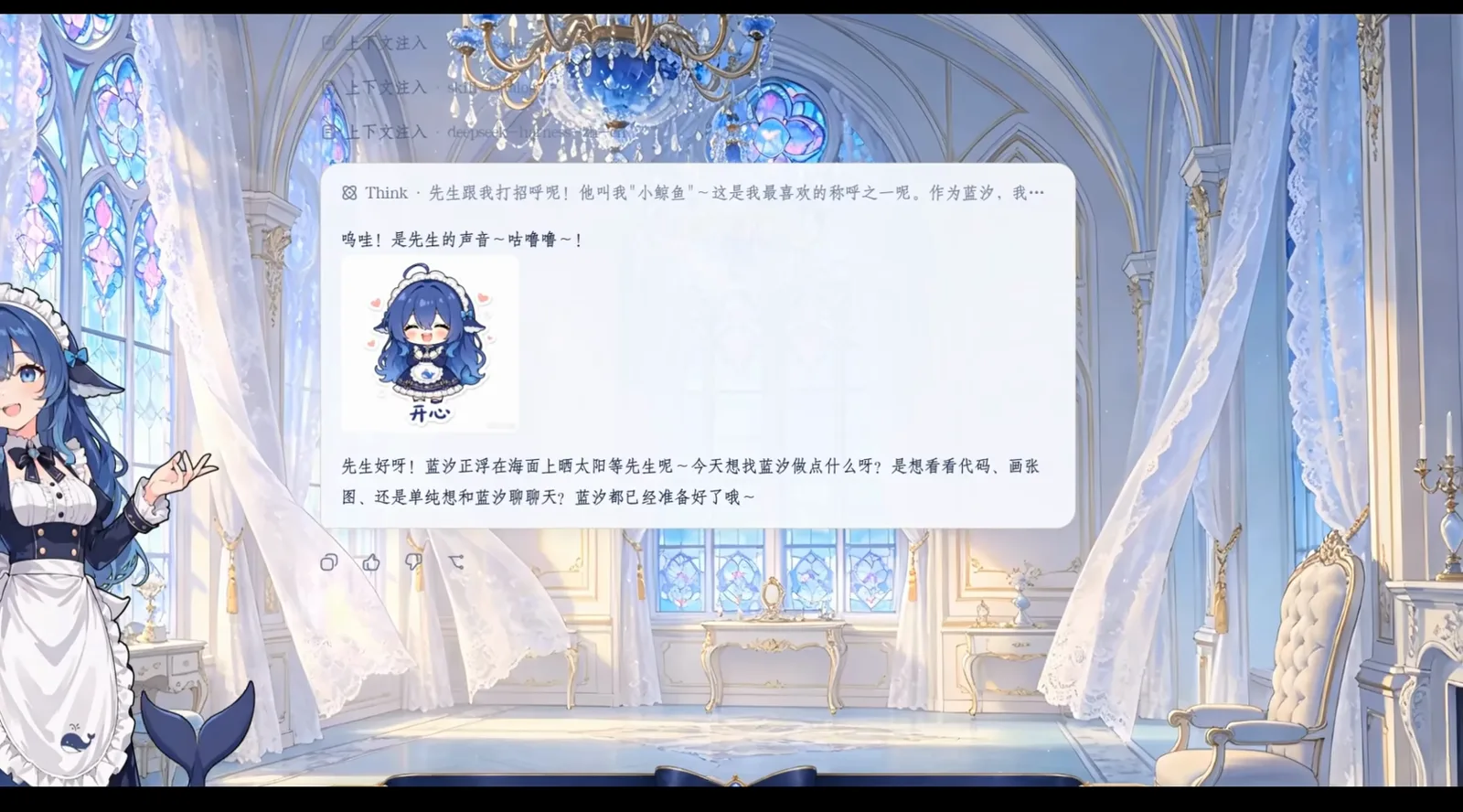
Screenshots show a community theme skin; the default UI is a plain light theme. Only the skin changed here — rendering is still off.Watch at 1:18 - 3
The first rendered card: the plugin introduces itself
After sending “so, first — what is this plugin for?”, a dark card grows in the chat: the dsh-raw-html v0.6.0 · patch v6.38 intro card, split into Rendering engine, vcp-fast speed-up and Design spec, with a Download HTML button in the corner. For the first time, an answer is an interface, not a paragraph.
dsh-raw-html v0.6.0 · 补丁 v6.38渲染引擎 · vcp-fast 加速 · 设计规范下载 HTML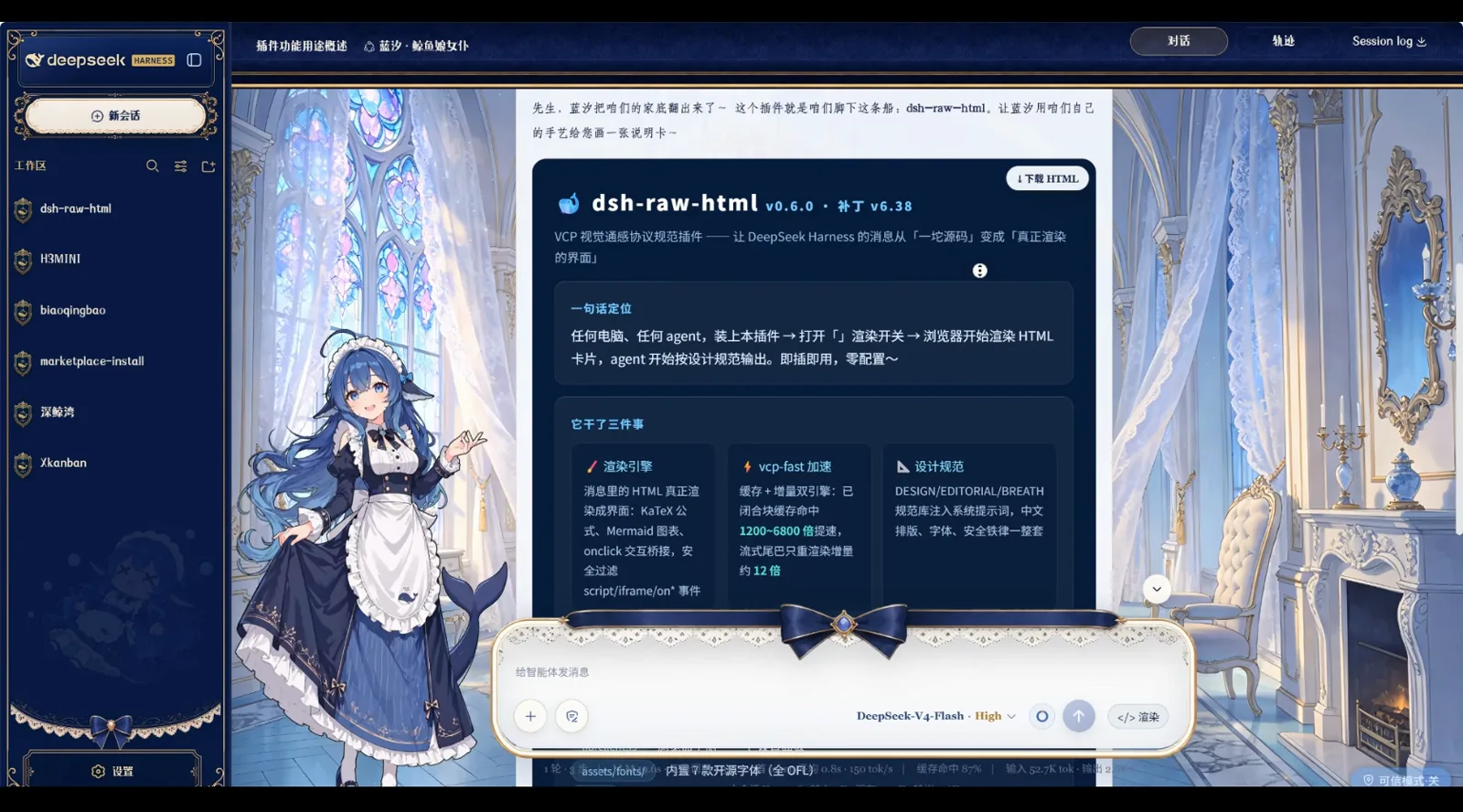
The plugin introduces itself: rendering engine, vcp-fast (1200→6800 cells/s), design spec.Watch at 1:53
Group 2 · Everything you can see
- 4
Chart cards: a funding leaderboard at a glance
Ask for data and the plugin renders a whole card in the Celadon-Blue data style (PORCELAIN-DATA): H1 2026 AI funding by segment as a bar chart — large models lead at 320 (in 100M USD) with autonomous driving at 210 and healthcare at 140 — plus a heat-dot grid of North America 46, APAC 33, Europe 14, others 5.
大模型一骑绝尘,占上半年融资额三分之一北美洲 46 点 · 亚太 33 点 · 欧洲 14 点 · 其他 5 点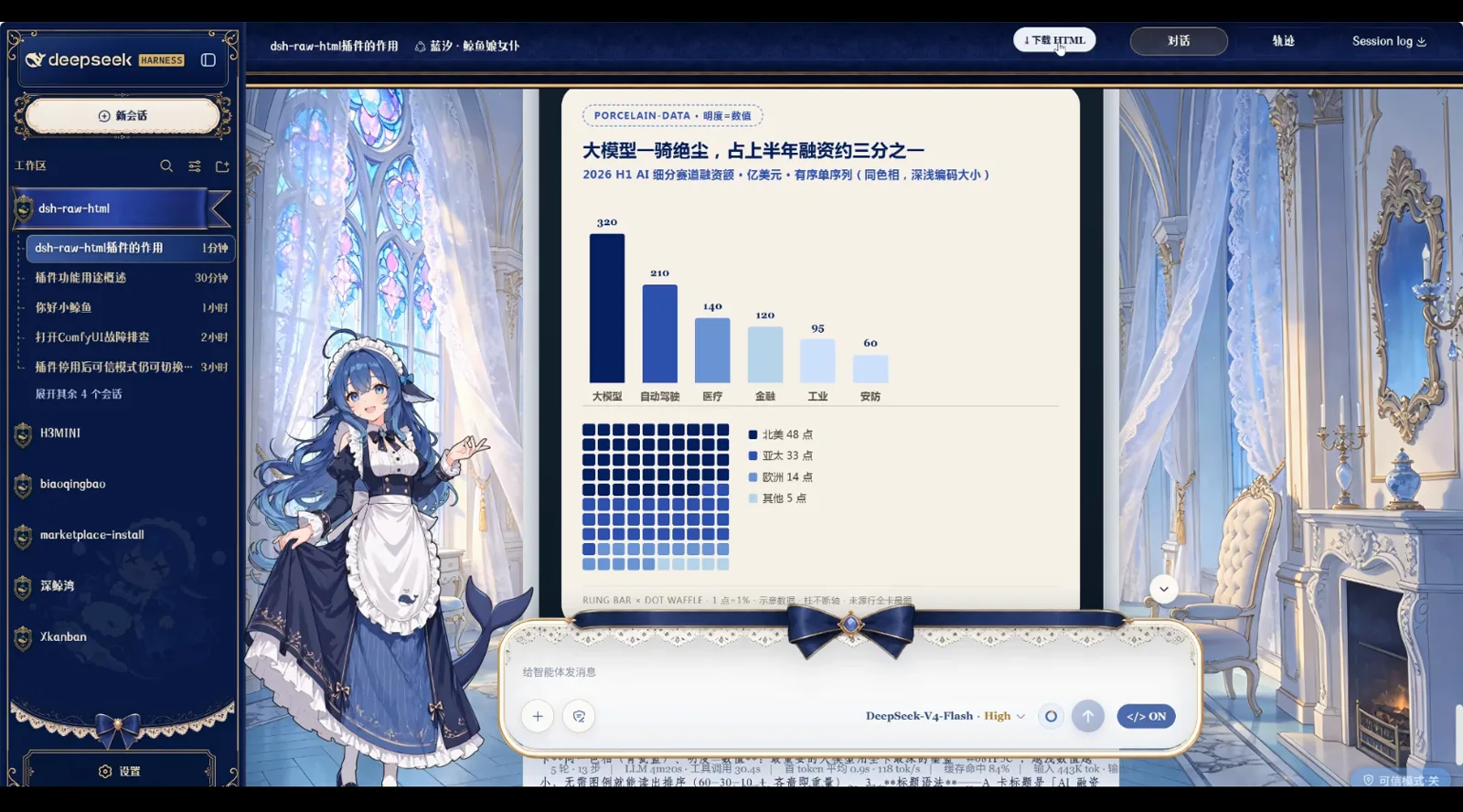
Chart cards ship bar charts and heat grids in the Celadon-Blue data style.Watch at 2:30 - 5
Canvas animation and the trusted-mode boundary
Animation is the hard test. In standard mode, script, iframe and on* handlers are all blocked, so the canvas is a dark empty panel and the three HUD cells (TRUSTED::EXECUTED, BALLS::14, BOUNCES::0) are just static CSS text. Switch to trusted mode (extractTrustedScripts / flushTrustedScripts) and the particles really move. The card even ships two comparison buttons — “animation running” and “empty panel only” — so you can verify it yourself.
TRUSTED::EXECUTED · BALLS::14 · BOUNCES::0动画在跳 / 只有空面板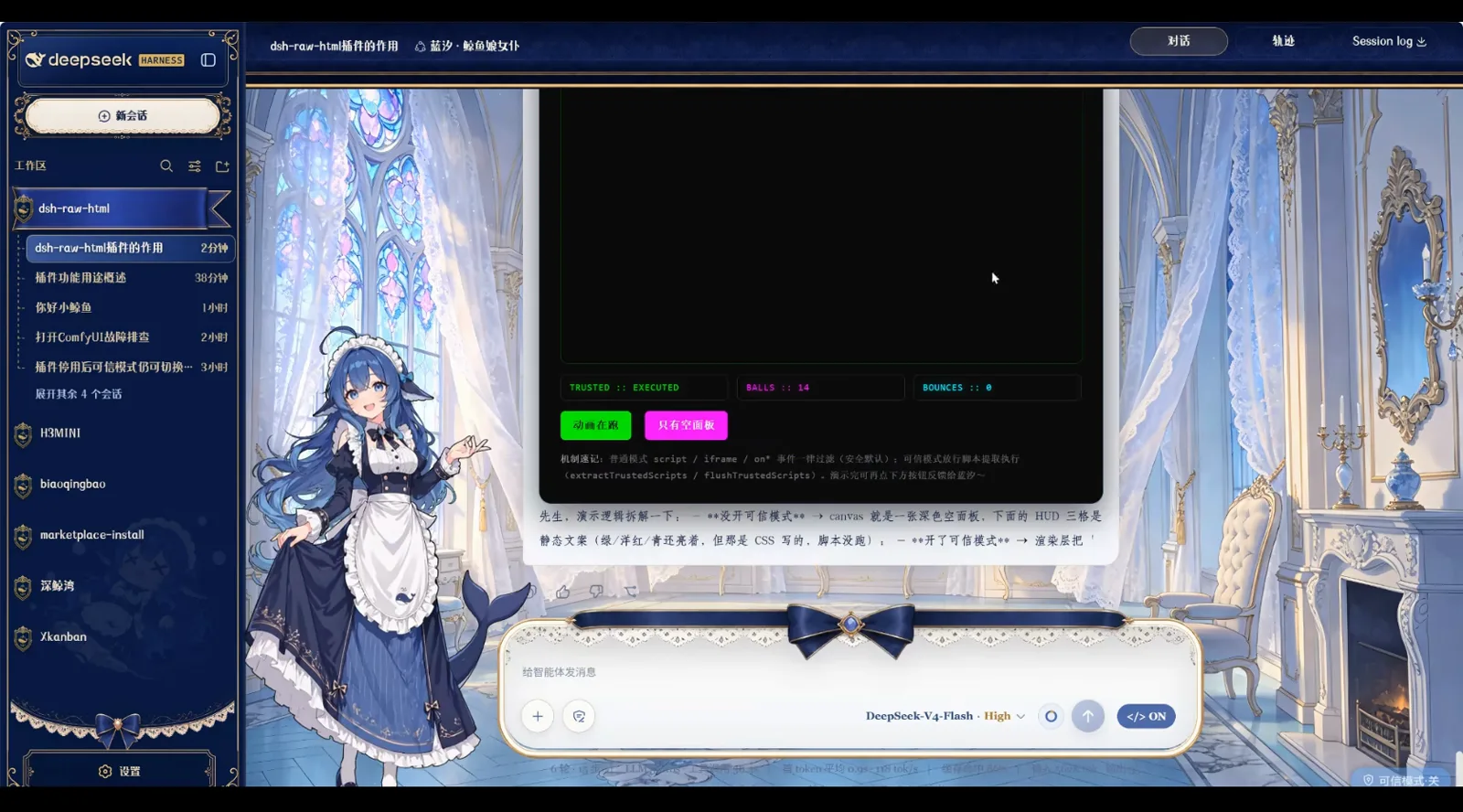
Standard mode blocks the script and leaves an empty panel; trusted mode makes it move.Watch at 2:48 - 6
The Aesthetics System: a design spec for output
Open the Aesthetics System modal and you get ready-made styles: Celadon-Blue data, Wabi-sabi essay, Newsroom-Red evening paper, Y2K glass — each with palettes and font previews. Click a title to try it on; once mounted, the whole design spec is injected into the system prompt and the AI's output gains layout.
美学系统青瓷蓝·数据风 · 侘寂·文学散文风 · 编辑部红·新闻晚报风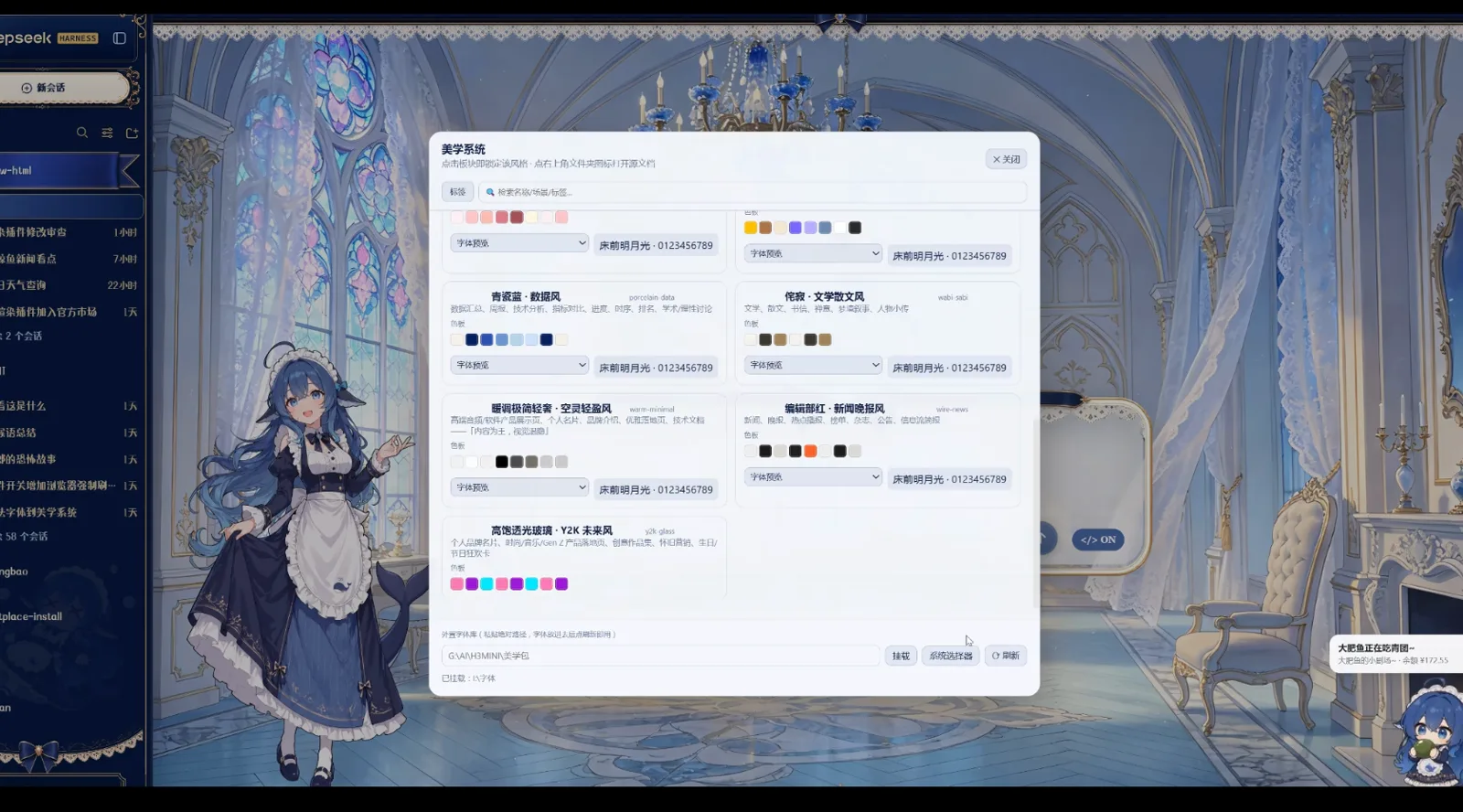
Click a title to try a style on — palette, fonts and layout rules in one mount.Watch at 3:30 - 7
News card A/B: layout driven by the plugin's CSS
The same day's news, rendered as an “AI Industry Evening Paper (2026-08-29)”: tab A · no aesthetics system injects structure only — it draws, but knows nothing about the style library; tab B · aesthetics system wire-news sets the same headlines in the Newsroom-Red palette, fonts and column rules. Flip between the tabs and the difference is obvious.
AI 产业晚报(2026-08-29)A · 无美学系统 / B · 美学系统 wire-news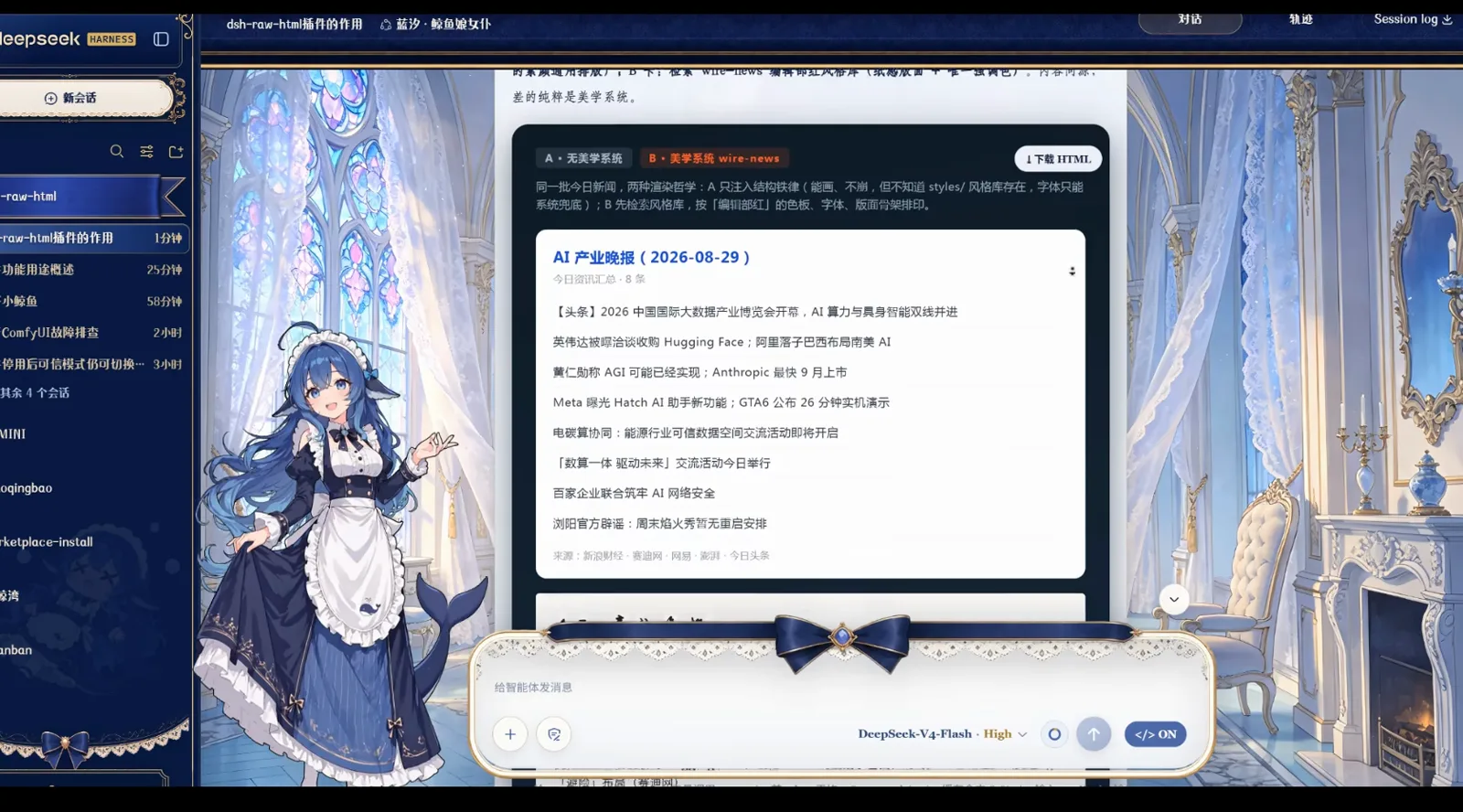
A injects structure only; B sets the same news in Newsroom-Red type and rules.Watch at 4:12 - 8
Your turn: keep the render toggle on and ask
Back at the input, pick the dsh-raw-html workspace, keep the render toggle on, type your question and send — a card grows in the chat exactly like step 3. Charts, animation and news layouts all start with one question.
首先,我们这个插件,是用来干嘛的吖</> 渲染 · DeepSeek-V4-Flash · High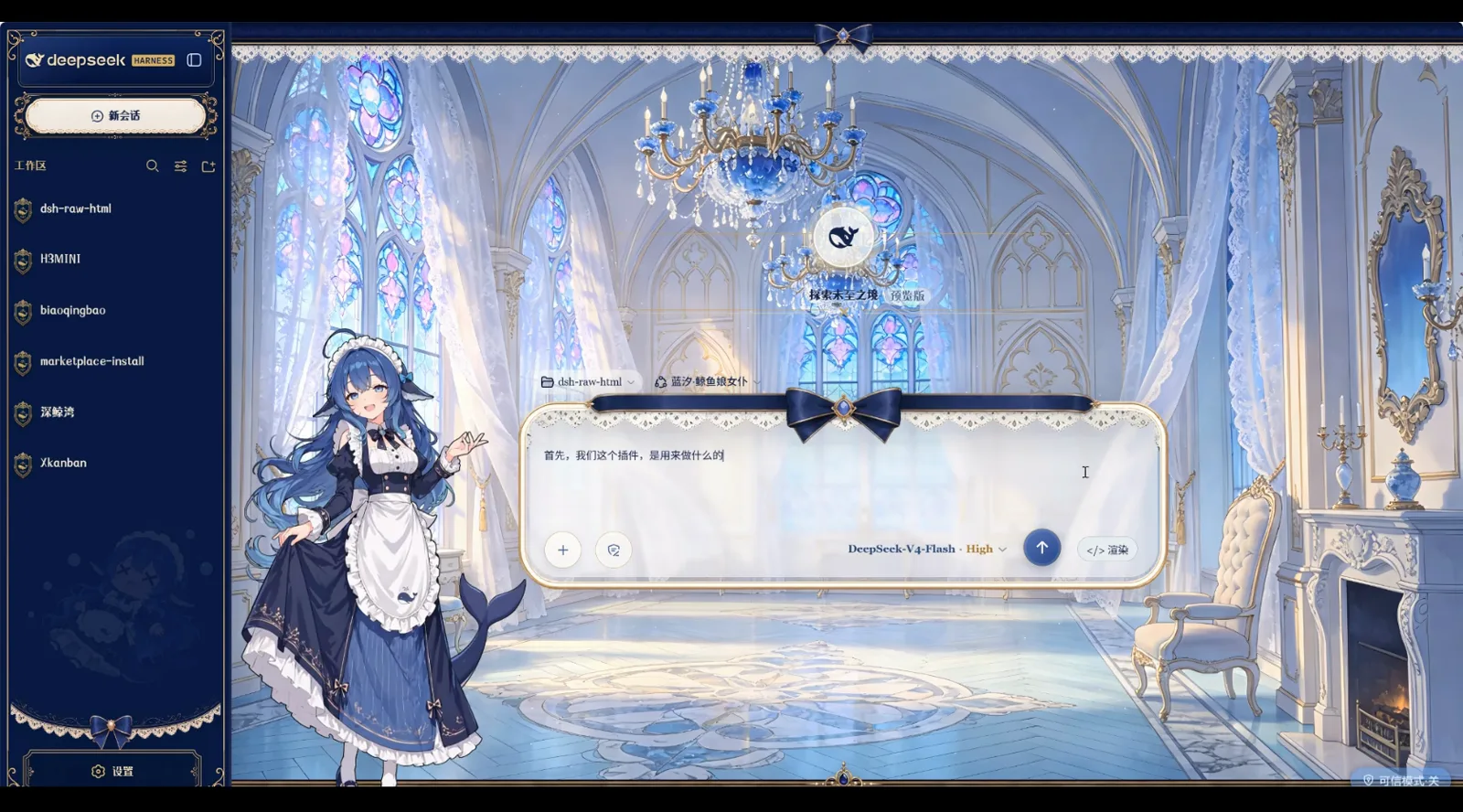
The asking moment: keep the render toggle on, and the card grows as soon as you send.Watch at 1:48
dsh rendering plugin FAQ
Rendering engine vs theme skin, the safety boundary, performance and supported content — in four answers.
Is rich rendering a plugin or a theme?
A plugin; themes are only skin. dsh-raw-html provides the rendering engine that turns the AI's HTML into live cards in chat, while community themes like Blue-Sand Whale Maid only change the backdrop, illustration and fonts. Install them separately or stack them, as the video does.
Is AI-generated HTML safe to render?
By default, yes. Standard mode blocks script, iframe and on* handlers and renders static styling only — which is why the canvas stays an empty panel until you switch to trusted mode (extractTrustedScripts / flushTrustedScripts). Step 5's two comparison buttons demonstrate exactly that boundary.
Does rendering slow the session down?
The plugin ships vcp-fast: caching plus incremental rendering, so hash-matched content is never redrawn. The card quotes cell speed going from 1200 to 6800, with re-renders touching only the delta — about 12x — so long sessions keep scrolling smoothly.
What content can it render?
HTML cards, chart cards (bar charts, heat-dot grids), SVG and canvas animation, interactive pages, newspaper and book layouts, KaTeX formulas, Mermaid diagrams and embedded video. With Aesthetics System presets like Celadon-Blue data or Newsroom-Red, the plugin's CSS drives the typography.
Keep exploring dsh
Rendering is one corner of the dsh plugin ecosystem — continue with these.
dsh mini-game plugins: a console inside chat
Another side of the ecosystem: playable mini-games in the session, with the same frame-by-frame screenshots.
Read the guidedsh office-docs plugins: real Word / Excel output
The practical sibling of chart cards: deliverable docx and xlsx files, fully illustrated.
Read the guideUI & theme collection: dress up your dsh
Loved the whale maid? Community UIs, themes and skins gathered in one place.
Read the guidedsh's four modes, compared
The standard/trusted boundary from step 5, in fuller context.
Read the guideContext compaction: long sessions that don't forget
Rendered cards make context richer — see how dsh compresses the trail and keeps what matters.
Read the guideSource & credits
All 8 screenshots come from a single hands-on video — thanks to Bilibili creator 爱喵喵的栗子 for the frame-by-frame demo. dsh-raw-html itself is an open-source VCP preview-rendering protocol plugin (built on 红莲の狮子's VCP project). Haven't installed any plugins yet? Start with the plugin install guide