
evo-subagent
キュレーション掲載メンテナンス: 活発zekaishi/evo-subagent
役割ベースのサブエージェントルーティングとエージェントごとの進化(prefercmd/memory による知識の許可・拒否リスト)を統合。繰り返しタスクを実績あるコマンドから開始しトークンを節約。
$ dsh plugin add evo-subagent8
スター
0
フォーク
JavaScript
言語
MIT
ライセンス
2026-08-22
作成日
2026-09-20
最終プッシュ
README
evo-subagent



Downloads
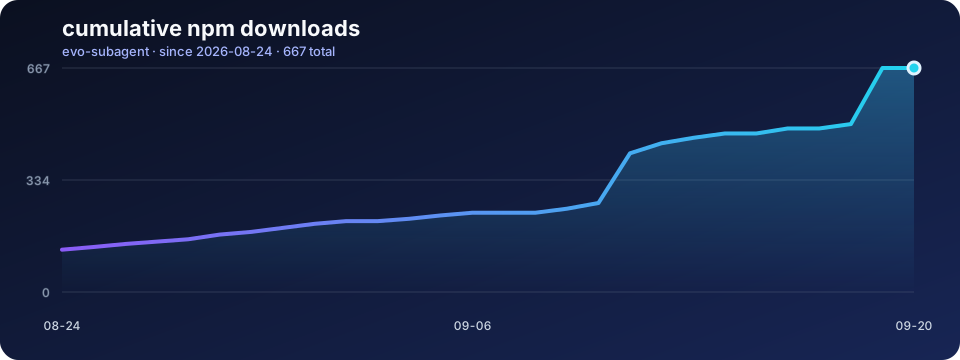
Cumulative npm download data since the first release, refreshed automatically every day. DSH Market ranks plugins using npm downloads, so this is the closest public adoption signal; it cannot distinguish marketplace installs from direct npm installs.
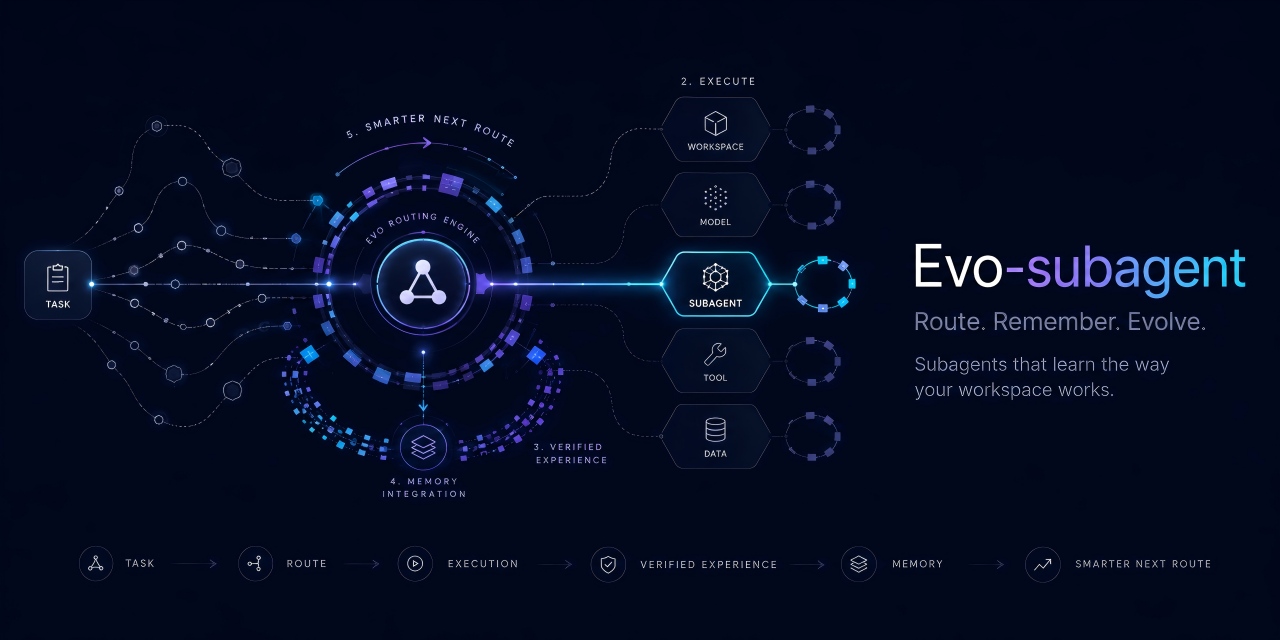
evo-subagent is a DeepSeek Harness plugin for predictable subagent routing and project-scoped evolution.
It maps stable agent roles to registered provider/model pairs, remembers verified commands and lessons for each role, and keeps every project's agent knowledge isolated.
Features
- Route each
agent_keythrough a same-named Markdown binding. - Validate the exact provider/model pair before creating a child agent.
- Maintain per-agent
prefercmd.mdandmemory.mdknowledge files. - Isolate bindings and evolution data by project workspace.
- Support fresh
spawnchildren and context-awareforkchildren. - Fall back to DSH's native model inheritance when no binding exists.
- Store no API keys, endpoints, credentials, or provider definitions.
Installation
Requires DeepSeek Harness 0.1.5-rc.1 or newer and Node.js >=24.2.0.
dsh plugin add evo-subagent
Quick start
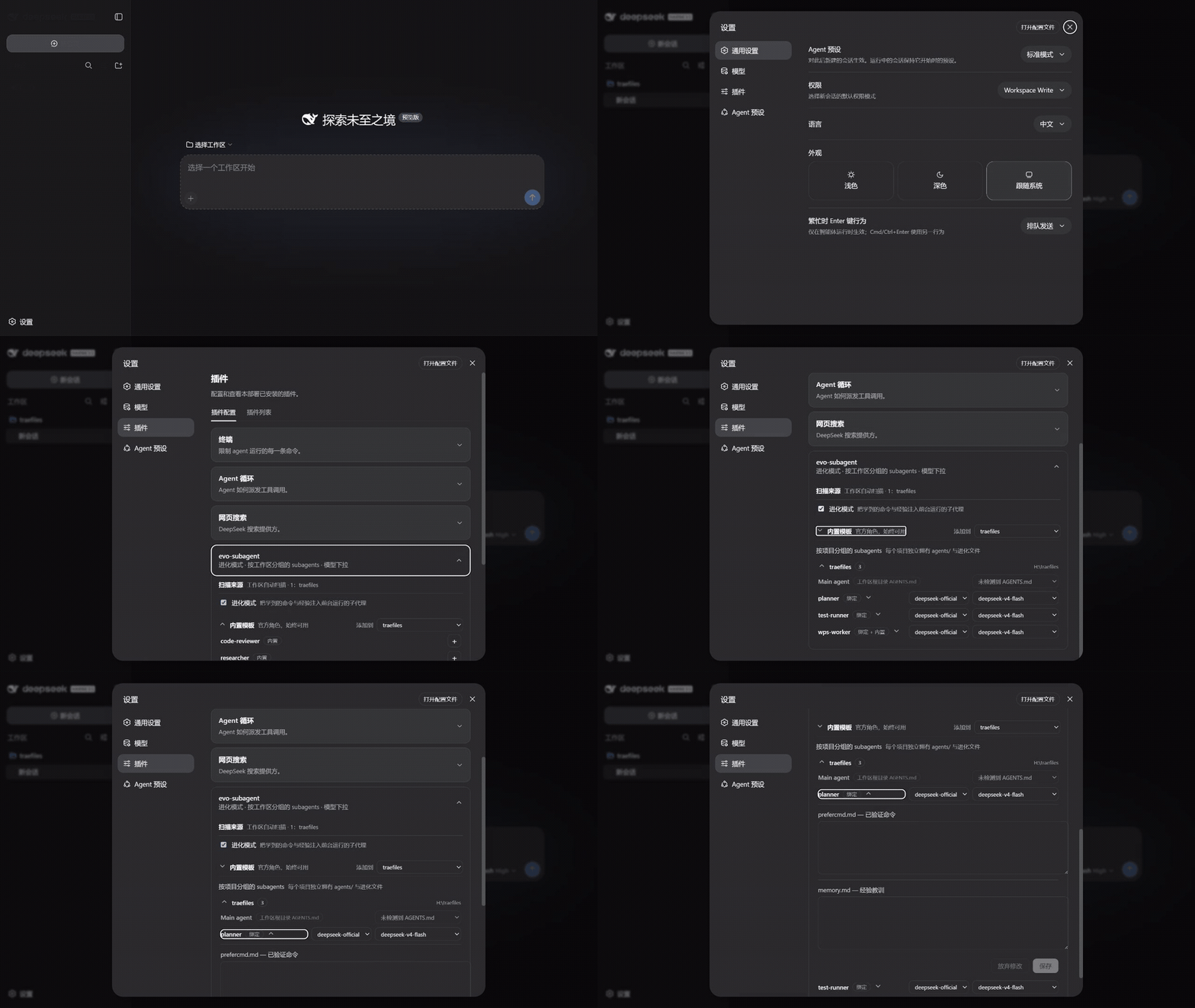
- Open Settings → Plugins and expand evo-subagent.
- Select a workspace and add a built-in role, or place a custom binding in its
agents/directory. - Choose a registered provider/model pair for each custom binding.
- Expand an agent to review its
prefercmd.mdandmemory.mdevolution files.
Changelog
New entries are added at the top for every maintained release.
0.6.0 — 2026-09-12
- Added compatibility with DeepSeek Harness
0.1.5-rc.1and Cordis4.0.2. - Raised the required Node.js runtime to
>=24.2.0for the updated DSH CLI. - Revalidated routing, workspace evolution, and settings behavior on the new runtime.
Agent bindings
Create an agents/ directory in the project and add one Markdown file per role. The filename stem becomes the agent_key.
project/
├─ agents/
│  ├─ code-reviewer.md
│  └─ researcher.md
└─ .evo_subagent/
   └─ evolution/
Each binding begins with a strict front matter block:
---
provider: deepseek-official
model: deepseek-v4-flash
---

# Code reviewer
Optional role notes may follow.
The provider and model must already be registered. Matching is exact and case-sensitive.
Call the plugin tool with the corresponding key:
{
  "agent_key": "code-reviewer",
  "description": "Review the implementation",
  "prompt": "Report correctness, security, and test coverage issues.",
  "run_in_background": false
}
Built-in roles
Three templates are included:
agent_key |
Role |
|---|---|
code-reviewer |
Severity-ranked code review |
researcher |
Evidence-backed investigation |
wps-worker |
Office document production |
A project binding with the same agent_key overrides its built-in template.
Evolution
Each project stores role-specific knowledge under:
.evo_subagent/evolution/<agent_key>/prefercmd.md
.evo_subagent/evolution/<agent_key>/memory.md
prefercmd.mdrecords commands that have been verified to work.memory.mdrecords reusable lessons and failures to avoid.
Foreground subagents receive a bounded knowledge block. They can return new entries with:
[[EVOLUTION]]
prefercmd:
- pnpm test
memory:
- Do not use --force in CI.
[[/EVOLUTION]]
Entries are deduplicated and bounded. Prefix an entry with ! to keep it at highest priority, or ? to make it compressible when the context budget is tight.
Legacy .smart_subagent/evolution data remains a read-only fallback and is copied to the new location on the next save.
Workspace management
The plugin settings card groups agents by project and lets users:
- view or collapse workspace agent lists;
- edit a custom binding's registered provider/model route;
- add a built-in role to a workspace by copying its template;
- bind one workspace-root
AGENTS.mdas the Main agent; - inspect and edit each agent's evolution files.
Main-agent evolution is stored under .evo_subagent/evolution/main/. Binding and unbinding only changes the plugin-managed instruction block in AGENTS.md.
Tool fields
| Field | Required | Description |
|---|---|---|
agent_key |
Yes | Binding filename without .md. |
description |
Yes | Short task label. |
prompt |
Yes | Complete task for the child agent. |
run_in_background |
No | Defaults to true; use false to collect evolution output. |
Routing behavior
- Resolve
<agent_key>.mdsafely. - Parse its fenced
providerandmodelfields. - Verify both values against the live model registry.
- Start the child through the selected
spawnorforkprovider.
Invalid bindings fail before a child is created. Missing bindings preserve native DSH inheritance unless a built-in template matches.
Development
Requires Node.js 24.2 or newer.
npm test
npm run check
npm pack --dry-run
License
連携・共有 の他のプラグイン
dsh-notification
by omdsh-dev
DeepSeek Harness ターン完了のデスクトップ通知。結果別制御とキーワード include/exclude
dsh-open-in-vscode
by omdsh-dev
DSH Web GUI からワークスペースを VS Code で直接オープン
fn-os-apps
by tnnevol
飛牛(fnOS)向けアプリの Monorepo。DeepSeek Harness と飛牛 OS 環境で動作する各種アプリケーションを一括管理します。
dsh-lark-bot
by plutokeating
dsh-lark-bot:Feishu/Lark 桥接。流式カード、ワークスペース、並行タスク、多役 Agent、跨セッション通知、安全网