
dsh-chatgpt-web
Curated pickMaintenance: Activewlv-zedd/dsh-chatgpt-web
DSH ChatGPT Free bridges standard ChatGPT Web directly into DeepSeek Harness
$ dsh plugin add dsh-chatgpt-webInstall
dsh has no central install command — add this plugin’s entry (documented in its README below) to your profile or patch config, then restart.
How installs work7
stars
1
forks
JavaScript
Language
MIT
License
2026-09-04
Created
2026-09-16
Last push
README
dsh-chatgpt-web




Zero-cost conversational AI model provider for DeepSeek Harness powered by free ChatGPT Web (GPT 5.6 Luna).
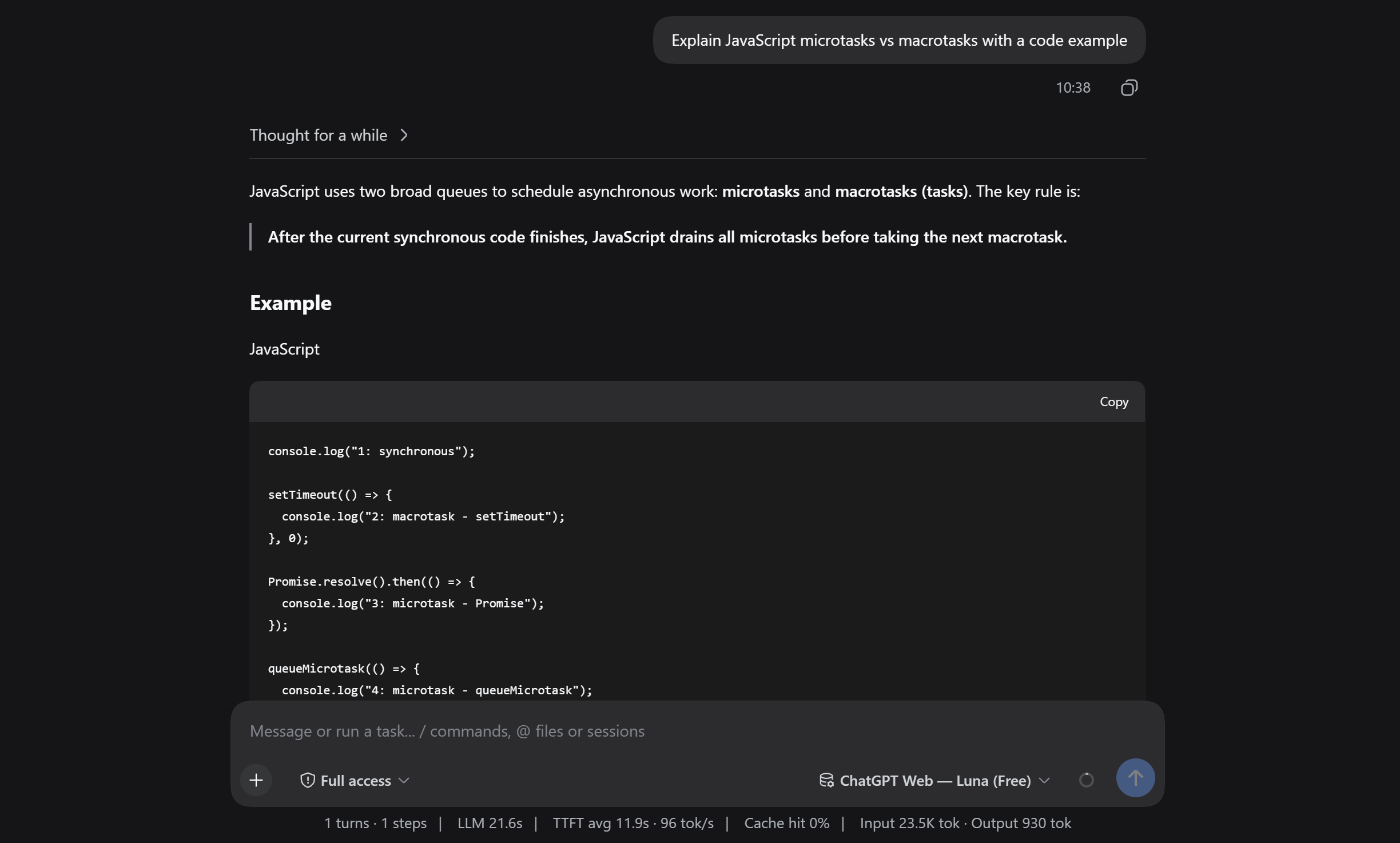
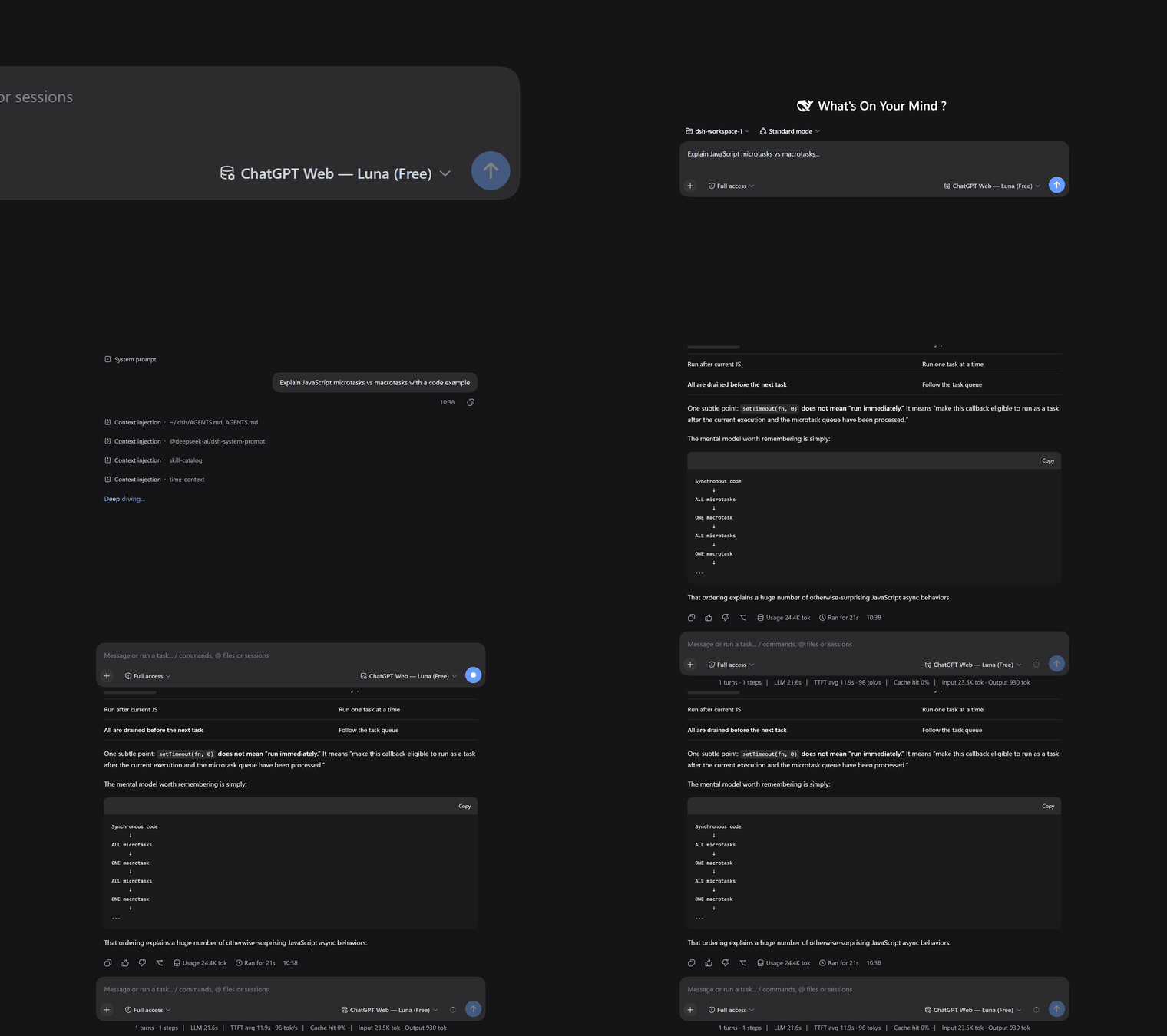
Table of Contents
- Overview
- Requirements
- Quick Start
- Diagnostics & Health Check
- Troubleshooting
- Notes & Limitations
- Related Documentation
Overview
dsh-chatgpt-web turns your local browser session of ChatGPT into a seamless, $0.00 API-free conversational model provider directly inside DeepSeek Harness (DSH).
It connects via headless or visible Chrome/Chromium browser automation to chatgpt.com, streaming real-time Markdown responses, code solutions, explanations, and reasoning back to your DSH chats without consuming API credits.
Why Pure Chat?
Small conversational web models (like GPT 5.6 Luna) excel at explanations, dialogue, Q&A, brainstorming, code snippet generation, and side-assistant tasks. By running in Pure Chat Mode, the bridge eliminates prompt overhead, tool hallucinations, and syntax errors of autonomous multi-tool execution loops, providing a fast, rock-solid, zero-cost LLM provider.
Key Features
- 100% Free ($0.00 Cost): Uses your existing free ChatGPT Web session. No OpenAI API keys or credit cards needed.
- Cordis Plugin-First Lifecycle: Managed by DSH via
ctx.effect. DeepSeek Harness starts the background sidecar automatically on launch and shuts it down on exit. - Dynamic Model Auto-Detection: Automatically detects your ChatGPT tier:
- Free Accounts: Defaults to
chatgpt-web/luna(gpt-5-6-luna). - Plus / Team Accounts: Automatically detects and exposes available paid models (such as
gpt-4o,o1).
- Free Accounts: Defaults to
- Full Streaming Markdown & Code Blocks: Delivers tokens in real time directly to the DSH Web UI or CLI.
- Portable, Validated Artifacts: The published tarball is validated by CI (clean install, runtime smoke test, dependency resolution, no build-environment path contamination) before it can reach the registries.
Requirements
- Runtime: Node.js
>=22.19.0or Bun>=1.3.0(both are supported; the CLI runs on either). - DeepSeek Harness:
>=0.2.0-rc.2. - Browser: Chrome or Chromium on your machine (used for the one-time sign-in and for serving).
Quick Start
1. Installation
Install the plugin directly from this GitHub repository:
dsh plugin --profile <profile> add github:lordraiden/dsh-chatgpt-web
This registers the plugin in the profile's package.json bundles, so its Cordis entries are composed automatically — no manual insert is needed.
2. One-Time Browser Sign-In
Authenticate your ChatGPT account once. The plugin binary lives in the profile's node_modules/.bin:
~/.dsh/profiles/<profile>/node_modules/.bin/dsh-chatgpt-web setup
A dedicated Chrome/Chromium window will open. Log into your OpenAI / ChatGPT account. Once the ChatGPT composer is visible, the setup captures the session and writes the config and browser state to the plugin's storage directory (default ~/.dsh/storages/chatgpt-web/).
If your browser is not at the default path, pass it explicitly:
~/.dsh/profiles/<profile>/node_modules/.bin/dsh-chatgpt-web setup --chrome /path/to/chrome
Using a snap-confined browser (e.g. snap Chromium)
Snap-confined browsers can only write to non-hidden paths in $HOME. The plugin's default storage directory (~/.dsh/storages/chatgpt-web/) is hidden, so a snap browser cannot create its profile lock there and setup fails with:
Failed to create .../login-profile-XXXX/SingletonLock: Permission denied (13)
The fix is to point the plugin's storage home at a non-hidden directory using the DSH_CHATGPT_WEB_HOME environment variable.
How the variable works: VAR=value command is standard shell syntax — it sets the environment variable only for that one command and does not persist it. The plugin reads DSH_CHATGPT_WEB_HOME on startup; when set, every file it owns (config, browser profile, storage state) lives under that directory instead of ~/.dsh/storages/chatgpt-web/.
Step by step:
-
Run the one-time setup with the variable applied to the command:
DSH_CHATGPT_WEB_HOME="$HOME/dsh-chatgpt-web" \
  ~/.dsh/profiles/<profile>/node_modules/.bin/dsh-chatgpt-web setup --chrome /snap/bin/chromium
The browser window opens; log in to ChatGPT. The session is saved under
~/dsh-chatgpt-web/. -
Persist the variable for the shell that starts DSH. The background sidecar is started by DeepSeek Harness and inherits DSH's environment — it does not inherit a one-off
VAR=valueprefix from your terminal. So export the variable in your shell (e.g.~/.bashrc), then start DSH from that shell:# add to ~/.bashrc (or ~/.zshrc): export DSH_CHATGPT_WEB_HOME="$HOME/dsh-chatgpt-web" # reload, then start DSH in that shell: source ~/.bashrc dsh --profile <profile> webThe sidecar now finds the same
config.jsonand browser state that setup created. -
Verify with the doctor (run it in the same environment):
~/.dsh/profiles/<profile>/node_modules/.bin/dsh-chatgpt-web doctor
Important: every command that touches the plugin state —
setup,login,doctor, and the DSH process that runs the sidecar — must see the sameDSH_CHATGPT_WEB_HOME. If some of them use the hidden default path and others use the non-hidden one, the sidecar will reportConfiguration is missing.
3. Enable in DeepSeek Harness
Provider configuration lives in the profile's Cordis patch layer (~/.dsh/profiles/<profile>/cordis.patch.yml), not in a global settings file. Add the chatgpt-web provider under the existing providers map of the llm-pi-ai entry:
- id: llm-pi-ai
  name: "@deepseek-ai/dsh-llm-pi-ai"
  config:
    providers:
      # ...your existing providers...
      chatgpt-web:
        displayName: "ChatGPT Web (Free)"
        api: openai-responses
        baseURL: http://127.0.0.1:17841/v1
        headers:
          Authorization: "Bearer chatgpt-web-free"
        streamIdleTimeoutMs: 300000
        models:
          - id: chatgpt-web/luna
            name: "ChatGPT Web — Luna (Free)"
            contextWindow: 1050000
            maxTokens: 32768
            input:
              - text
              - image
Optionally, make it the agent's default model in the agent-default-model entry:
- id: agent-default-model
  name: "@deepseek-ai/dsh-agent-default-model"
  config:
    provider: chatgpt-web
    model: chatgpt-web/luna
Now start DeepSeek Harness with the profile:
dsh --profile <profile> web
DSH will automatically start the background sidecar process, connect to your authenticated ChatGPT session, and accept prompts!
Diagnostics & Health Check
Verify your setup at any time with the built-in diagnostic doctor:
~/.dsh/profiles/<profile>/node_modules/.bin/dsh-chatgpt-web doctor
Example healthy output:
✓ Configuration is valid (~/.dsh/storages/chatgpt-web/config.json)
✓ Chrome executable found
✓ ChatGPT login state has authenticated browser evidence
✓ Responses proxy is healthy on 127.0.0.1:17841
Doctor result: ready
Troubleshooting
See TROUBLESHOOTING.md for common issues: browser executable paths, snap confinement, missing configuration, and runtime (Node/Bun) notes.
Notes & Limitations
- Unofficial Bridge: Operates via local Playwright browser automation on
chatgpt.com. Not affiliated with or endorsed by OpenAI. - Single-Session Concurrency: Runs within a single browser tab. Sequential queries and normal DSH agent chats work seamlessly; avoid launching parallel multi-subagent swarms against the same tab simultaneously.
- Pure Chat Only: This provider generates pure conversational responses, explanations, reasoning, and code blocks. It does not execute local filesystem, terminal, or autonomous tool loops.
- Standard Free Tier Rate Limits: Subject to standard OpenAI free-tier hourly usage limits.
Related Documentation
- CONTRIBUTING.md — development setup and contribution guidelines.
- SECURITY.md — how the plugin handles your session credentials.
- TROUBLESHOOTING.md — diagnosing setup and runtime problems.
- LICENSE — MIT.
More in Integrations & Sharing
dsh-notification
by omdsh-dev
Desktop notifications for DeepSeek Harness turn completions, with per-outcome controls and include/exclude keyword rules.
dsh-open-in-vscode
by omdsh-dev
Open DeepSeek Harness workspace directories in VS Code directly from the web GUI.
dsh-lark-bot
by plutokeating
Feishu/Lark bridge for DeepSeek Harness: scan-to-connect PersonalAgent binding, streaming cards, git-worktree project workspaces, parallel per-scope tasks, multi-role agents, cross-session notify, in-chat model/key management, and a safety-net guardian that still answers in Feishu after dsh crashes.
dsh-session-notification
by dingyi222666
Notifications for four session states, with browser alerts and prompts.