
dsh-session-notification
キュレーションリスト掲載メンテナンス: 活発dingyi222666/dsh-session-notification
セッション完了など4種の状態変化をブラウザ通知とカスタム通知音で知らせる dsh プラグイン
$ dsh plugin add dsh-session-notification32
スター
2
フォーク
TypeScript
言語
2026-08-12
作成日
2026-10-26
最終プッシュ
README
dsh-session-notification

English | 中文
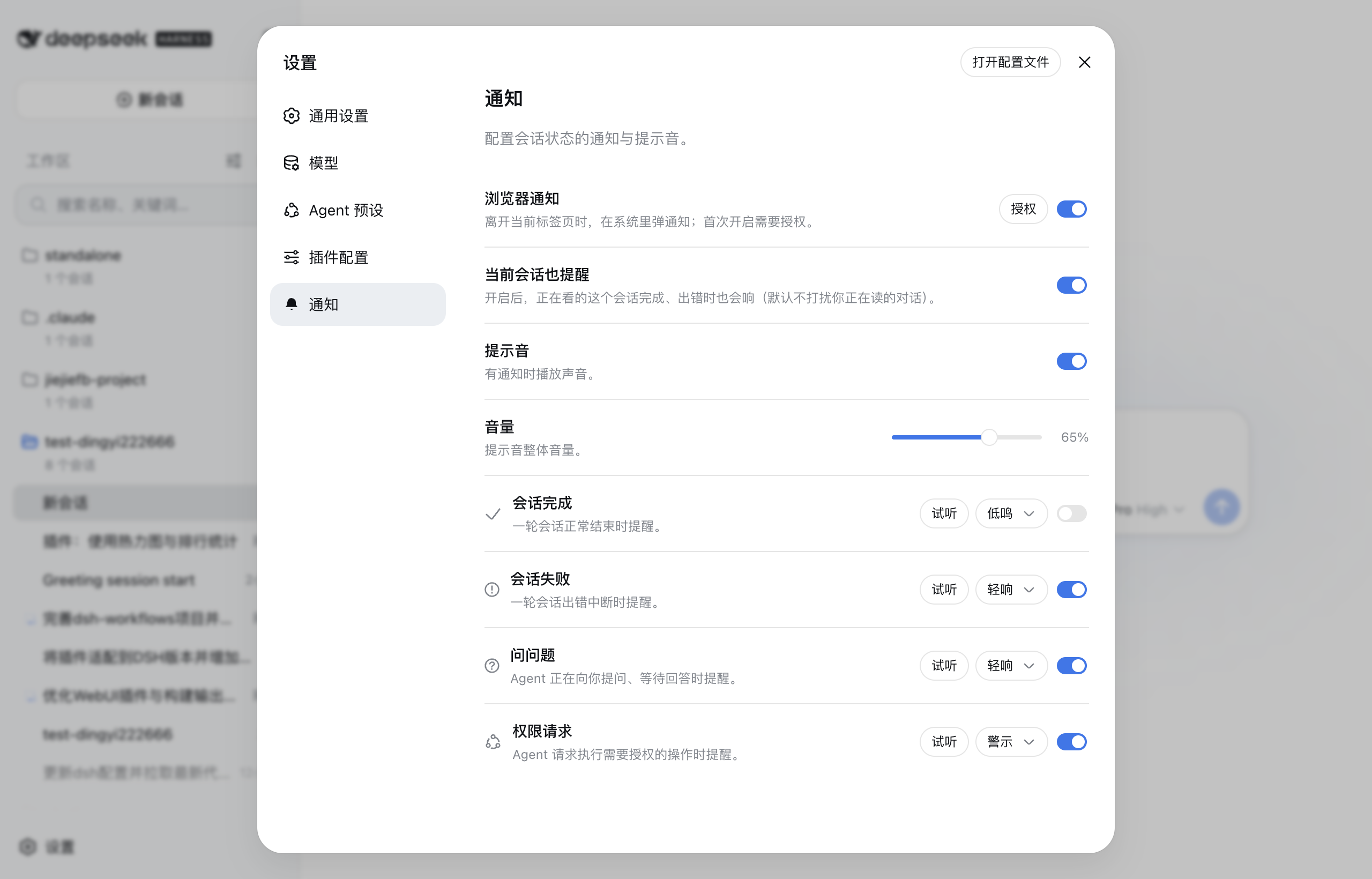
A notification plugin for the dsh web GUI. When a session finishes, hits an error, asks you a question, or needs your permission, you get a heads-up: a sound plays, and when you step away from the tab a system notification keeps you in the loop.
Screenshots
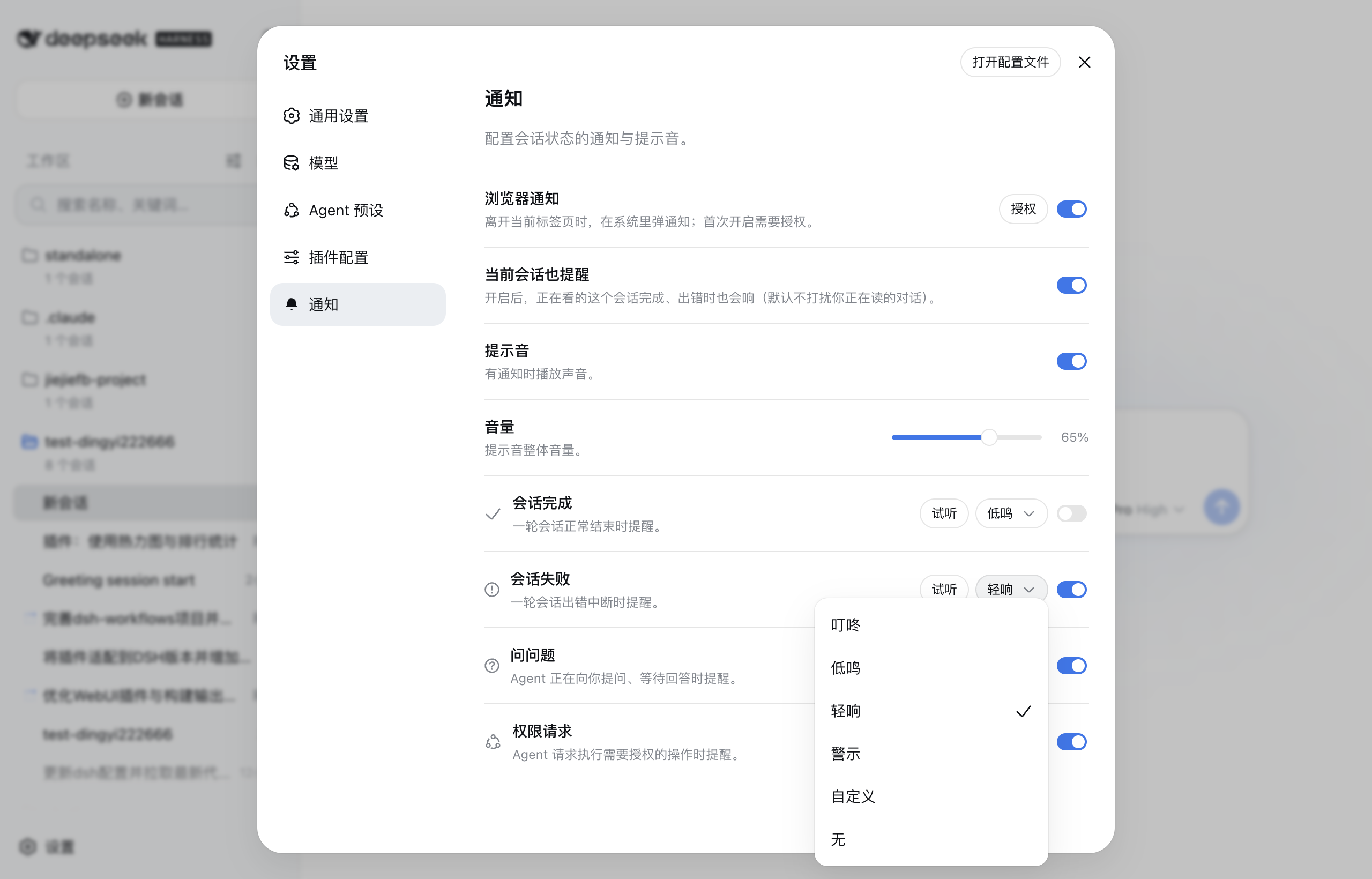
| The settings panel with the Notifications entry in the sidebar and the section content | The sound picker for each kind (the official dropdown) |
|---|---|
 |
 |
Install
# Install from npm (requires dsh >= 0.2.1-rc.2)
dsh plugin --profile web add @dingyi222666/dsh-session-notification
# Restart dsh web for it to take effect
dsh web
Everything lives in this plugin — no harness (host) changes:
- The settings section is registered through the client slot system (
settings.section), exactly like official sections. - Preferences persist in the browser (localStorage) and sync across tabs; nothing requires a host settings namespace or any other host-package change. (dsh 0.1.7 derives plugin config forms from Loader entries, so the node half has no namespace to reserve and stays inert.)
- The settings shell maps only its own section ids to nav icons, so the Notifications nav row shows the shell's default gear.
The four notification kinds
| Kind | When it fires | Default sound |
|---|---|---|
| Session completed | A turn ends normally (turn/end completed) |
chime |
| Session failed | A turn breaks with an error, or the host reports an agent error | fault |
| Question asked | The agent is waiting for your answer (question/requested) |
pop |
| Permission requested | The agent requests an authorized operation (approval/requested) |
alert |
Each kind can be enabled or disabled and reassigned to any of the four built-in sound effects (or muted). The four sounds are synthesized with Web Audio — no audio files are shipped — and the master volume is adjustable with the official-style slider (0–100%). A fixed loudness boost (~+6 dB) with a soft limiter on the playback chain makes every sound noticeably louder without distortion; custom audio feeds the same chain. The shared AudioContext is suspended as soon as playback is over and resumed by the next sound, so an idle notification never keeps the system audio stream (or a macOS sleep assertion) open.
Custom audio
Beyond the four built-in sounds, each kind accepts your own audio file (mp3/ogg/wav, up to 1 MB): pick Custom audio on a kind's row to upload one, and it replaces the built-in for that kind — with a Replace and remove affordance, plus the Custom audio in use tag. Custom files are stored browser-locally (they are device media, not shared preferences).
Browser notifications & the quiet default
Browser (system-level) notifications are off by default; turning the switch on asks for the browser's permission first (a user gesture). Once granted, a notification is shown when the event's session is not the one you are reading, or when the tab is in the background. Notifications carry the page's own icon (the favicon the harness serves). A completed session's notification carries its final reply text (the last assistant message). Clicking a notification focuses the page and opens that session (Web and desktop alike). The Test notification button in the section sends one immediately to verify the channel once permission is granted.
The session you are reading stays quiet by default — its own events don't interrupt you while you are actually watching it. The Current session alerts picker widens that:
| The session you are reading, while you are… | Hidden or minimized (default) | When switched away | Always |
|---|---|---|---|
| watching it with DSH focused | 🔕 Quiet | 🔕 Quiet | ✅ Alert |
| switched to another app, DSH still on screen | 🔕 Quiet | ✅ Alert | ✅ Alert |
| in another tab, or the window is minimized | ✅ Alert | ✅ Alert | ✅ Alert |
Notify for picks the scope (default Main, after subagents): All sessions alerts for every session including subagents; Main only alerts for the main session as soon as it goes idle; Main, after subagents holds that alert until every subagent the main session spawned has finished, so a run that only paused between subagent waves never interrupts you early (failures always alert immediately).
Desktop app
The plugin runs unchanged inside the dsh desktop application — the Electron shell loads the same Web client and plugin graph. Desktop notifications are native OS notifications: the shell grants notification permission by default, so turning Browser notifications on is enough and no permission prompt appears. A notification carries the application icon (the page favicon is used on Web; under dsh-app:// the page icon is skipped so the packaged app icon shows instead), is marked silent so the OS alert sound never doubles the plugin's own sound, and clicking one restores/focuses the window through the shell's app activation and opens that session's conversation — closing the window only hides it.
The desktop app owns $DSH_HOME/profiles/desktop and the CLI refuses to manage it, so install the plugin from the app's Plugins page (Settings → Plugins) instead of dsh plugin --profile desktop. Preferences are browser-local to that renderer, so they are separate from the Web profile's.
The Notifications settings section
The plugin registers a Notifications section in the settings panel (Settings ⚙ → Notifications):
連携・共有 の他のプラグイン
openpets
by openpetshq
ローカルファーストのデスクトップペットプラットフォーム。アニメーション付きペットを表示でき、プラグインSDKやコーディングエージェントとも連携します。
dsh-notification
by omdsh-dev
DeepSeek Harness ターン完了のデスクトップ通知。結果別制御とキーワード include/exclude
dsh-open-in-vscode
by omdsh-dev
DSH Web GUI からワークスペースを VS Code で直接オープン
dsh-lark-bot
by plutokeating
dsh-lark-bot:Feishu/Lark 桥接。流式カード、ワークスペース、並行タスク、多役 Agent、跨セッション通知、安全网