
dsh-audiogen
メンテナンス: 活発shimingming520/dsh-audiogen
DeepSeek Harness Web GUI 向けの AI 音声生成プラグイン。マルチベンダー TTS、音楽、効果音、ボイスデザインをサイドバー・パネル、モデル比較、リソースライブラリ、エージェントツールで提供。
$ dsh plugin add dsh-audiogen3
スター
0
フォーク
JavaScript
言語
Apache-2.0
ライセンス
2026-08-28
作成日
2026-09-09
最終プッシュ
README
🎧 dsh-audiogen
AI audio generation for DeepSeek Harness (DSH) — turn your DSH web GUI into an audio studio: text-to-speech, music, sound effects and voice design, from the sidebar panel or straight from the Agent.




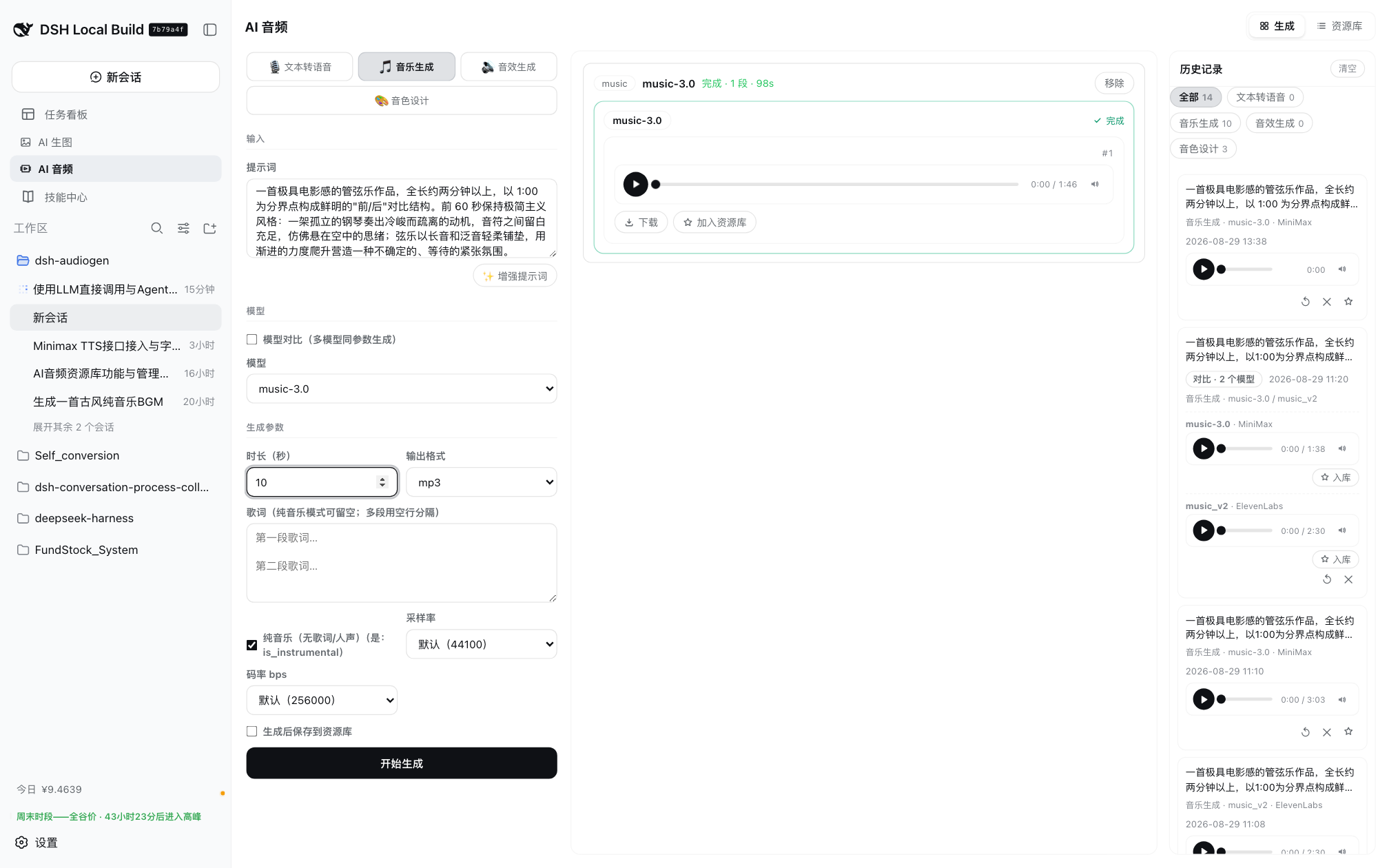
✨ Features
- Four generation modes: text-to-speech, music, sound effects, and voice design
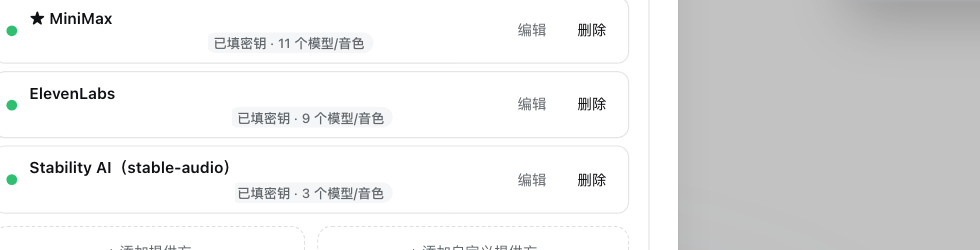
- Multi-vendor channels in one place: OpenAI-compatible TTS, MiniMax, ElevenLabs, Stability AI, or any custom OpenAI-compatible / generic POST endpoint
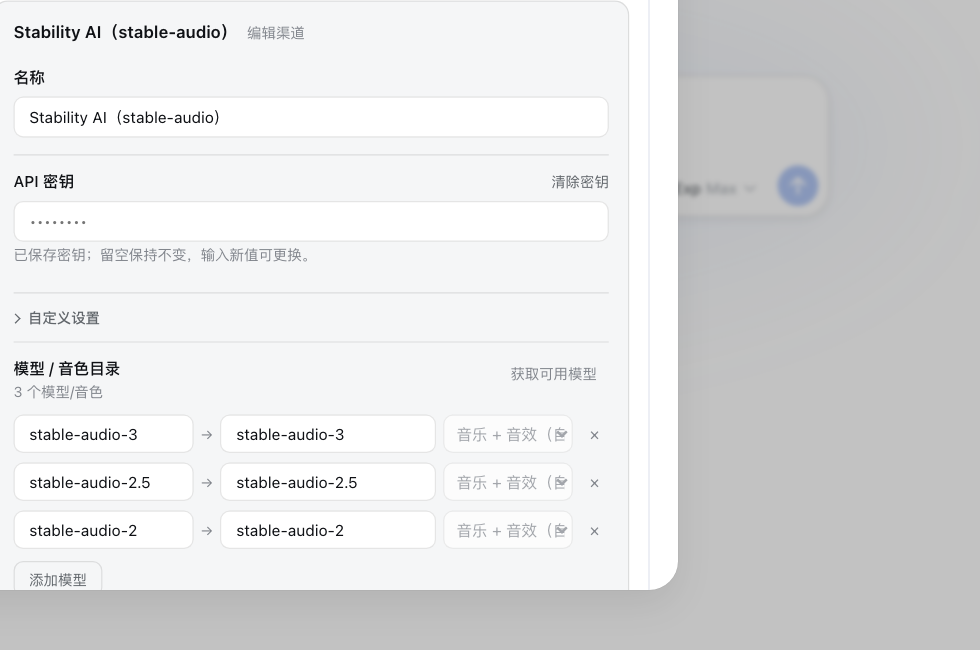
- Per-channel model & voice catalogs with one-click discovery, display aliases, capability categories, and per-model advanced fields (duration, seed, steps, cfg_scale, loop, prompt influence, and ElevenLabs SFX output format split into format/sample rate/bitrate, combined host-side into the single
output_format, …) - Model comparison: run the same prompt across 2–4 models at once with per-model parameter overrides — results are grouped side by side
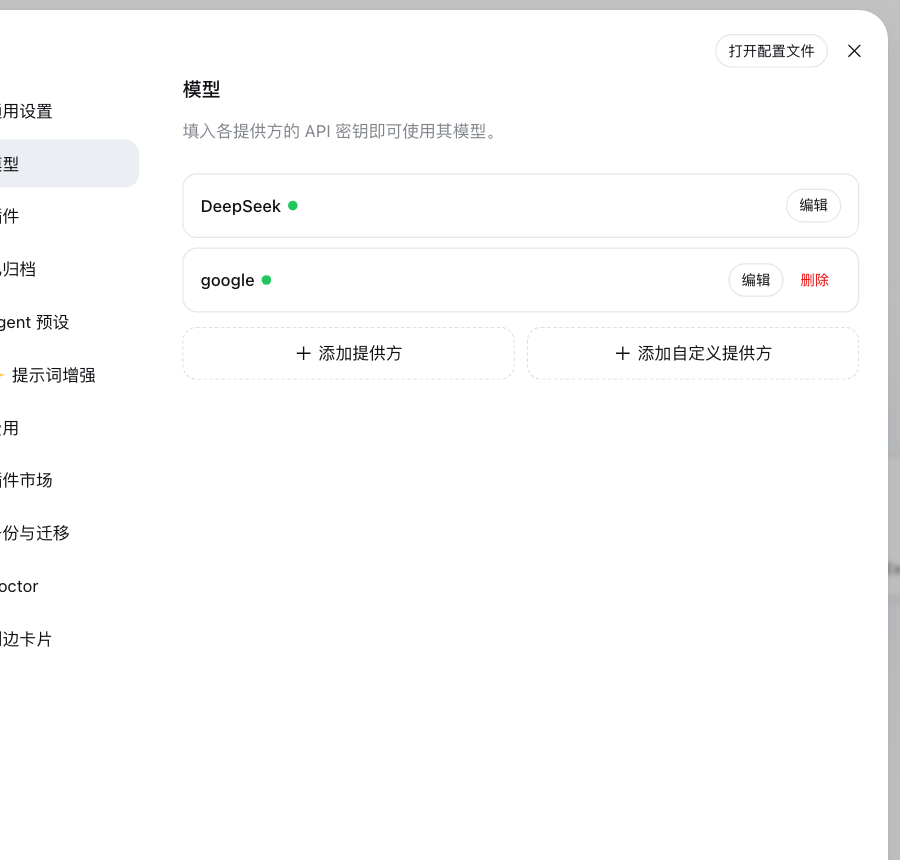
- Prompt enhancement: rewrite a rough idea into a ready-to-generate description with an LLM (pick any model from Settings → Models; falls back to the agent default model)
- History with one-click restore: prompt, config, model set and the original audio come back into the panel — no regeneration, no extra cost
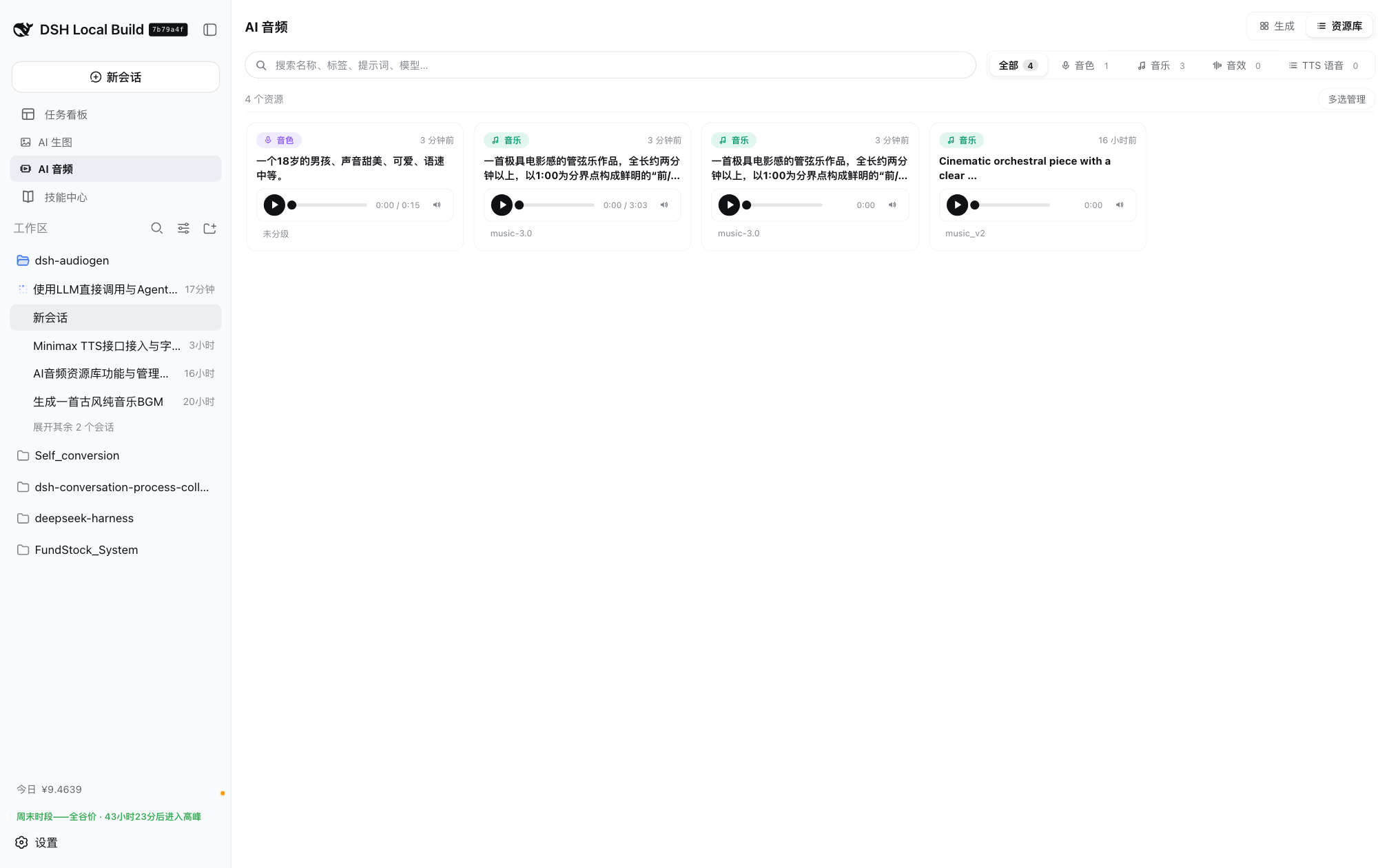
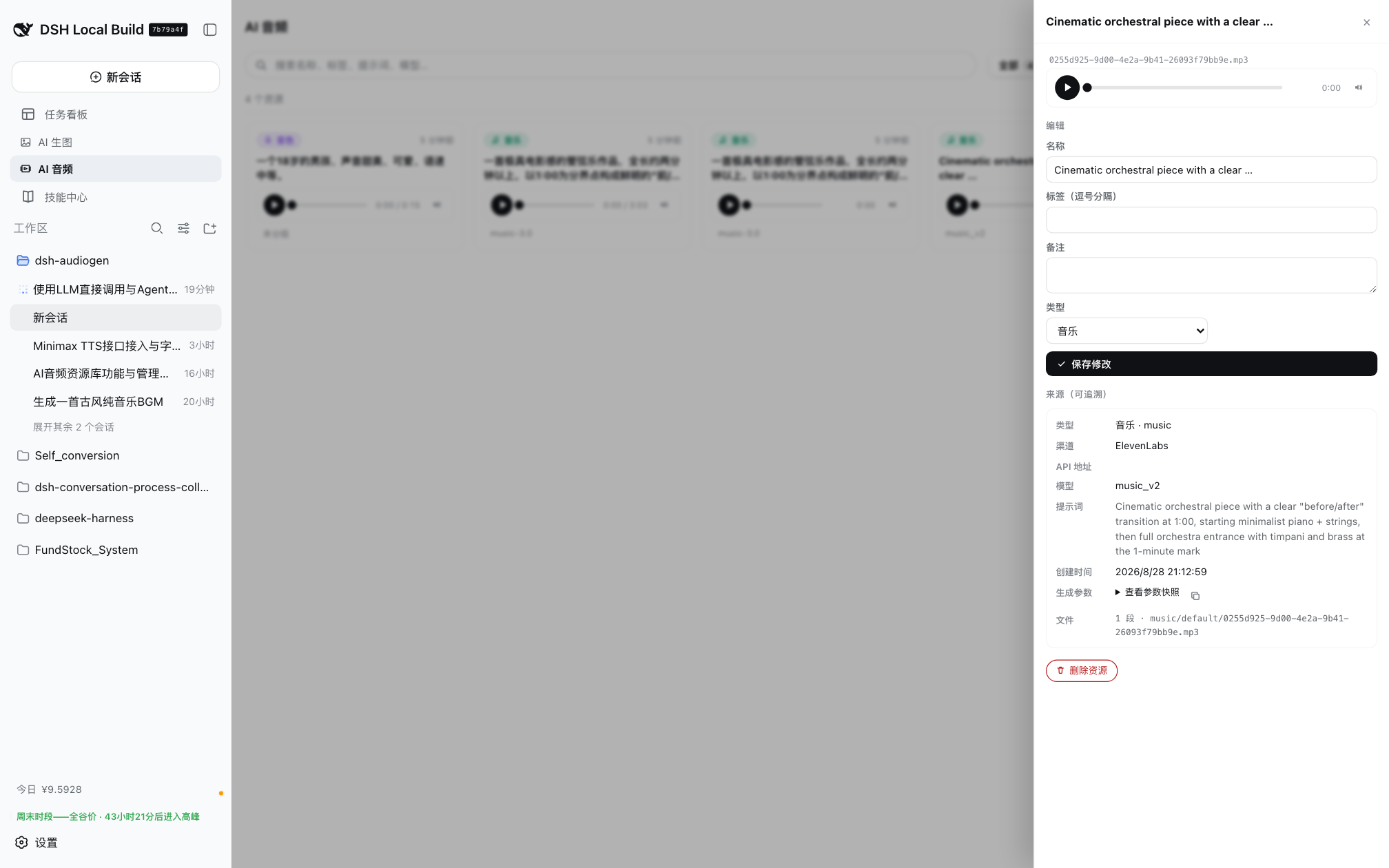
- Resource library: auto-save generated audio (or opt in per run), organized by type — voices / music / SFX / TTS — with search, tags, rename, category moves, and full provenance (channel, model, voice id, prompt, params snapshot). Reuse a voice or music bed instead of regenerating
- Agent tools:
generate_audioandsearch_audio_library,manage_audio_voices(vendor voice browsing/deletion + prompt-based voice recommendation + role voice casting), plus bundled session skills — the Agent can generate and find audio on demand - Role voice casting: assign a primary voice (+ backups) to each character of a novel/game —
manage_audio_voicesaction=casttakes character profiles (JSON array/object or a text description structured first) and applies deterministic hard filters (gender/age/use_case strict; accent is a preference relaxed only when the strict pool is empty) per character; the Agent picks voices globally (no primary reuse across lead/major roles) andaction=save_castvalidates membership, auto-fills backups, flags reuse and persists the plan to~/.dsh/dsh-audiogen/cast-selections.json; then TTS with the chosenvoice_id(or design a custom voice first viagenerate_audio(mode=voice_design)) - Panel voice management: a «音色» entry in the studio's left mode row (next to TTS/music/SFX/voice-design) — browse/filter vendor voices (language/keyword/source + official ElevenLabs shared-voice filters), ask the agent default model to recommend voices for a natural-language requirement (e.g. «清亮甜美的少女音»), preview, delete account-owned voices (confirmed) and backfill the chosen
voice_idinto the TTS form; every AI recommendation is recorded automatically (last 50, shared by panel and Agent) so you can revisit requirements/channels/reasons and reuse a voice later - Keys stay local: API keys live in the local DSH settings document and generation is proxied by the local host; the browser and the Agent never touch plaintext credentials
📸 Screenshots
| Generation panel | Resource library |
|---|---|
|
 |
| Library — full provenance drawer | Channels settings |
|---|---|
 |
 |
| Channel editor (model catalog & auto capabilities) | LLM models (Settings → Models) |
|---|---|
 |
 |
📦 Installation
The plugin is published on npm. DSH host (Node ≥ 20) required.
dsh plugin --profile web add dsh-audiogen
Local development install:
dsh plugin --profile web add /path/to/dsh-audiogen
Restart dsh web after install — the sidebar will show the AI Audio entry.
🚀 Quick start
- Open Settings → Plugins → AI Audio
- Add a channel: pick a preset provider (+ Add provider) or a custom endpoint (+ Add custom provider)
- Fill in the API URL, API key, and the model/voice catalog (use Fetch available models to import them)
- Save, then open the AI Audio sidebar panel:
- choose a mode (Speech / Music / Sound effects / Voice design)
- type your text or prompt (optional: ✨ Enhance prompt)
- pick a model — or tick Model comparison for 2–4 models at once
- press Start generation and play the results, download them, or add them to the resource library
🎛 Modes supported by each vendor
| Mode | MiniMax | ElevenLabs | Stability AI | OpenAI-compatible / custom |
|---|---|---|---|---|
| TTS | ✅ (8 voices) | ✅ (voices + streams) | — | ✅ |
| Music | ✅ (music-3.0 / music-2.6 / music-cover) |
✅ (music_v2) |
✅ (stable-audio-*) |
✅ (generic POST) |
| Sound effects | — | ✅ (eleven_text_to_sound_v2, loop / prompt influence / output format as codec+sample rate+bitrate → output_format) |
✅ (stable-audio-* — same text-to-audio protocol; auto-detected in both Music and SFX) |
✅ (generic POST) |
| Voice design | ✅ (/v1/voice_design) |
✅ (/v1/text-to-voice/design) |
— | — |
🤖 Agent usage
音声 の他のプラグイン
vox-director
by alisa0808
1 トピックから Vox 風ペーパーコラージュ解説・広告動画を Atlas Cloud + ffmpeg で E2E 自動生成するエージェントスキル
dsh-voice-ai-girlfriend
by beiyege-01
Whisper 音声入力と Qwen3-TTS 音声合成による会話型コンパニオンプラグイン。文単位のストリーミング読み上げ、割り込み/キュー両モード対応
dsh-voice-prompt-enhancer
by fishsb
プロンプト強化と音声入力補正をまとめたDSHプラグインです。複数モードやモデル・メモリ連携、ホットキー、自動停止、フィラー除去、音声誤り訂正に対応します。
dsh-plugin-tts
by 1624318455
Edge TTS 音声プラグイン:返信読み上げ、自動読取トグル、無料・キー不要