
dsh-formatforge
In a curated listMaintenance: Activetianbuyu-wwx/dsh-formatforge
FormatForge — DeepSeek Harness plugin: drag any file (PDF/DOCX/XLSX/EML…, 30+ formats) into dsh and it becomes AI-readable structured data. npm: @tianbuyu-wwx/dsh-formatforge
$ dsh plugin add dsh-formatforgeInstall
dsh has no central install command — add this plugin’s entry (documented in its README) to your profile or patch config, then restart.
How installs work10
stars
1
forks
Python
Language
MIT
License
2026-06-10
Created
2026-10-07
Last push
README
DSH-FormatForge
把任意文件拖进 DeepSeek Harness,立刻变成 AI 能读懂的数据。




v1.0 production-ready(2026-09):协议冻结(
packages/dsh-formatforge/protocol/v1/),向后兼容承诺启用。
DSH-FormatForge 是一个 DeepSeek Harness 插件:把 PDF、DOCX、PPTX、XLSX、EML、EPUB、TOML 等 30+ 种格式锻造成 AI 模型可直接消化的结构化文本——直接拖进 dsh 网页,或在对话里粘贴文件路径。
项目前身是「Data-Format-Translator / AI 数据转换器」(Web 服务形态,冻结于
v2.1.0-ci-green)。 v3.0 起完全重构为 dsh 插件:无 Web 界面、无内置 AI 客户端,专注「格式 → 结构化数据」这一层。
它解决什么问题
dsh 的 read 工具读 PDF/DOCX 这类二进制是乱码;官方附件通道只认图片。
装上 FormatForge 后:
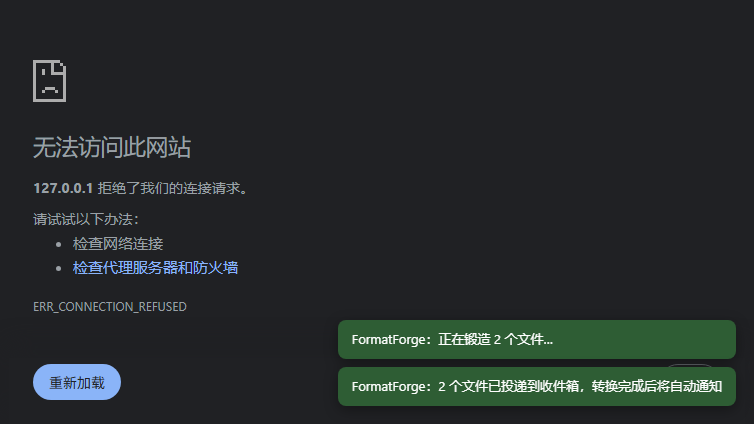
拖 report.pdf 进 dsh 网页
  → 右下角提示「正在锻造…」
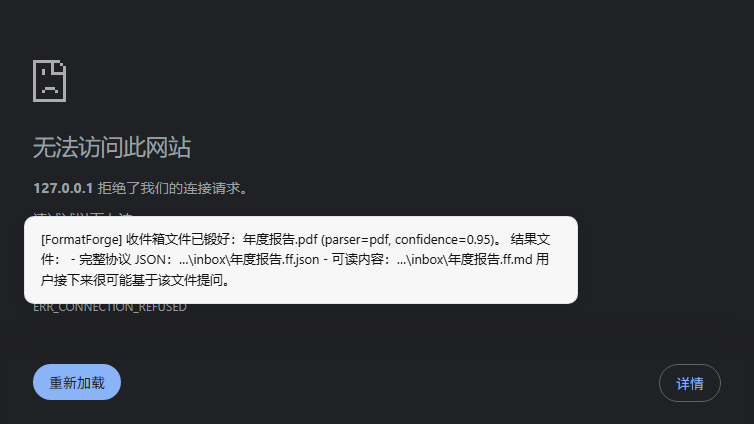
  → 数秒后对话收到通知:report.pdf 已锻好 (parser=pdf, confidence=0.95)
  → 直接基于这份文件继续提问
也可以不走拖拽:在对话里粘贴本地路径(E:\docs\report.docx),agent 会按约定先调用 ff_translate 再回答。
安装
适配目标:DeepSeek Harness 0.2.0-rc.2(Electron 桌面版)。 0.2.0 起 profile 由应用托管:桌面端用
desktopprofile,普通 web/tui 用各自 profile。 兼容性与安装拒绝规则见 ADAPTATION_PLAN.md。
前置
| 依赖 | 说明 |
|---|---|
| Python ≥ 3.10 | 运行转换内核;解释器探测顺序 FF_PYTHON → <repo>/.venv-fg → PATH |
| Node ≥ 22 | dsh 本身的要求 |
方式一:从源码安装(本地开发,推荐用于本仓库)
git clone https://github.com/Tianbuyu-wwx/DSH-FormatForge.git DSH-FormatForge
cd DSH-FormatForge
pip install -e .                 # 或 python -m venv .venv-fg && .venv-fg/Scripts/pip install -e .

# 装进桌面端 profile(0.2.0:add ≠ 激活,重启桌面端才生效)
dsh plugin --profile desktop add "$(pwd)/packages/dsh-formatforge"

# 检查
dsh plugin --profile desktop ls          # 依赖里应出现 @tianbuyu-wwx/dsh-formatforge
python scripts/verify-install.py --skip-inbox   # 重启之后跑,应 ALL GREEN
add 成功后宿主会把本包自动追加进 profile package.json 的
dsh.profile.bundles(reconcileProfilePlugins),无需手工编辑。
不需要再跑 junction 修复脚本:0.2.0 的 launcher 为 linked profile 包内建了
peer-aware 解析(dsh-app-boot::routeLinked()),@deepseek-ai/dsh-tools 等 peer
直接命中宿主运行时那一份。scripts/rebuild-plugin-junctions.py 只对 0.1.x 宿主有意义。
方式二:从 npm 安装
npx @deepseek-ai/dsh plugin --profile desktop add @tianbuyu-wwx/dsh-formatforge
# 重启 DeepSeek Harness 生效
npm 包只是插件壳,仍需一份可运行的 Python 内核(本仓库)并告知位置:
# 给法 A:clone 本仓库并安装内核(推荐,含全部解析器依赖)
git clone https://github.com/Tianbuyu-wwx/DSH-FormatForge.git DSH-FormatForge
cd DSH-FormatForge && pip install -e .
setx FF_REPO_ROOT "D:\DSH-FormatForge"

# 给法 B:已有环境?只要它 import 得到 core/parsers:
setx FF_PYTHON "C:\path\to\your\python.exe"
生效验证
重启后在启动日志里找这一行:
[dsh-formatforge v2.0.0] tools registered: ff_translate, ff_formats, ff_result, ff_batch, ff_diff
再跑 python scripts/verify-install.py(桌面端需 --token,见脚本 --help)。
使用
1. 网页拖拽(零学习成本)
把任何支持的文件拖进 dsh 网页任意位置:
- 非图片文件 → 自动上传并锻造,右下角 toast 显示进度与结果
- 图片 → 走 dsh 原生图片附件通道(不受影响)
- 转换完成后活跃会话收到轻量通知,附产物路径
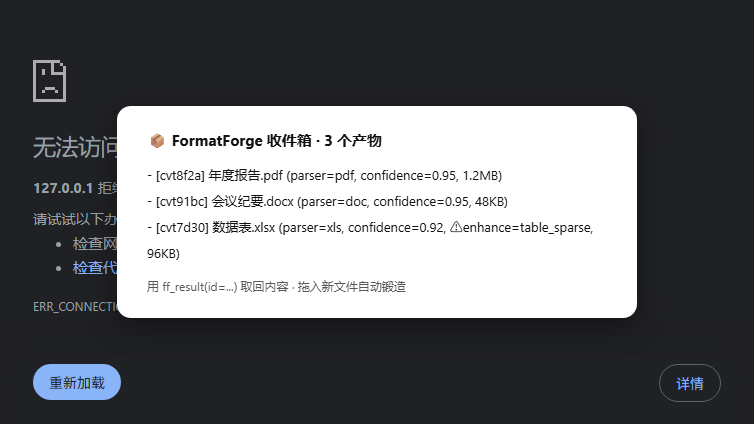
产物落在收件箱目录(默认 ~/.dsh/formatforge/inbox/):
<名字>.ff.md(可直接阅读)+ <名字>.ff.json(完整协议数据)。
1.5 面板(v3.0.0)
入口在左侧栏导航里(「插件 / 自动化任务」下面的 FormatForge,点击后主区域打开库页面); 同时也注册了宿主右侧栏页签(同一套组件,窄栏自适应)与侧栏底部按钮,随手可用。
- 搜索产物(中文子串可用:FTS5 trigram,短词自动走 LIKE 兜底)
- 列表显示来源 / 解析器 / 体积 / 时间 / 失败标记,点开看正文预览与元数据
- 行内动作:复制路径 · 重新锻造(删产物并让 watcher 重跑)· 从列表移除(软删,磁盘文件保留)
- 每页条数偏好持久化(与索引库同库:
settings表)
面板是增强项:宿主契约变化(插槽未声明、拿不到 react、没有 sidebarRightTabs)时只记日志,
拖拽与工具完全不受影响。数据来自 /formatforge/api/*(同源请求;非浏览器访问需 ~/.dsh/formatforge/api-token)。
1.6 收件箱索引库(v3.0.0)
.ff.md / .ff.json 仍是真相源;index.db(SQLite,与收件箱同级)只存元数据 + 全文索引,删库可重建:
python -m formatforge inbox stats            # 库状态(条数/体积/格式分布/分词器)
python -m formatforge inbox query --q 付款条款 --limit 20
python -m formatforge inbox reindex          # 从 .ff.json 幂等回填(首次升级用)
python -m formatforge inbox backup --out ~/ff-backup.db
工具侧新增 ff_result {search:"付款条款"}、ff_result {stats:true}、ff_result {list:true, limit:20}。
2. 对话内工具
| 工具 | 用途 |
|---|---|
ff_translate |
转换:path(单个)/ paths(多个,支持 * glob)/ text 三选一;format json·markdown·html·text;max_chars/offset 分页;quality 附质量报告 |
ff_formats |
列出支持的输入格式矩阵 |
3. CLI(脱离 dsh 也能用)
pip install -e .   # 之后
python -m formatforge translate document.pdf --format markdown
python -m formatforge translate --stdin-text < notes.txt
python -m formatforge formats      # 支持格式矩阵
stdout 输出单行协议 JSON({ok, code, data:{content, meta, quality?, enhance?}}),日志走 stderr,退出码 0/2/3/4。
enhance 协议 —— 模型增强交给会话本身
插件不带任何 AI 客户端。当纯规则转换不足以产出高质量结果时,返回里会出现:
"enhance": {
  "needed": true,
  "reason": "image_only",   // image_only | low_confidence | table_sparse
  "hint": "4/4 页无文字层(疑似扫描件)..."
}
SKILL.md 会指导当前会话模型:按 hint 直接用自己的能力完成增强(如基于 OCR 文本重建表格),不调用任何外部 API。模型永远与 dsh 会话一致,零密钥配置。
配置
More in Other
dsh-oil-creator
by oil-oil
AI-assisted local creator workbench for DeepSeek Harness
dsh-novel-writer
by akira399
网络小说创作插件:九阶段门禁式创作流程 + 世界书设定注入 + 本地书籍导入 + AI 一键润色 + 去 AI 味。
dsh-multica-runtime
by multica-ai
Support dsh runtime on Multica.
dsh-plugin-radar
by adamplatin123
An ecosystem radar for the DeepSeek Harness (dsh) plugin community that auto-discovers thousands of candidate plugins and runs continuous k8s-level validation, publishing the results as a browsable plugin catalog.