
dsh-session-workbench
In a curated listMaintenance: Activepolinnizhong/dsh-session-workbench
Searches historical sessions, locates hits, inserts up to three read-only references, and manages session tabs.
$ dsh plugin add dsh-session-workbenchInstall
dsh has no central install command — add this plugin’s entry (documented in its README) to your profile or patch config, then restart.
How installs work46
stars
0
forks
JavaScript
Language
MIT
License
2026-08-21
Created
2026-09-28
Last push
README
dsh-session-workbench — Session Workbench for DeepSeek Harness
Search every past session and recall the ones you need as @references; manage the conversation-view tab bar (show/hide + reorder). One plugin, three entry points.
Search every past session and recall the ones you need as @references; manage the conversation-view tab bar (show/hide + reorder). One plugin, three entry points.
What it is
DeepSeek Harness ships with a full-text search engine (SQLite FTS5) and cross-session references (@session mention), but neither has a user-facing interface. This plugin adds the missing discover → browse → insert layer:
- Search — full-text search across all your past sessions (all workspaces), with workspace / time-range / archive filters, and cursor pagination;
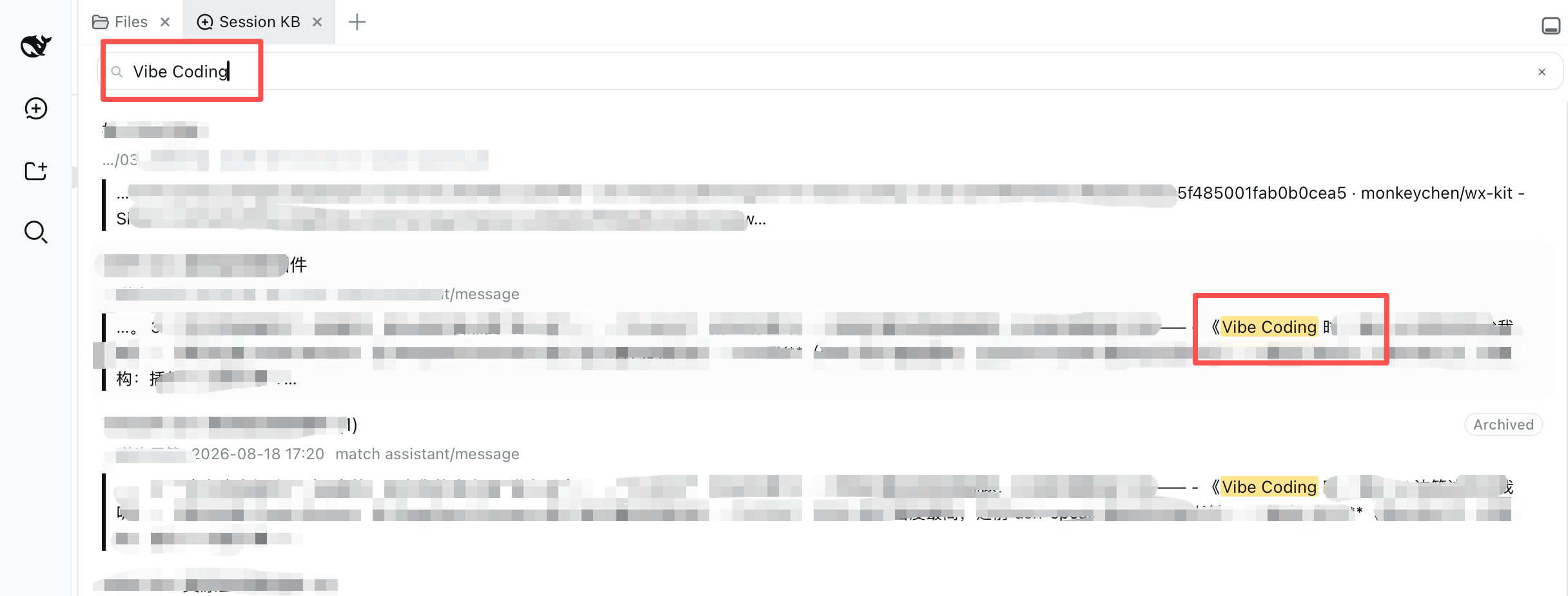
- Fragment hits (v1.1) — results are per-session best-hit fragment cards: the matched sentence highlighted with its surrounding context (lazy-loaded), so you see the sentence, not just which session;
- Same-session hits (v1.2) — expanding a fragment card shows a "More hits in this session" fold with the other matches (first 5, then load more), each highlighted — no more hunting for the rest of a session's matches;
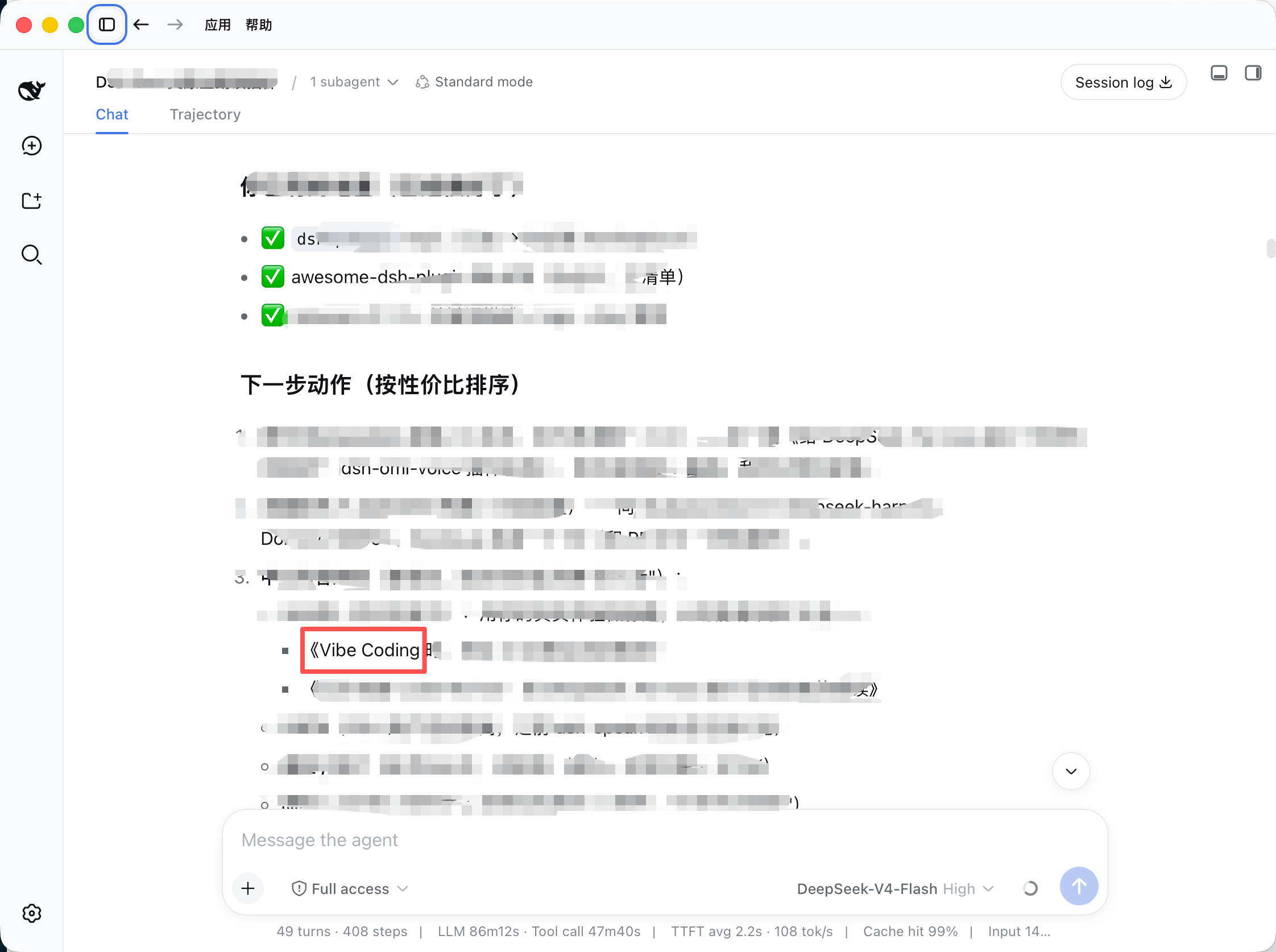
- Locate (v1.1, composite anchors in v1.2) — click Locate on a fragment card to open that session, page the window back, and scroll to the exact message with a flash highlight; v1.2 matches the hit sentence plus its preceding text so repeated wording lands on the right occurrence; when unmatched, a non-blocking toast tells you to scroll manually;
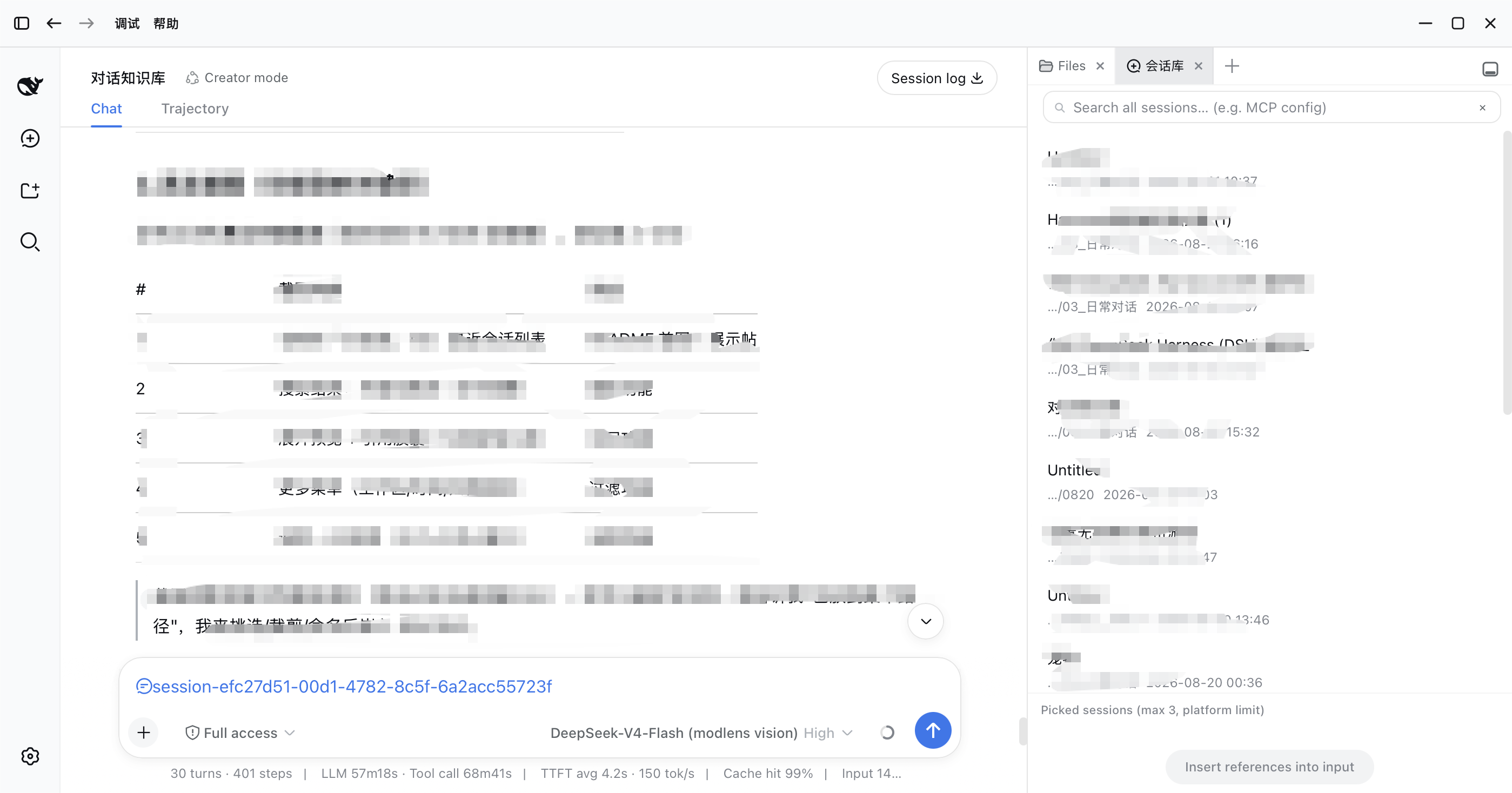
- Recall — pick up to 3 sessions and insert them into the input as reference chips in one click; on send, the platform injects read-only snapshots (
## Referenced sessions) and the AI answers with your historical context; - Recent — a minimal recent-sessions list so you can find things fast without searching;
- Archives — search includes archived sessions by default (with an "Archived" badge and all / active-only / archived-only filters) — after DSH archives a session it's visible nowhere else, so search is the only way back; the Recent list excludes archived sessions by default;
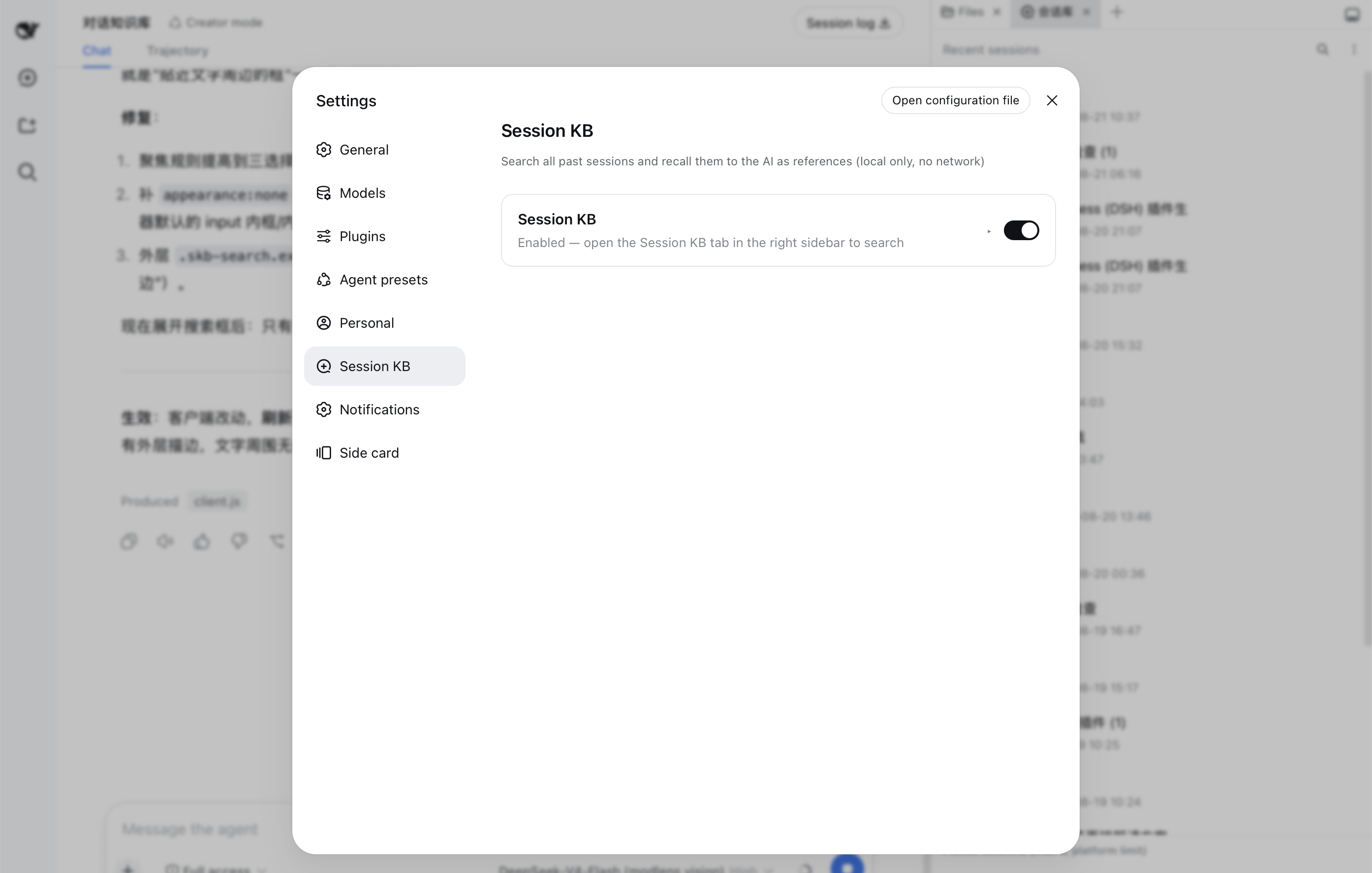
- Settings — enable/disable switch + default search scope + privacy statement;
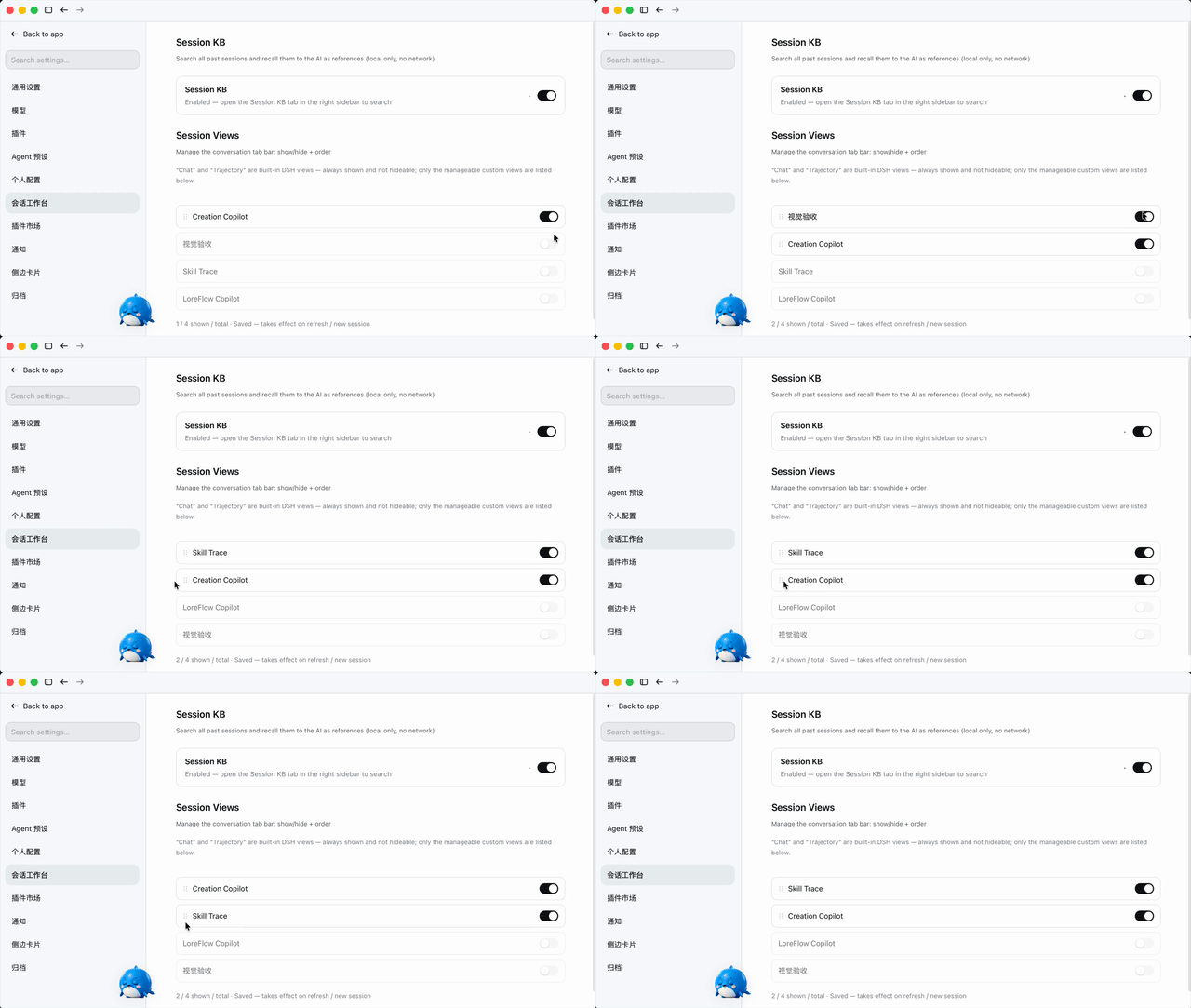
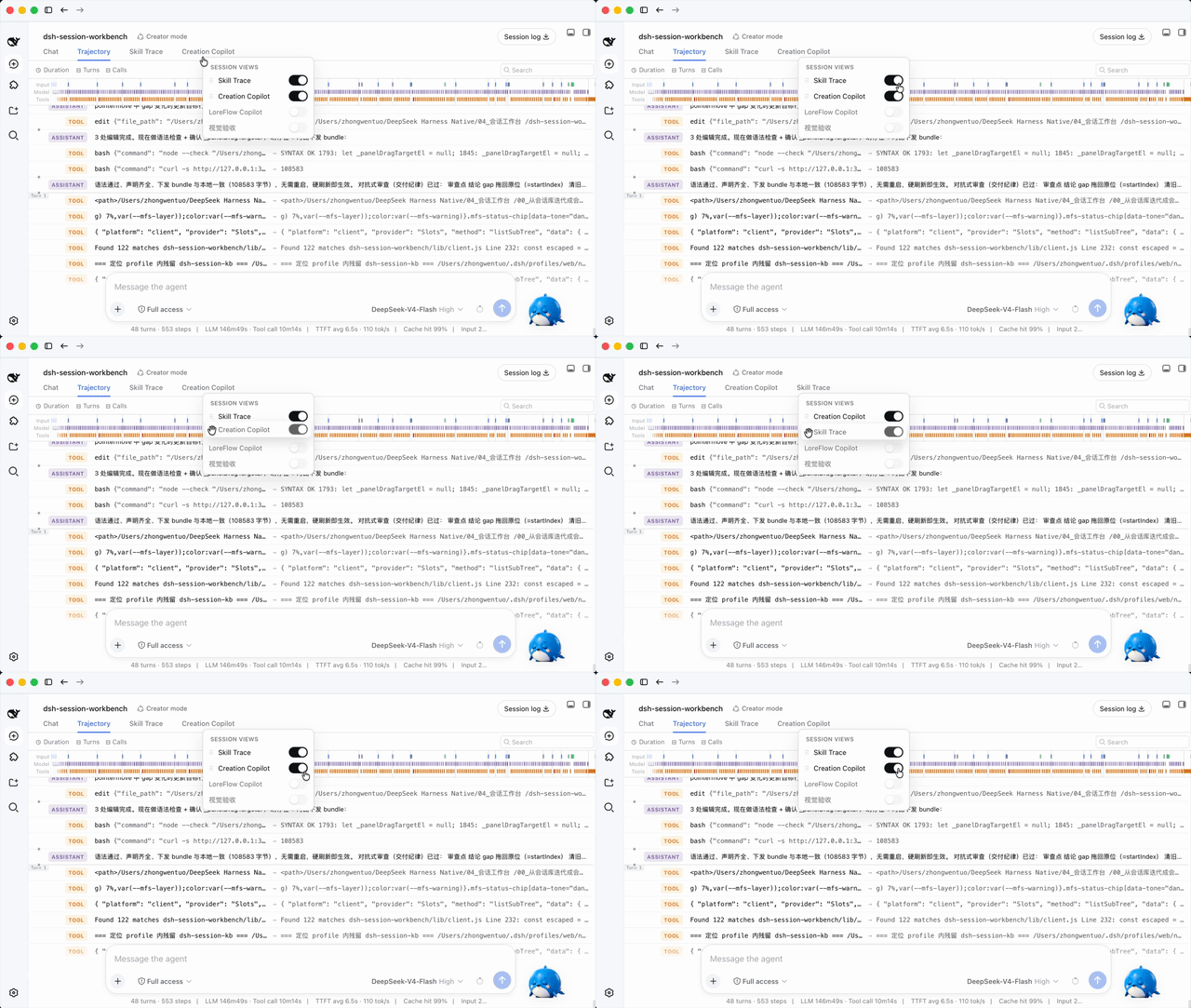
- Conversation views (new in 1.0.0) — manage the session tab bar: show/hide each custom view and reorder them by drag-and-drop, from both the 会话工作台 settings entry (会话视图 partition) and a right-click / double-click panel on the tab bar itself.
Everything runs fully locally with zero network requests; only session metadata and hit snippets are read, and no session is ever modified or deleted (see PRIVACY.md).
The UI is deliberately native-feeling: every color, spacing, radius, font, and interaction (header row, inline search, grouped menu, pill buttons, checkboxes) is measured from DSH's own design system — better-sidebar, the workspace sidebar, and the settings sections — so the plugin looks and behaves like a built-in feature, not a third-party skin.
Why this plugin (differentiation): ecosystem search plugins stop at "which session"; in-session navigation plugins (10+) only jump within the current session. Session KB is the only plugin that closes the loop cross-session search → snippet-level hit → locate the exact message in the old session → @recall.
Screenshots
Fragment search (v1.1) — searching "Vibe Coding" returns per-session fragment cards: matched sentence highlighted, context below:
Locate (v1.1) — the session opens and scrolls to the exact hit message with a flash highlight:
Pick & insert — check up to 3 sessions, insert them into the input as reference chips:
Settings — enable/disable card with expandable options and privacy statement:
Videos
Conversation views — reorder in Settings (drag the ⋮⋮ handle):
Conversation views — reorder from the tab-bar panel (right-click / double-click a tab):
High-res
.mp4versions live in docs/videos/.
Requirements
- DeepSeek Harness (
dsh) with a web profile — the plugin is a static bundle (its client is served at runtime; a page refresh picks up client changes, host/profile changes need a restart). - For session-library search, a persistent FTS index must be enabled in the web profile (
openAt: startup), see Install.
Install
dsh plugin --profile web add dsh-session-workbench
Local development can also use a
link:dependency (same pattern as dsh-personal-center).
Enable full-text search (required): the web profile disables the FTS index by default (openAt: never). Override it in <DSH_HOME>/profiles/web/cordis.patch.yml — use a persistent index path and openAt: startup so the index is built once on launch and reused (a :memory: index would rebuild on every search and block the host):
- id: session-query-sqlite
  config:
    path: '/Users/<you>/.dsh/session-query.sqlite'
    openAt: startup
⚠️
pathmust be an absolute path — the platform resolves it withpath.resolveand does not expand~or environment variables. Writing~/.dsh/...silently creates the index inside the DSH dependency tree (lost on upgrade, and a large un-checkpointed WAL makes searches take minutes).
Then restart the DSH app (host-side config and route changes require a restart; client-bundle changes only need a page refresh).
Usage
More in Knowledge & Research
weknora
by tencent
Open-source LLM knowledge platform: turn raw documents into a queryable RAG, an autonomous reasoning agent, and a self-maintaining Wiki.
honcho
by plastic-labs
Memory library for building stateful agents
webnovel-writer
by lingfengqaq
A long-form Chinese web-novel writing assistant for Claude Code and DeepSeek Harness, designed to reduce memory loss and hallucinations in serialized projects of up to 2 million characters.
billion-context
by ranxianglei
Compresses long agent conversations into reversible summaries and exposes native DSH compression tools through a bundled patch.