
dsh-skin-pack
Maintenance: Activekeman-ai/dsh-skin-pack
A full set of skins for DeepSeek Harness — one repository, each theme installable on its own
$ dsh plugin add dsh-skin-packInstall
dsh has no central install command — add this plugin’s entry (documented in its README below) to your profile or patch config, then restart.
How installs work5
stars
0
forks
TypeScript
Language
MIT
License
2026-08-26
Created
2026-08-31
Last push
README
DSH Skin Pack
A whole shelf of skins for DeepSeek Harness.
One repository, many themes, each installed on its own.
dsh.a2hmarket.ai — see them in action, read the notes, install in one click, no login required


English · 简体中文
If this is useful to you, a Star goes a long way
Install
Start by browsing the DSH skin market — every skin has a full-screen preview and its design notes, and no login is required.
The easiest route is to install the skin market plugin once; after that every skin is searched, installed and switched from inside dsh:
dsh plugin --profile web add -w github:keman-ai/dsh-skin-market
Restart dsh once, open Settings → Skin Market, and search, install and switch without going back to the terminal.
You can also install a single skin directly — find the version in Releases and copy that .tgz URL:
dsh plugin --profile web add -w https://github.com/keman-ai/dsh-skin-pack/releases/download/<tag>/<package>-<version>.tgz
-wis not optional. The profile directory ships apnpm-workspace.yaml, so pnpm reads it as a workspace root and refuses to install withERR_PNPM_ADDING_TO_ROOT. The flag is the "yes, install into the root" declaration.
Why not github:keman-ai/dsh-skin-pack: pnpm has no notion of installing from a subdirectory of a git repository, so a git spec pointing at this repo would pull the whole thing into your profile as a single package. Hence a separate tarball per skin.
The skins
31 skins. This section is generated by scripts/readme.mjs — do not edit by hand.
 AI Work Mode dark A deep-ocean blue gradient, frosted-glass panels and a white primary action; the empty screen is one slogan packages/dsh-ai-work-slogan
|
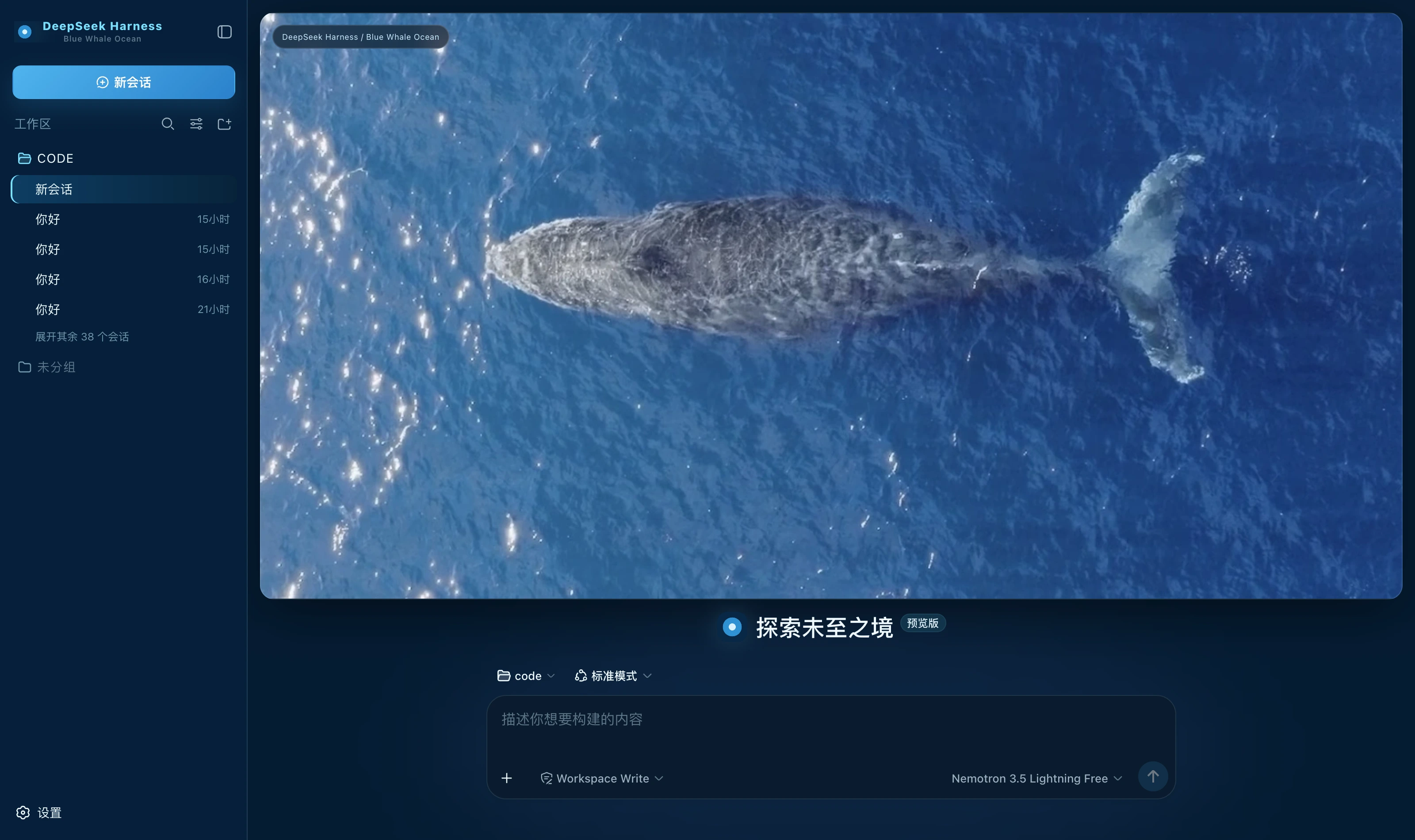 Blue Whale Ocean dark Deep-ocean blue ground, translucent cyan for borders and state, ice white for highlights alone; a whale-at-sea banner on the new-session page packages/dsh-blue-whale-ocean
|
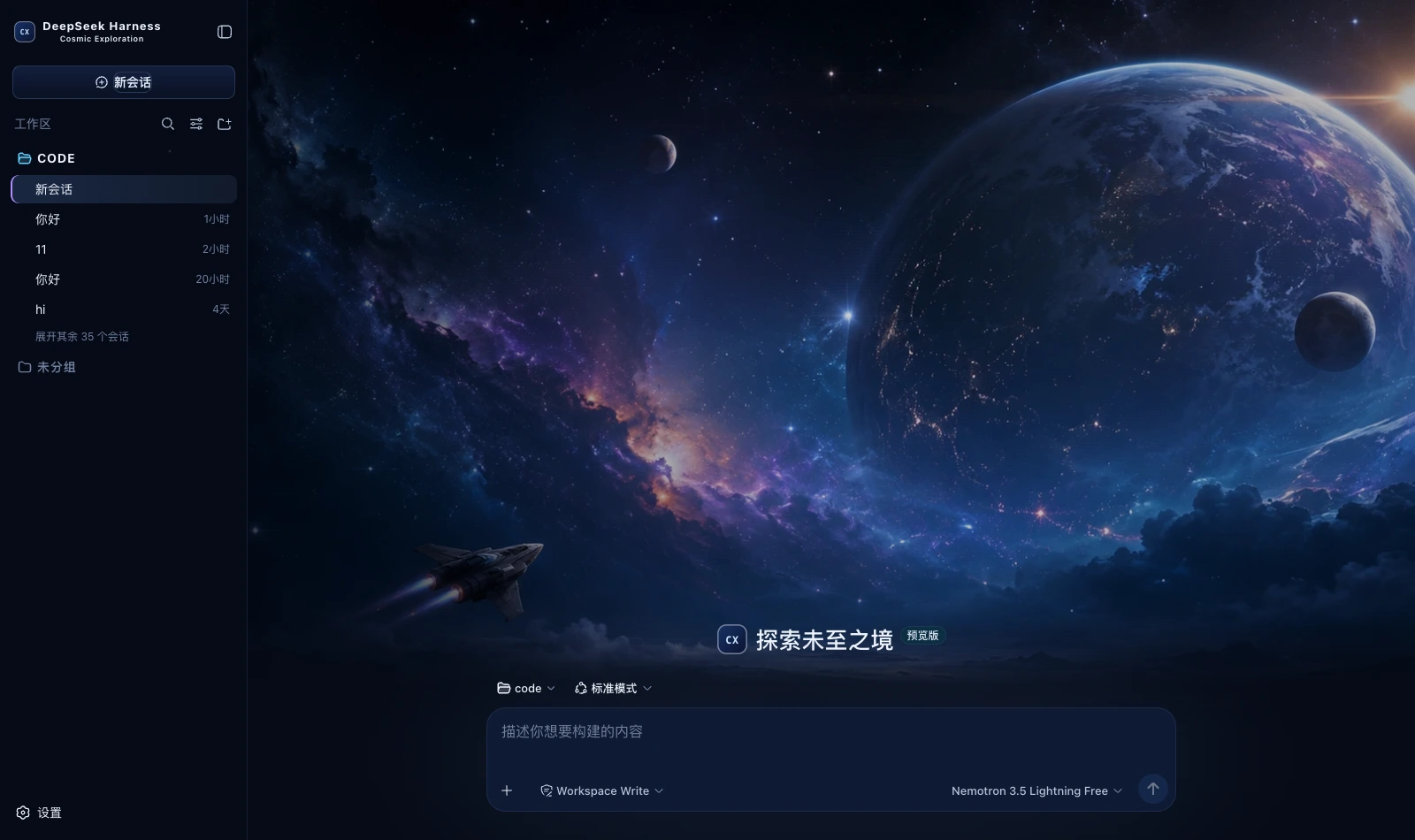 Cosmic Exploration dark A deep blue space ground with cool blue and nebula violet; a full cosmic-exploration cover on the new-session page packages/dsh-cosmic-exploration
|
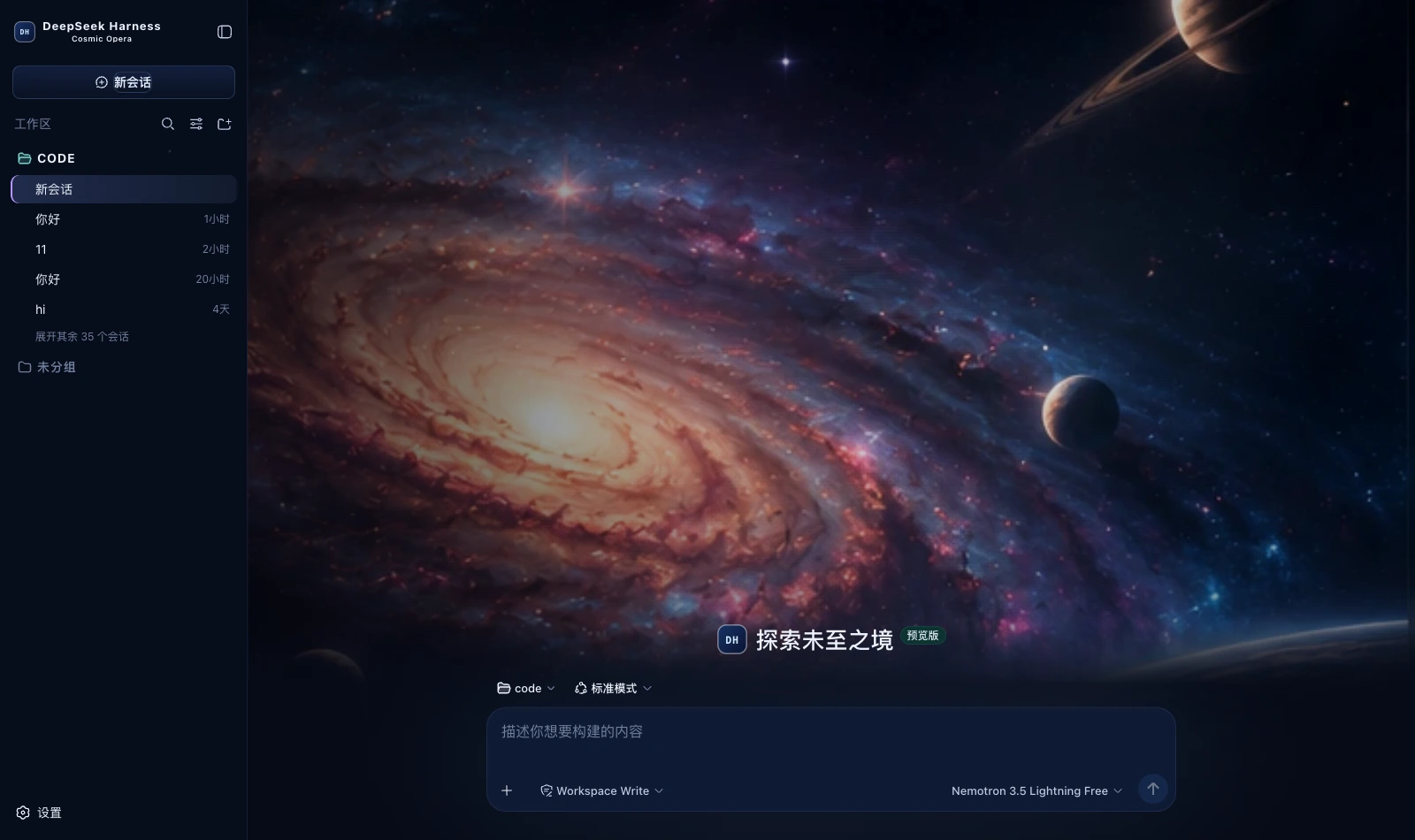 Cosmic Opera dark A deep blue space ground with three accent steps in violet, blue and teal; a spiral-galaxy cover on the new-session page packages/dsh-cosmic-opera
|
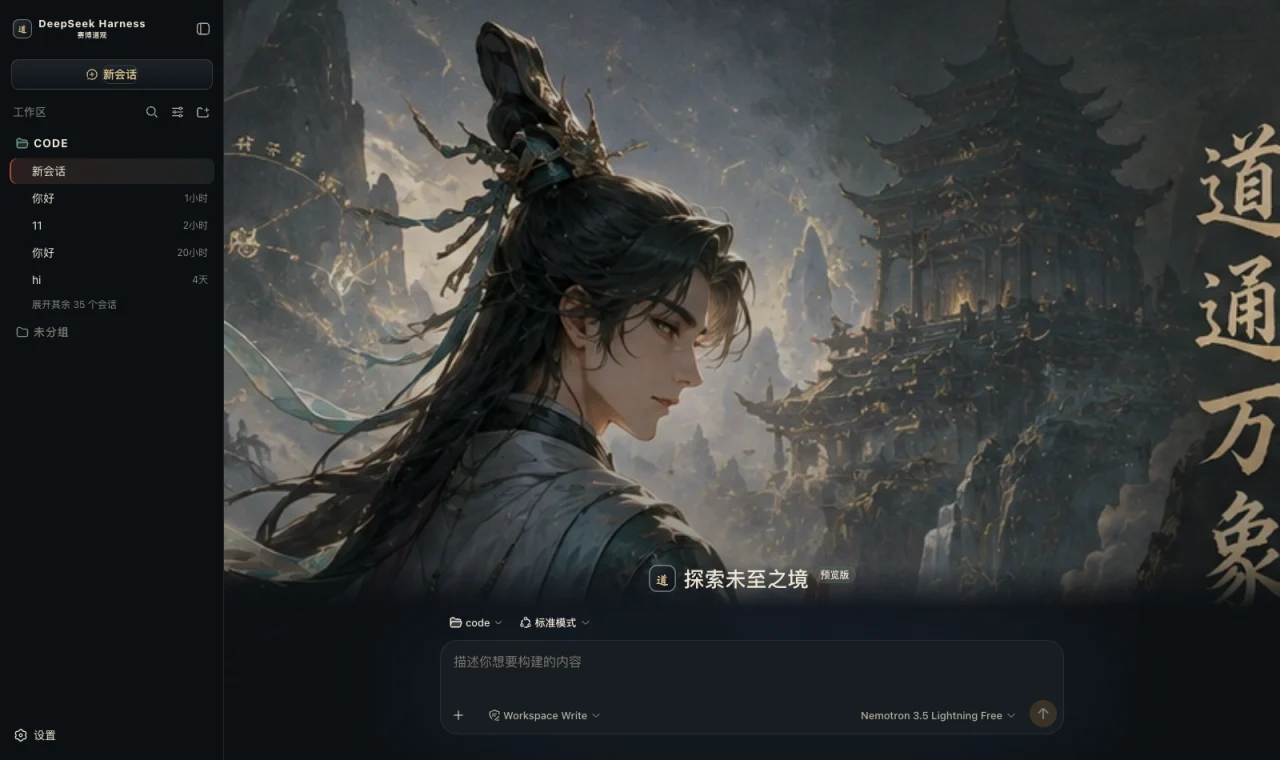 Cyber Tao dark Obsidian ground, bronze borders, rice-paper white text, cinnabar emphasis and jade state; a mountain-gate hero on the new-session page packages/dsh-cyber-tao
|
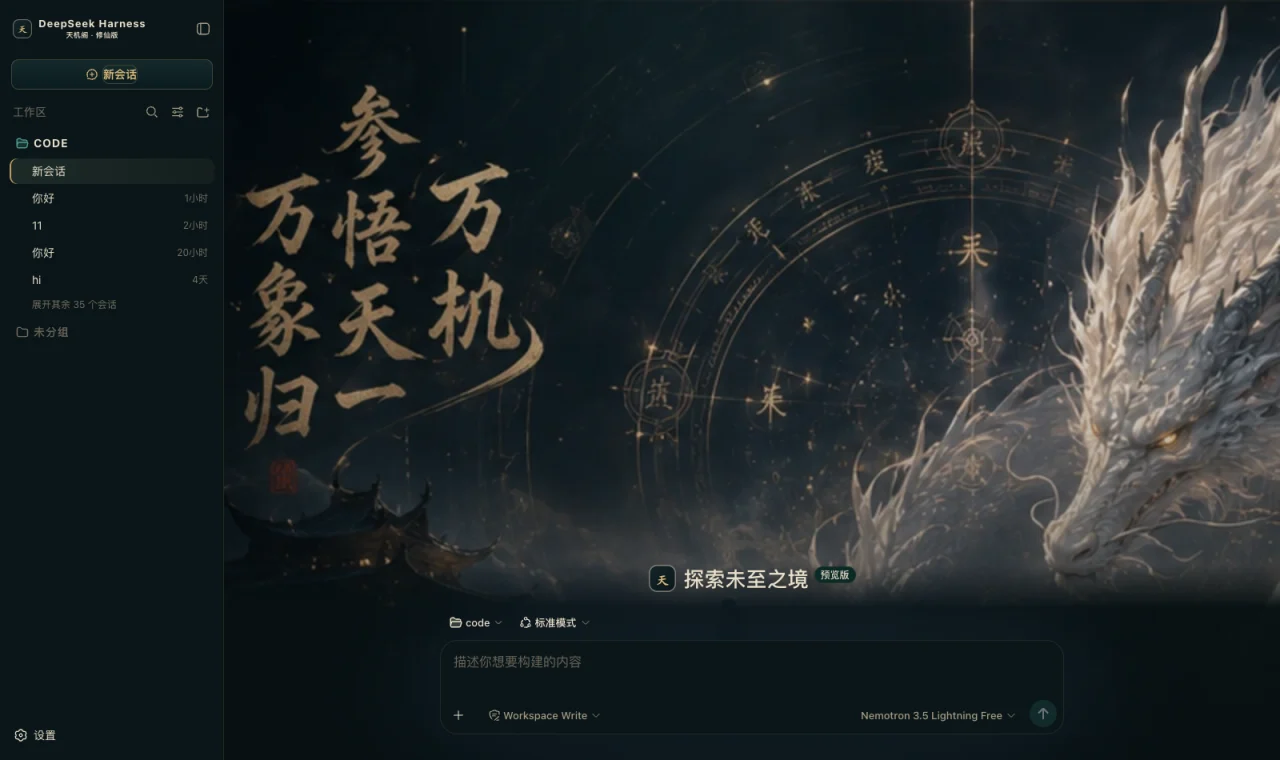 Dark Xianxia dark Ink-teal black ground, antique gold for edges and buttons, jade green only for running, cinnabar only for danger; a divination hero on the new-session page packages/dsh-dark-xianxia
|
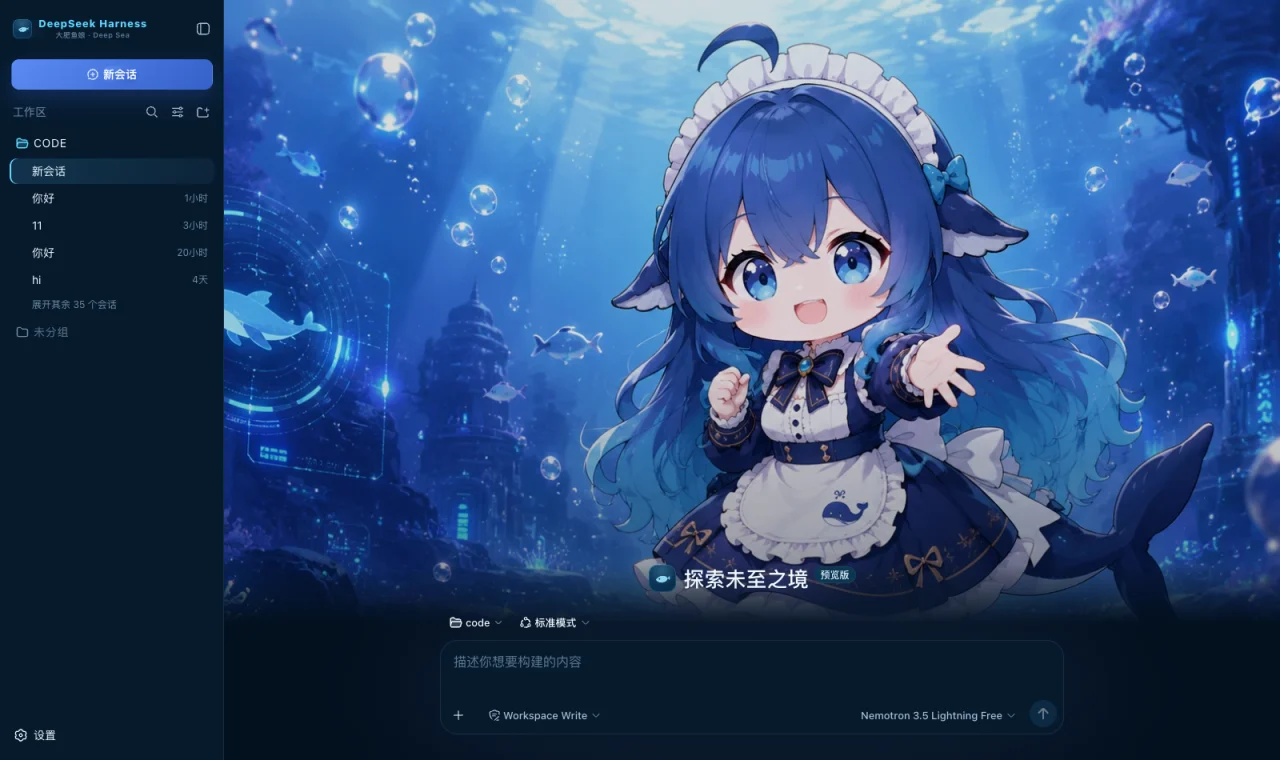 Whale Girl Deep Sea dark Deep-ocean blue ground, cool cyan for borders and state, DeepSeek blue for the primary action; a deep-sea hero on the new-session page packages/dsh-deepseek-deep-sea
|
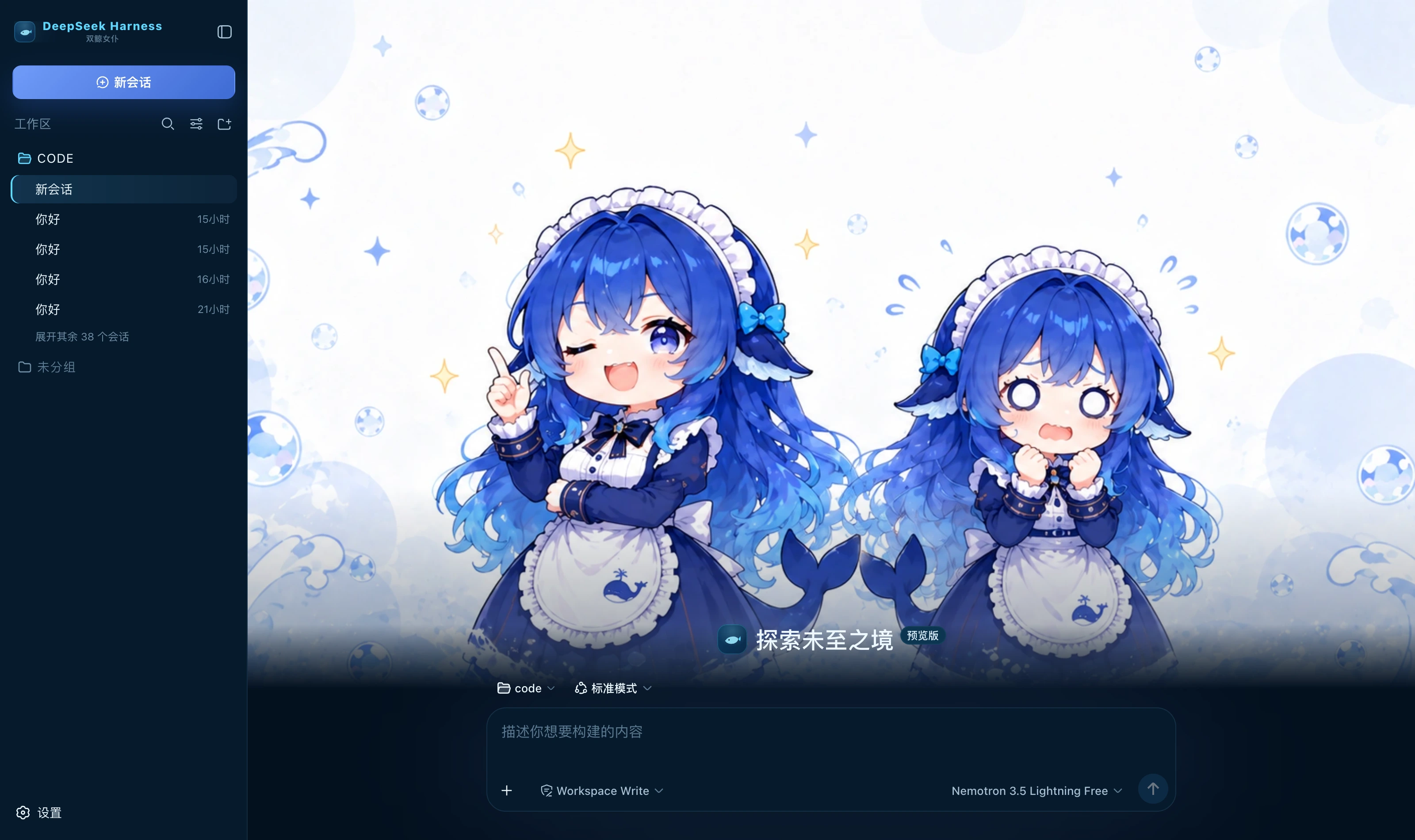 Twin Whale Girl dark Deep-ocean blue ground, cool cyan for borders and state, DeepSeek blue for the primary action; a twin whale-girl hero on the new-session page packages/dsh-deepseek-twin-whale
|
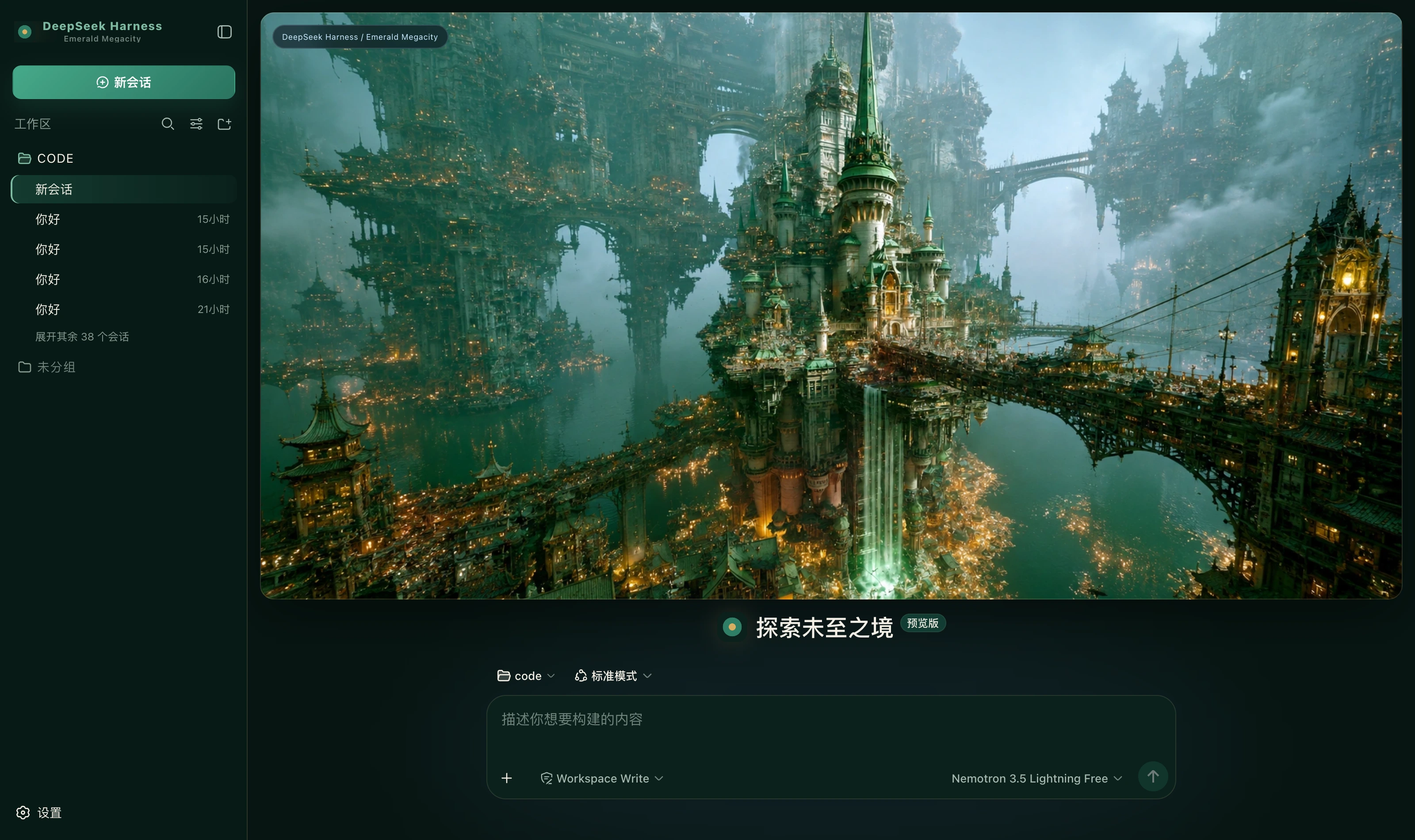 Emerald Megacity dark Ink-green ground, emerald for the primary action, jade green only for running, warm gold only for borders and emphasis packages/dsh-emerald-megacity
|
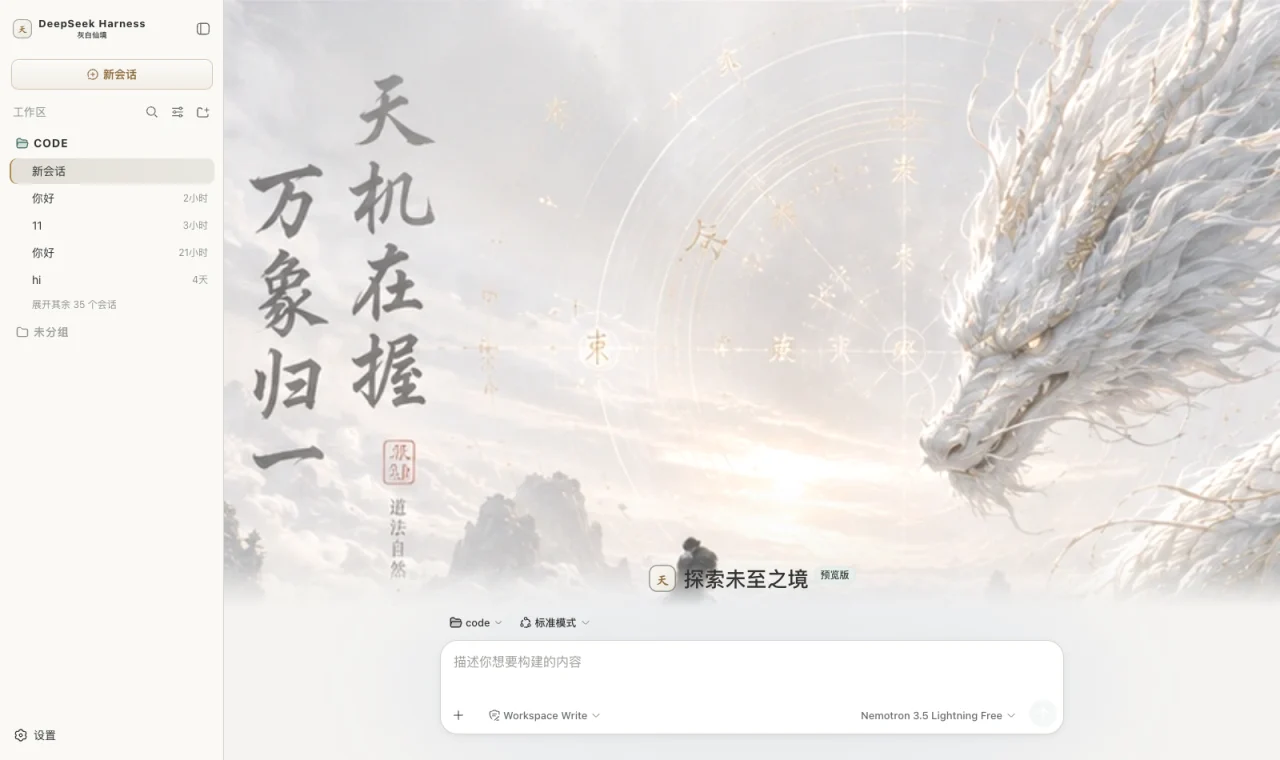 Misty Xianxia light Paper and mist white ground, ink grey for text, pale gold for edges and buttons, jade green only for running; a xianxia hero on the new-session page packages/dsh-extreme-xianxia-light
|
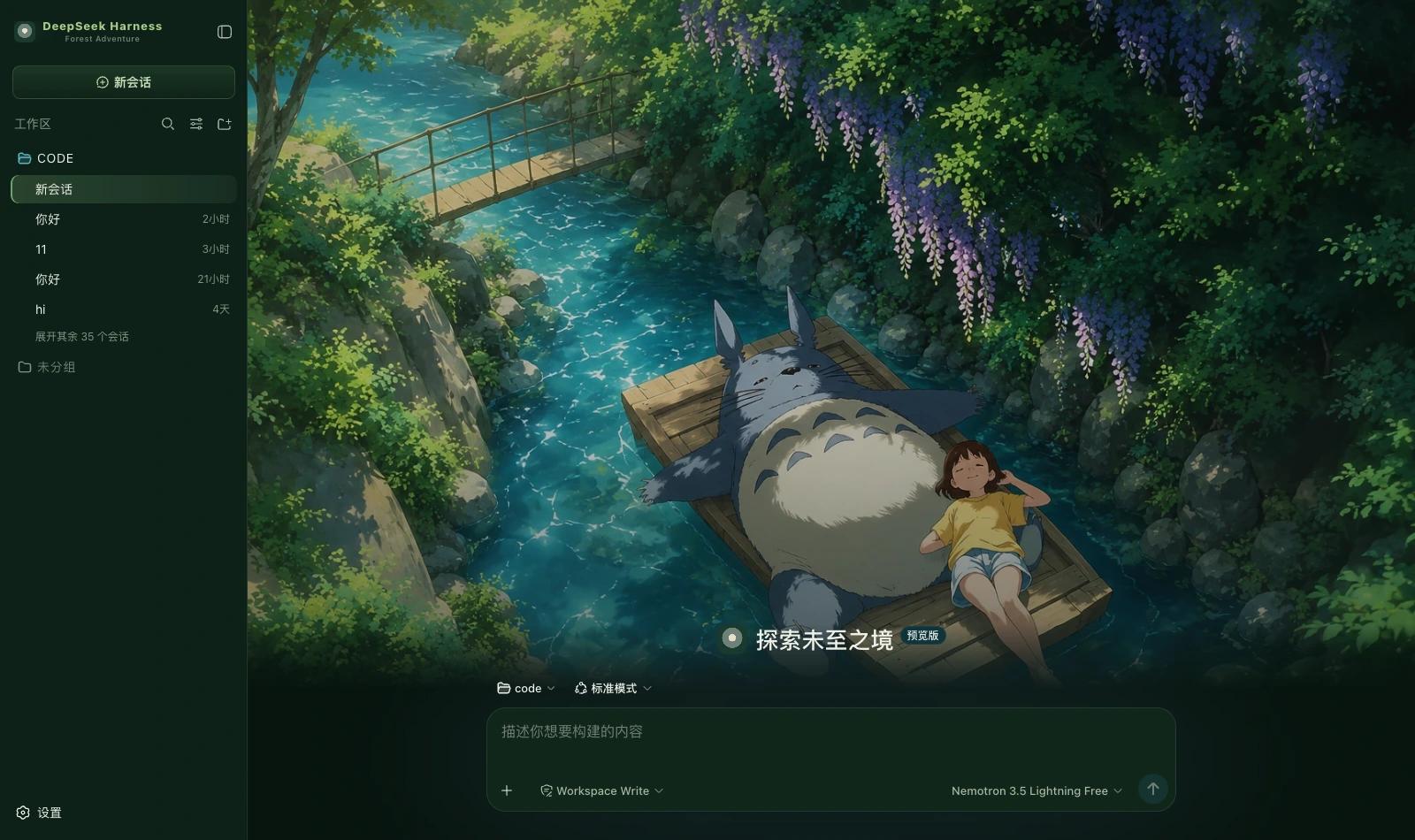 Forest Adventure dark Forest green ground, moss green for the primary action, stream teal only for running, daylight yellow as accent; a forest hero on the new-session page packages/dsh-forest-adventure
|
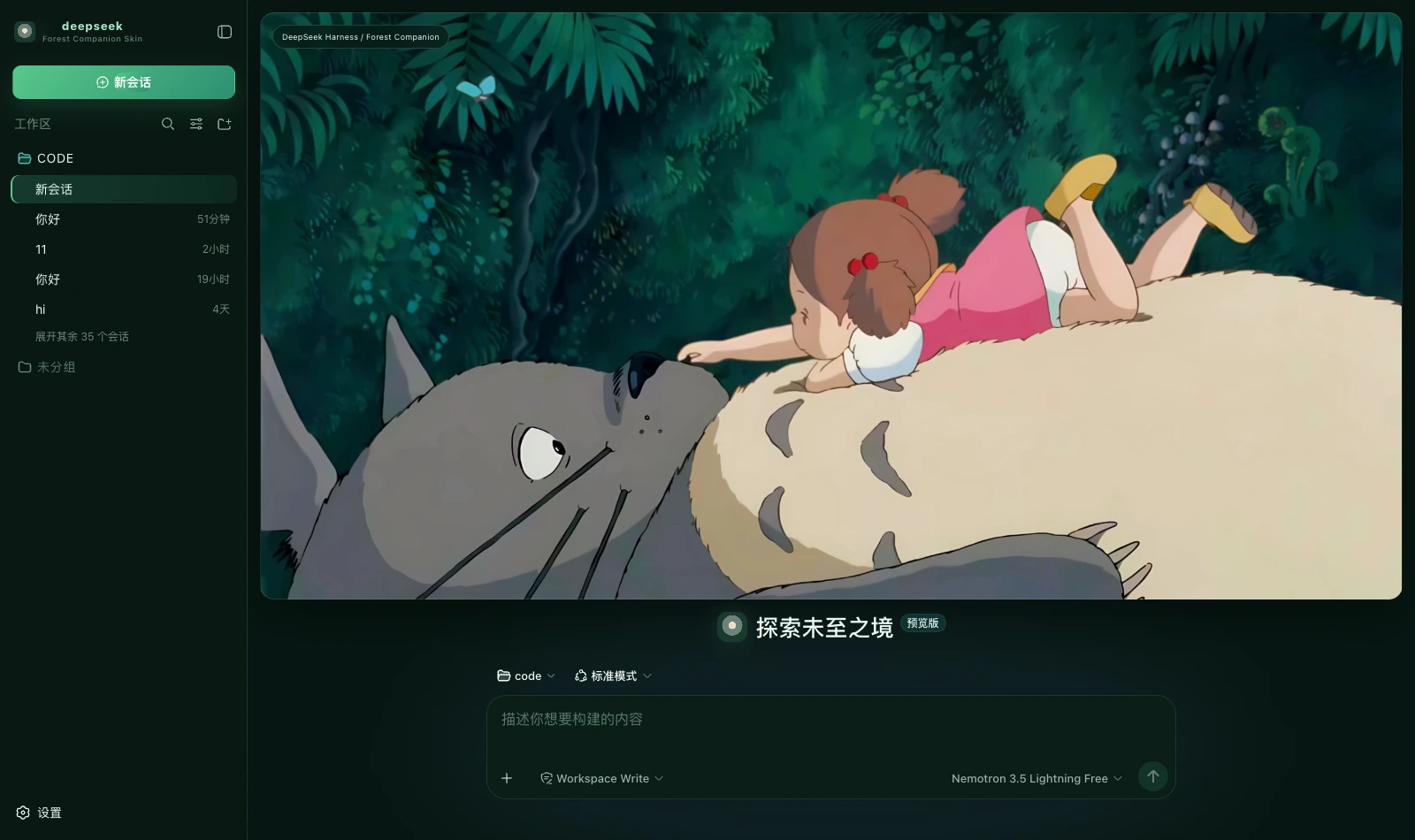 Forest Companion dark Deep forest green, soft cream and a touch of pink; a forest companion cover on the new-session page packages/dsh-forest-companion
|
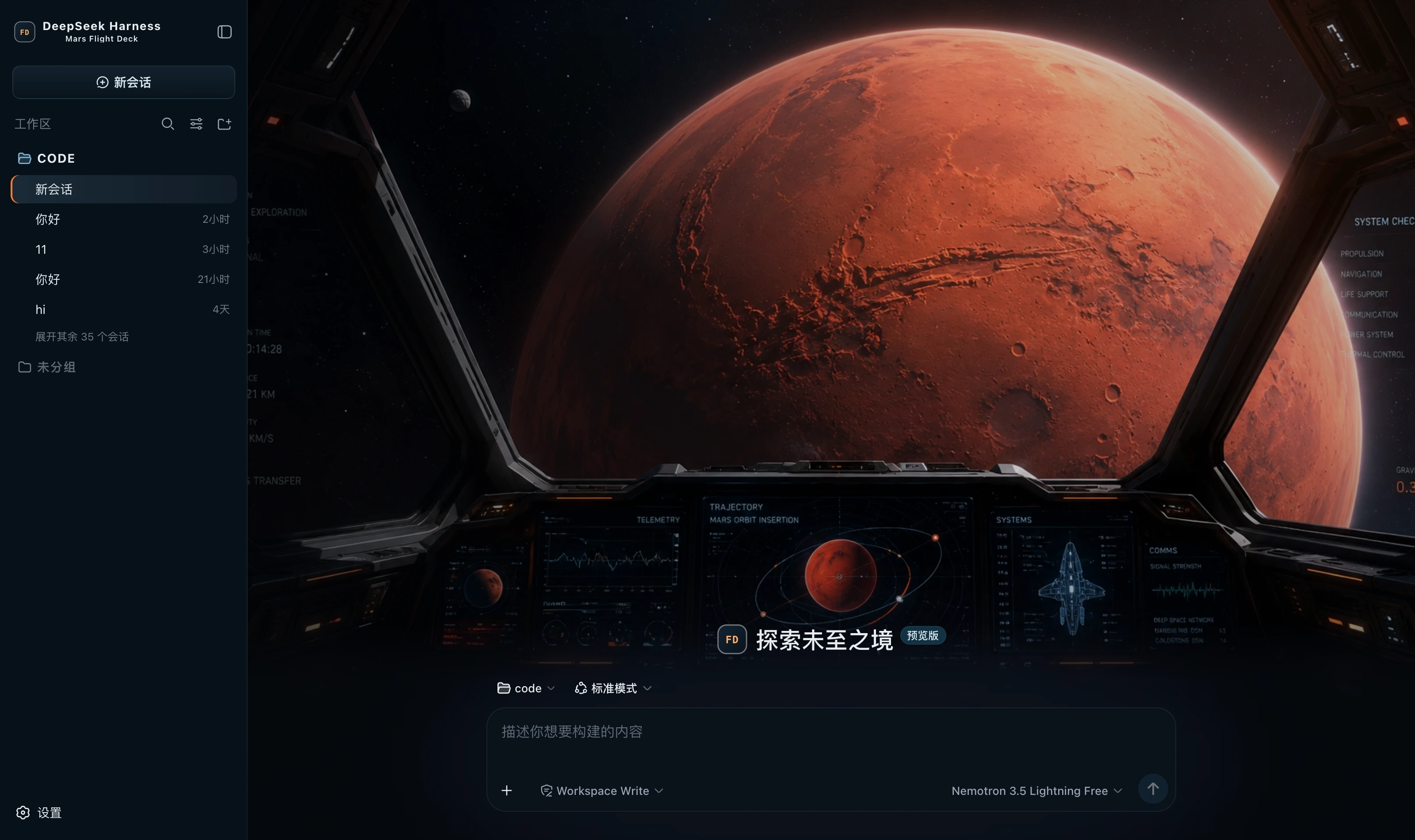 Mars Flight Deck dark Spaceflight black ground, cool blue for telemetry and borders, thruster orange for the primary action, Nominal green only for success; a flight-deck hero on the new-session page packages/dsh-mars-flight-deck
|
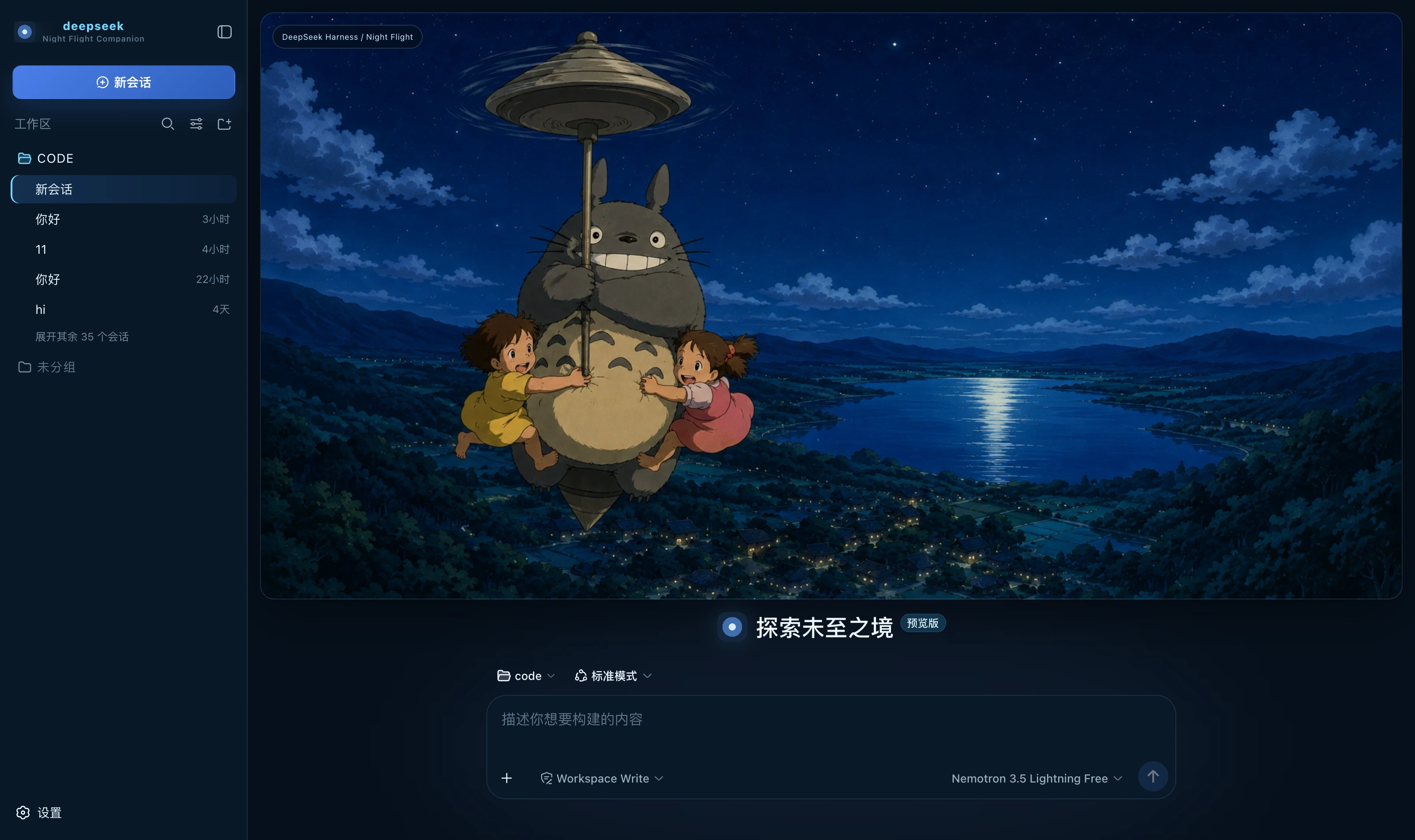 Night Flight Companion dark Deep night blue, moonlight cyan and a touch of warm cream; a night-flight banner on the new-session page packages/dsh-night-flight-companion
|
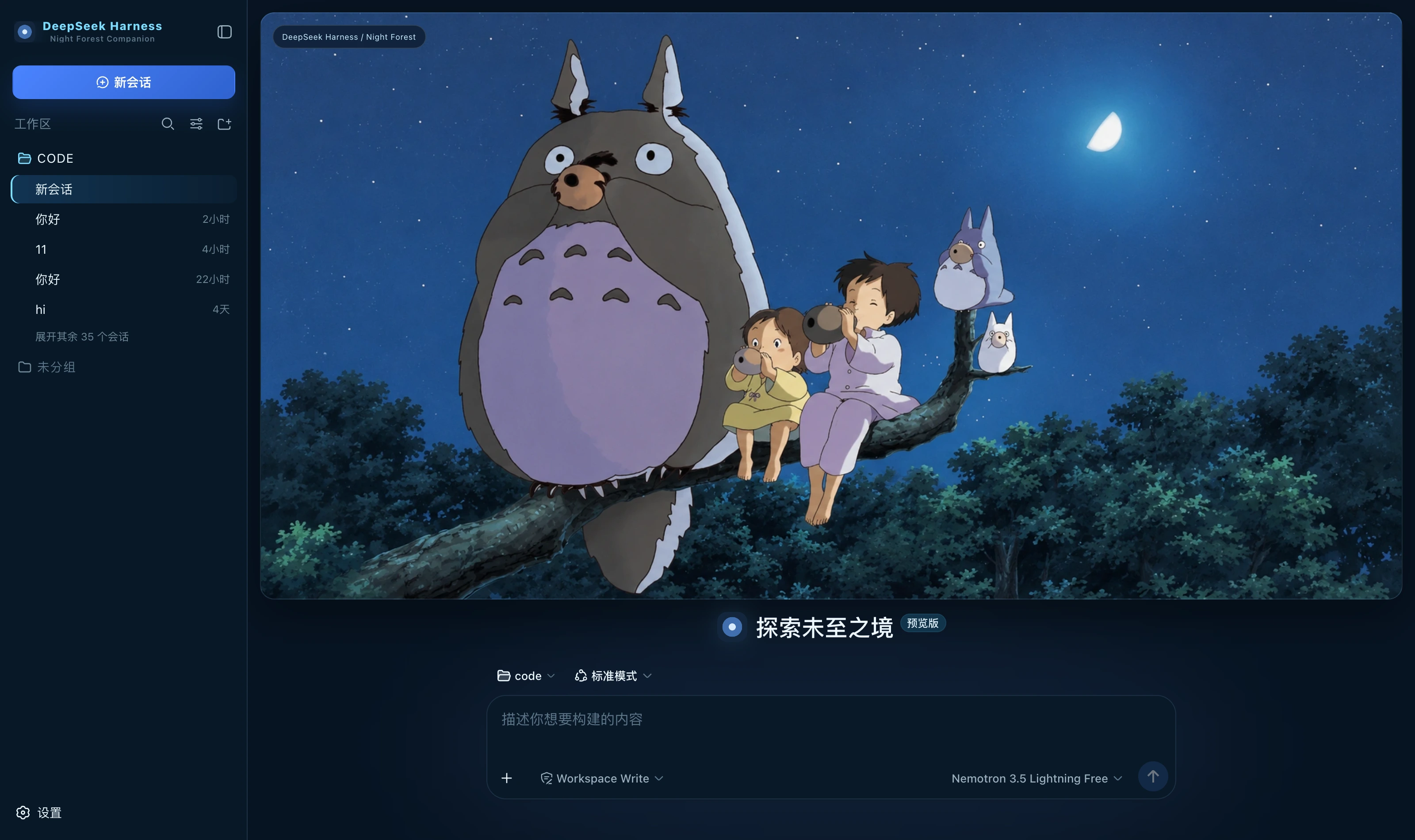 Night Forest Companion dark Moonlit night blue ground, moonlight cyan for borders and state, blue for the primary action; a night-forest banner on the new-session page packages/dsh-night-forest-companion
|
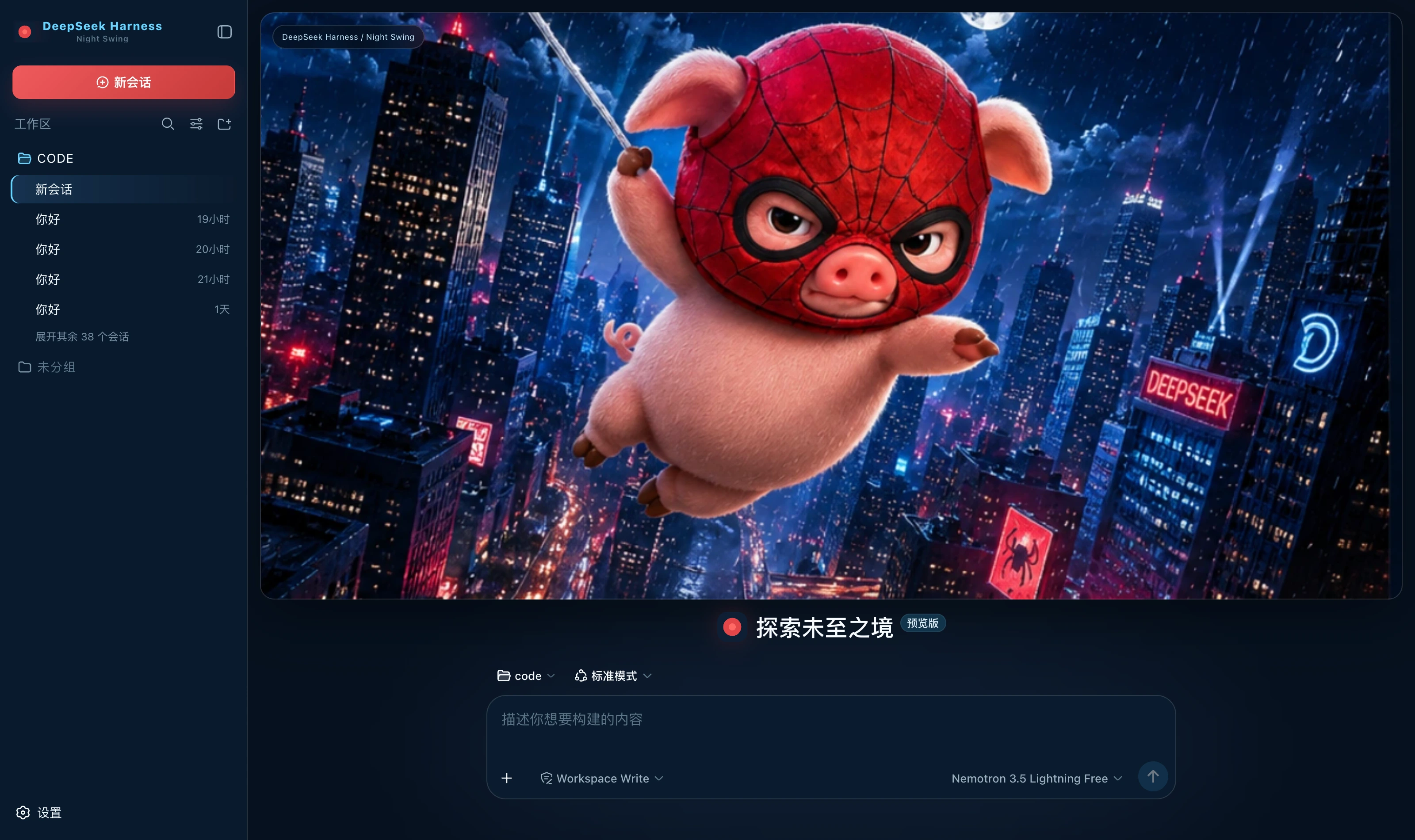 Night Swing dark Rainy-night blue ground, combat red for the primary action, neon cyan only for running, and borders with no tint packages/dsh-night-swing
|
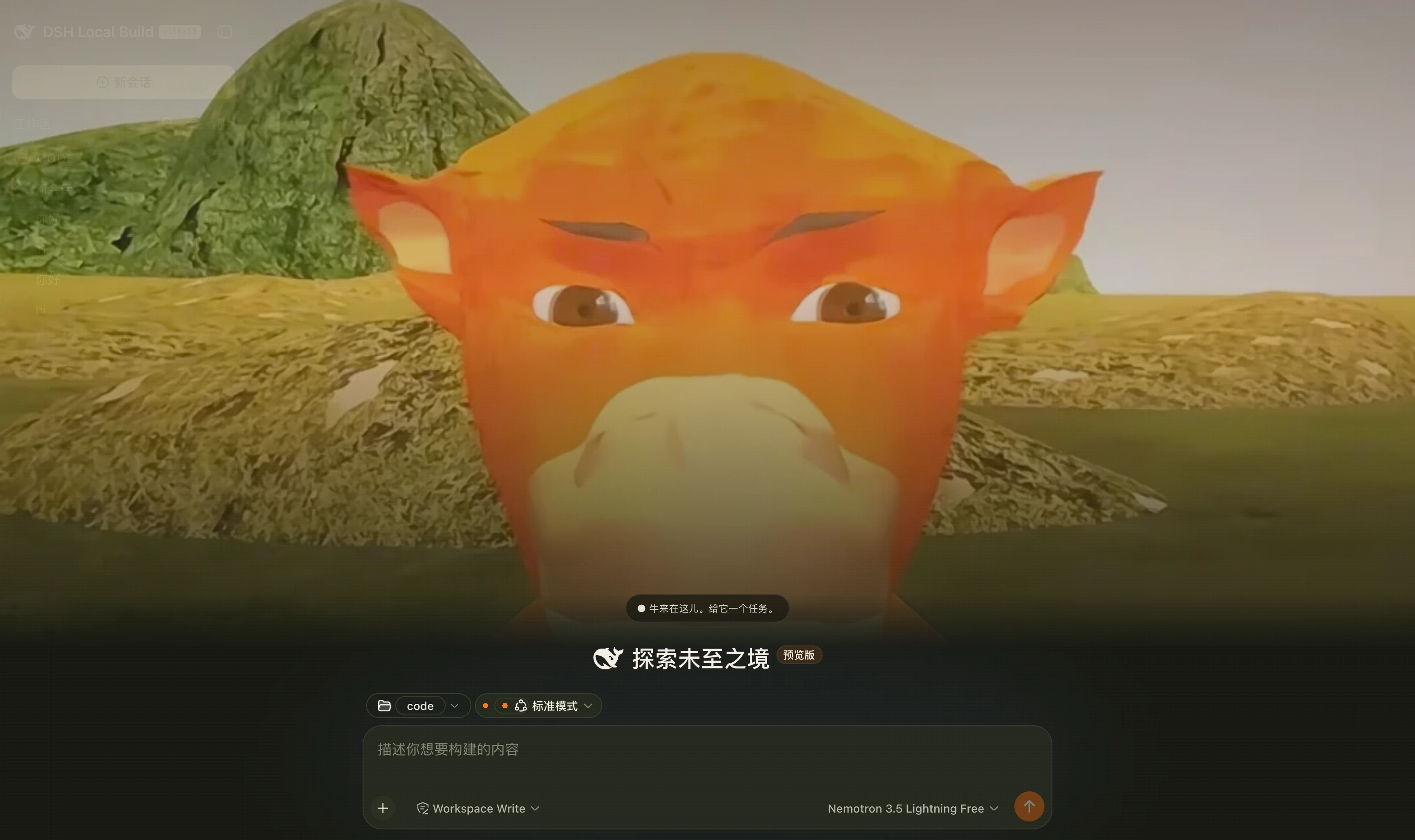 Niulai Field dark A warm-black field palette over a low-poly orange bull; a bull stands beneath your conversation packages/dsh-niulai
|
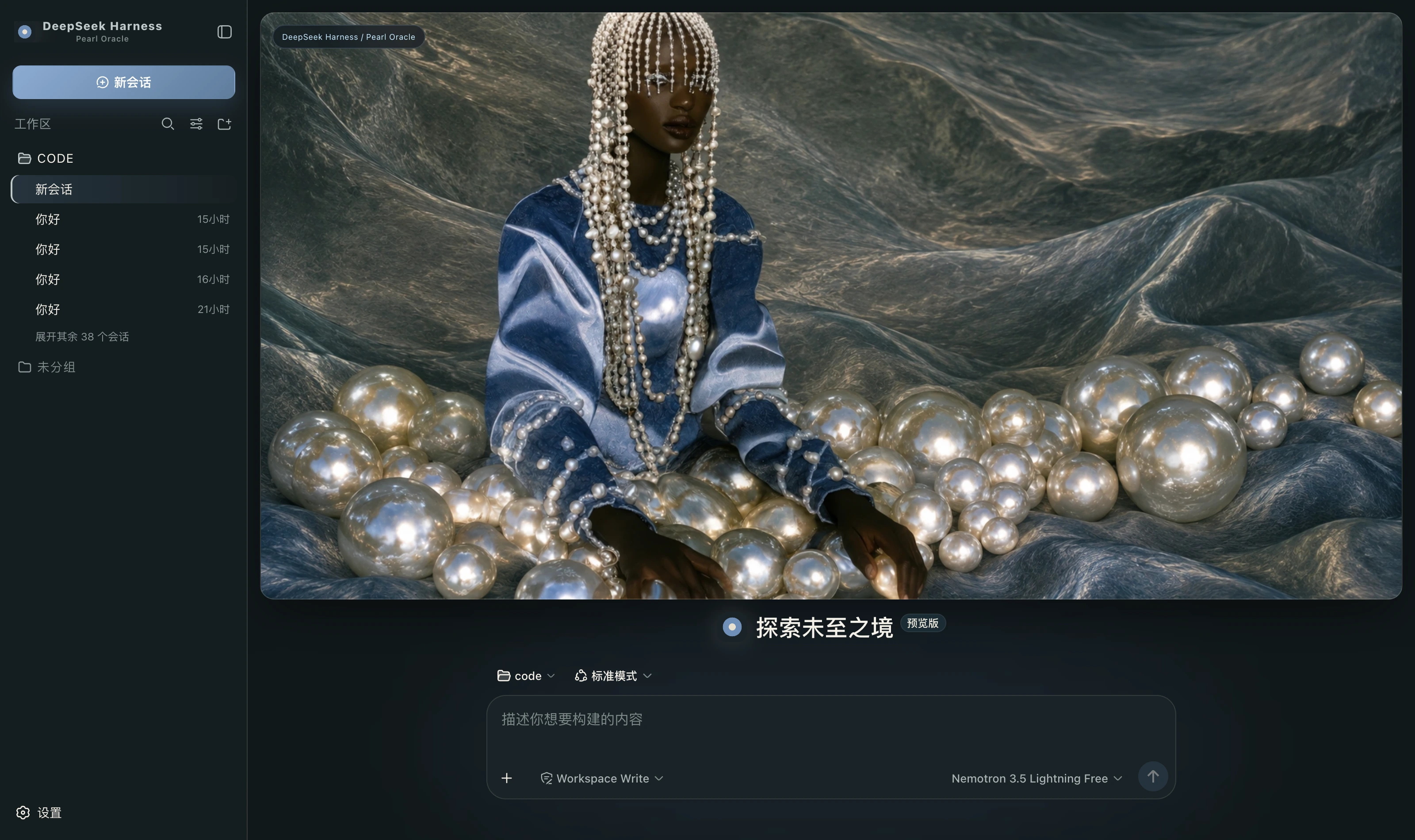 Pearl Oracle dark Warm grey stone ground, pearl white for highlights alone, silver borders, and misty blue as the only chromatic colour packages/dsh-pearl-oracle
|
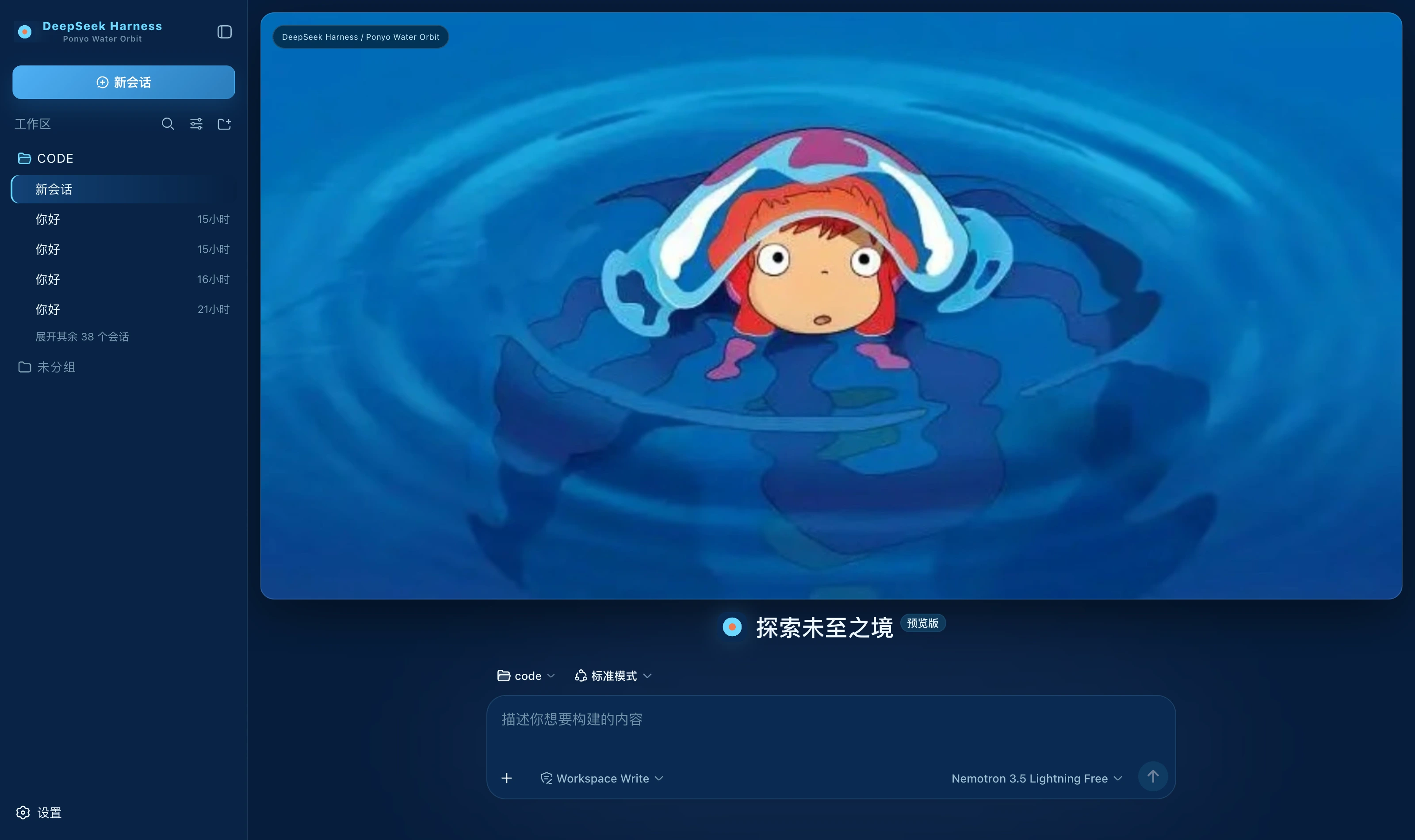 Ponyo Water Orbit dark Sea blue ground, bright blue for the primary action, water cyan only for running, coral as accent alone packages/dsh-ponyo-water-orbit
|
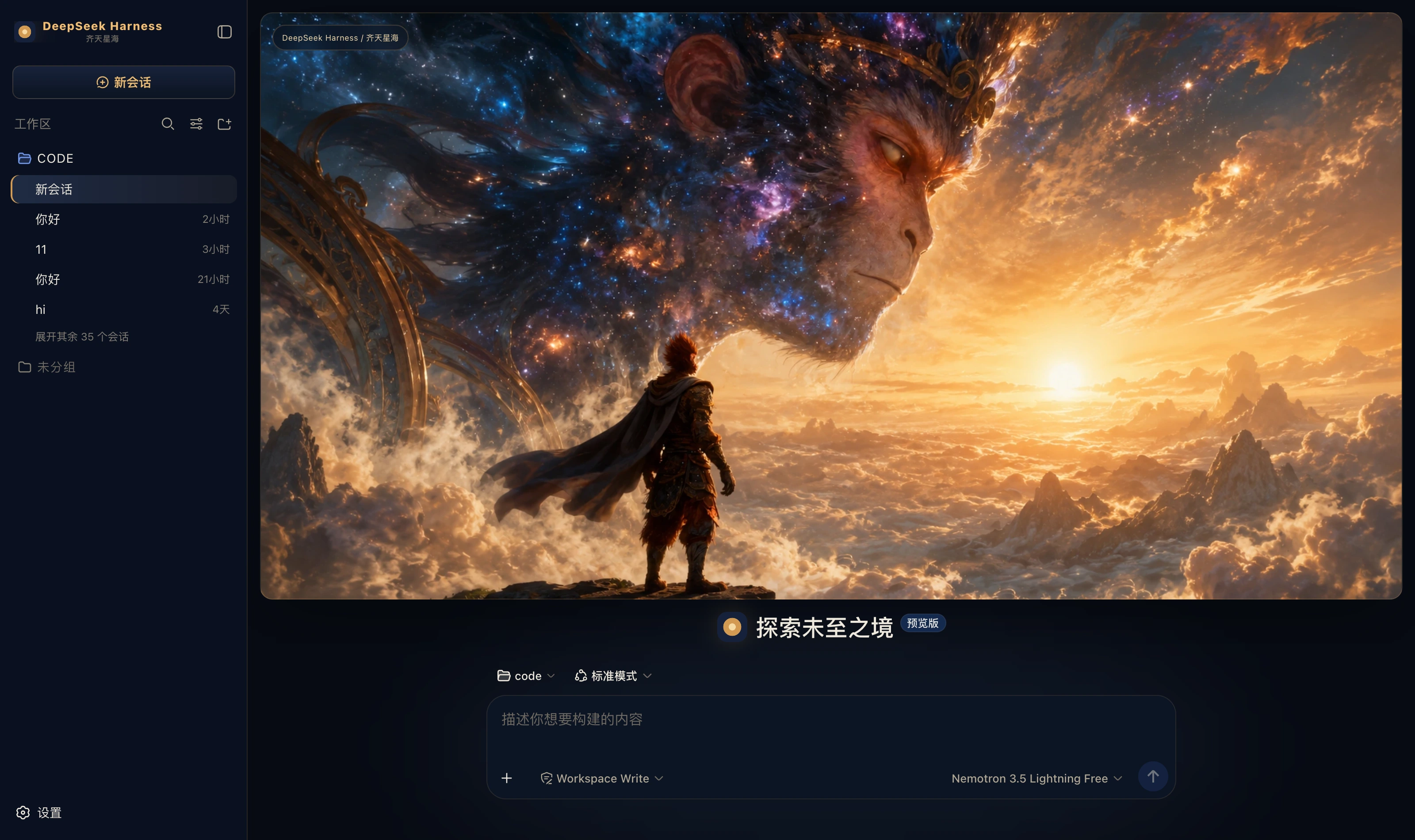 Qitian Cosmic Monkey dark Midnight cosmic blue ground, ember gold for edges and the primary action, starlight blue only for running; a Monkey King hero on the new-session page packages/dsh-qitian-cosmic-monkey
|
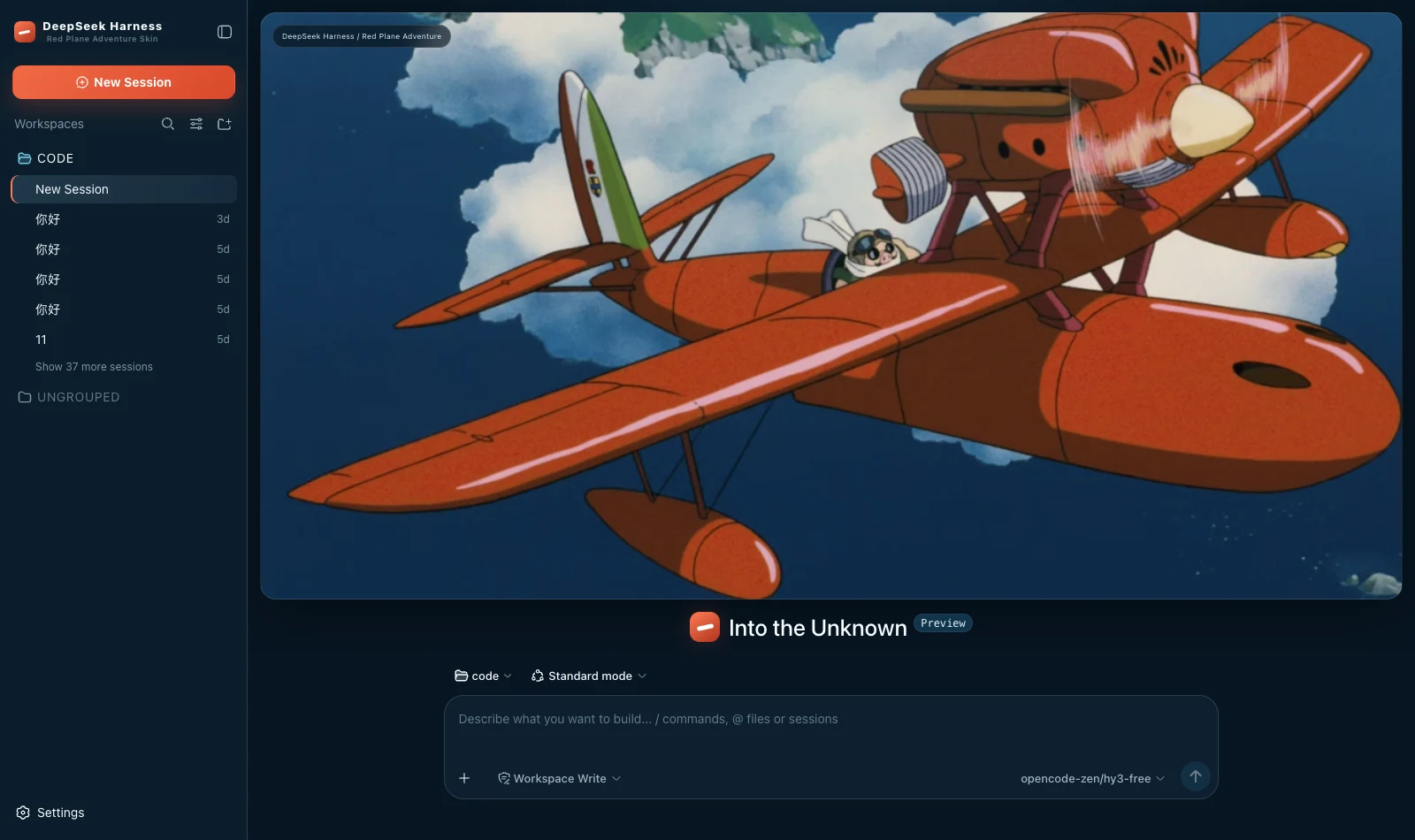 Red Plane Adventure dark Deep navy ground, flight red for the primary action, cream as accent alone and cyan only for running; a red-plane banner on the new-session page packages/dsh-red-plane-adventure
|
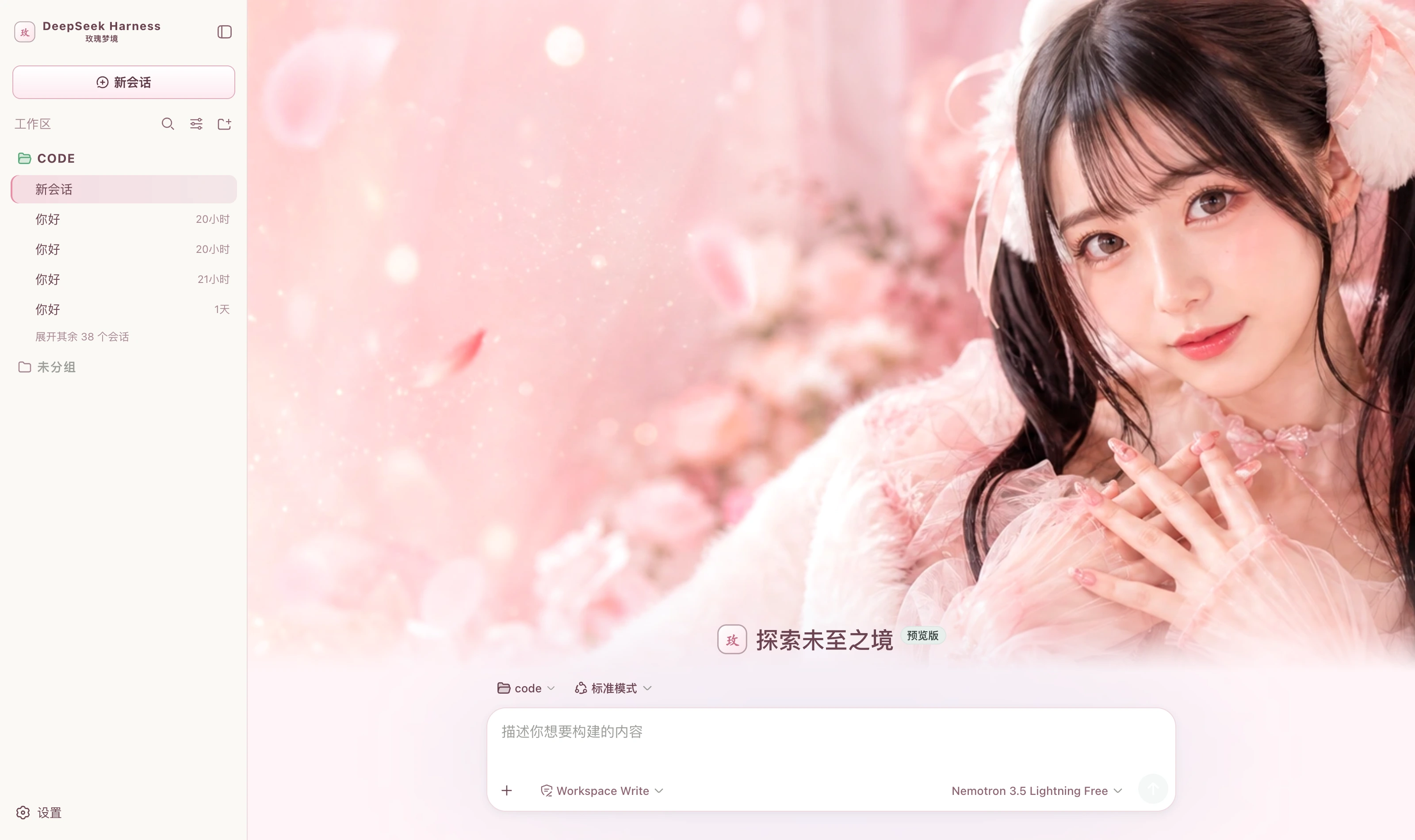 Rose Dream light Pink-white ground, rose brown for body text, rose pink for the primary action, mint green only for success packages/dsh-rose-dream
|
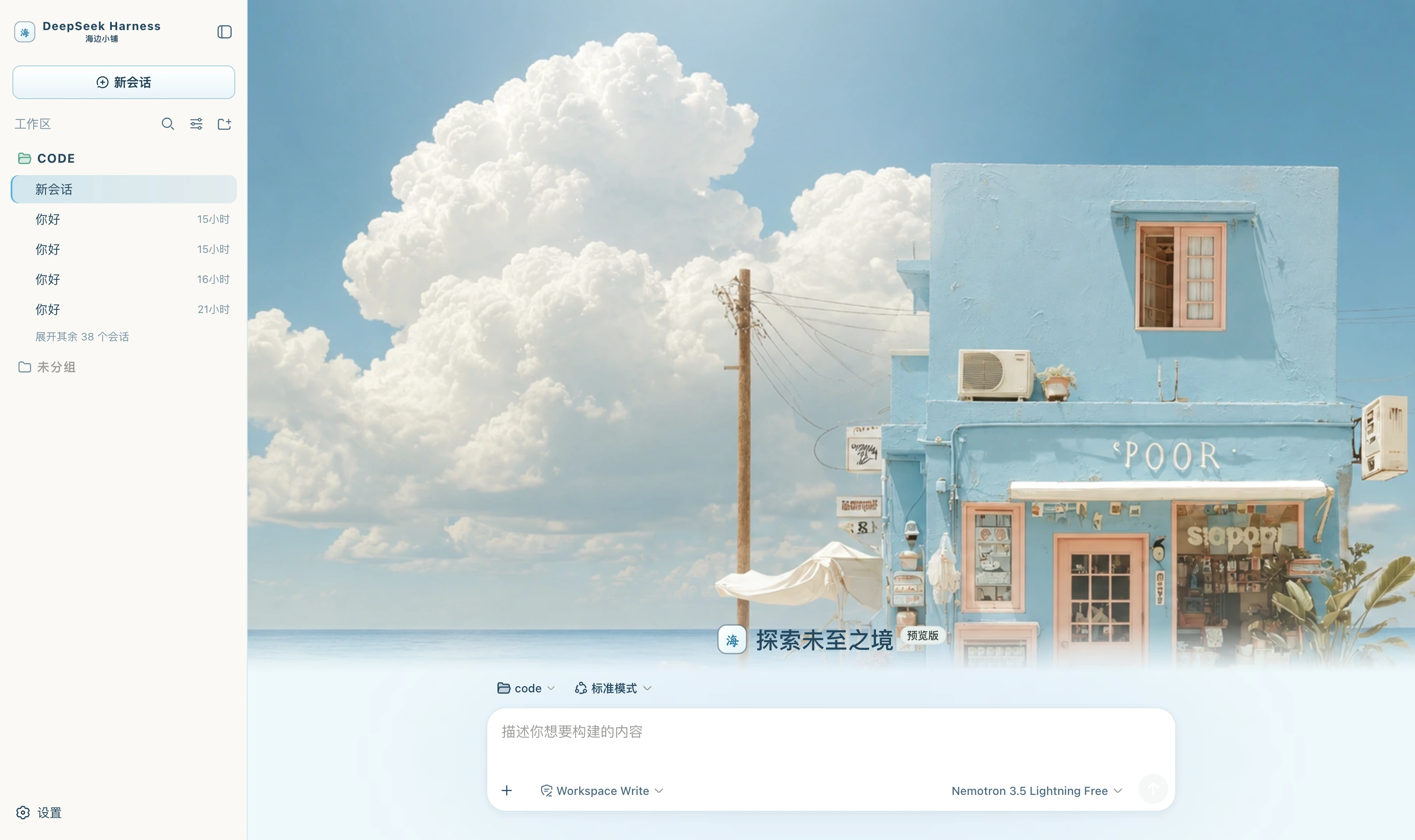 Seaside Boutique light Sea-mist white ground, slate blue for body text, sky blue for the primary action, peach pink as accent alone packages/dsh-seaside-boutique
|
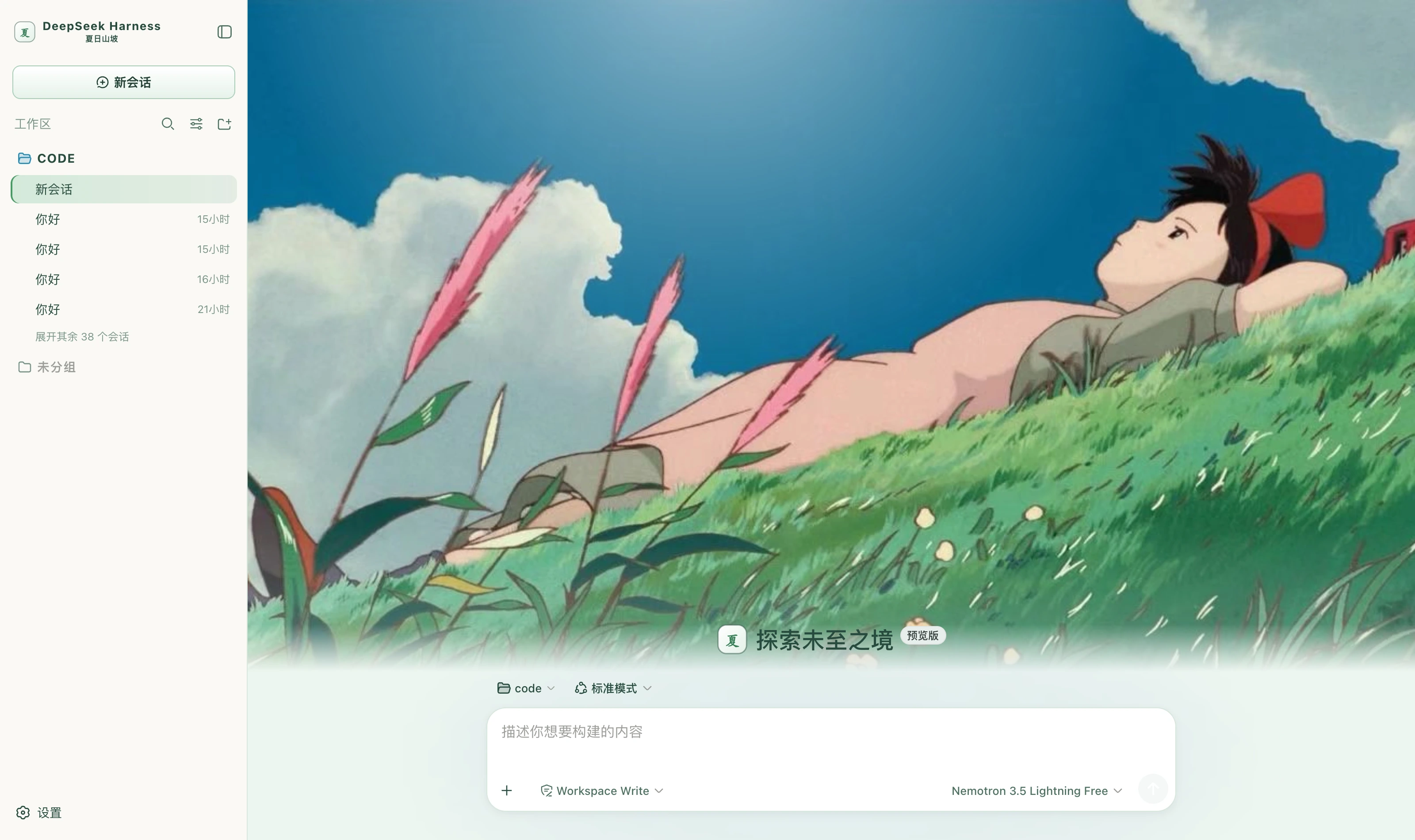 Summer Hillside light Grass-white ground, deep grass green for body text, grass green for the primary action, sky blue for emphasis, seedhead pink as accent packages/dsh-summer-hillside
|
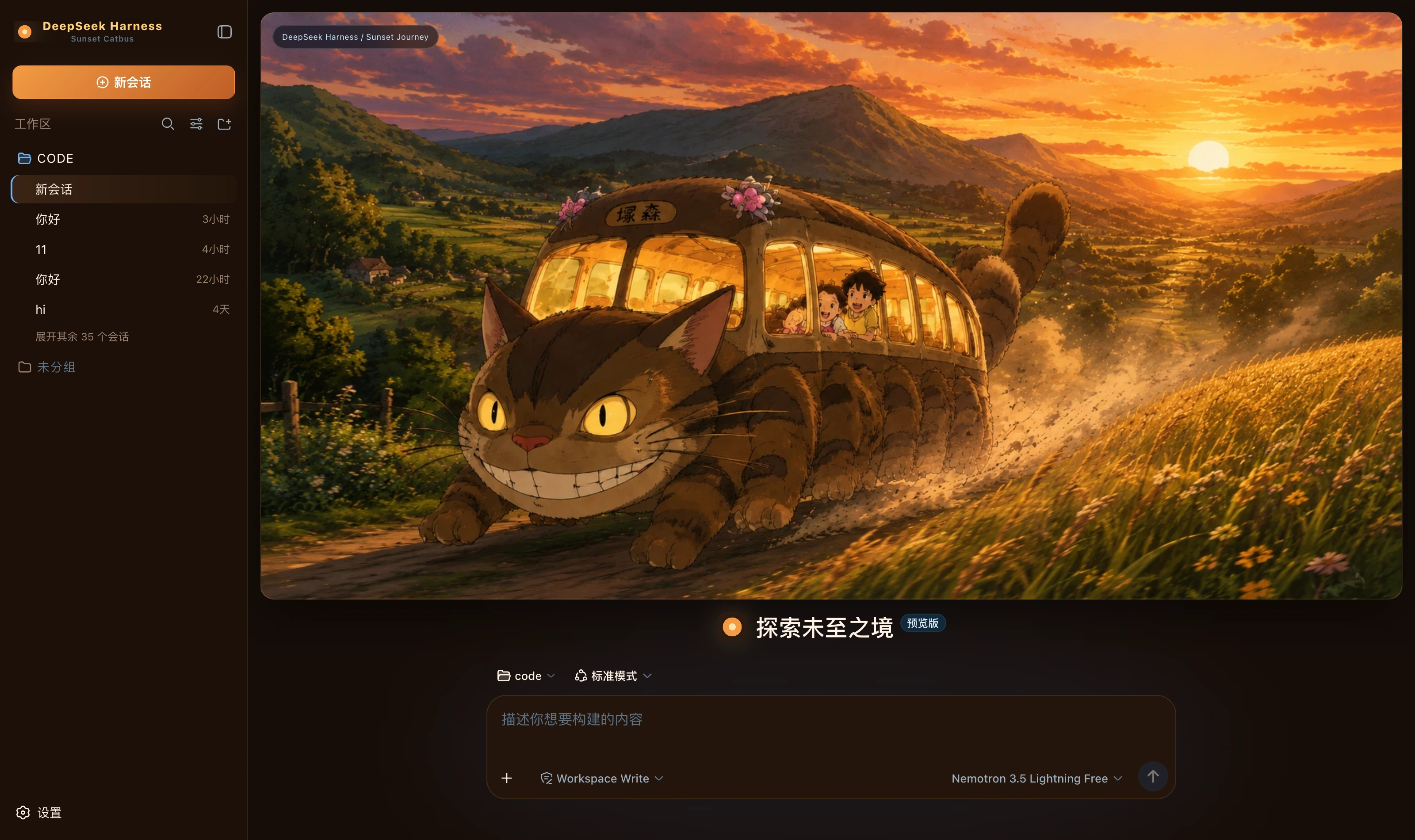 Sunset Catbus dark Deep brown ground, sunset orange for the primary action, wheat gold for borders and emphasis, cool blue only for running; a golden-hour banner on the new-session page packages/dsh-sunset-catbus
|
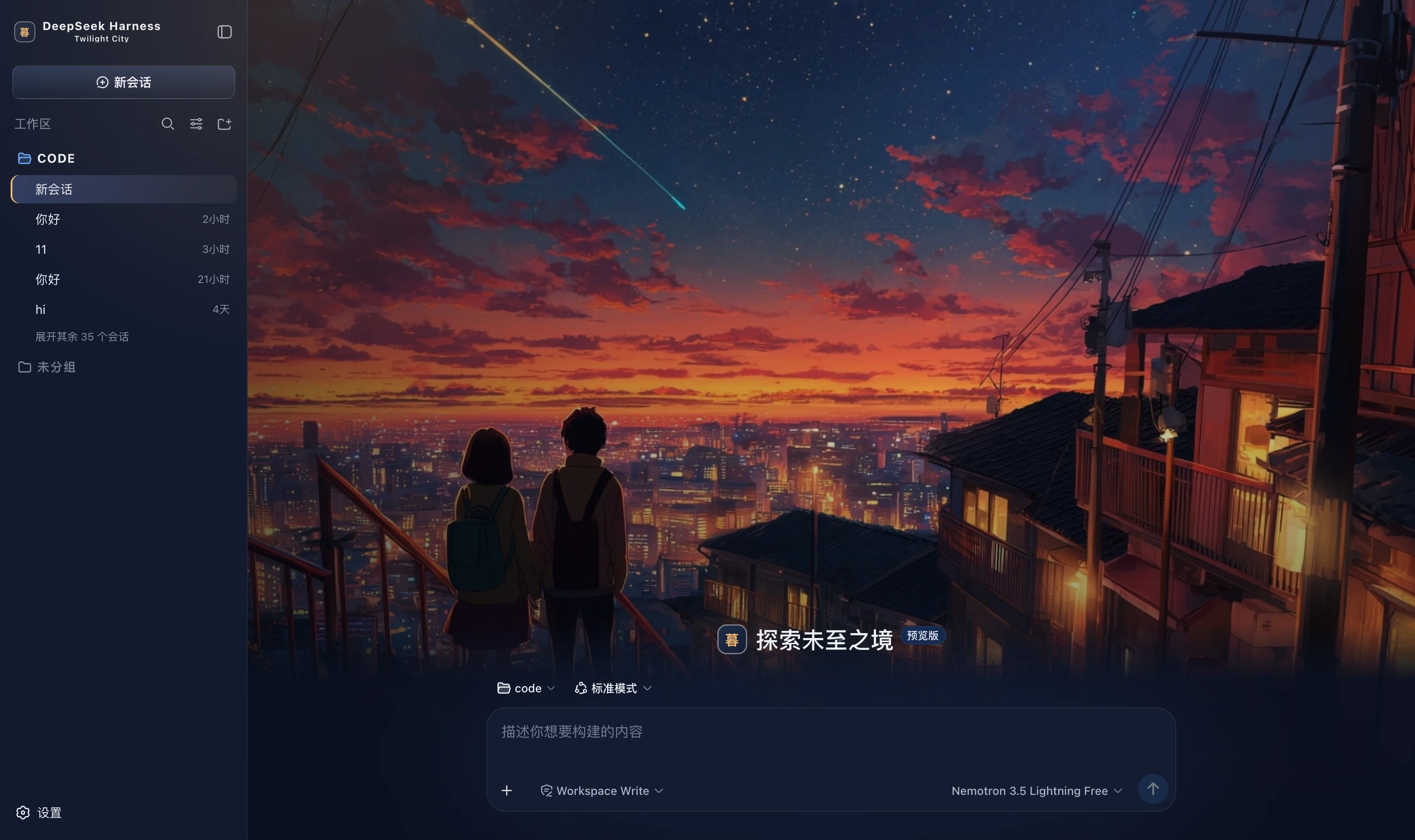 Twilight City dark Night-sky blue ground, sunset orange, purple and pink for atmosphere, warm yellow lighting only the buttons, sky blue only for running; a twilight-city hero on the new-session page packages/dsh-twilight-city
|
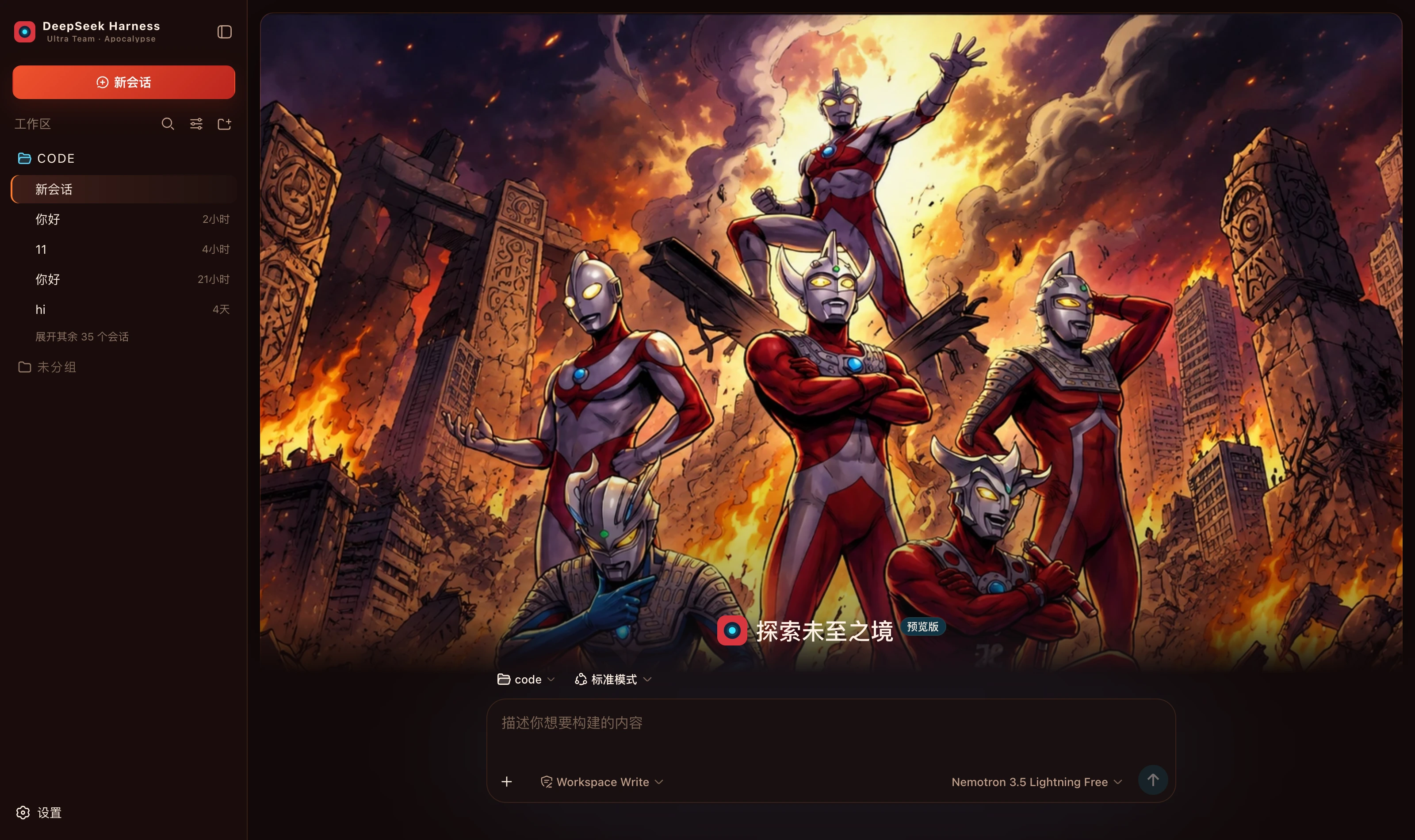 Ultra Team Apocalypse dark Charred black and dark red ground, firelight orange for the primary action, combat red only for failure, energy cyan only for running; an apocalypse-squad hero on the new-session page packages/dsh-ultra-team-apocalypse
|
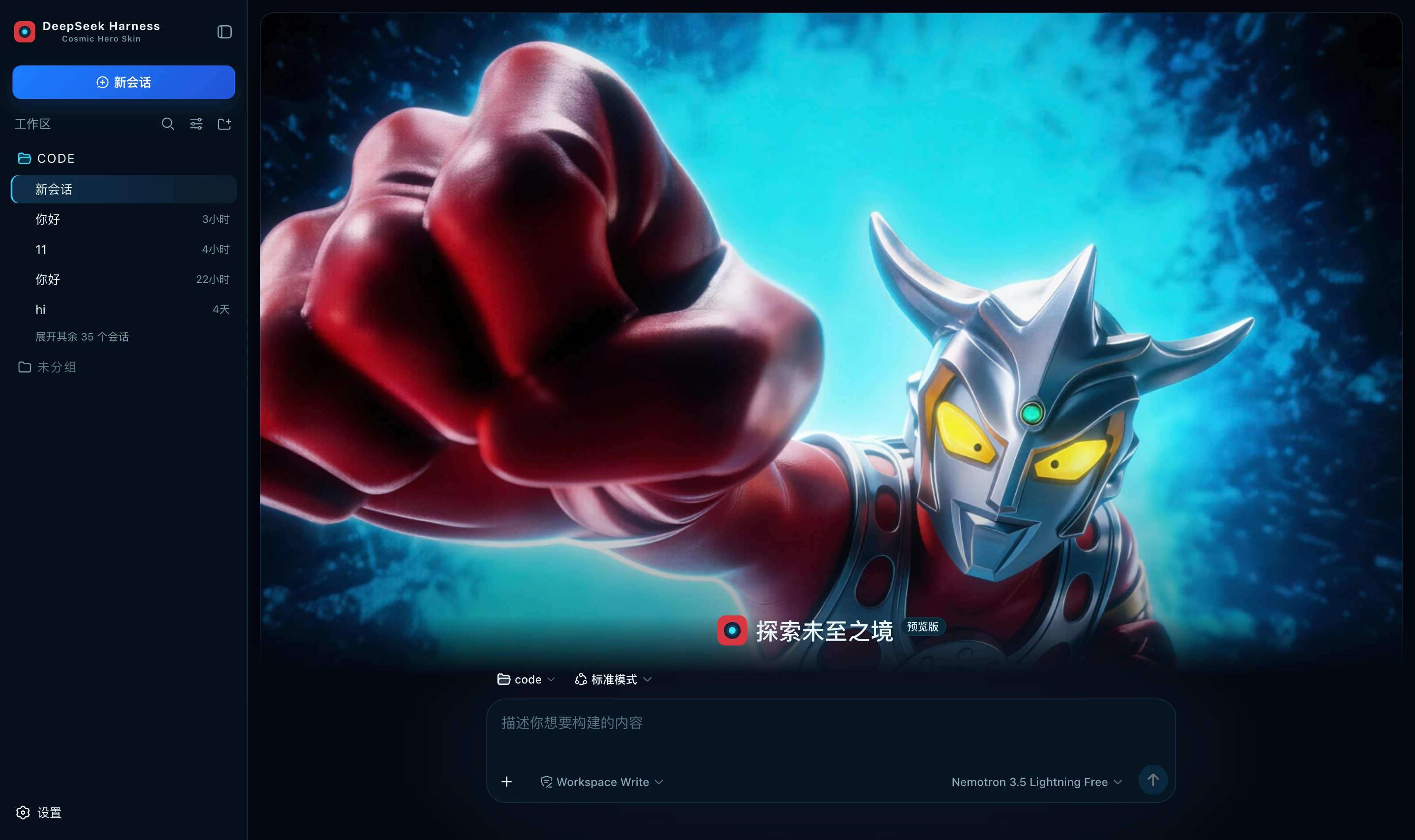 Cosmic Hero dark Deep-space blue-black with the three colour-timer colours; a cosmic-hero visual on the new-session page packages/dsh-ultraman-cosmic-hero
|
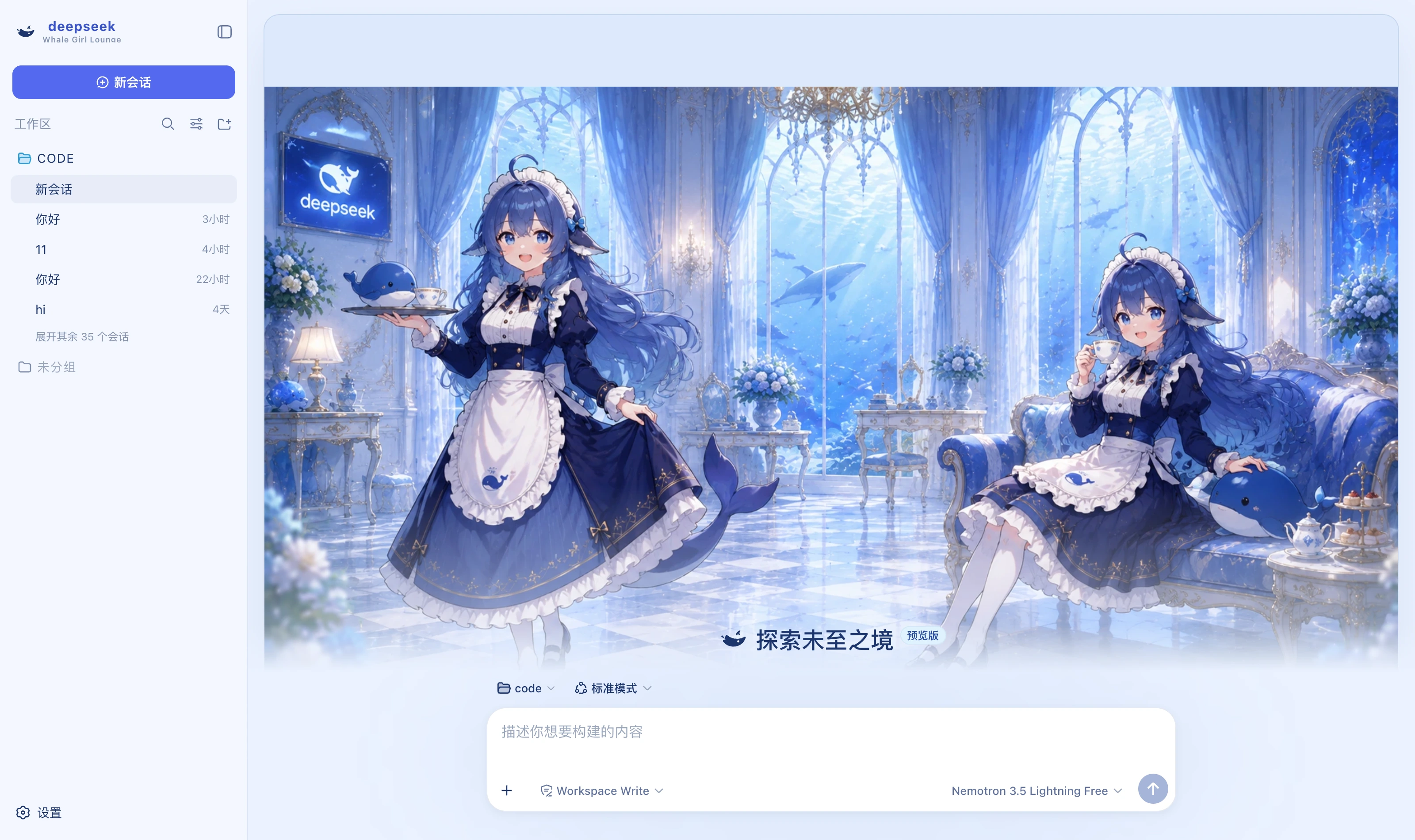 Whale Girl Lounge light A three-step palette of pale blue, pearl white and deep-ocean blue; a whale-girl cover on the new-session page packages/dsh-whale-girl
|
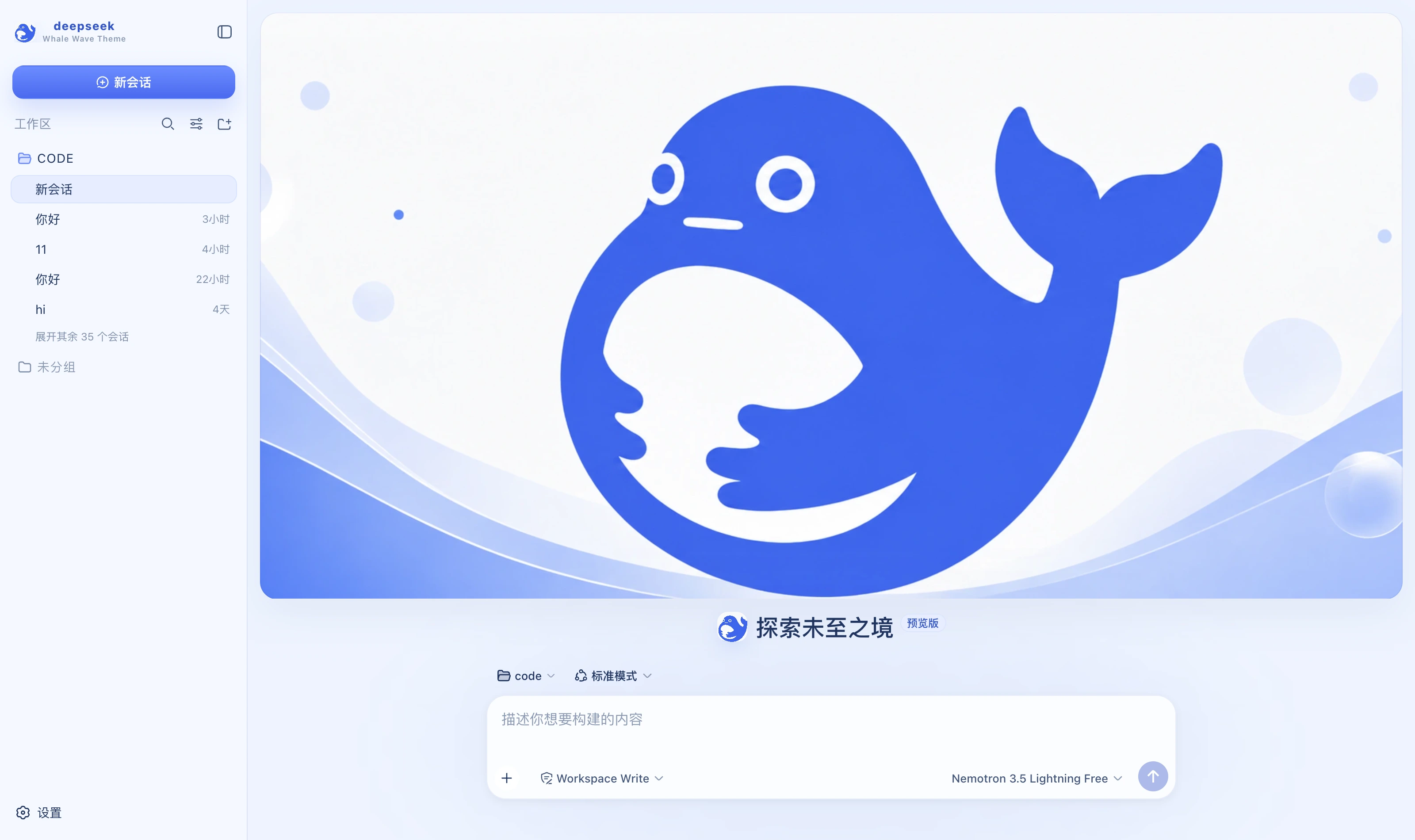 Whale Wave Banner light DeepSeek blue and white; a banner cover on the new-session page with the composer separately below packages/dsh-whale-wave-banner
|
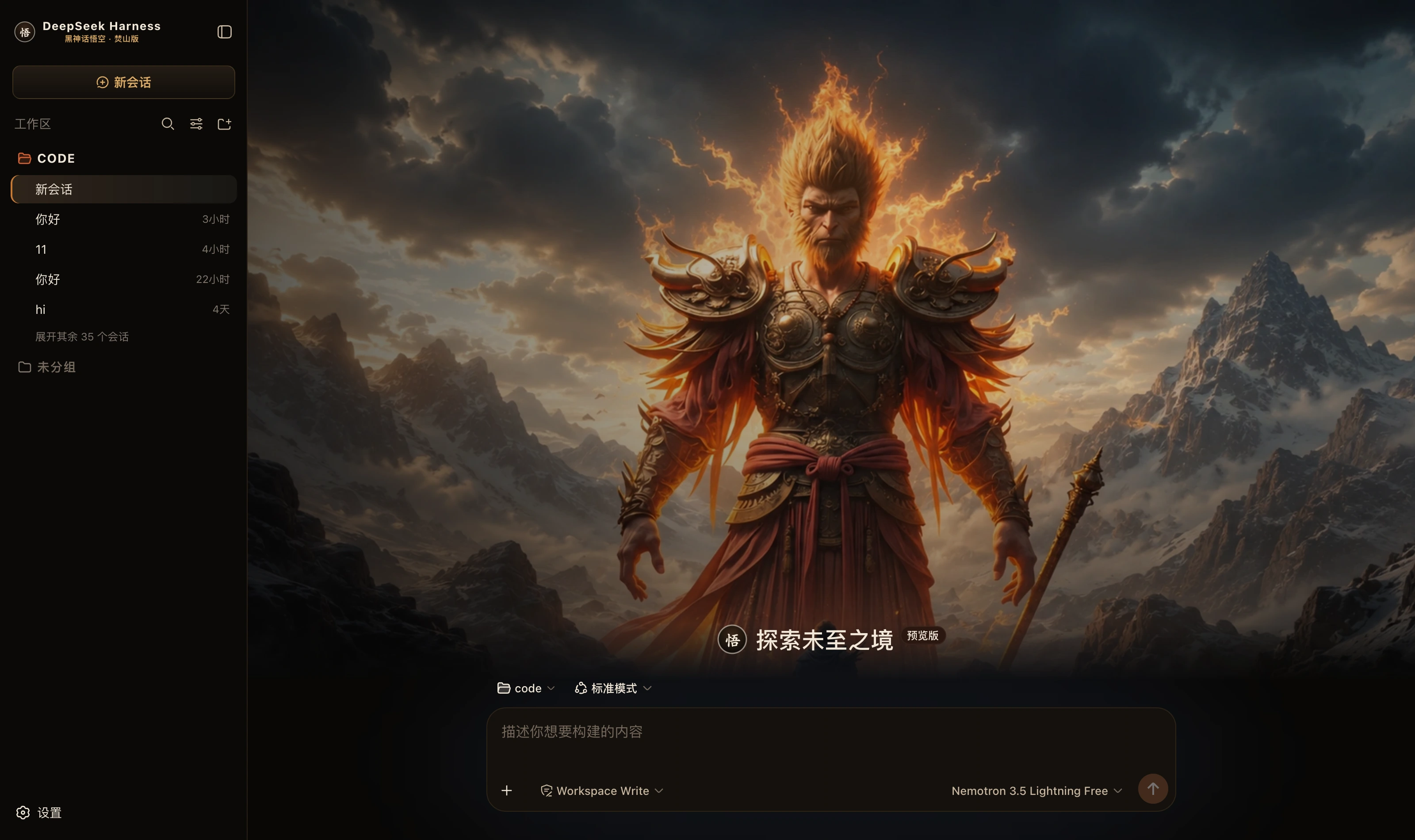 Black Myth Wukong · Flame Mountain dark Black ink, antique gold and ember orange; a burning-mountain hero on the new-session page packages/dsh-wukong-flame-mountain
|
Development
pnpm install
pnpm verify   # consistency gates: three ids aligned, files covers the entry, no theme-id collisions
pnpm check    # type check
pnpm build    # full build (about 0.1s per package, a few seconds for the repo)
The skins have no dependencies on each other, so there is no incremental build — a full one is fast enough that the complexity would buy nothing.
To publish a change to one skin, bump the version in its package.json: CI decides what to publish by whether a version already has a matching Release tag, and skips every package whose version was not bumped.
pnpm release --dry # show what would be published without touching the remote
Directory layout
packages/<name>/     ← the package is always dsh-<name>; the scripts and the market data both rely on that mapping
├── skin.json        ← the skin's self-description; its id must match cordis.patch.yml and THEME_ID
├── cordis.patch.yml ← inserts the skin into the Loader tree; without it the plugin is never loaded
├── package.json     ← dsh.bundle.patch points at the patch; files decides what goes into the tarball
├── src/             ← the host half (src/index.ts) and the client half (src/client/)
├── preview/         ← preview images, used by the market and by the wall above
└── lib/             ← build output; kept out of git, built by CI and packed into the tarball
Not committing lib/ is the biggest difference from the standalone-repository era: back then skins installed via github:owner/repo and what you installed was the output in the repository, so leaving it out shipped an empty shell. Now that distribution goes through Release tarballs, npm pack packs the built lib/ according to files, and committing it would only bloat the repository.
Want to build your own?
The fastest route is to copy any skin under packages/ — they all share one structure, and skin.json, cordis.patch.yml and src/client/tokens.ts are the whole entry point.
When it is ready, you are welcome to publish it on the DSH skin market, where anyone can browse and install without logging in.
License
MIT © Science Roam Limited
If this is useful to you, a Star goes a long way
More in Themes & Skins
dsh-beauty-skins
by xierw
Beauty-themed skins for DeepSeek Harness — one-click apply with palettes extracted from wallpaper, including dynamic backgrounds.
deepseek-harness-skin
by heigeai
Skin system for DeepSeek Harness — 21 built-in skins plus custom themes generated from a single image, with contrast and readability checks.
dsh-qq2006
by laplaceyoung
A switchable QQ2006 skin for the DeepSeek Harness Web UI with a coral-blue theme and retro assets.
dsh-skin-market
by keman-ai
Skin marketplace for DeepSeek Harness — search and install community skins from dsh.a2hmarket.ai right in the settings page