
goalfydata
goalfyai/goalfydata
A shared data backend for AI agents and authorized teams.
9
stars
0
forks
Apache-2.0
License
2026-07-06
Created
2026-08-10
Last push
README

A shared place for AI agents to build, update, analyze, and reuse business data.
Turn spreadsheets, APIs, databases, and agent outputs into reusable datasets and data apps
that preserve business context and stay up to date.




Website · Get Started · Documentation
Understand GoalfyData in 30 Seconds
Codex, Claude Code, Manus, and other connected agents can create datasets, write update scripts, analyze results, and build data apps. GoalfyData keeps the resulting data together with its field definitions, metric definitions, table relationships, permissions, and governance rules.
The result is a durable data asset that can be reused across conversations, agents, devices, and teams. Import data, run SQL analysis, schedule updates, share with controlled access, and deploy data apps from the same dataset. When the dataset updates, connected apps continue to read the latest data.
Quick Start
The fastest path is to open the integration page for your platform, copy its setup instructions, and give them to your agent. Create your API Key in GoalfyData Settings; keys use the gfk_ prefix and are shown only once.
| Platform | Fastest setup | Detailed guide | Status |
|---|---|---|---|
| Codex | Open the Codex integration and send the setup text to Codex | Codex Quick Start | Available |
| Claude Code | Open the Claude Code integration and send the setup text to Claude Code | Claude Code Quick Start | Available |
| Manus | Open the Manus integration, then add the MCP connector and upload the Skill in Manus | Manus Quick Start | Available |
| Other Agents / Generic MCP | Connect the remote MCP and load the generic Skill | Generic Integration Guide | Available for compatible MCP/CLI agents |
Manus setup currently requires manual steps in its web interface; it cannot be completed by pasting an install runbook into a Manus conversation.
Minimal manual CLI setup
For macOS or Linux developers who prefer manual setup:
curl -fsSL https://cdn.goalfydata.ai/dataset-uds/install.sh | sh
uds-cli login --api-key gfk_your_api_key --api-url https://api.goalfydata.ai
Then follow the platform guide above to install the Skill/plugin and connect MCP. The detailed guides cover Windows, updates, key rotation, and troubleshooting. A successful connection exposes 20 GoalfyData MCP tools, including uds_query and uds_dataset_manage.
How AI Agents Create and Reuse Data Assets with GoalfyData
CSV files give an agent rows and columns. Prompts give it instructions for one conversation. Neither preserves the structure, definitions, relationships, and business rules another agent needs to continue the work later. GoalfyData turns that missing context into a reusable data asset.
1. Connect GoalfyData with your AI agent
Choose your platform in Quick Start, copy the MCP and Skill setup instructions, and give them to Codex, Claude Code, Manus, or another compatible agent.
This connection gives your agent the ability to create, understand, update, manage, and reuse governed data assets—not simply send data to another tool.
2. Tell your agent what you want to build
Start with the business outcome and data you need. For example:
Help me scrape today's recommended AI tools and categories on GitHub.
Your agent can work out the required sources, tables, field relationships, and metrics, then collect or prepare the data. You can also provide an Excel or CSV file, or connect sources such as Google Analytics 4 (GA4) and Google Search Console (GSC).
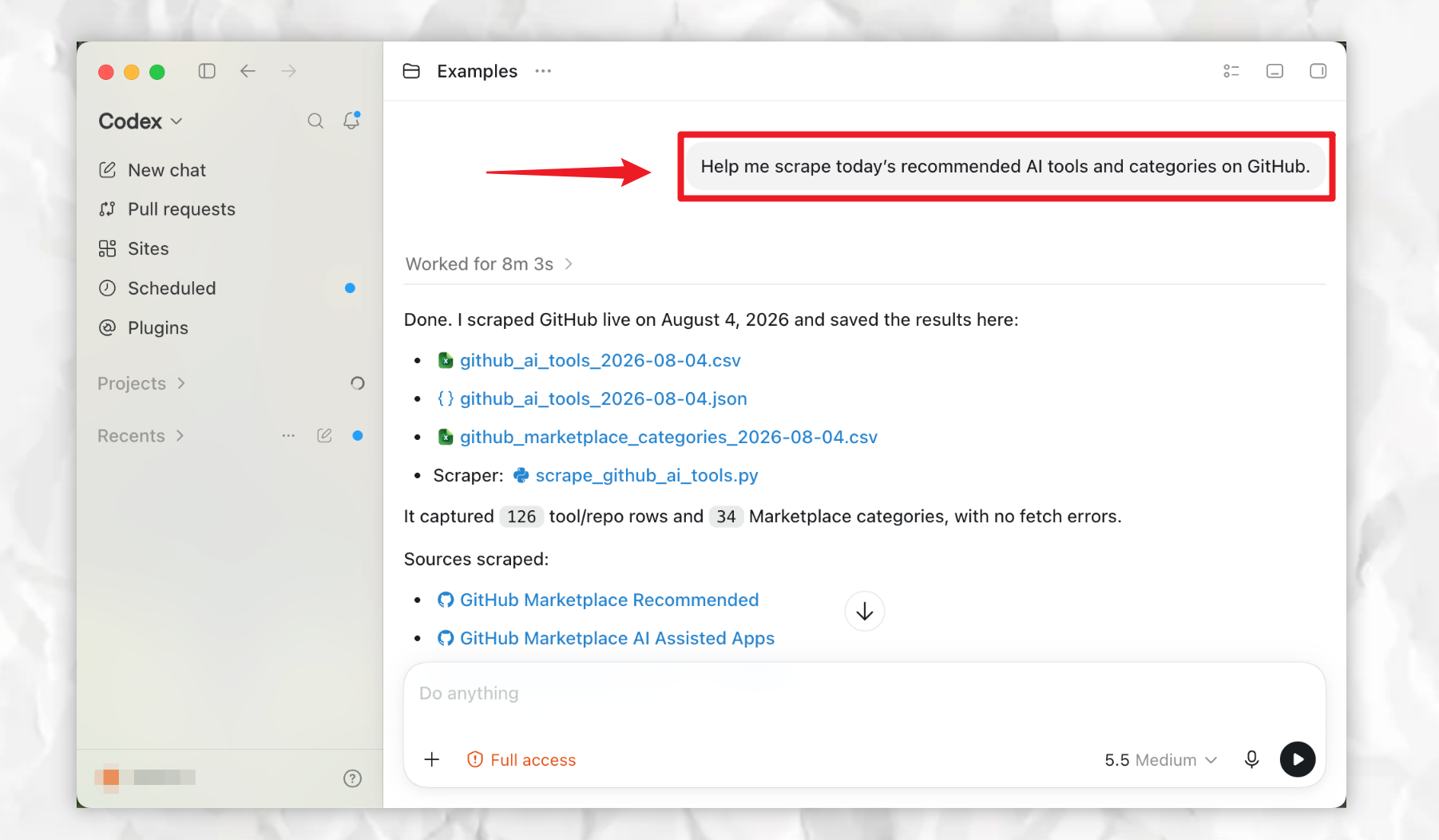
Want to try the workflow yourself? Click the file title below to download the example files, then give them to your agent and describe the data asset you want to build.
- EXAMPLE Ecommerce Data — simulated Amazon, Shopify, Meta Ads, returns, and SKU cost data for two weekly reporting periods
For other ready-to-use datasets, email goalfydata@goalfyai.com.
3. Create a reusable data asset
Ask your agent to organize the result in GoalfyData. It saves more than rows of data: it preserves the context that another agent needs to use the asset correctly.
| Preserved context | What it provides |
|---|---|
| Tables | The original data structure |
| Relationships | How tables and records connect |
| Field meanings | What each field represents |
| Rules | Business logic, metrics, and processing requirements |
| Usage guidance / Skills | How agents should query, update, and apply the asset |
Your AI agent doesn't just access data. It understands how to use it.
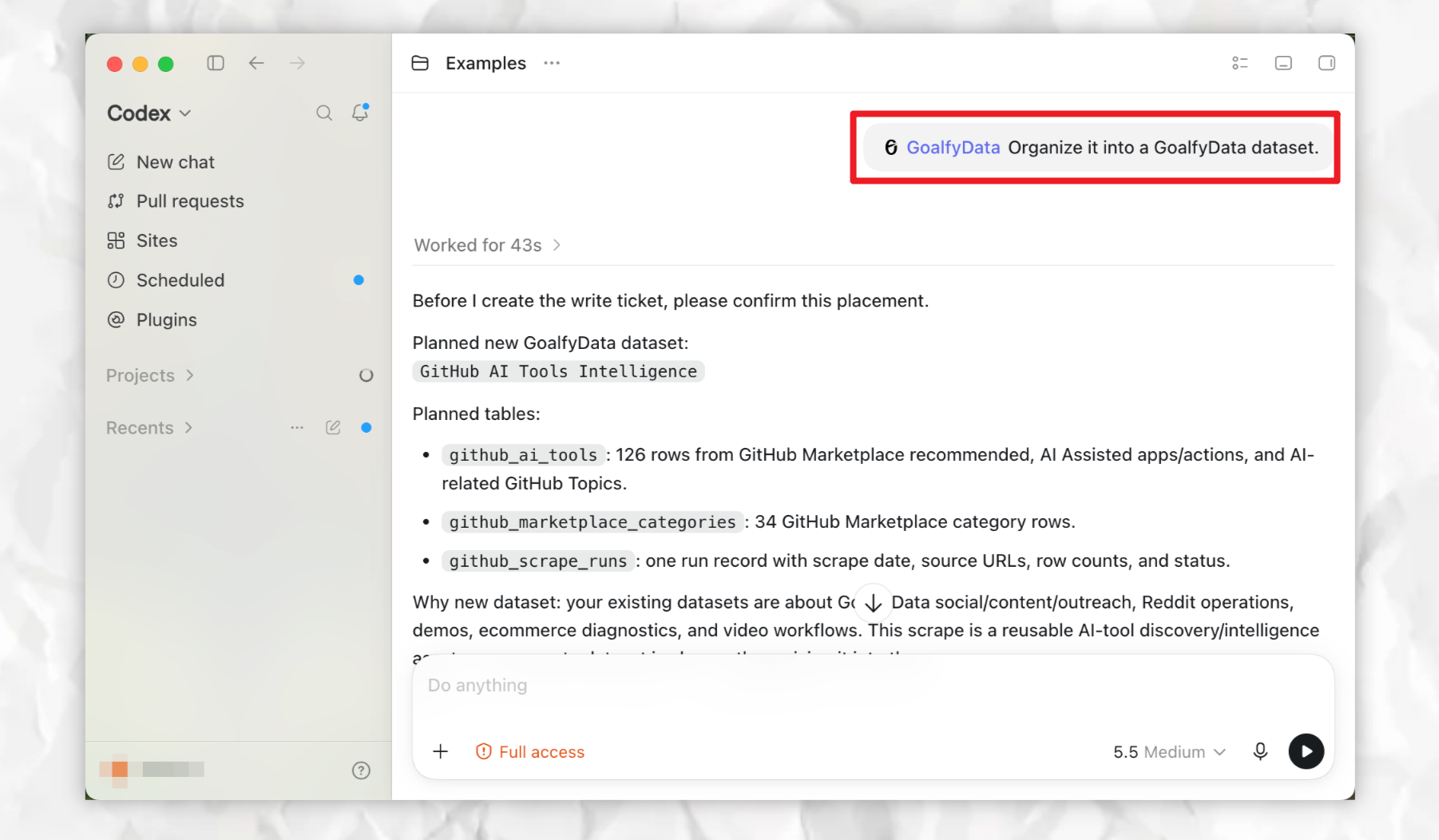
4. Create applications powered by your data assets
Once the data asset exists, ask your agent to create a purpose-built application such as an analysis report, business dashboard, or automated analysis tool.
For example:
Create a dashboard from the GitHub AI Tools Intelligence dataset.
The agent uses the asset's structure, field definitions, relationships, and analysis rules to build the application. The application remains connected to its dataset, so when the data updates, metrics recalculate and reports or dashboards continue to reflect the latest information—without rebuilding the application or manually changing its configuration.
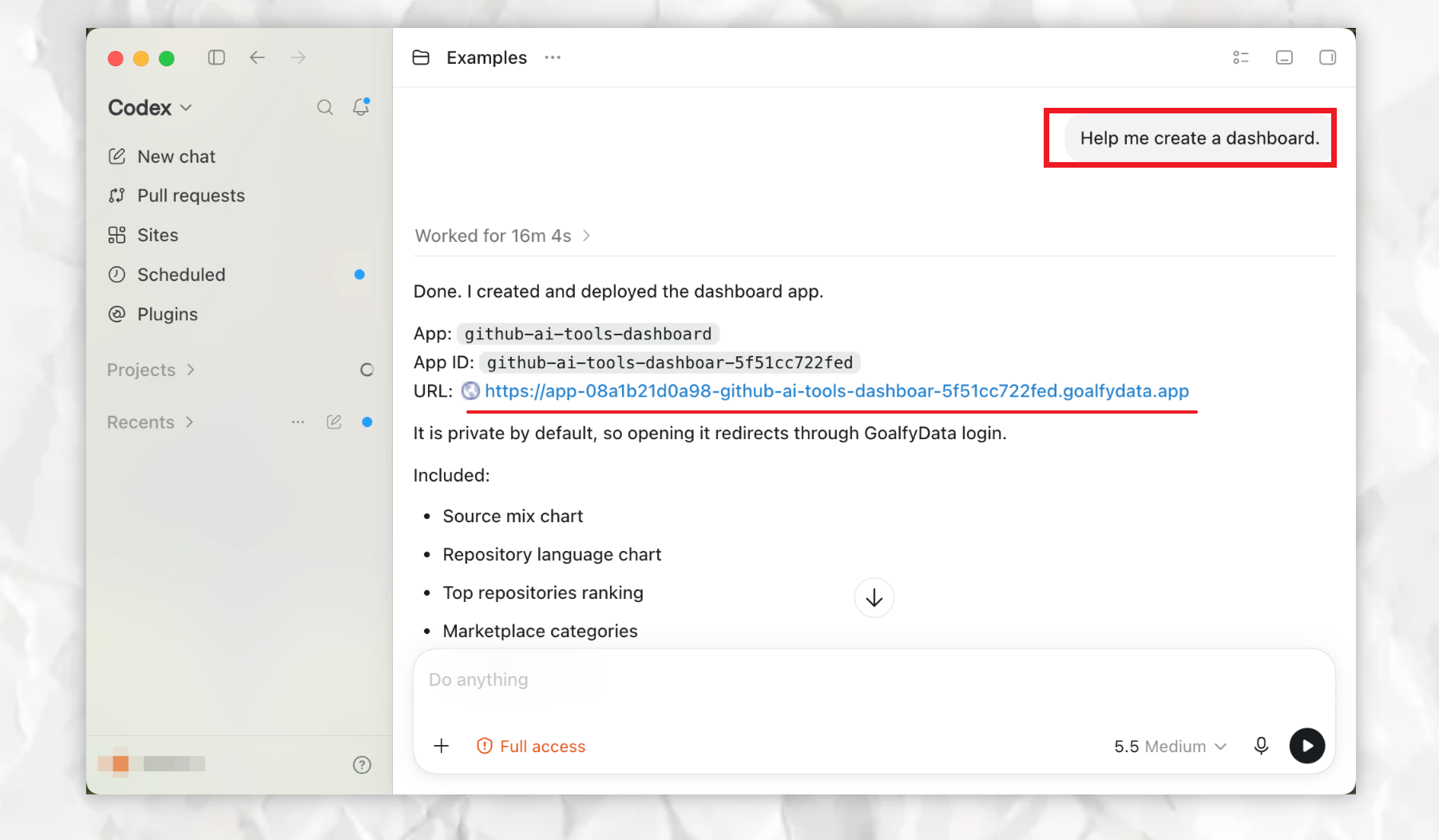
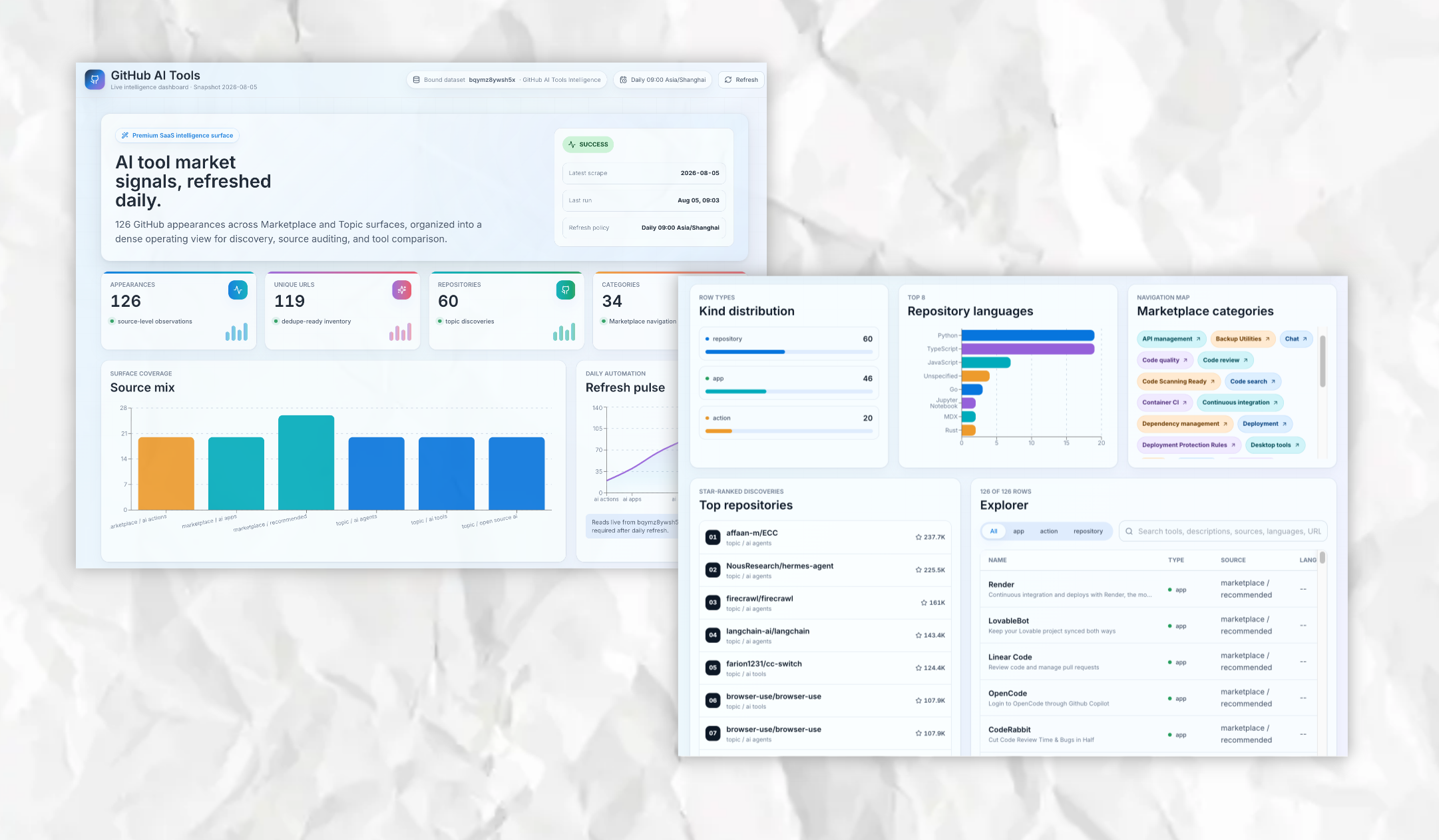
You can view the dashboard from this walkthrough.
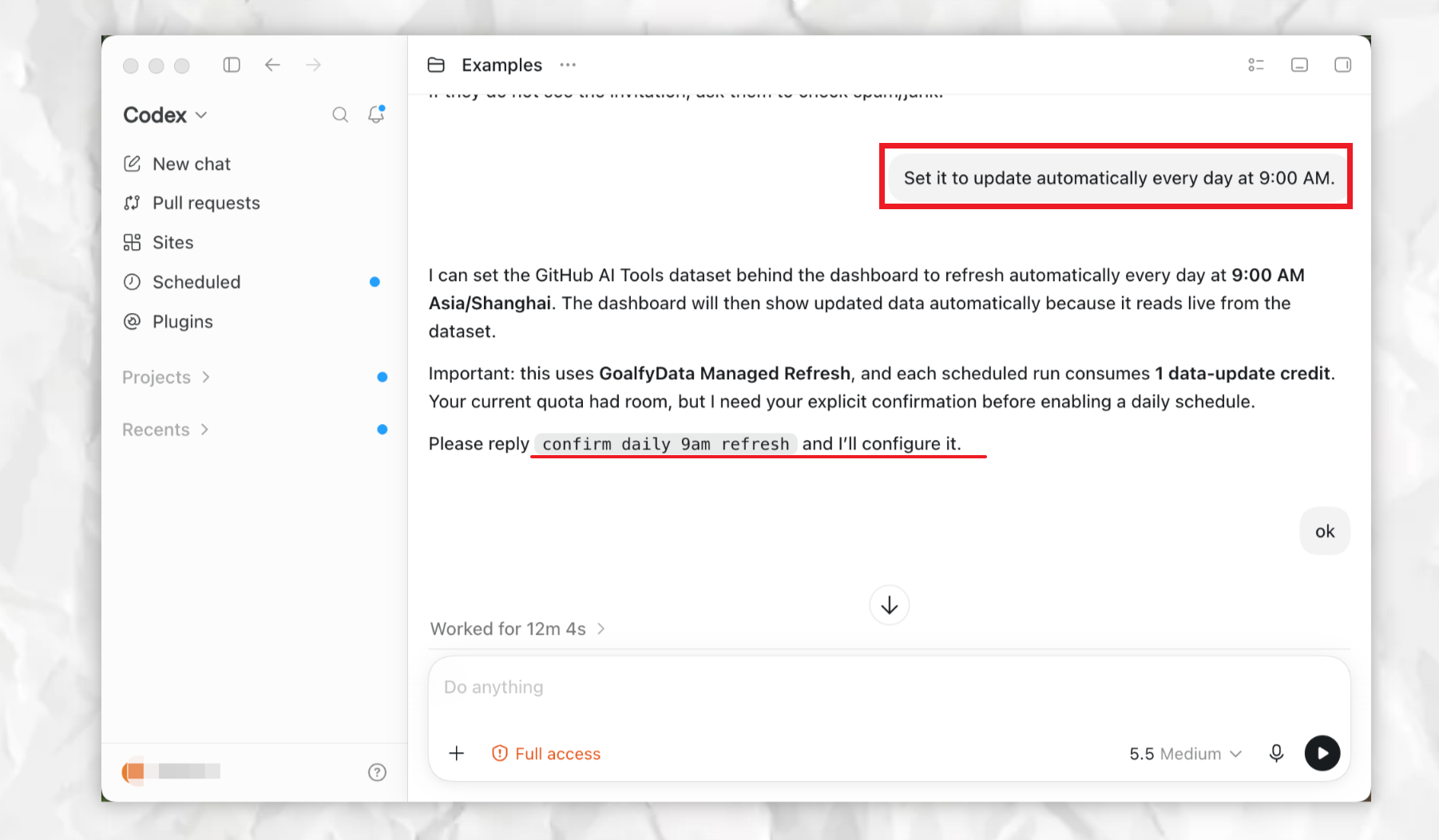
To keep the data current, tell your agent the update schedule in natural language. The agent will explain Managed Refresh usage and ask for confirmation before enabling it.
5. Analyze, manage, and share with any agent
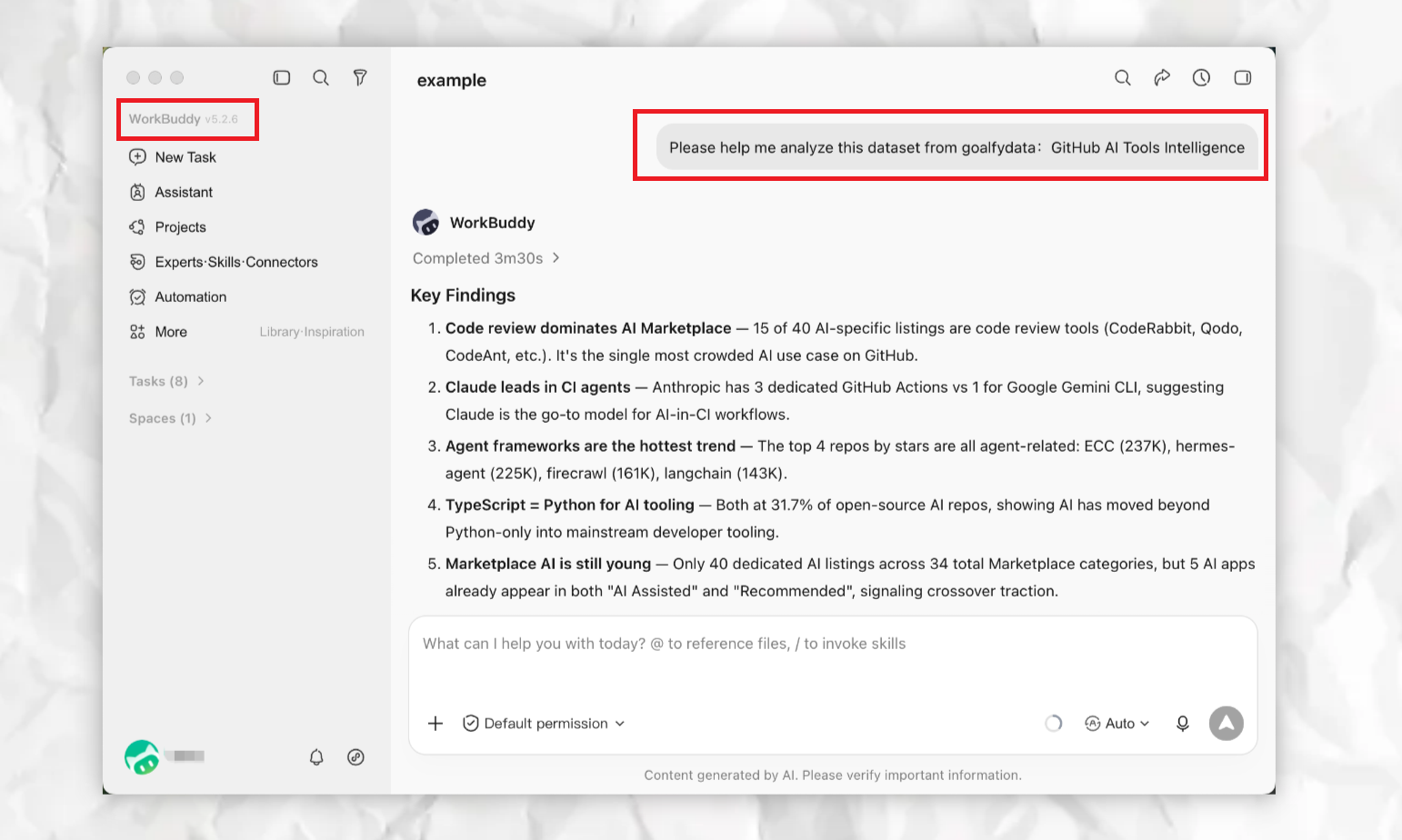
A GoalfyData asset is not tied to the agent or conversation that created it. One agent can build the asset, and any other connected, authorized agent can continue the work later.
For example, Codex could create the GitHub AI Tools Intelligence dataset today. Later, you could ask another agent to Analyze this dataset from GoalfyData, then use Claude to Generate market insights based on this dataset.
There is no need to upload the CSV again, explain every field again, or restate the business rules. Each authorized agent can continue from the same preserved data context.
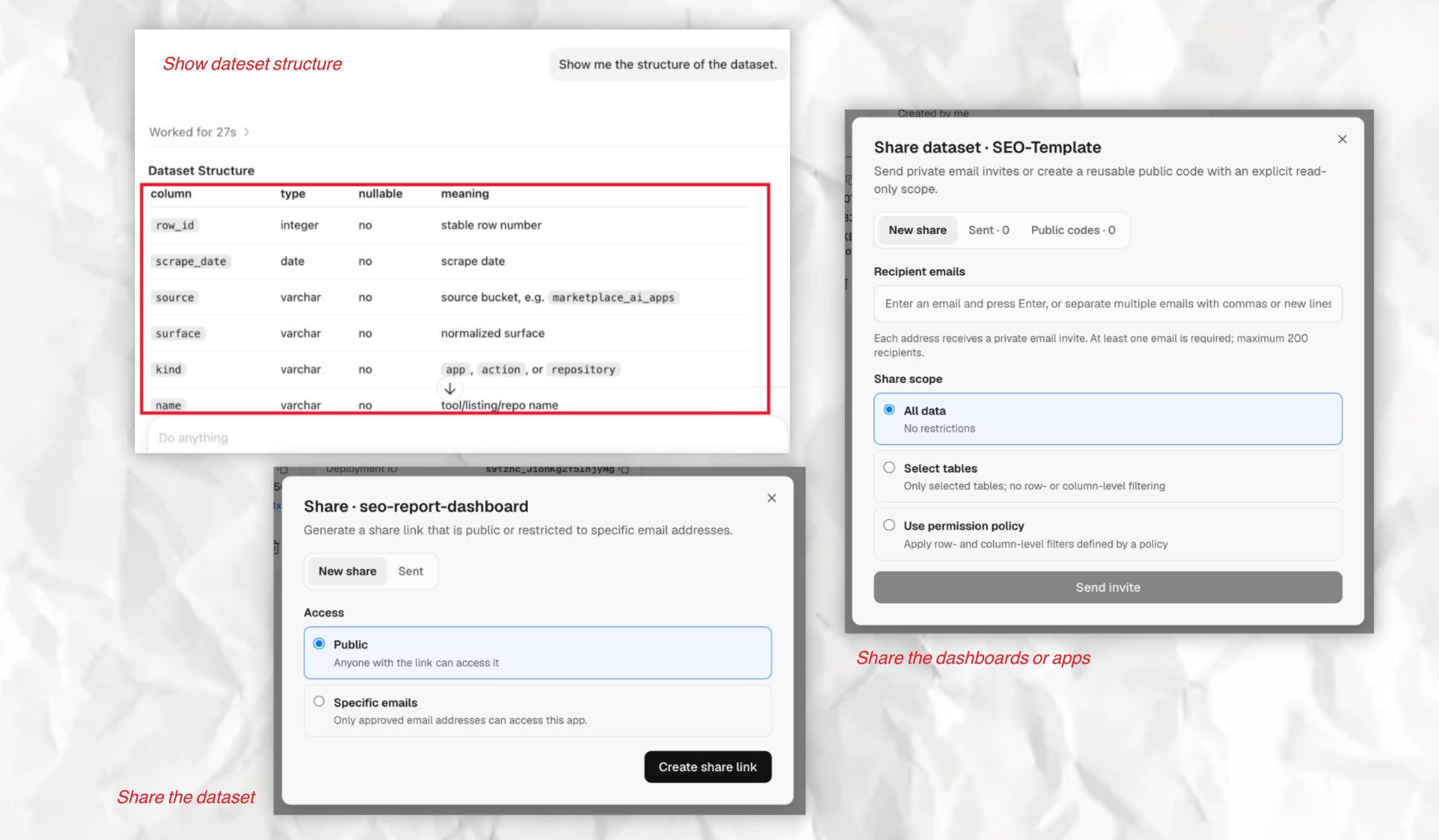
You can also manage and share the same data asset through natural-language requests such as:
Show me the latest status of the GitHub AI Tools Intelligence dataset.
Share this dataset with my team and give them read-only access.
Update the access permissions for this dataset.
Your agent can inspect asset status, update dataset configuration, manage permissions, and share data assets with team members. Throughout the process, GoalfyData preserves the data structure, field definitions, relationships, rules, and access controls so future agents can continue safely from the same context.
You can also use the GoalfyData Console to view and manage datasets and applications through a visual interface.
A Reusable Data Layer for AI Agents
GoalfyData is not a dashboard that agents send data to. It is the reusable data layer that lets agents continue the work.
Explore GoalfyData examples to see practical use cases and reusable data assets. To request a sample dataset or a walkthrough for your own use case, email goalfydata@goalfyai.com.
Core Capabilities
| Capability | What it enables |
|---|---|
| Data import and hosting | Turn spreadsheets, CSV files, APIs, databases, and agent outputs into hosted datasets |
| Business context | Preserve field meanings, metric definitions, table relationships, processing rules, and usage guidance |
| SQL and agent analysis | Query and analyze governed datasets through the CLI and MCP tools |
| Managed Refresh | Run scheduled update scripts in an isolated environment, with logs and failure status |
| Controlled sharing | Share datasets and results with teammates, clients, and authorized agents using permissions |
| Data App Deployment | Deploy dashboards and lightweight apps that continue to read the latest dataset data |
How It Works
GoalfyData organizes the lifecycle around Build → Run → Share.
| Stage | What happens | Result |
|---|---|---|
| Build | Agents create datasets, update scripts, analyses, and apps from files, APIs, databases, or spreadsheets | An understandable data asset with business context |
| Run | GoalfyData hosts datasets and runs scheduled updates with version and status information | Data stays available and up to date |
| Share | Teams grant controlled access to datasets and apps | People and agents reuse the same governed result |
Supported Platforms
| Agent / platform | Integration | Status |
|---|---|---|
| Codex | Plugin, MCP, and CLI | Available |
| Claude Code | Plugin, MCP, and CLI | Available |
| Manus | Remote MCP connector and uploaded Skill | Available |
| Other compatible agents | Remote MCP, generic Skill, and CLI | Available; setup varies by platform |
What This Repository Contains
This repository provides the client-side materials needed to connect agents to GoalfyData:
- Codex and Claude Code plugins, Skills, MCP configuration, and agent-executable install runbooks
- Manus and generic-agent Skill packages
- Platform quick-start guides, examples, update instructions, and troubleshooting documentation
- Community, contribution, security, and license files
GoalfyData datasets, Managed Refresh, permission sharing, and Data App Deployment are provided by the hosted GoalfyData service. Cloning this repository installs none of those server-side services and is not a self-hosted GoalfyData deployment.
What GoalfyData Is Not
GoalfyData does not replace your AI agent, operational database, spreadsheet, or BI tool. It provides the reusable data asset layer that lets connected agents preserve business context, keep data updated, and share results safely.
Documentation
| Resource | Use it for |
|---|---|
| Codex Quick Start | Codex installation, verification, updates, and troubleshooting |
| Claude Code Quick Start | Claude Code installation, verification, updates, and troubleshooting |
| Manus Quick Start | Manus MCP and Skill setup |
| Generic Integration Guide | Other MCP/CLI-compatible agents |
| Core Concepts | Datasets, governance rules, Skills, and relationships |
| FAQ · Website FAQ | Product and plan questions |
Community and Security
| Entry | What to submit |
|---|---|
| Report a Bug | Confirmed bugs, installation failures, integration issues, or regressions |
| Ask a Question | Setup, usage, and troubleshooting questions |
| Suggest an Idea | New integrations and product ideas |
| Share a Use Case | Agent workflows, business scenarios, and demos |
| Security Policy | How to report a vulnerability privately |
License and Service Terms
The client tools, plugins, Skills, examples, and documentation in this repository are licensed under the Apache-2.0 License.
GoalfyData's hosted datasets, Managed Refresh, sharing, and Data App Deployment are provided under the separate GoalfyData Terms of Service.
© GoalfyData Team
More in MCP & Protocols
openpencil
by zseven-w
The world's first open-source AI-native vector design tool and the first to feature concurrent Agent Teams. Design-as-Code. Turn prompts into UI directly on the live canvas. A modern alternative to Pencil.
agent-qa
by vostride
Open-source self-improving QA agent for software teams. A test harness with memory. Write tests in natural language for web and mobile. agent-qa learns from every run, adapts to UI changes, and catches regressions before you ship.
coding-tools-mcp
by xytom
Give any AI agent the ability to code
awesome-deepseek-harness
by 0xsline
DeepSeek Harness (DSH) ecosystem: curated plugins, tools, and infrastructure from dsh-external/hub and the public dsh-plugin topic.