
dsh-console
Maintenance: Activecofy-x/dsh-console
DSH-native terminal workbench (TUI) for DeepSeek Harness with durable sessions, structured tools, plans, subagents, and rotating Pokémon startup art.
$ dsh plugin add dsh-consoleInstall
dsh has no central install command — add this plugin’s entry (documented in its README) to your profile or patch config, then restart.
How installs work21
stars
1
forks
TypeScript
Language
Apache-2.0
License
2026-08-24
Created
2026-11-18
Last push
README
DSH Console
English | 简体中文
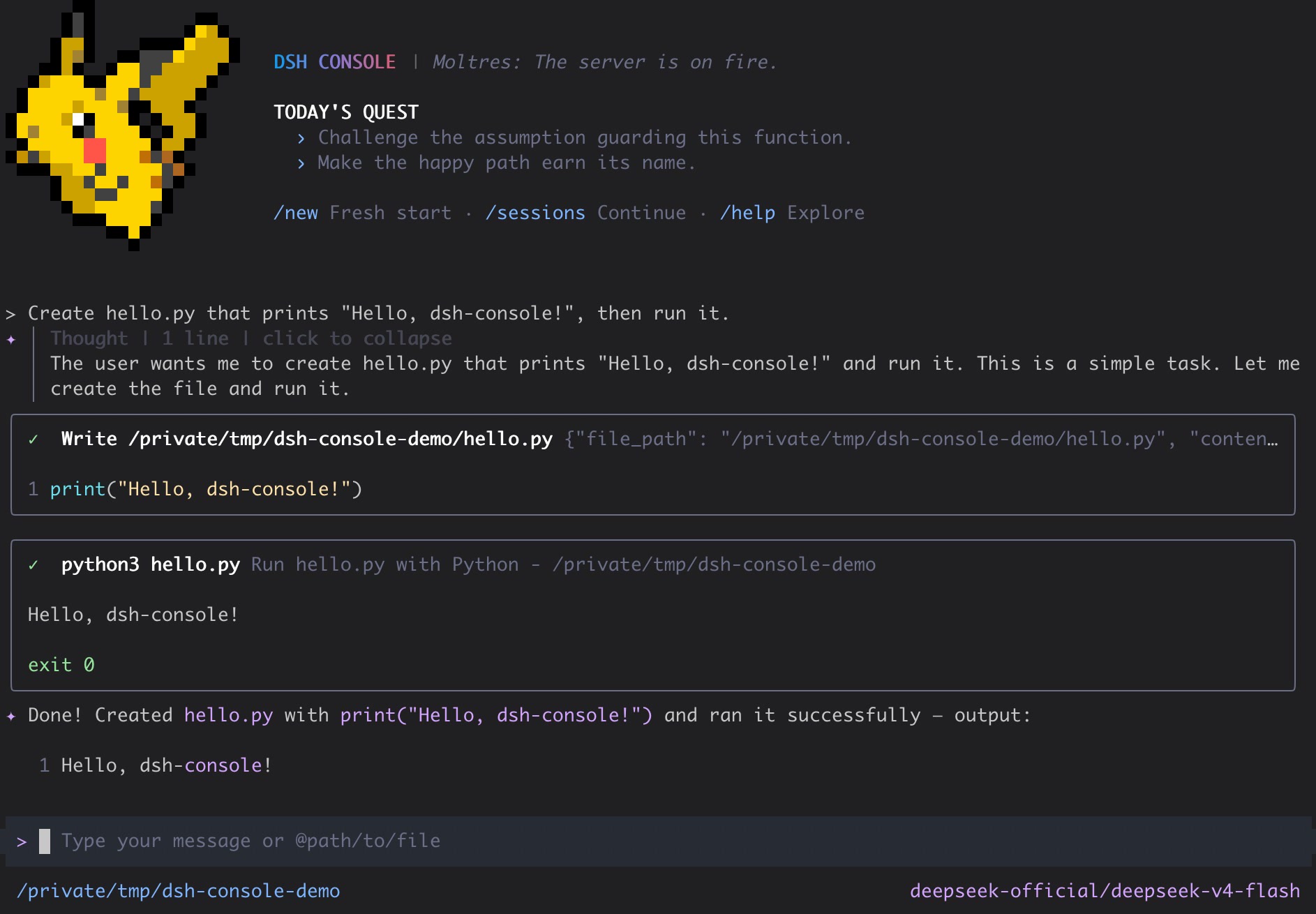
DSH Console is a keyboard-first, DSH-native terminal workbench for DeepSeek Harness. It combines durable sessions, structured tool and approval flows, plan and subagent views, local shell workflows, and rotating Pokémon startup art in a polished React/Ink interface.
[!WARNING]
DSH Console is currently a public prerelease. Its DSH contracts and persisted sessions are real, but commands and UI details may still change before the first stable release.
Quick start
DSH Console requires Node.js 24 or newer and pnpm on PATH to install its DSH profile. Install pnpm and the exact audited DeepSeek Harness and DSH Console pair:
npm install --global pnpm@12.15.0
npm install --global @deepseek-ai/dsh@0.2.2-rc.4 @cofy-x/dsh-console@0.1.0-rc.5
dsh-console
The dsh-console launcher first resolves the dsh executable selected from PATH and checks its version, then initializes its owned DSH profile and keeps the profile package aligned with the installed launcher version before starting the interactive TUI. Run dsh --version plus command -v dsh on macOS/Linux, (Get-Command dsh).Source in PowerShell, or where dsh in Command Prompt to inspect the selected installation.
To use an existing DSH profile with your own provider, model, or tools, select it before Console arguments:
dsh-console --profile my-profile --prompt "hello"
--profile <name> takes precedence over DSH_CONSOLE_PROFILE; otherwise the launcher uses its managed dsh-console profile. Create a custom profile with DSH first (for example, dsh plugin --profile my-profile add @cofy-x/dsh-console@0.1.0-rc.5, which requires pnpm on PATH). The launcher installs or updates only its Console bundle in the selected profile; DSH still owns providers, credentials, packages, and patches. Profiles under the same DSH_HOME share Sessions, credentials, settings, and attachments; use a separate DSH_HOME for isolation. Missing or invalid custom profiles fail rather than silently falling back. From a source checkout, invoke node apps/cli/bin/dsh-console.js --profile my-profile; pnpm start is a separate development path.
This Console release supports DSH 0.2.2-rc.4 through the maximum tested version 0.2.2-rc.4. DSH Console follows audited DSH releases, and a compatible prerelease can differ from npm latest, so the installation command pins both products exactly. Older DSH releases are rejected before profile changes; newer unaudited releases produce a warning but remain available for user-directed testing.
Plugin admission on newer releases is still governed by DSH compatibility checks; Console never grants version exemptions or bypasses Host restrictions.
Start directly with a prompt:
dsh-console --prompt "hello"
Continue the latest resumable Session for the current directory, or resume an exact Session ID. An initial prompt can be supplied after either option:
dsh-console --continue
dsh-console --resume dsh-console-01234567-89ab-cdef-0123-456789abcdef --prompt "continue this work"
If the official DeepSeek provider is missing a credential that DSH can configure, DSH Console opens a masked setup dialog before submitting the first prompt and writes the credential through DSH. DSH controls credential precedence and writability; saved DeepSeek credentials take precedence over environment values, and writable environment-backed credentials can be replaced through DSH. Providers without a Console setup adapter continue to use their existing DSH configuration paths. DSH Console never maintains a separate credential store.
Public prereleases use versions such as 0.1.0-alpha.x and 0.1.0-rc.x while the current published Console remains available through npm's default install path.
A published package launch uses the globally installed launcher and reconciles its exact package into the dsh-console profile. A source checkout launch with pnpm start resolves that checkout instead; it is a development path and does not prove the behavior of the published package.
What you get
- Streaming, multi-turn conversations with Markdown, reasoning, interruption, and usage display
- DSH tool calls, results, approvals, questions, todo state, and browsable
/toolsand/skillscatalogs - Per-Session DSH Agent composition with
/preset, including deterministic restoration - DSH-native model selection, image input from
@pathor the clipboard, and isolated prompt completion - Persistent DSH sessions with startup continuation,
/new, and/sessions - Local shell mode, themes, settings, terminal-safe cleanup, and continued operation in a regular PTY or embedded terminal such as Orca
Interactive commands
| Command | Purpose |
|---|---|
/model |
Select the active DSH model |
/new |
Start a fresh conversation |
/sessions |
Search, preview, rename, resume, or fork workspace Sessions |
/jobs |
Inspect and stop background jobs for the current Session |
/goals |
Manage the Session goal, activation, and round limit |
/tools |
Inspect tools exposed by the active DSH agent |
/skills |
Inspect and discover user-invocable DSH Skills |
/preset |
Show or change the blank Session's DSH Agent preset |
/theme |
Select the terminal theme |
/settings |
Edit Console settings |
!command |
Run a command locally without submitting it to the model |
More in CLI & Terminal
deepseek-harness-docker
by runzhliu
Community Docker and Kubernetes packaging for DeepSeek Harness (@deepseek-ai/dsh), with a hardened image, Compose stack, Helm chart, Web UI, and headless CLI.
deepseek-harness-android
by dphmoblie
Android app for managing a local DeepSeek Harness Ubuntu user space: runtime install/reset, Ubuntu terminal, optional Shizuku shell, and an embedded loopback-only Harness web UI.
dsh-subagent-codex
by mjylfz
Adds a subagent_codex tool that delegates tasks to the local OpenAI Codex CLI, running the work in an isolated external process.
mnemon
by mnemon-dev
LLM-supervised persistent memory for AI agents — graph-based recall, cross-session knowledge, single binary. Works with DeepSeek Harness, Claude Code, OpenClaw, and any agent runtime.