
Using local models with DeepSeek Harness
Connect DeepSeek Harness to OpenRouter free models or a local Ollama server and run real tasks without paying for an API.
Last updated: 2026-09-09
DeepSeek Harness works with the official DeepSeek API, but it doesn't have to. The Models panel accepts any provider, which means you can run sessions on OpenRouter's free models or on a local Ollama install and pay nothing.
This guide walks the full loop shown in the two video walkthroughs below: install the Harness, connect OpenRouter, add Ollama at localhost:11434, then verify a real task actually runs on your own hardware.
Connect a model in seven steps
- 1
Install and launch DeepSeek Harness
You need Node.js 22 or newer — check with node --version first. One npx command then downloads the Harness and starts a local web UI; the terminal prints the address as soon as the server is up.
$node --version$npx @deepseek-ai/dsh web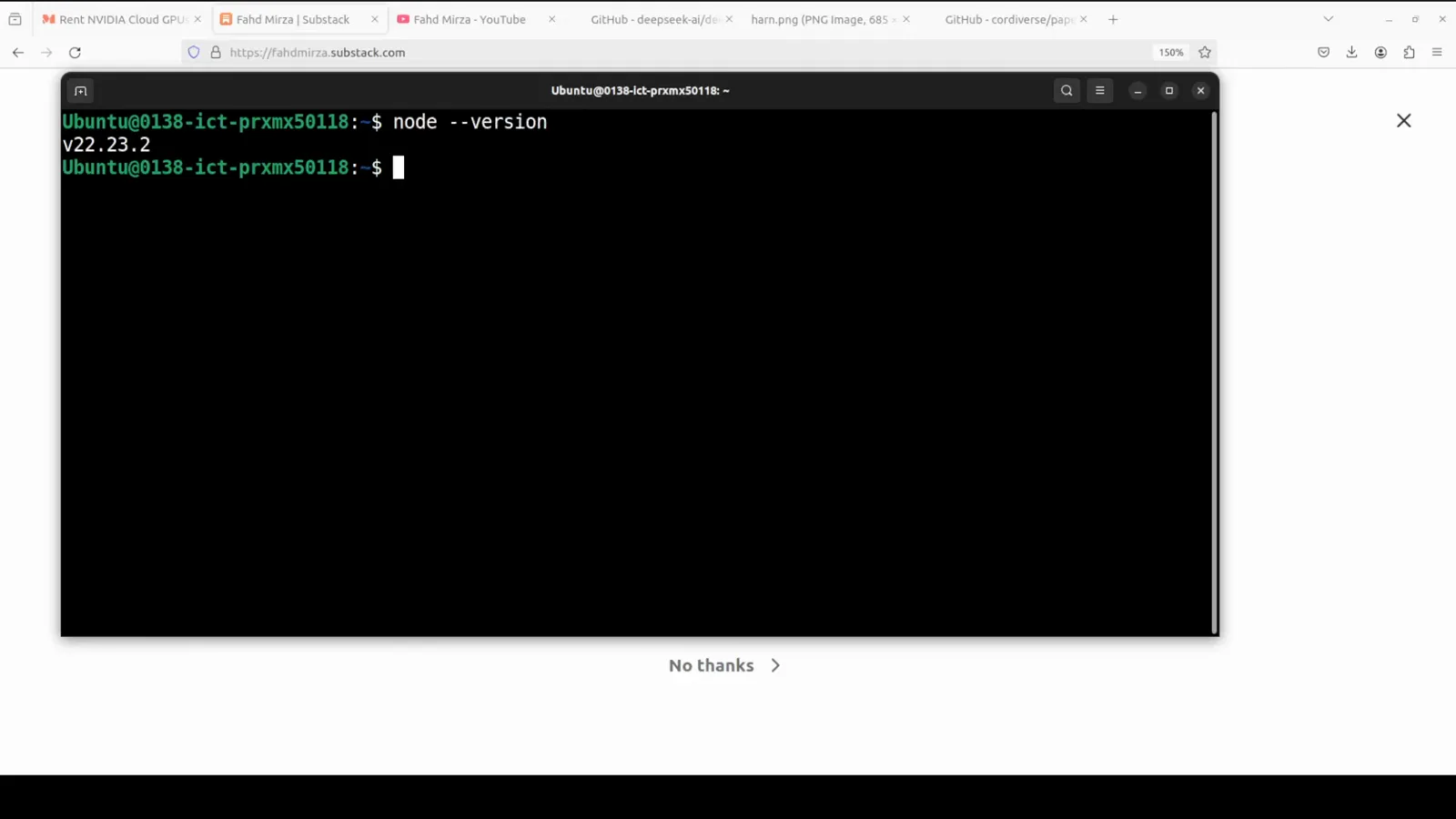
One npx command downloads and starts DeepSeek Harness — confirm with y when prompted.Watch at 1:03 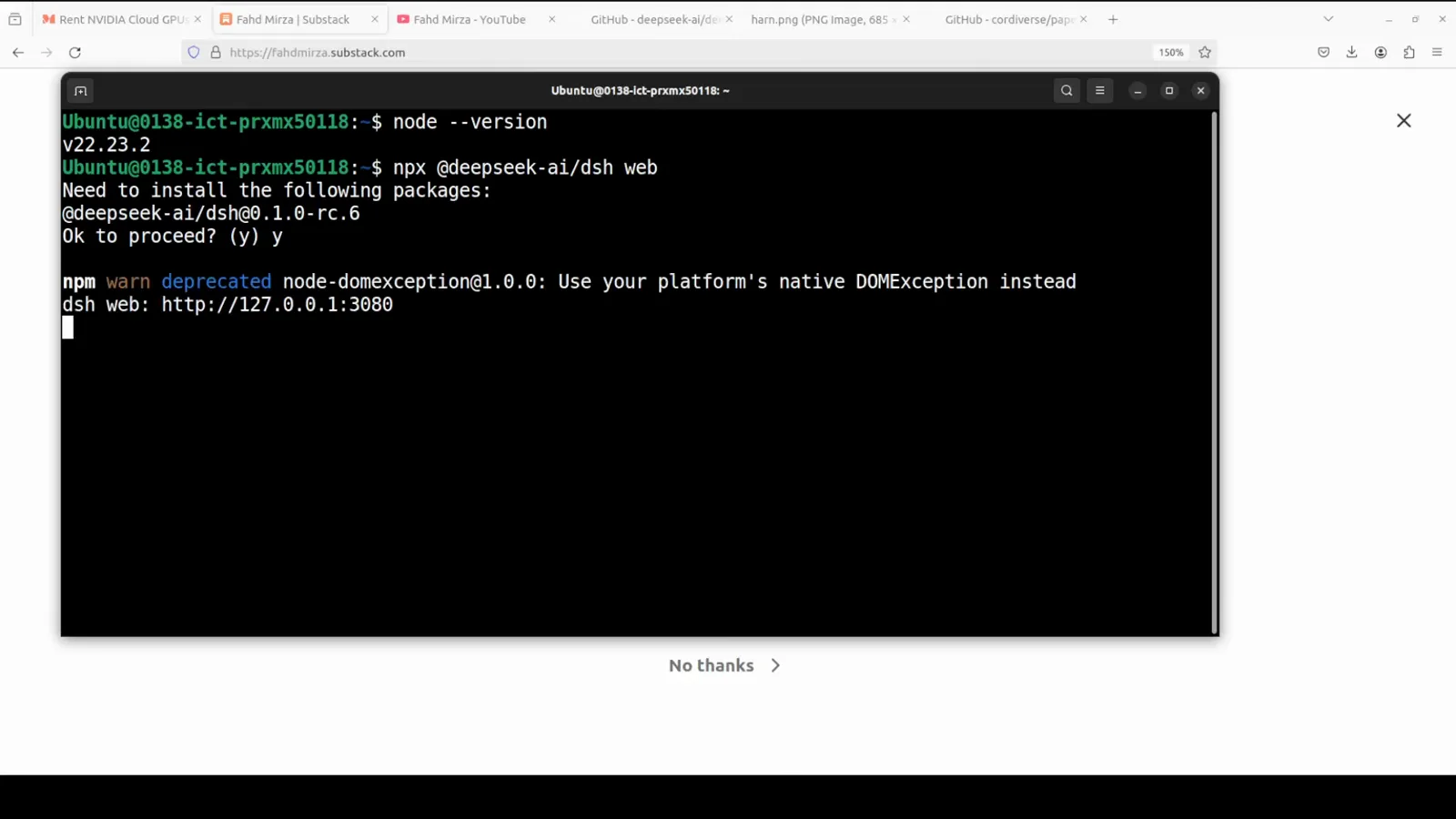
When the dsh web URL appears, the local server is up — open it in your browser.Watch at 1:15 - 2
Open Settings → Models: three ways in
First launch offers a DeepSeek API key dialog — Configure later is fine. The Models panel shows all three routes: the built-in DeepSeek provider, hosted providers from a dropdown, and a custom provider slot for everything else. Ollama lives in that third slot.
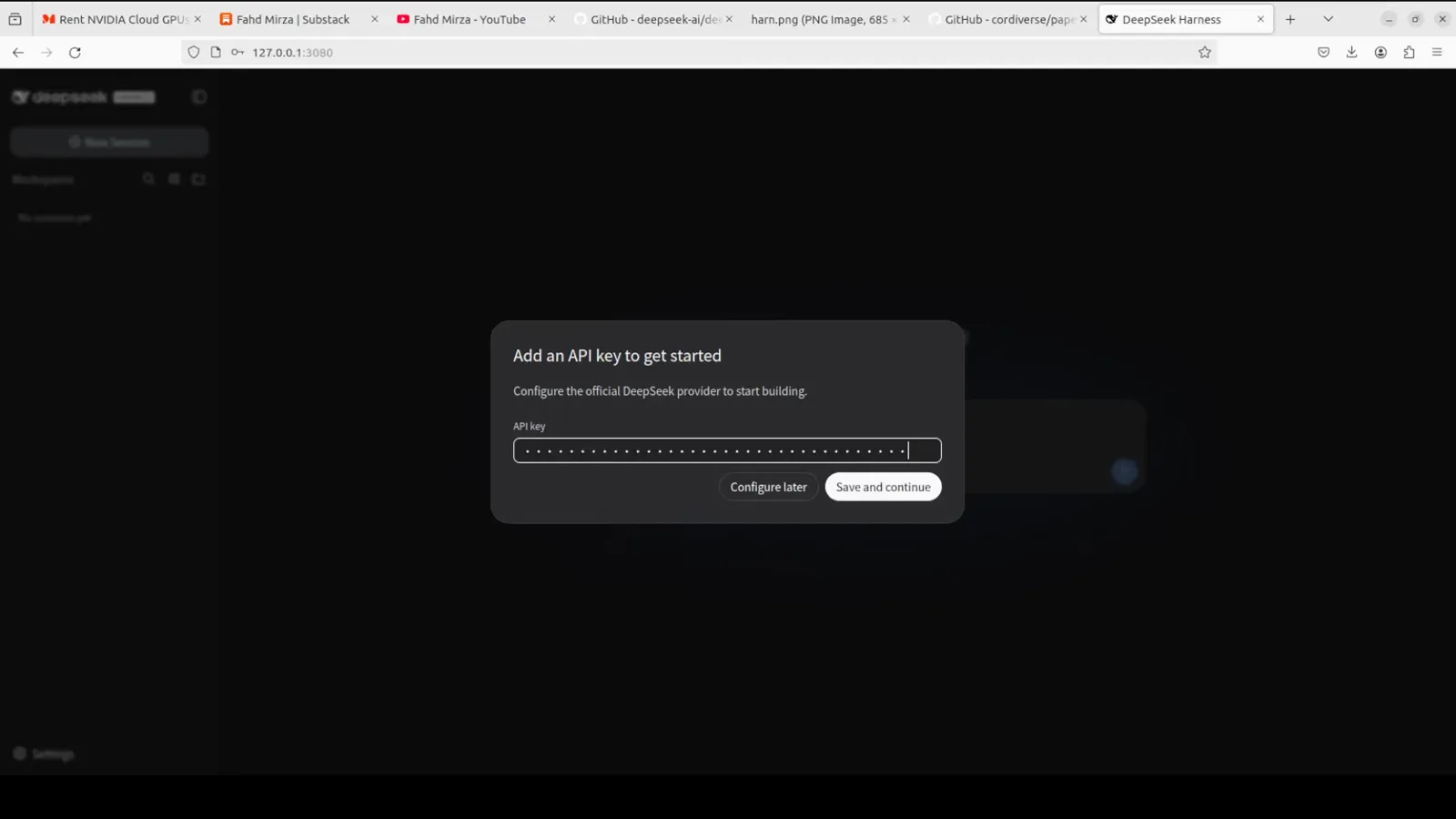
First launch asks for a DeepSeek key — Configure later works too, and you can add free providers on the next screens.Watch at 1:36 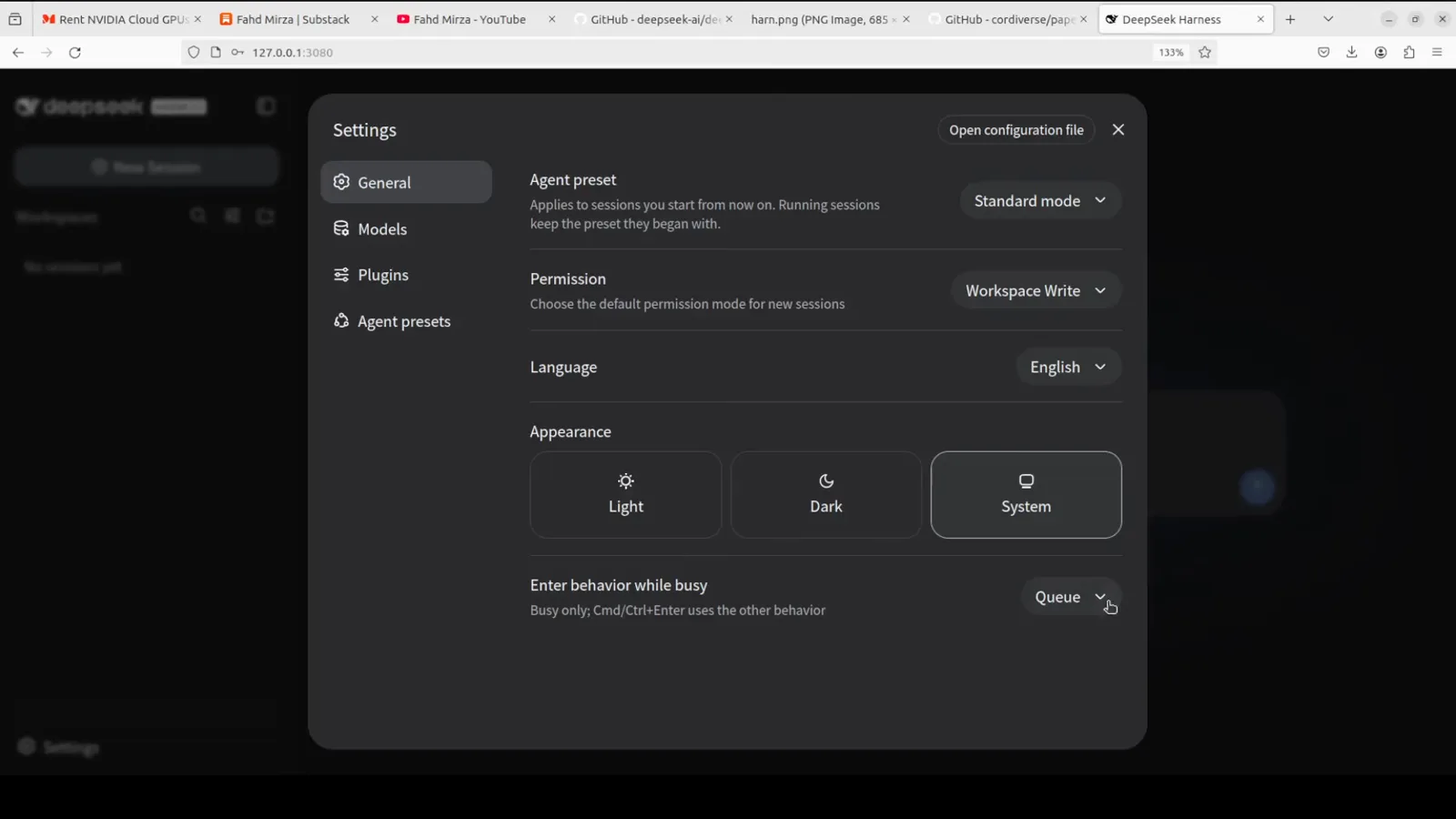
The Models panel is where every provider lives: the official DeepSeek key, hosted providers, or your own custom endpoint.Watch at 2:40 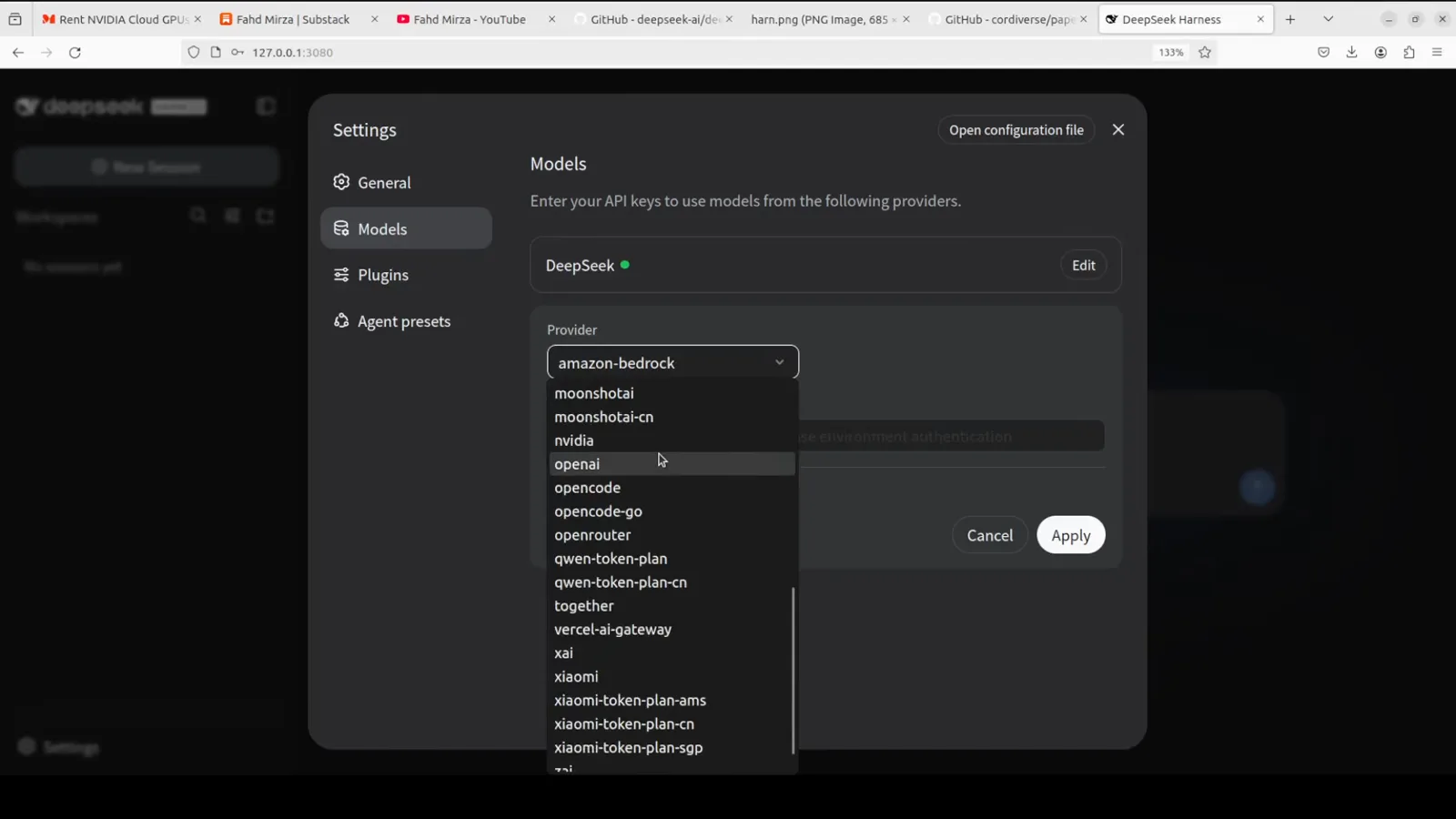
OpenRouter ships as a built-in provider — pick it from the same dropdown you'd use for any hosted provider.Watch at 2:59 - 3
Start free: connect OpenRouter
Create one API key on OpenRouter's API keys page, pick openrouter from the built-in dropdown, and paste it. Under Customize settings → Add model you can pin a specific model by its model ID — search "free" on OpenRouter to see what's available. The walkthrough pins a free NVIDIA Nemotron model and notes free models are limited to roughly 50 requests per day.
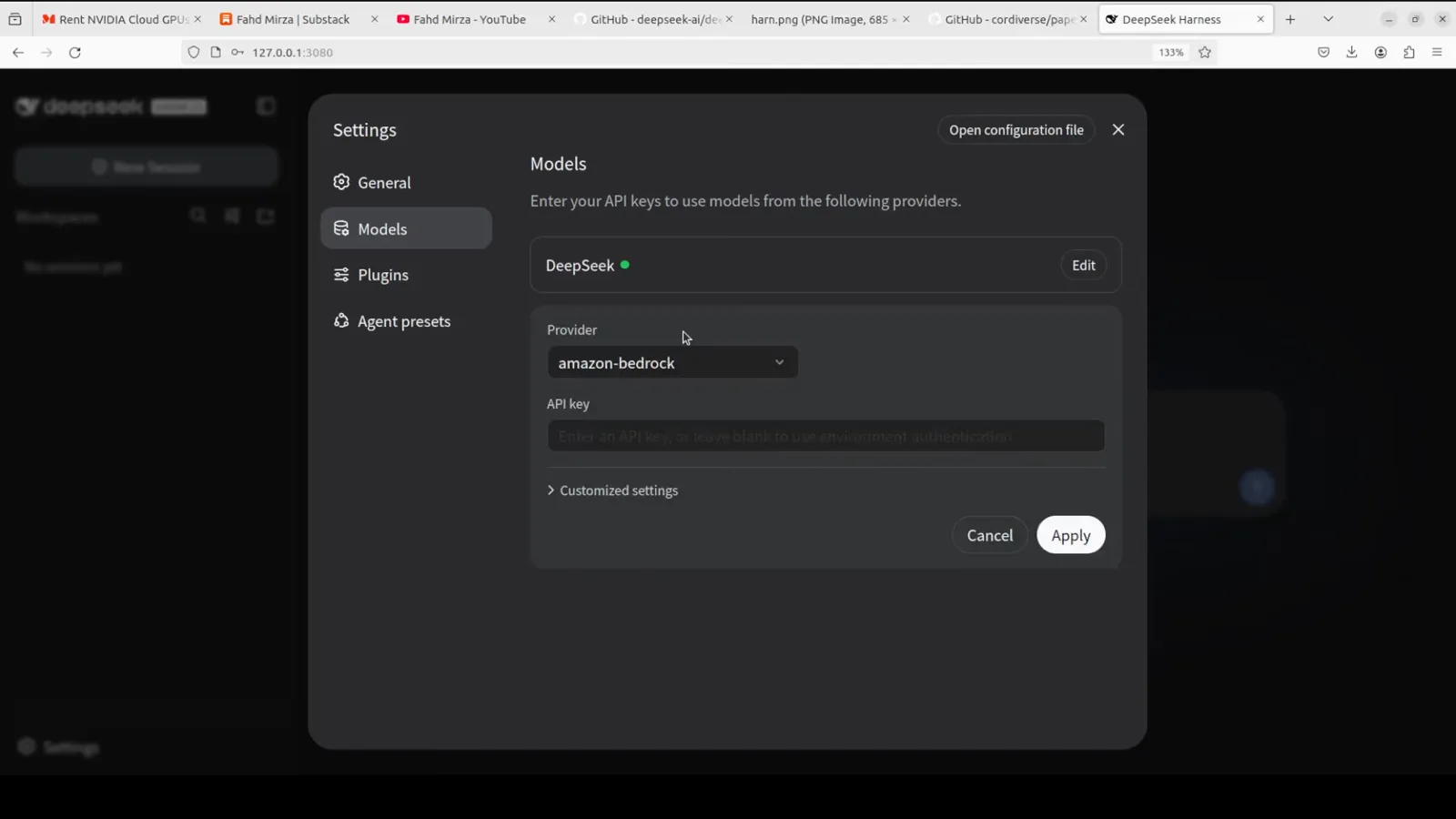
Paste the OpenRouter key you created on their API keys page, then expand Customize settings to pin free models.Watch at 2:55 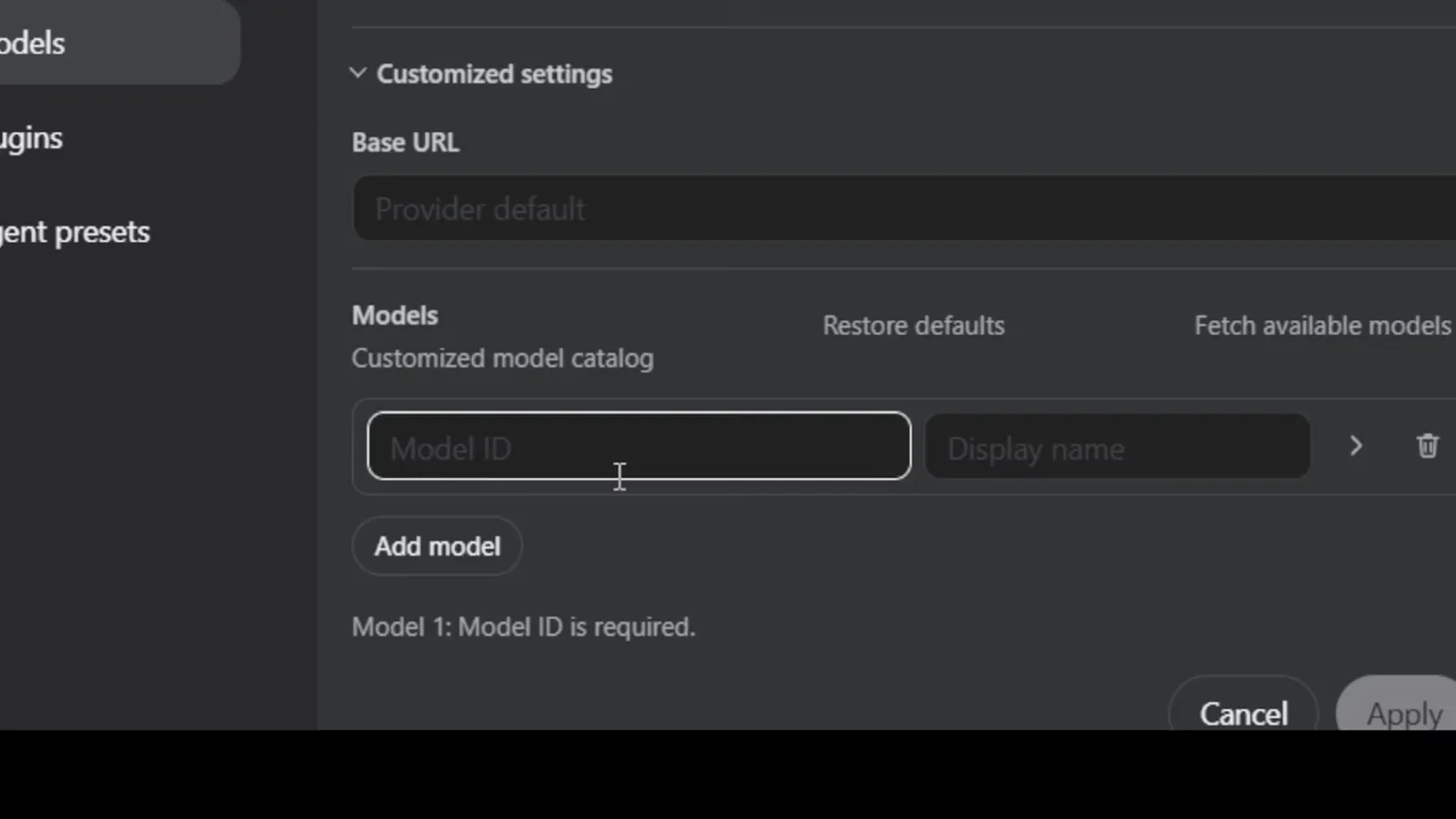
Add model lets you pin any OpenRouter model by ID — like a free NVIDIA Nemotron — under your own display name.Watch at 3:30 - 4
Install Ollama and pull a local model
Install Ollama from ollama.com, pull the model you want, and confirm with ollama list — the walkthrough pulls qwen3.8:latest, a 17 GB download. If ollama list answers "could not connect to ollama server", start the service first: ollama serve, or sudo systemctl start ollama.service on Linux.
$ollama list$sudo systemctl start ollama.service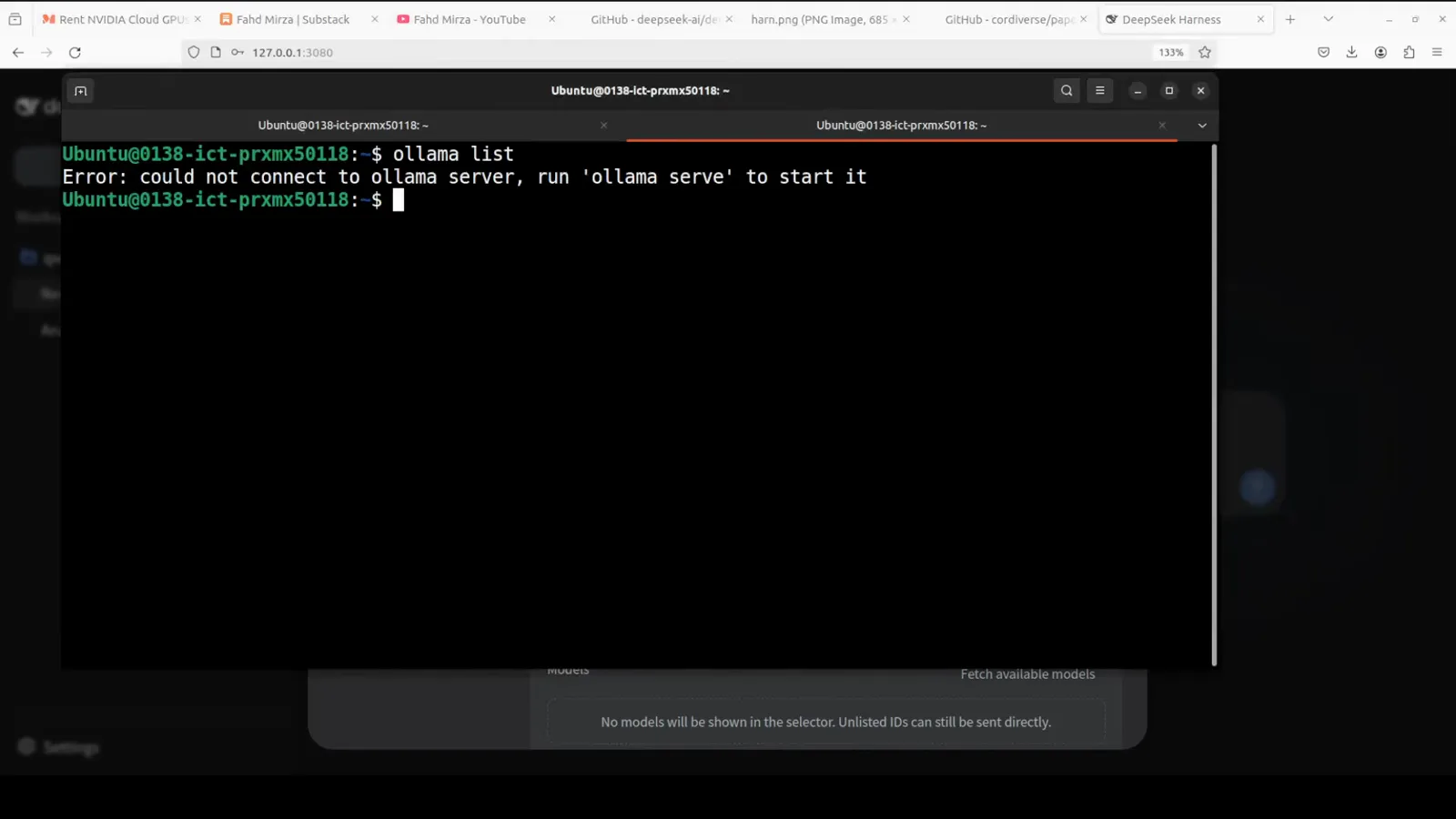
If Ollama isn't running, start its service first — otherwise DeepSeek Harness can't reach localhost:11434.Watch at 6:31 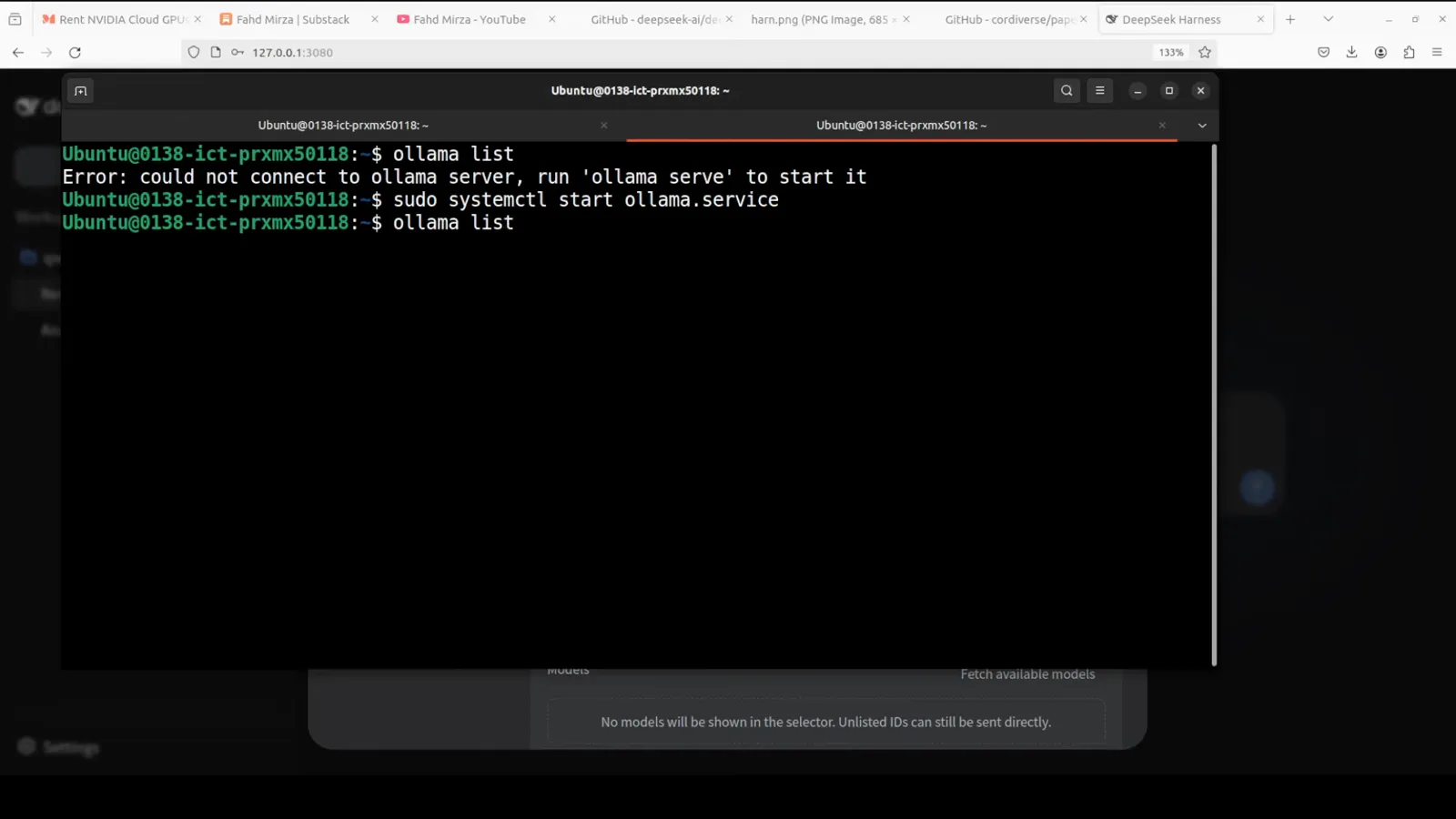
Pull any Ollama model — here qwen3.8:latest at 17 GB — and it's ready to serve locally.Watch at 6:41 - 5
Add Ollama as a custom provider
Back in Settings → Models, click Add a custom provider. Set the provider ID and display name to ollama, the Base URL to http://localhost:11434/v1, and the protocol to openai-completions; the API key field accepts any placeholder such as ollama. Fetch available models lists everything installed locally — select yours and click Create provider.
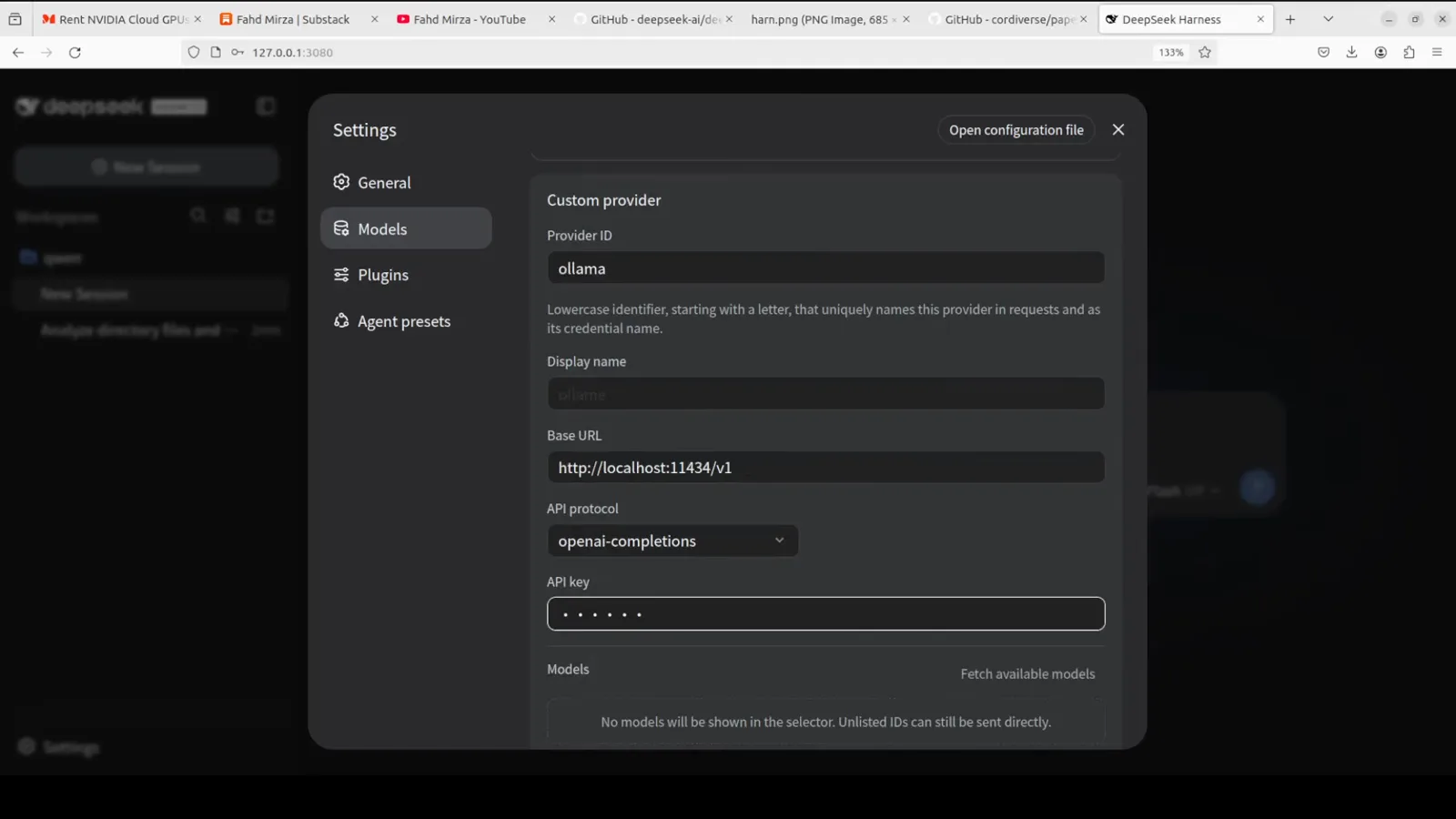
Add a custom provider named ollama: keep the default local endpoint and protocol; the API key can be any placeholder.Watch at 6:23 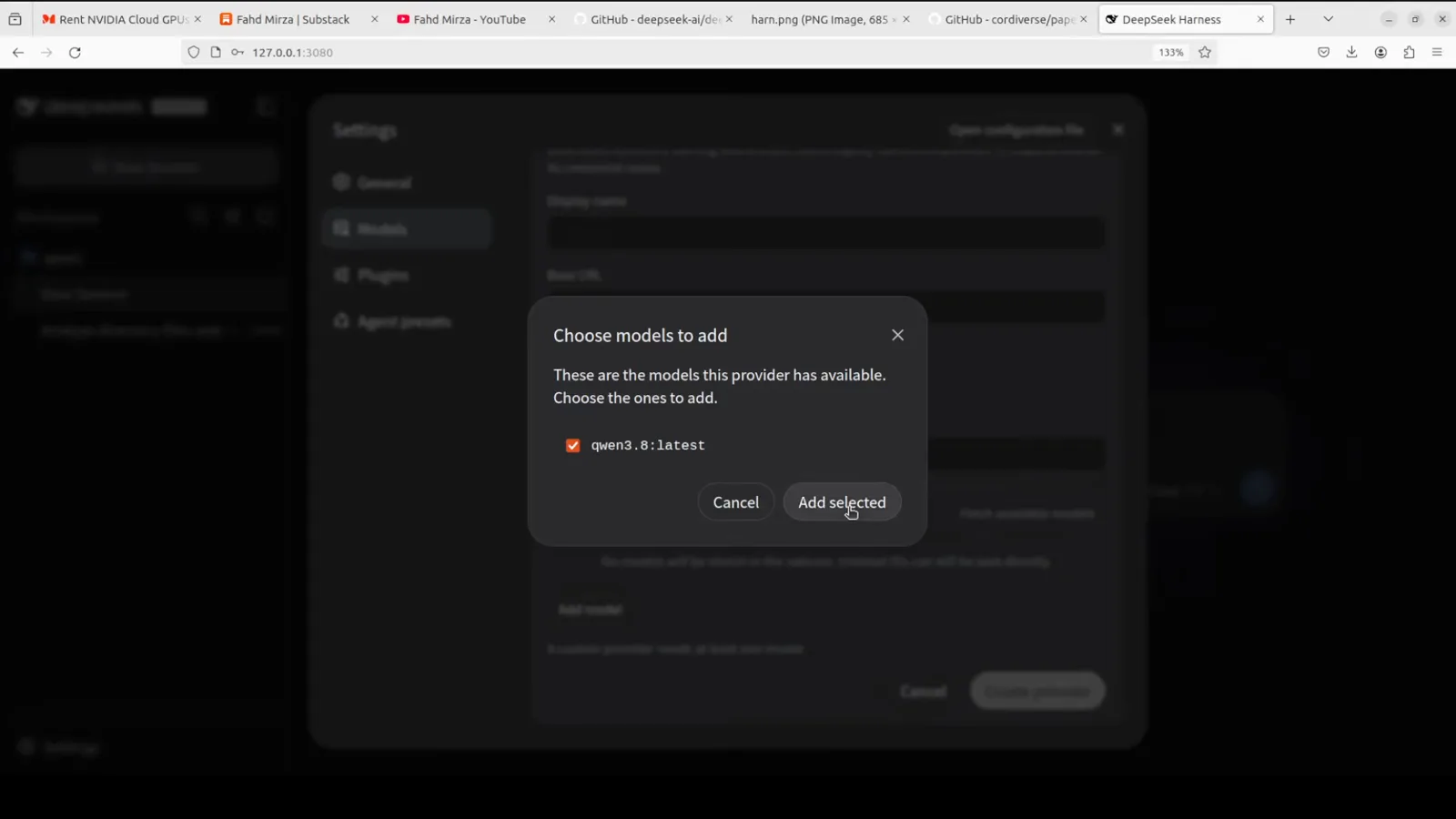
Fetch available models pulls the list straight from your Ollama install — tick the ones you want in the selector.Watch at 6:55 - 6
Pick the model in your session
The composer's model picker groups models by provider — DeepSeek, openrouter, ollama. Choose a local model whenever you want the run to stay on your machine; switching between providers is just a dropdown away, even mid-session.
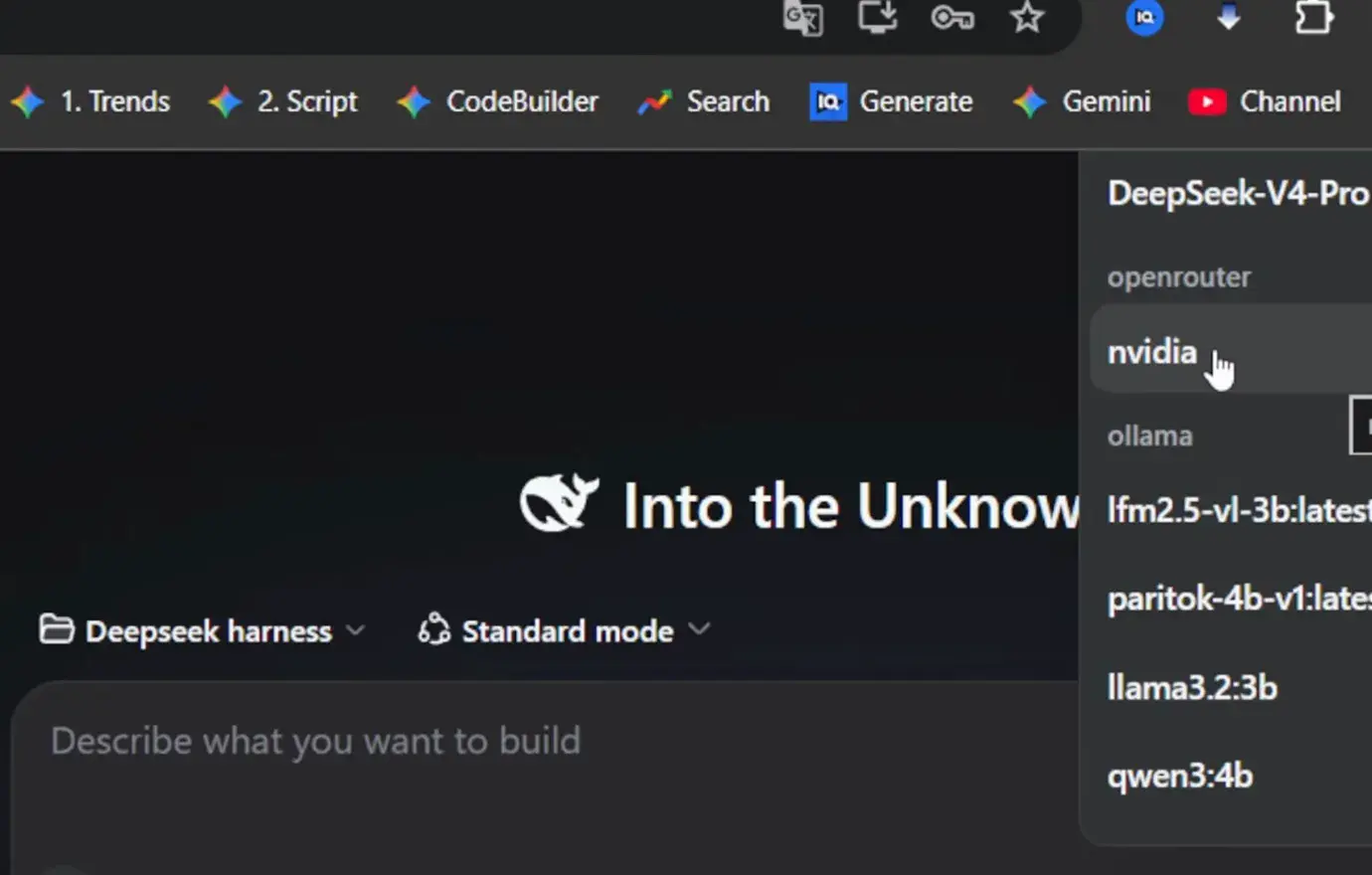
Every connected provider gets its own group in the model picker — moving between local and hosted models is one click.Watch at 4:57 - 7
Verify with a real task
Send an actual task and check the model badge under the input — the walkthrough generates a complete animated duck-pond.html with the local Qwen model, no API involved. When the file lands in your workspace, the whole local loop works.
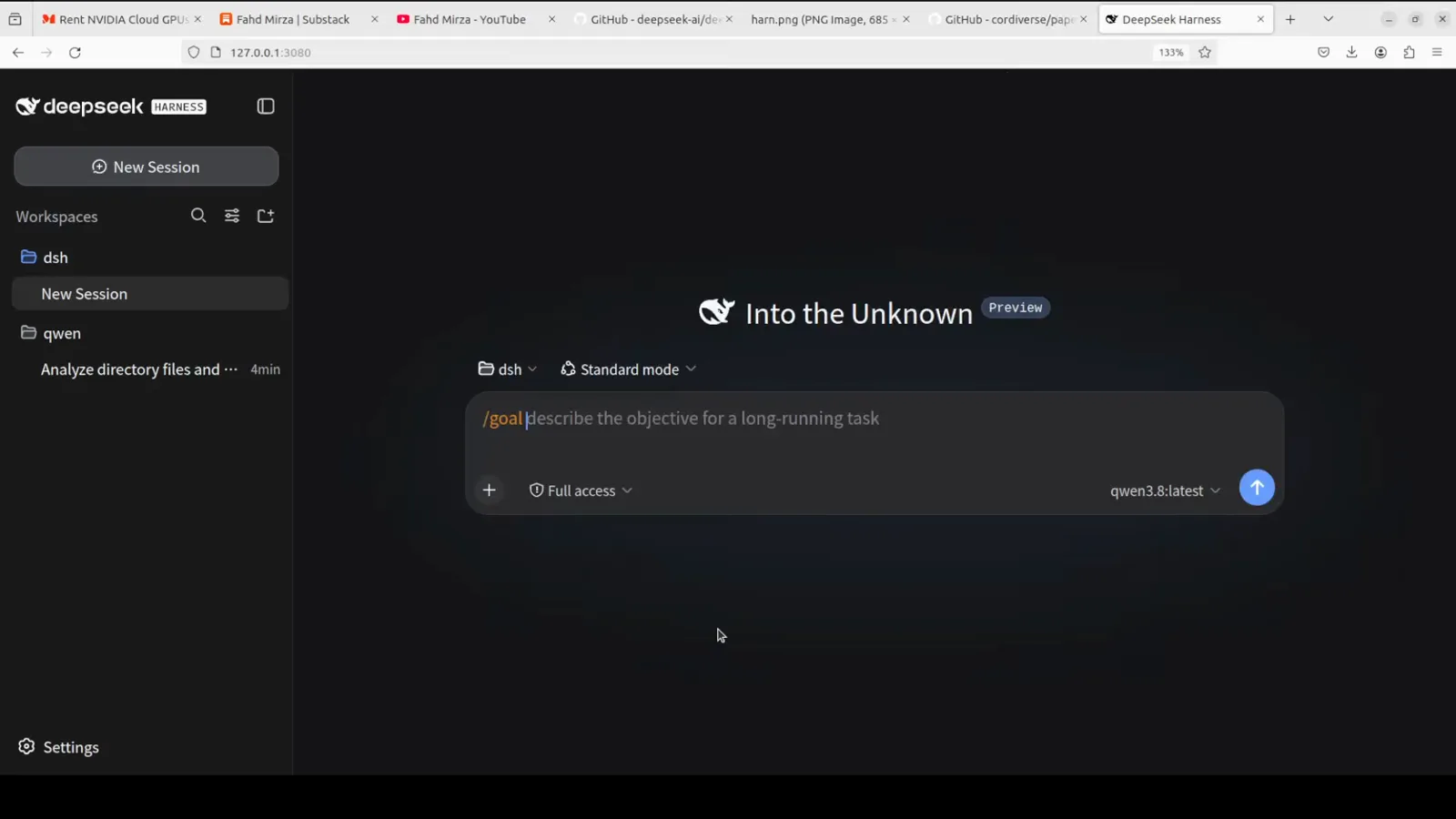
Send a real task — the badge under the input confirms it runs on your local Ollama model, not a paid API.Watch at 7:58 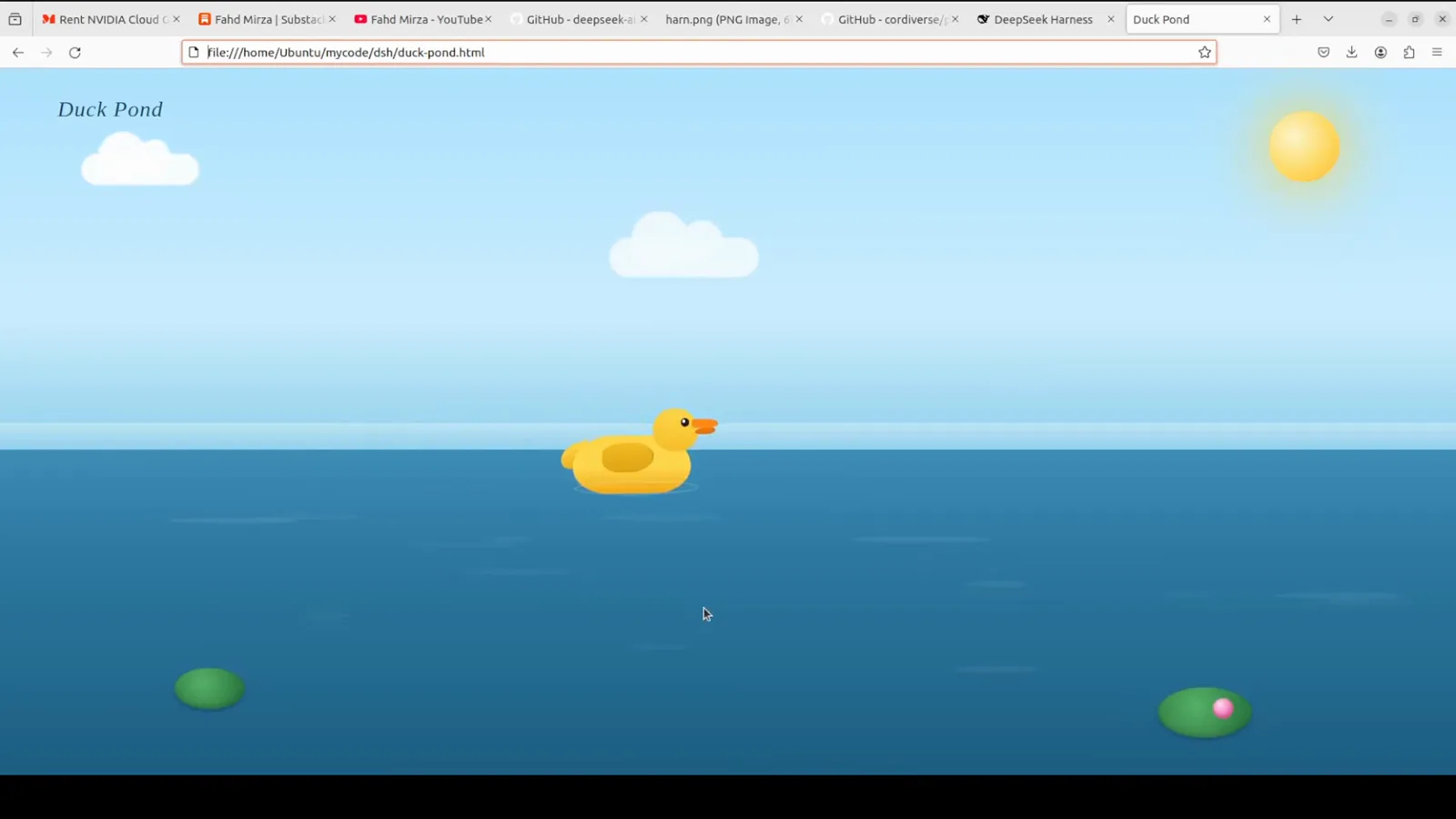
The finished duck-pond.html proves the local loop end to end: model, tools and file output, zero API cost.Watch at 9:01
Local models FAQ
Questions worth answering before you pull a 17 GB model.
What kind of machine do I need for local models in DeepSeek Harness?
It depends on the model you pull. The walkthroughs use small-to-mid models — llama3.2:3b, qwen3:4b and qwen3.8:latest, the last being a 17 GB download — so about 16 GB of RAM, or a GPU in the same class, is a comfortable starting point. Smaller 3B-4B models run on modest laptops; larger ones scale up from there.
Why does Fetch available models fail or return nothing?
Almost always the Ollama server isn't reachable. Run ollama list in a terminal — if you see "could not connect to ollama server", start it with ollama serve (or sudo systemctl start ollama.service on Linux). Then double-check that the Base URL is http://localhost:11434/v1 and the protocol is openai-completions.
Can I mix free OpenRouter models and local Ollama models?
Yes. Both walkthroughs keep DeepSeek, OpenRouter and Ollama configured at the same time, and the model picker groups models under each provider. You can switch between a free hosted model and a local one at any point — including between messages in the same session.
Do I still need a DeepSeek API key?
No. The first-launch dialog asks for one, but Configure later skips it, and the Models panel lets you run entirely on OpenRouter free models or a local Ollama server. The official key only becomes necessary if you want DeepSeek's own models.
Which free models can I get through OpenRouter?
Search "free" in OpenRouter's model list — the walkthrough uses NVIDIA Nemotron 3 Ultra (free) with a 1M context window. Free models carry limits (around 50 requests per day at the time of recording), which is exactly why pairing them with a local Ollama model works so well.
How big is the quality gap between local and API models?
It shows on hard reasoning tasks, but it's smaller than you'd expect for everyday file edits. In the walkthroughs, 4B-class local models analyze a directory and generate a complete animated HTML page. Use local models for privacy, cost and offline work, and switch to hosted models for the toughest steps — the picker makes that a two-click move.
Related guides
More DeepSeek Harness walkthroughs
Install DeepSeek Harness on Windows
A 10-step, screenshot-by-screenshot Windows walkthrough: Node.js, npm install, the Web UI on port 3080, your API key.
Read the guideProfiles, patches & presets
How a dsh process is assembled from stacked config layers — and how to make it yours.
Read the guideInstalling plugins you can trust
How plugin installation actually works in dsh, plus a checklist for vetting third-party code.
Read the guideDSH MCP & Tool Plugins (DeepSeek Harness)
MCP servers and tools that give DSH agents new abilities.
Read the guidedsh vs Claude Code
An honest side-by-side: openness, pricing, model freedom, and extensibility.
Read the guideSources & credits
All screenshots in this guide come from these two public walkthroughs. Every image links back to the exact moment in its video.