
Build a Real Project with DeepSeek Harness: Full Workflow
A complete dsh project walkthrough — from a one-line requirement to a delivered CLI tool on GitHub, every step shown on the real Web UI.
Last updated: 2026-09-16
Installing DeepSeek Harness is easy — the real question is whether it can carry a real project from a rough idea to something you can hand to someone else. This guide follows one complete run recorded end to end: a local todo CLI grilled, specified, sliced, built, tested, and shipped to GitHub without the author ever opening an editor.
The eight steps below map one-to-one onto the source video's screen. Commands and file names follow exactly what appears on screen (CONTEXT.md, ADR, todo-cli-v1.md...). Every screenshot deep-links back to the video at that moment, so read through once, then follow along.
From requirement to delivery in 8 steps
- 1
Create a workspace and initialize the engineering setup
Start a new workspace for the project, then let the agent lay the groundwork first: local git tracking, a GitHub remote, and issue-tracker conventions written into AGENTS.md and docs/agents/. Every tool call it makes is recorded in the Trace tab — which is exactly what lets you audit the setup later, and keeps the whole codebase on GitHub from day one.
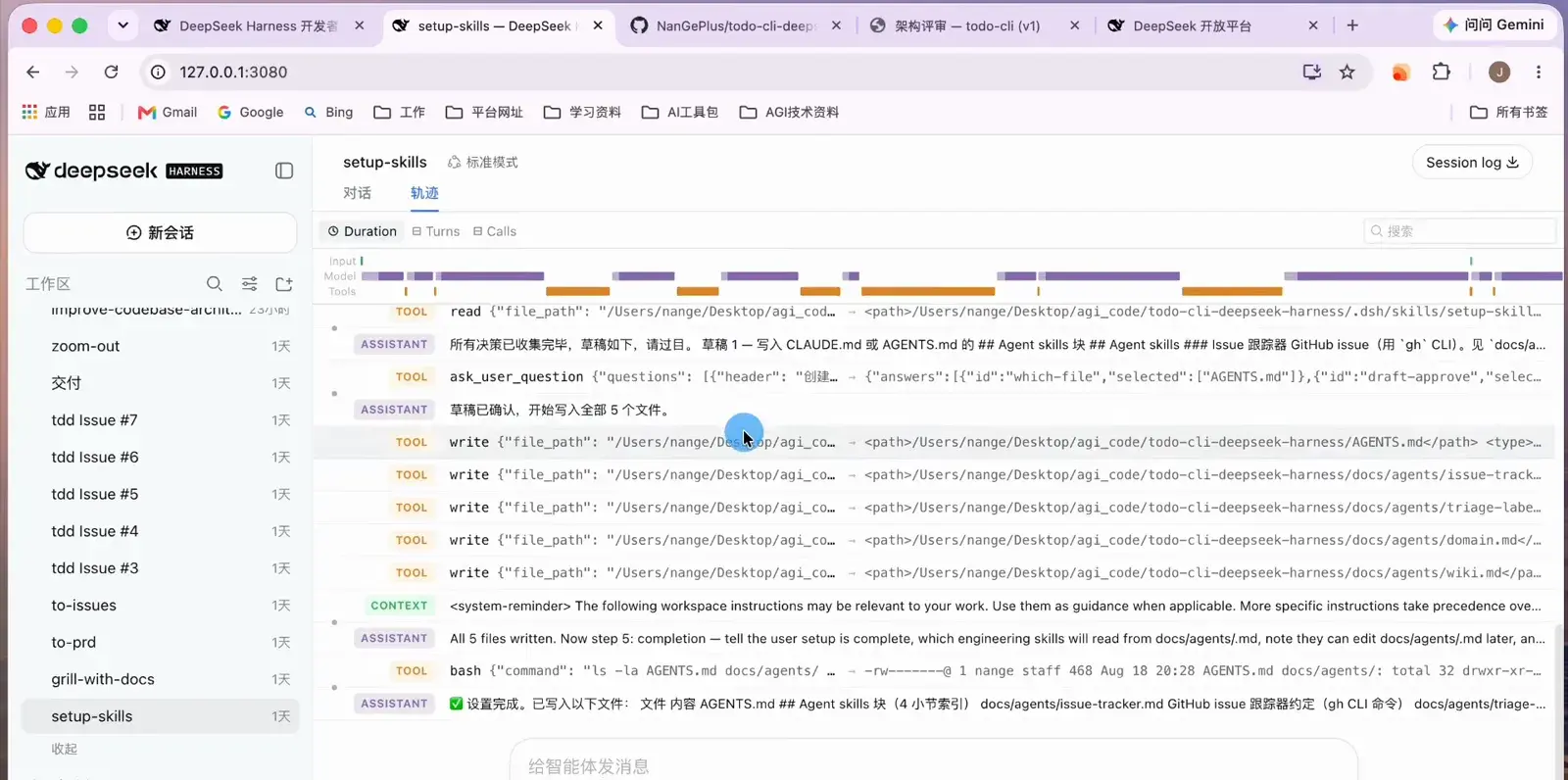
The Trace tab lays out every tool call the setup session made.Watch at 2:46 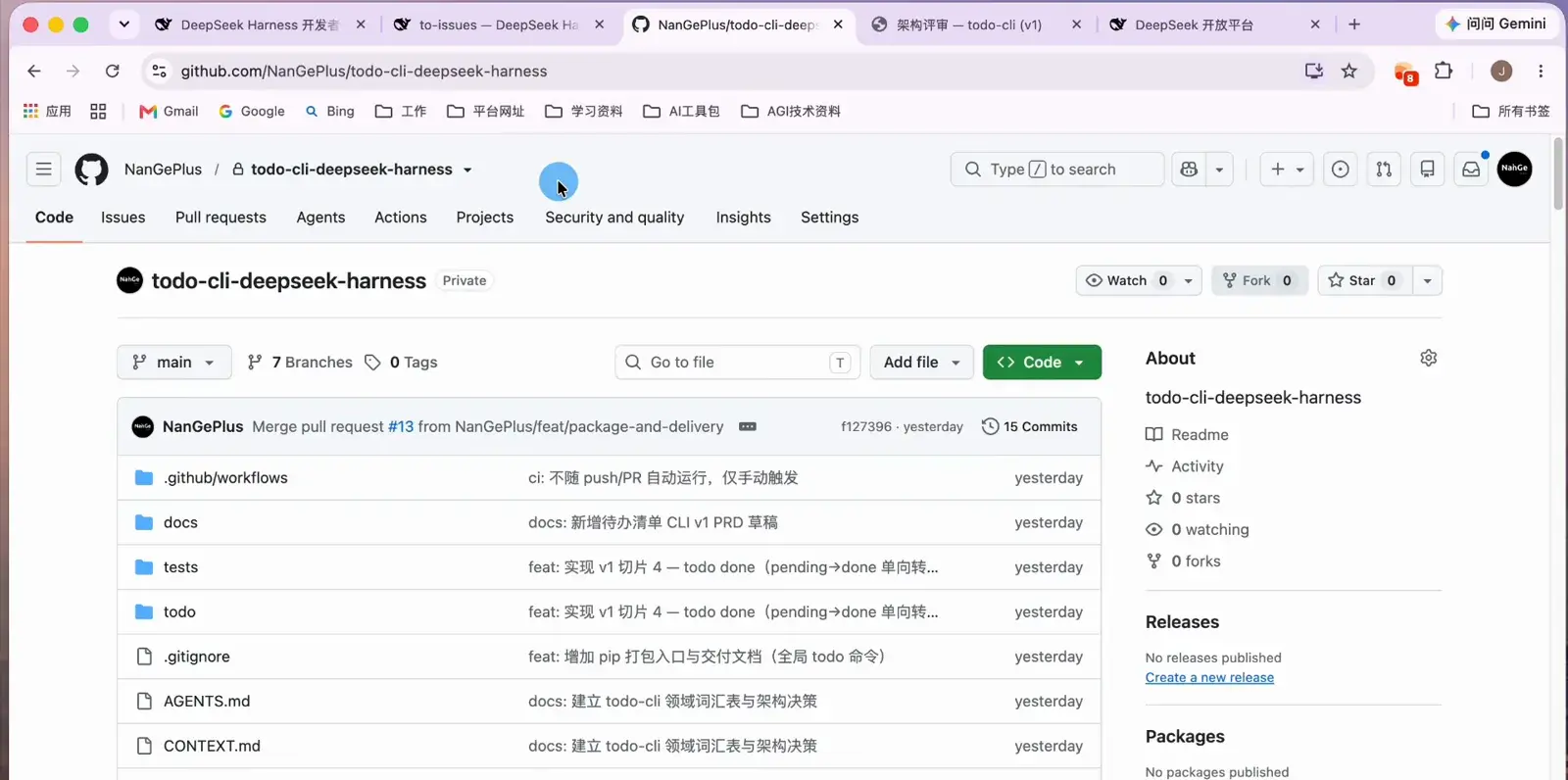
From day one, the whole codebase lives in a GitHub repository.Watch at 5:42 - 2
Connect your model in Settings
Open Settings → Models, paste the API key from the DeepSeek open platform, and hit save — that is all it takes to start. Prefer another provider? The same dialog accepts additional models and custom providers, so the workflow below is not locked to one vendor.
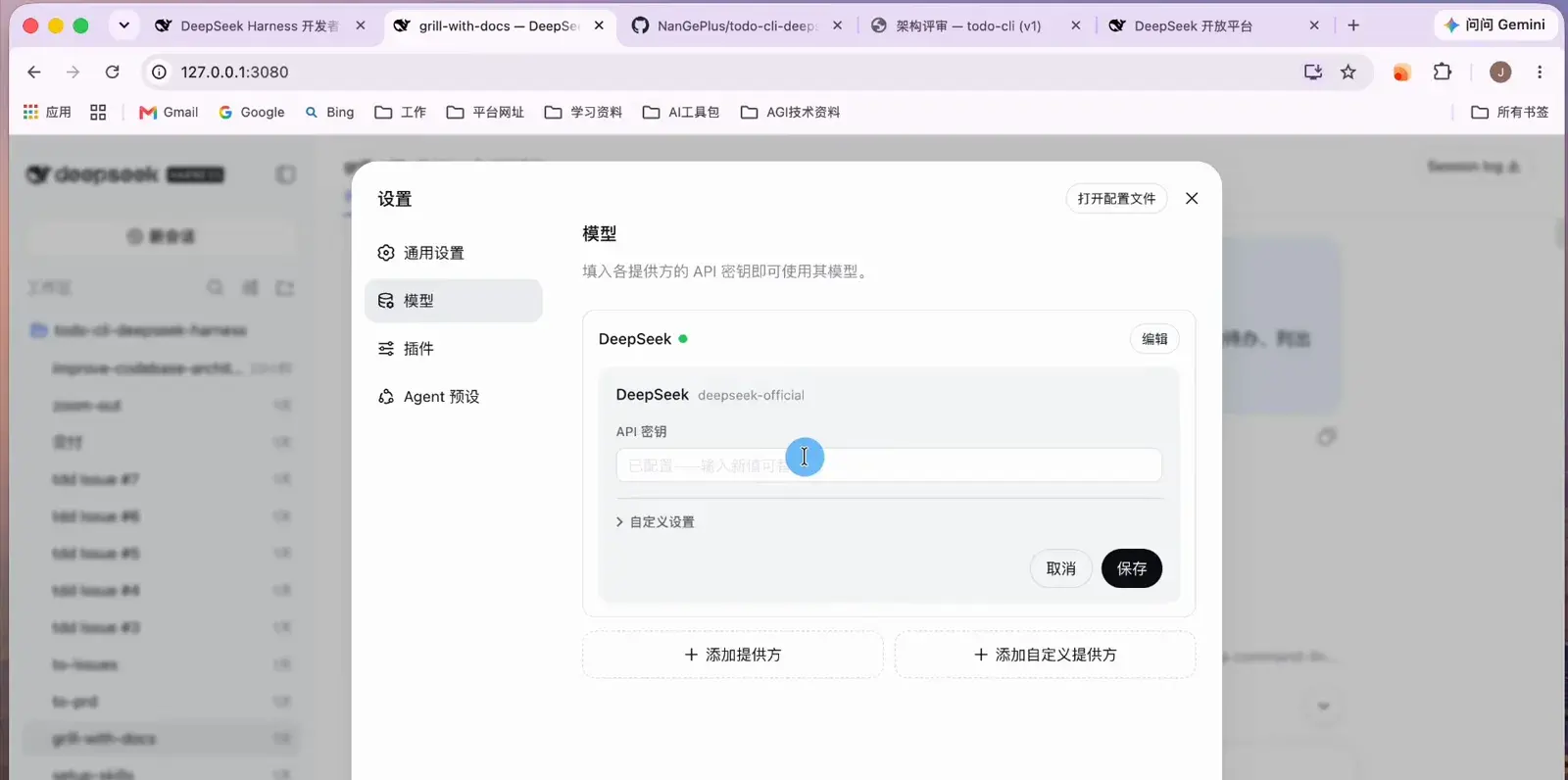
One API key in Settings and the project is ready to run.Watch at 1:02 - 3
State the requirement and let the agent grill you
Open with the grill-with-docs skill; a one-paragraph requirement is enough. In this run: build a todo CLI, v1 only adds, lists, and completes todos, data lives in a local JSON file — and "grill me until the plan is clear". The agent interrogates the requirement from three angles: domain specifics, technical specifics, and UI specifics. The more honestly you answer, the less rework later.
$我想从零做一个命令行待办清单 todo-cli,v1 只要:添加待办、列出待办、标记完成。数据先存在本地 JSON 文件。请拷问我直到方案清晰。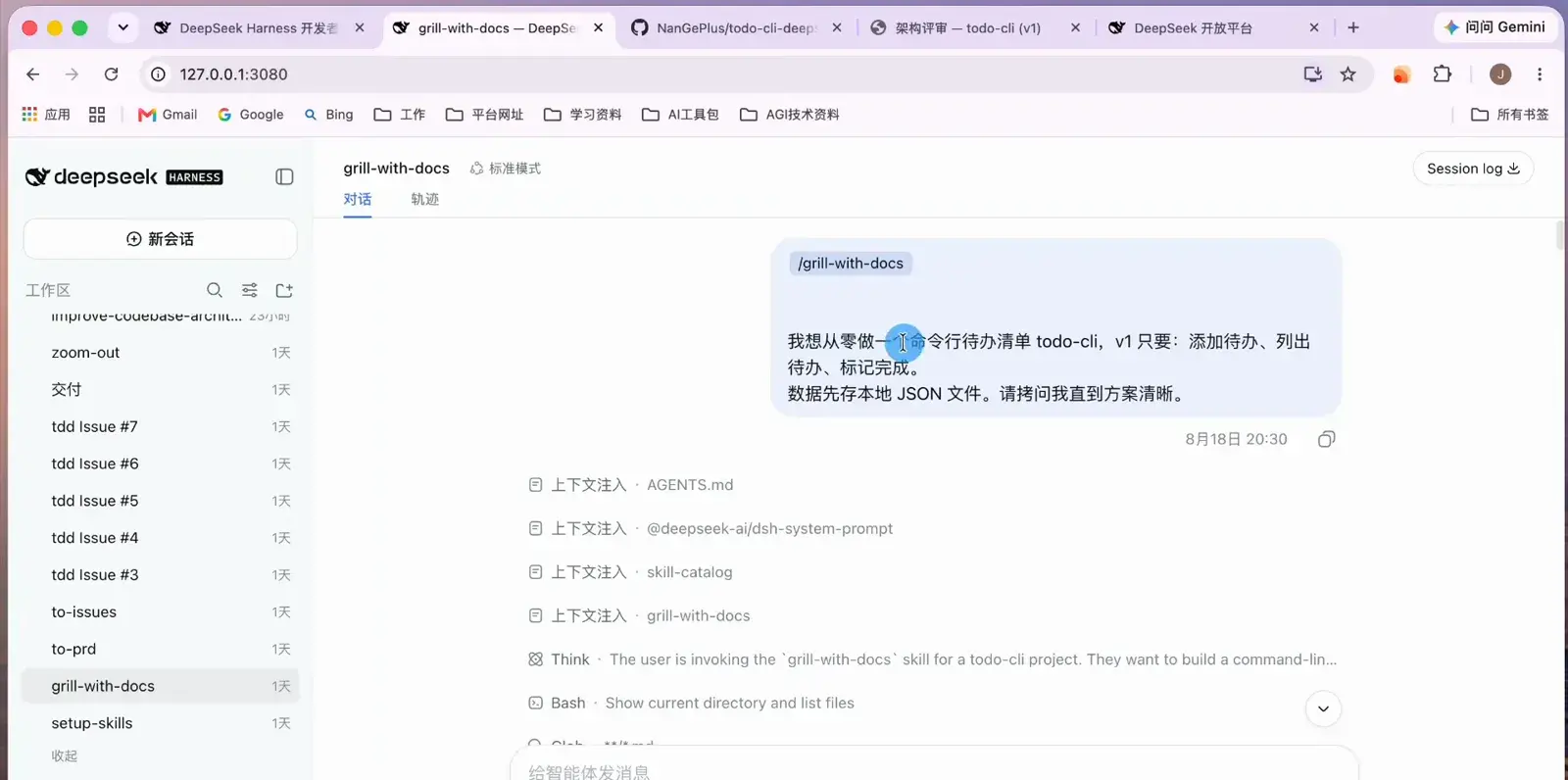
It all starts with "grill me until the plan is clear".Watch at 3:06 - 4
Freeze the answers into CONTEXT.md and ADRs
The grilling produces two artifacts that you and the agent share. Domain terms (what exactly counts as a "todo", which words are banned) land in CONTEXT.md; stack decisions (Python 3 standard library only, with reasons for rejecting Go and Node.js) land in docs/adr/. A CLI project also ends the UI interrogation entirely once headless mode is confirmed — no extra files.
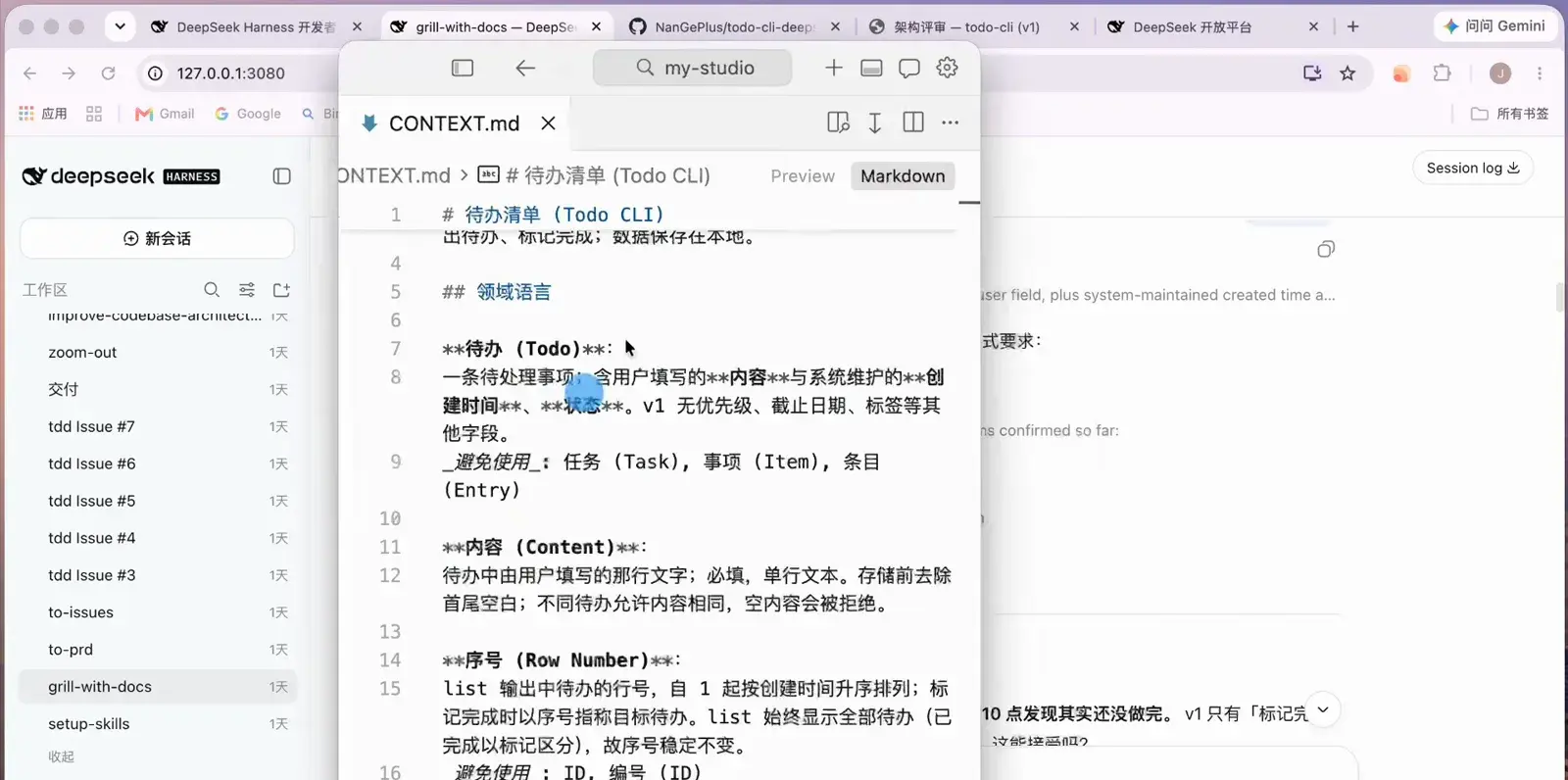
You and the agent share one definition of "a todo".Watch at 3:42 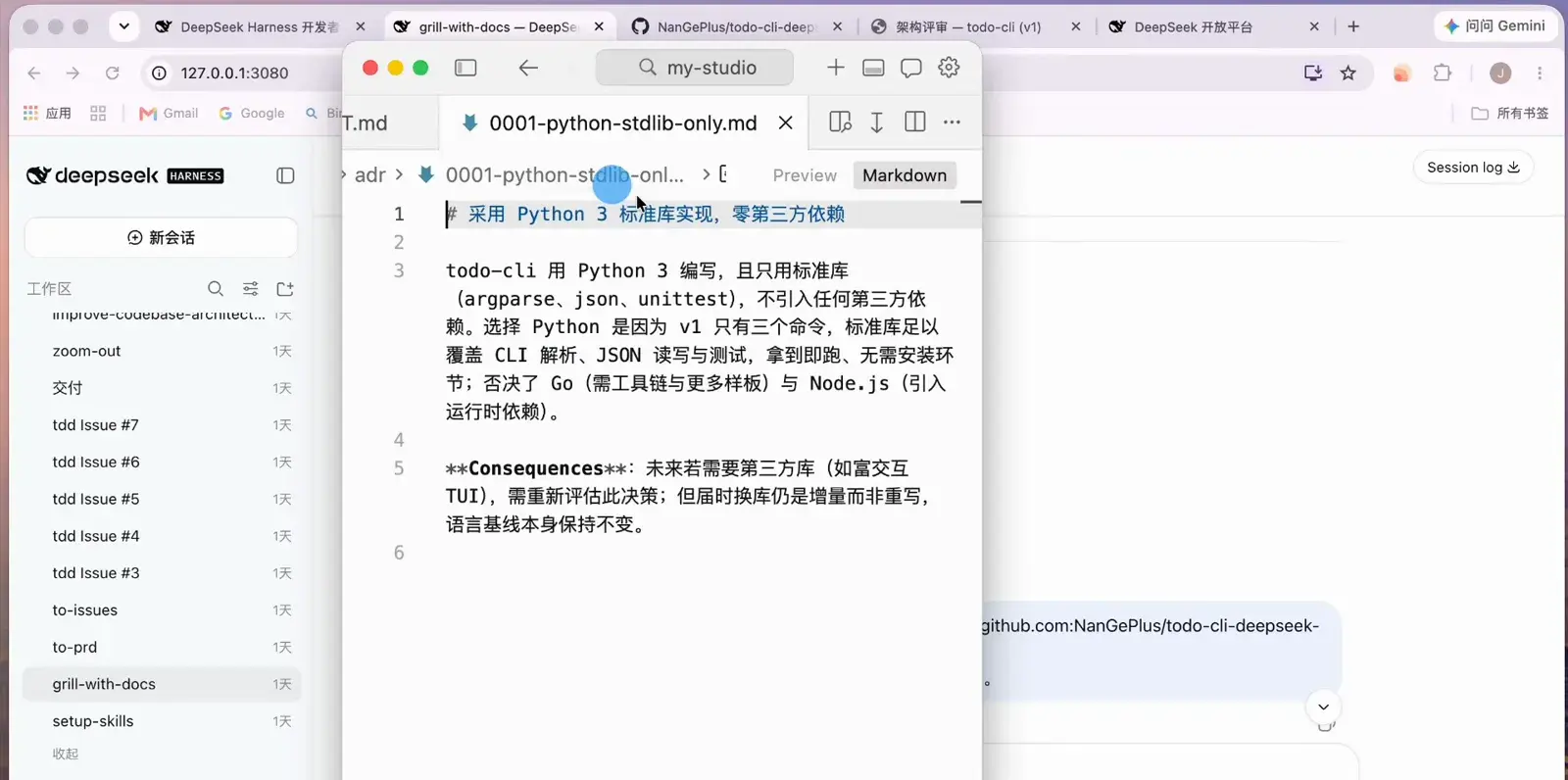
Stack decisions land in ADR files, reasons included.Watch at 4:34 - 5
Turn the settled requirements into a PRD
Open a fresh session and the agent condenses the whole discussion into docs/prd/todo-cli-v1.md — problem statement, solution outline, and acceptance criteria, each traceable back to the CONTEXT.md terms and ADR decisions it came from.
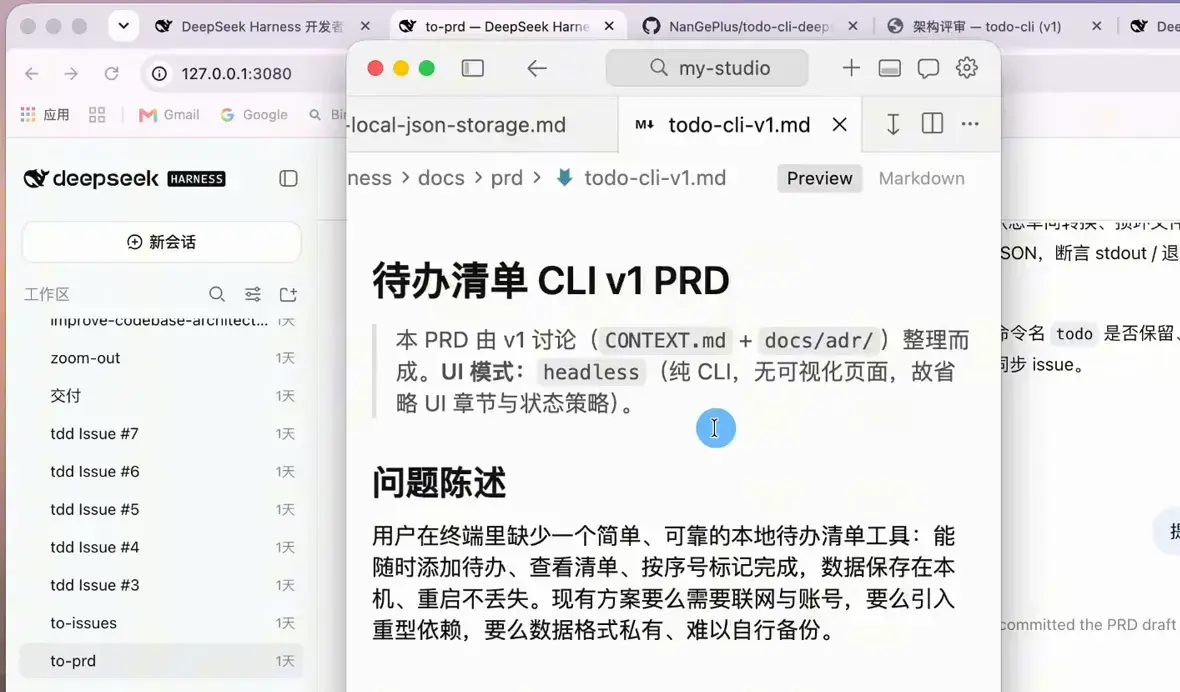
What the grilling settled becomes a reviewable PRD.Watch at 5:16 - 6
Slice the PRD into GitHub issues
The next session splits the PRD into six independent task slices and pushes them to GitHub as issues — each labeled ready-for-agent with its own acceptance criteria and dependencies, while slice 6, which needs a human product call, is tagged ready-for-human instead.
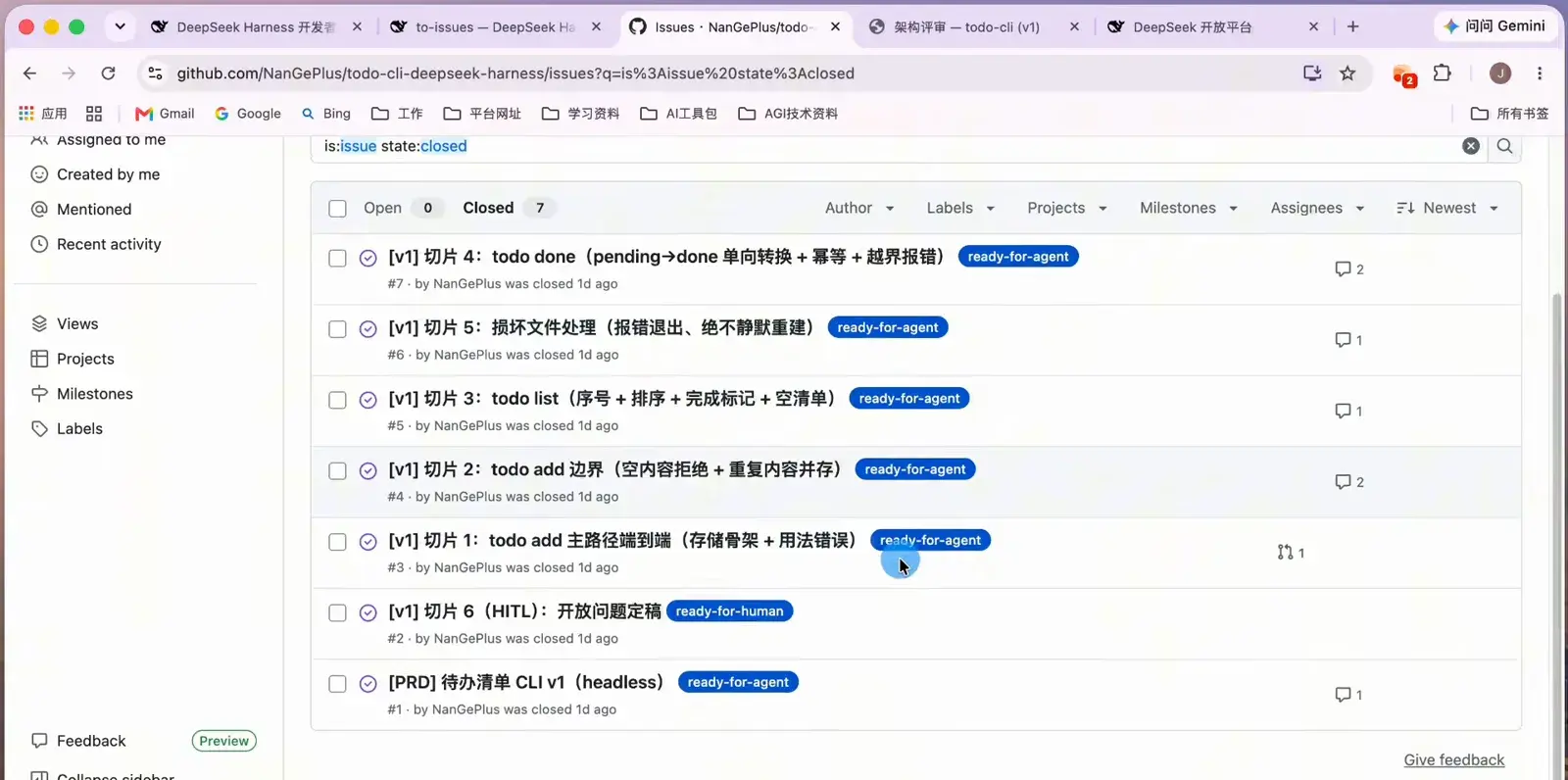
Six task slices, each with acceptance criteria and dependencies.Watch at 5:52 - 7
Build slice by slice with TDD
Each slice gets its own session that pulls the latest main, cuts a feature branch, then works test-first: write the RED test, watch it fail for the right reason, implement the minimum GREEN, refactor, repeat. When the loop converges, the agent reports the delivered files and the manual verification it ran before opening a PR.
$从最新 main 拉取分支,准备实现 todo-cli 的 GitHub issue #3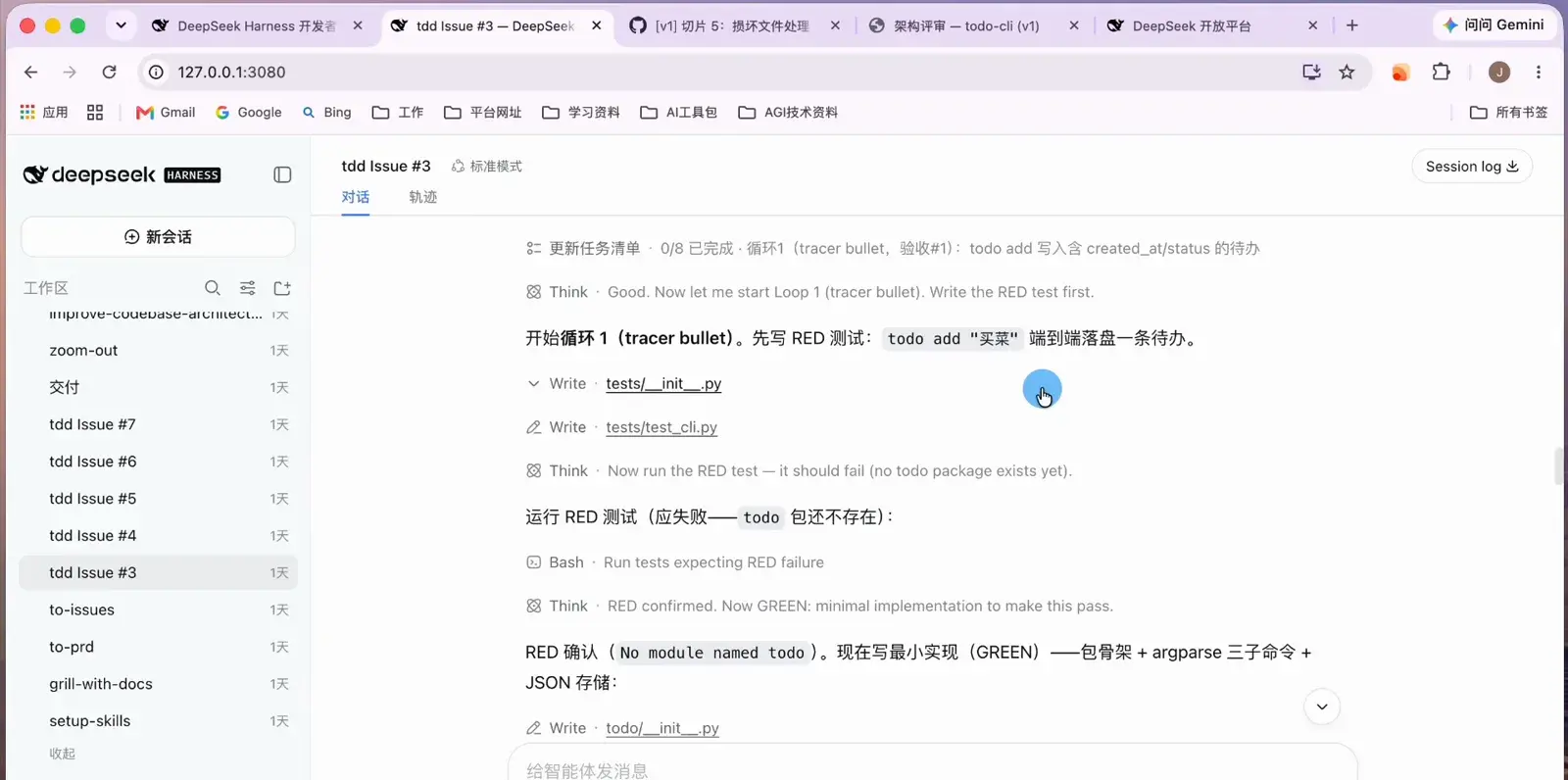
RED, expected failure, minimal GREEN — per slice, on repeat.Watch at 7:26 - 8
Merge, document, and verify the delivery
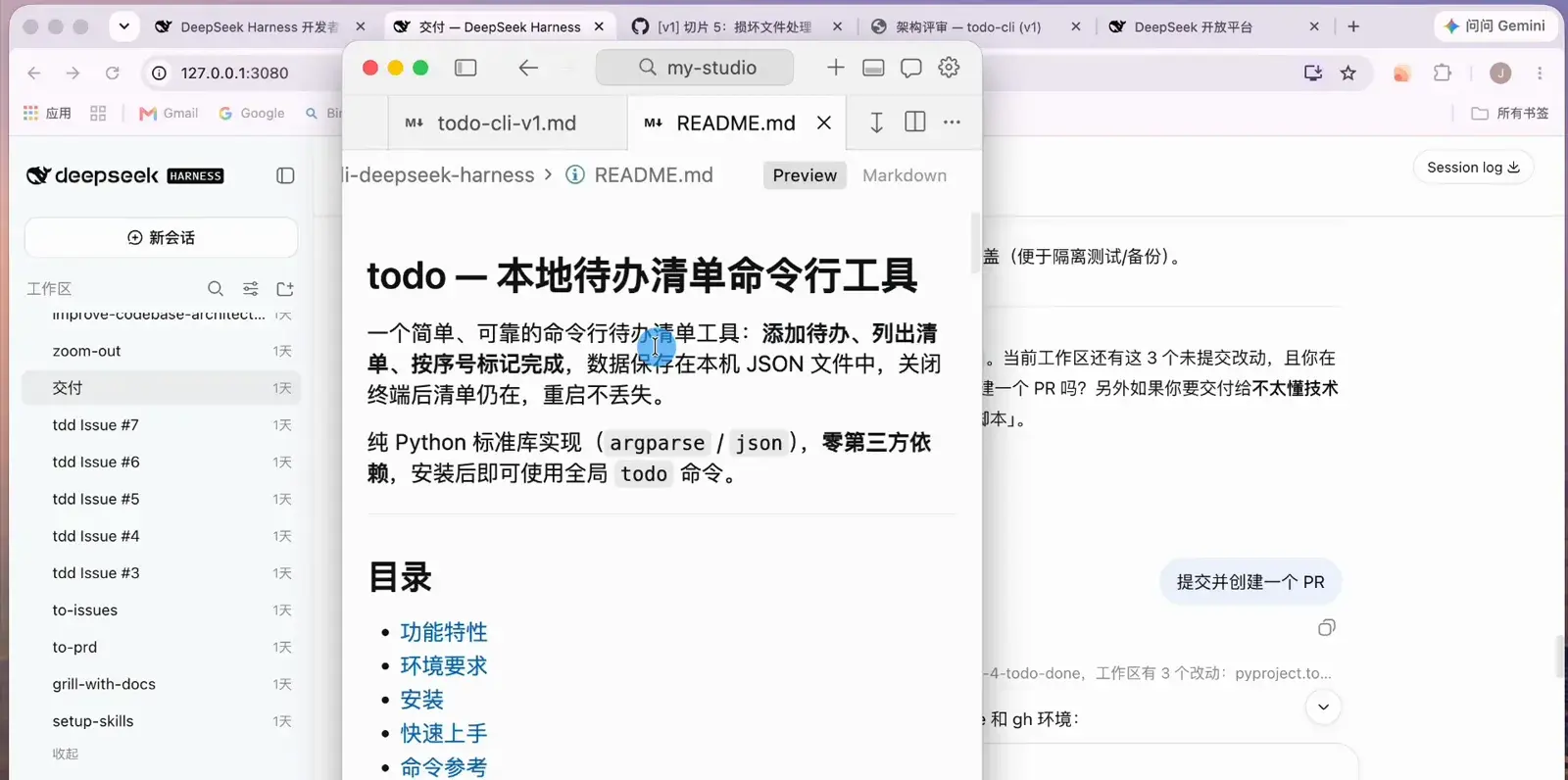
Merged PRs auto-close their issues once every acceptance criterion passes. A final delivery session writes the README — install, quick start, command reference — and packages a global todo command via pip. The last mile is yours: install it and run add, list, and done against the real binary.
Merge the PR and the issue closes itself — criteria all green.Watch at 9:18 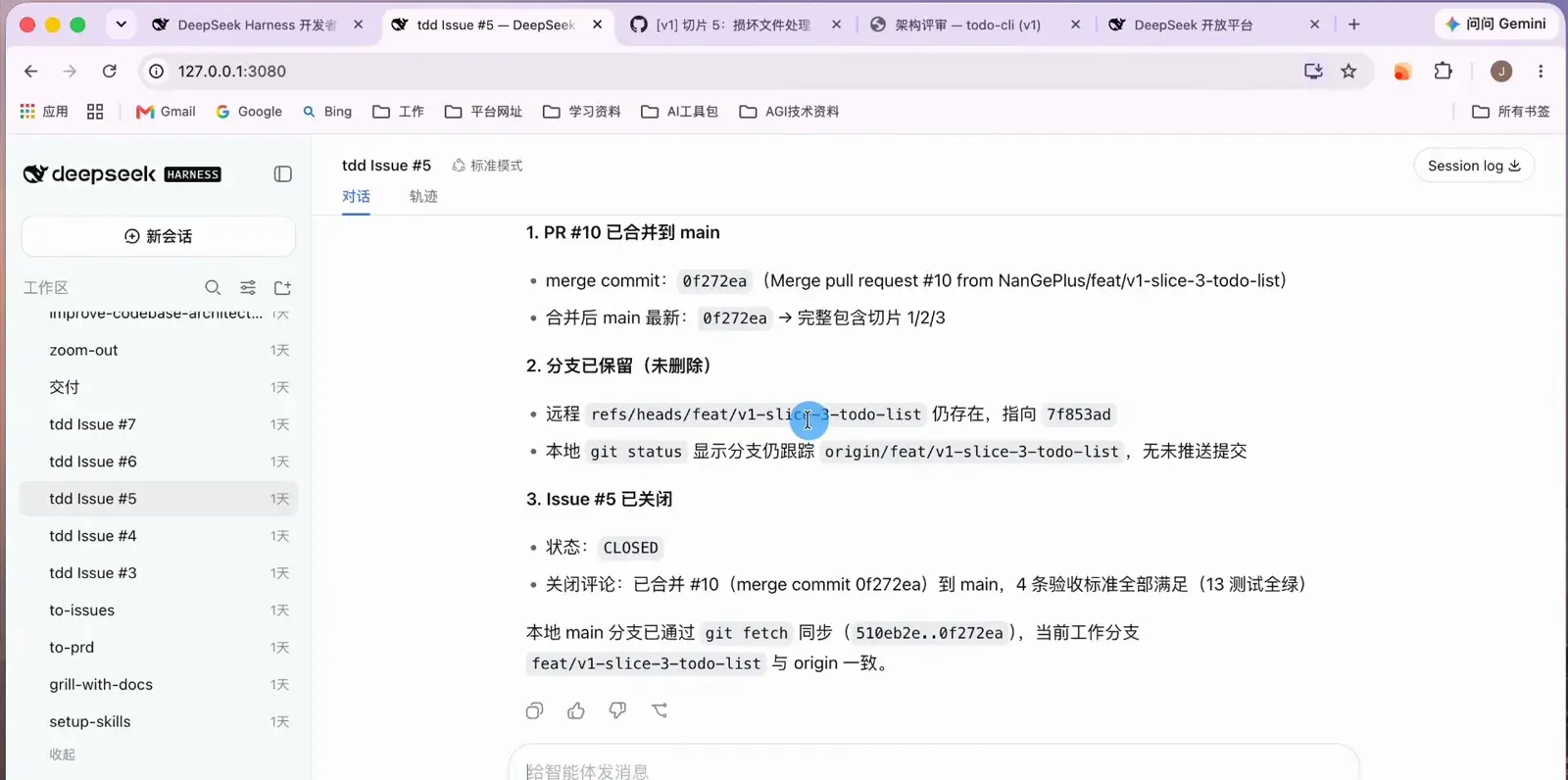
The agent drafts the README your receiver will actually follow.Watch at 9:02 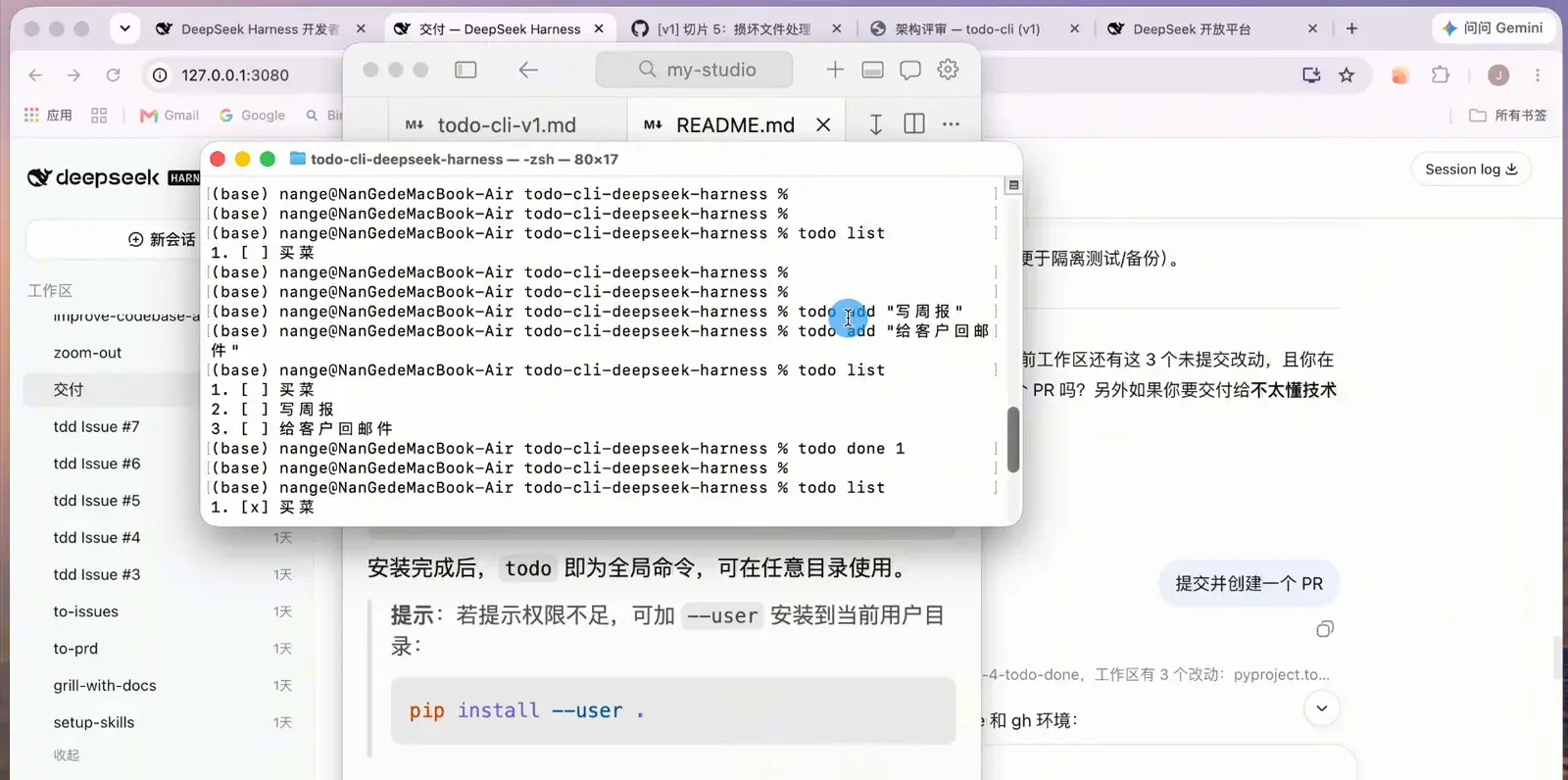
Final acceptance: run the real commands against the real binary.Watch at 9:36
Frequently asked questions
Quick answers about running a real project through DeepSeek Harness.
Do I need to know how to code to follow this workflow?
No — the source video's author never opens an editor. What you do need is enough understanding of what the agent proposes to answer its questions and review its PRs. The grilling, the ADRs, and the acceptance criteria exist precisely so you can steer with understanding instead of syntax.
What exactly is CONTEXT.md and why does it matter?
It is the domain glossary the interrogation produces: a shared definition of every key term in the project (what a "todo" is, which words to avoid). You and the agent read the same file, which kills the classic failure mode where "todo" means something different in your head and in the generated code.
Can I skip the requirement grilling?
You can, but you should not. Skipping it means the agent fills every gap with assumptions, and those assumptions resurface as rework during development. The three-way interrogation — domain, technical, UI — is the cheapest place in the whole flow to be wrong.
What if the agent goes off track midway?
Three safety nets: the Trace tab records every tool call, so you can pinpoint where things diverged; each slice works on its own git branch, so a bad slice never touches main; and PRs only merge after their acceptance criteria pass, keeping main shippable at all times.
How much do DeepSeek API tokens cost for a project like this?
The demo project is a Python CLI built on DeepSeek's official API after a small top-up, and v1 landed within an afternoon of sessions. Cost scales with project size and how many RED/GREEN loops each slice needs — check the pricing page on the DeepSeek open platform before you commit, and start with a small balance.
Can I plug in a model other than DeepSeek?
Yes. Settings → Models accepts additional providers and custom providers, so the same workflow runs through any OpenAI-compatible endpoint. The video uses the official DeepSeek API key, but nothing in the workflow depends on it.
Related guides
Go deeper on the pieces this workflow builds on.
DeepSeek Harness tutorial: first steps
Install, configure, and drive your first dsh session before taking on a full project.
Read the guidePlan mode: think before the agent types
How plan-first sessions keep big changes reviewable — the same discipline this project workflow formalizes.
Read the guideSubagents: splitting work across agents
Contract-driven subagent squads — the heavier-duty cousin of the task slices used here.
Read the guideInstalling dsh plugins
Extend DeepSeek Harness with plugins when the built-in skills are not enough.
Read the guideAgent presets explained
Pre-tuned agent configurations you can reuse across projects and workspaces.
Read the guideSources & credits
All frames come from one real end-to-end build recorded on the DeepSeek Harness Web UI. Commands and file names follow what the video shows on screen; each image deep-links to the exact moment in the source video.