
Turn Obsidian into dsh long-term memory: build a local knowledge base
Let DeepSeek Harness read your vault directly and write new notes in your own style — a 7-step illustrated walkthrough from API key to acceptance
Last updated: 2026-09-25
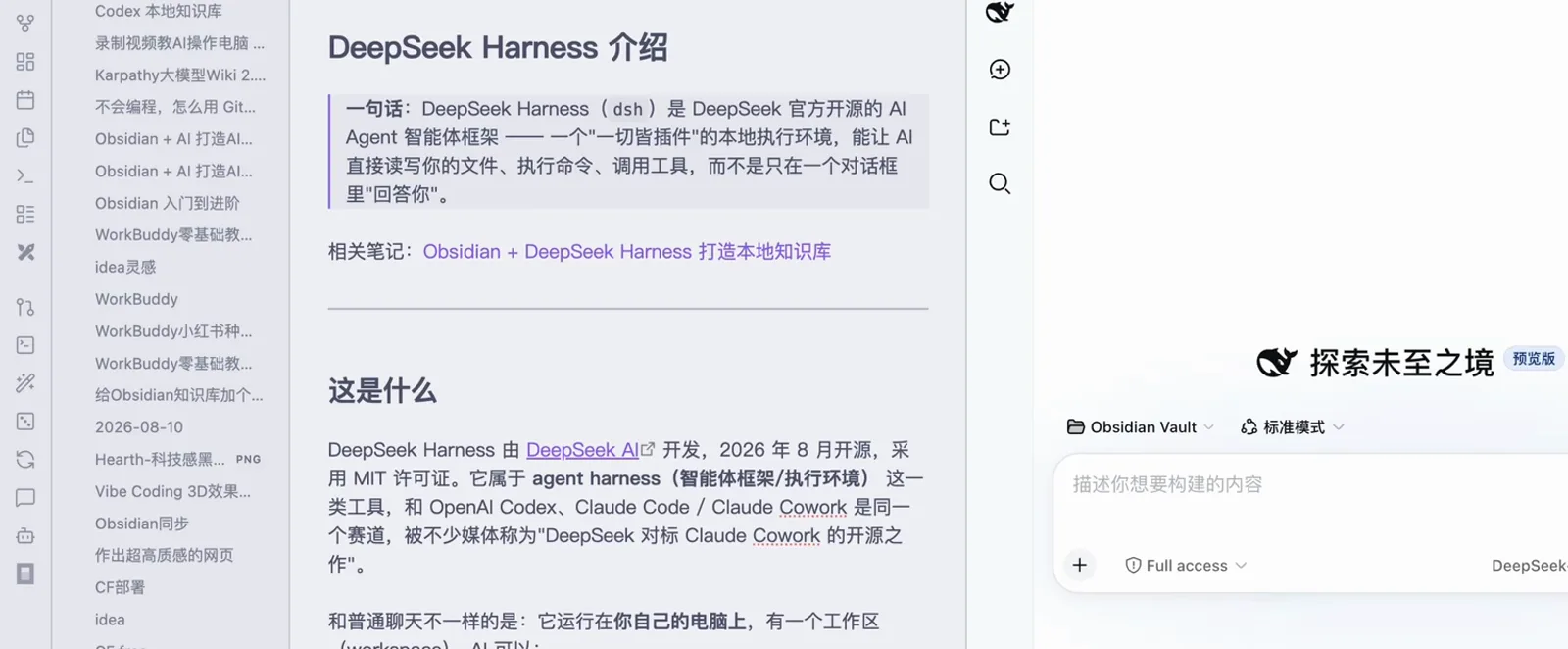
An AI in a chat box has no memory; your notes do. Once your Obsidian vault is wired into DeepSeek Harness, the agent reads the notes it needs, writes new ones in the style your vault already uses, and saves changes straight back to disk — no more copy-pasting through a chat window.
All 8 screenshots come from two Bilibili recordings (frame-checked, watermarks and face bubbles cropped out): one walks the full path from installing dsh to writing a note, the other supplies the workspace-skeleton and delivery-acceptance segments. Every image deep-links back to the exact second of its source video.
TL;DR
- ▸Wiring it up takes three moves: create an API key → add the Obsidian vault as a workspace → chat right inside the Obsidian sidebar
- ▸Declare "skeleton only, no note content" in AGENTS.md first — the agent confirms constraints with you before growing the folder tree
- ▸Before writing a new note it reads the whole vault, then mimics your etymology asides, wiki-links and comparison tables
The 7-step walkthrough
Part 1 · Wire the vault into dsh
- 1
Create a DeepSeek API key
On the deepseek.com platform, open the API keys page and create a new key. Copy it immediately — once the dialog closes, the full key is never shown again. The local agent uses this key to call the model.
deepseek.com → API keys → Create new API keyAPI key created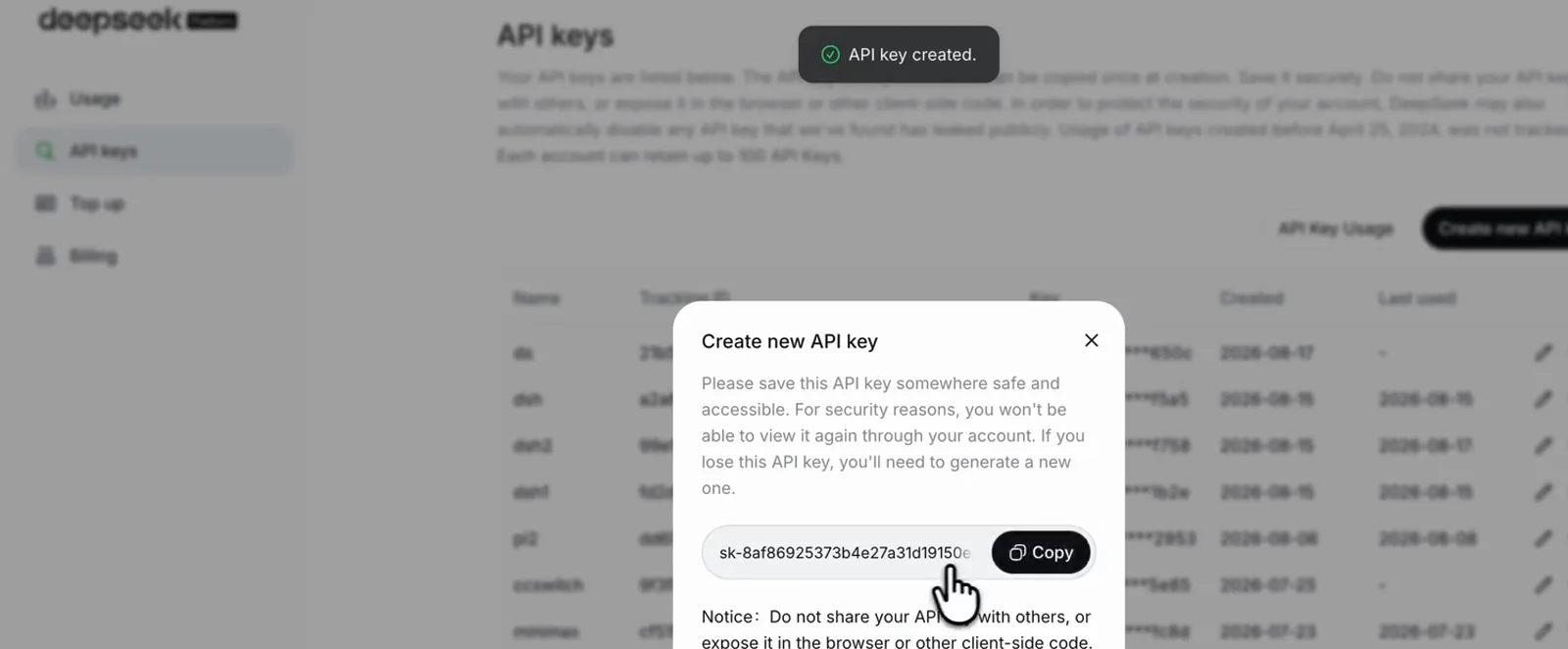
Creating an API key on the deepseek.com platform — shown once, copy it right awayWatch at 1:24 - 2
Add the Obsidian vault as a workspace
Launch dsh, open the workspace picker in the lower-left corner and choose "Add workspace" to mount your Obsidian vault folder (called demo-kb in the recording). Every .md note in the vault is now visible to the agent.
demo-kb ▾ → 添加工作区…Obsidian Vault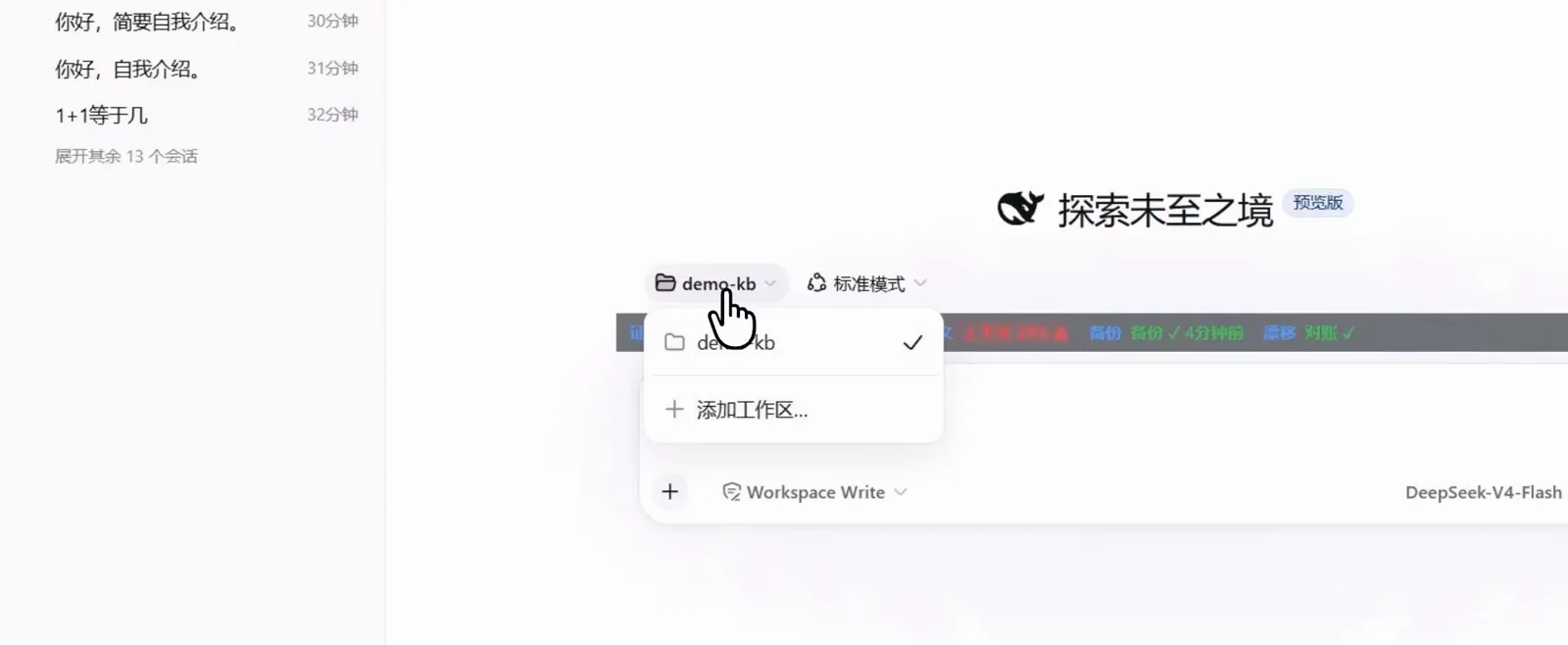
The workspace picker with "Add workspace" mounting the demo-kb vault into dshWatch at 1:15 - 3
Chat inside the Obsidian sidebar
Open dsh’s local address in Obsidian’s embedded browser and DeepSeek Harness moves into the side panel: notes on the left, conversation on the right, workspace shown as Obsidian Vault. Writing, querying and editing never leave the window.
Obsidian Vault · 标准模式Full access · DeepSeek-V4-Flash High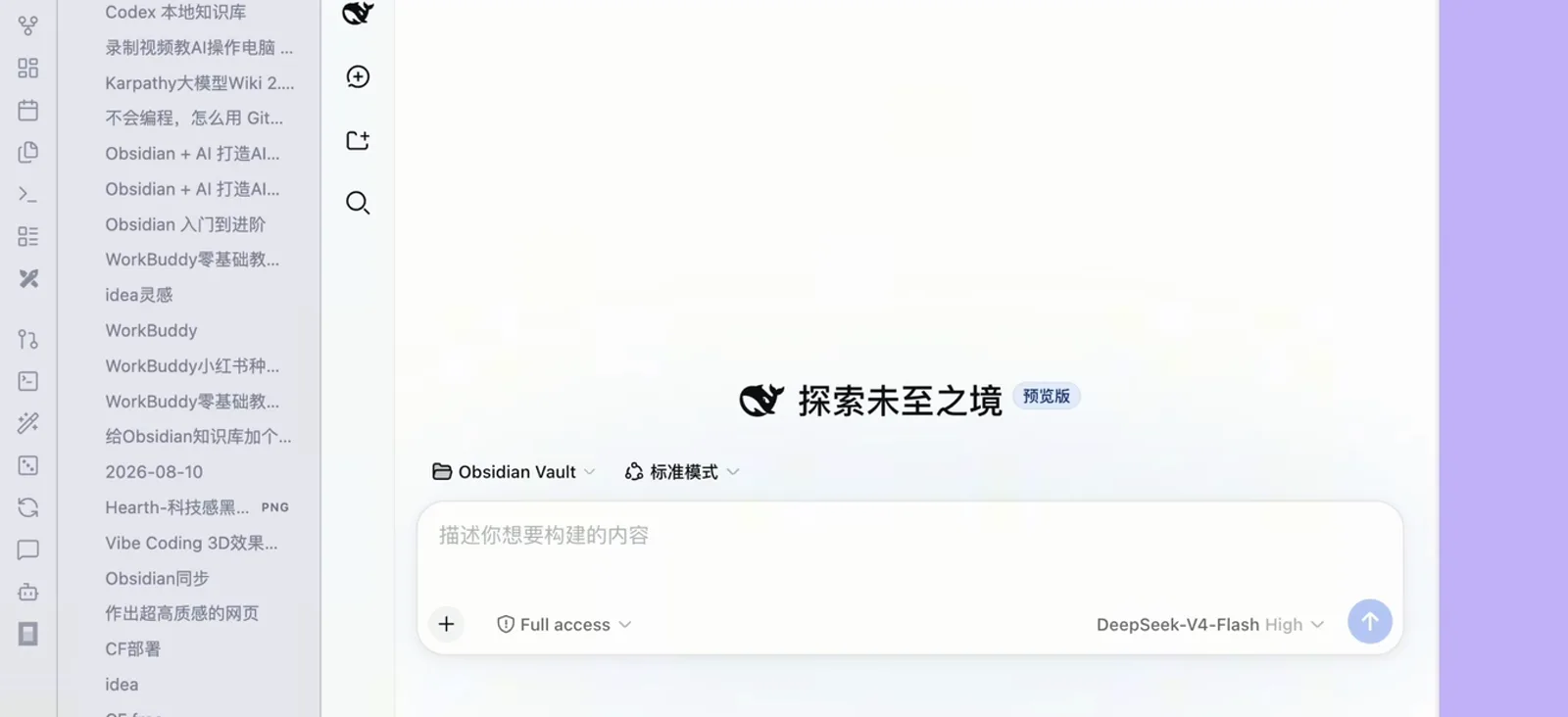
dsh running in an embedded Obsidian panel — notes and chat side by sideWatch at 2:04
Part 2 · Let the agent live in your knowledge base
- 4
Frame the vault with AGENTS.md
Ask it to "build me a knowledge base" and the agent aligns on the spec first: folders grow only a writing-workflow / projects / material skeleton, zero note content except AGENTS.md, and it touches nothing until the tree and the constraints-compliance table are confirmed.
AGENTS.md(唯一文件,即"结构意图+约束"声明)写作工作流选题素材草稿成稿复盘 · 项目进行中已归档 · 资料文章书籍课程工具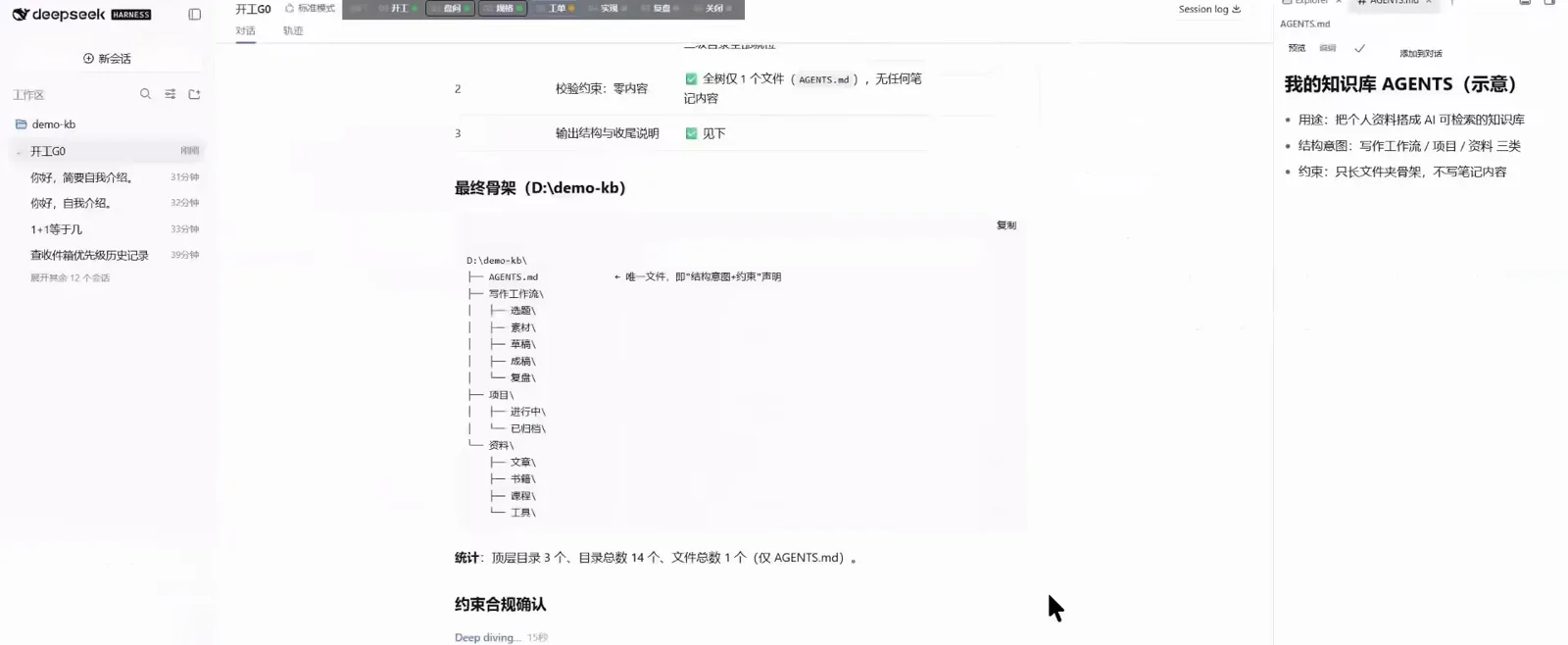
The final skeleton tree next to the AGENTS.md master-control panel of constraintsWatch at 1:45 - 5
Watch it read the vault
The trajectory panel shows exactly which notes it read: DeepSeek Harness 介绍.md, Harness.md, Harness Engineering.md… Reading before answering is how it gets to know your vault — and your chance to correct its understanding.
Read · Harness.mdRead · 视频分享/Harness Engineering.md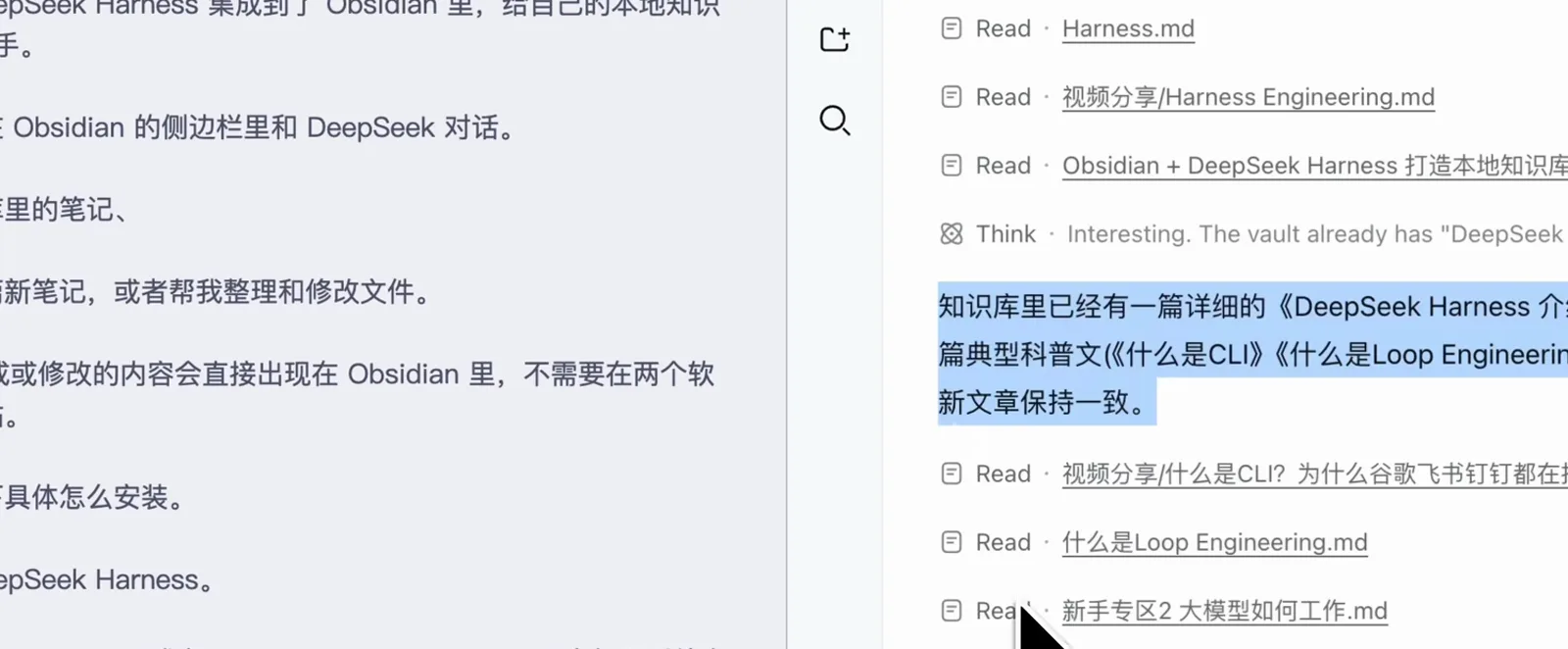
Read call after Read call in the trajectory panel: read the vault first, answer secondWatch at 2:36 - 6
Have it write in your vault’s own style
Ask for "an introduction note about DeepSeek Harness": it browses the vault first, then writes — down to the "the model is the brain, the Harness is the body" metaphor, the etymology asides and wiki-link habits your existing notes use, consistent with what’s already there.
风格上模仿了你库里的特点:一句话引用开头、口语句、对比表格、[[双链]]关联笔记Read · Obsidian + DeepSeek Harness 打造本地知识库.md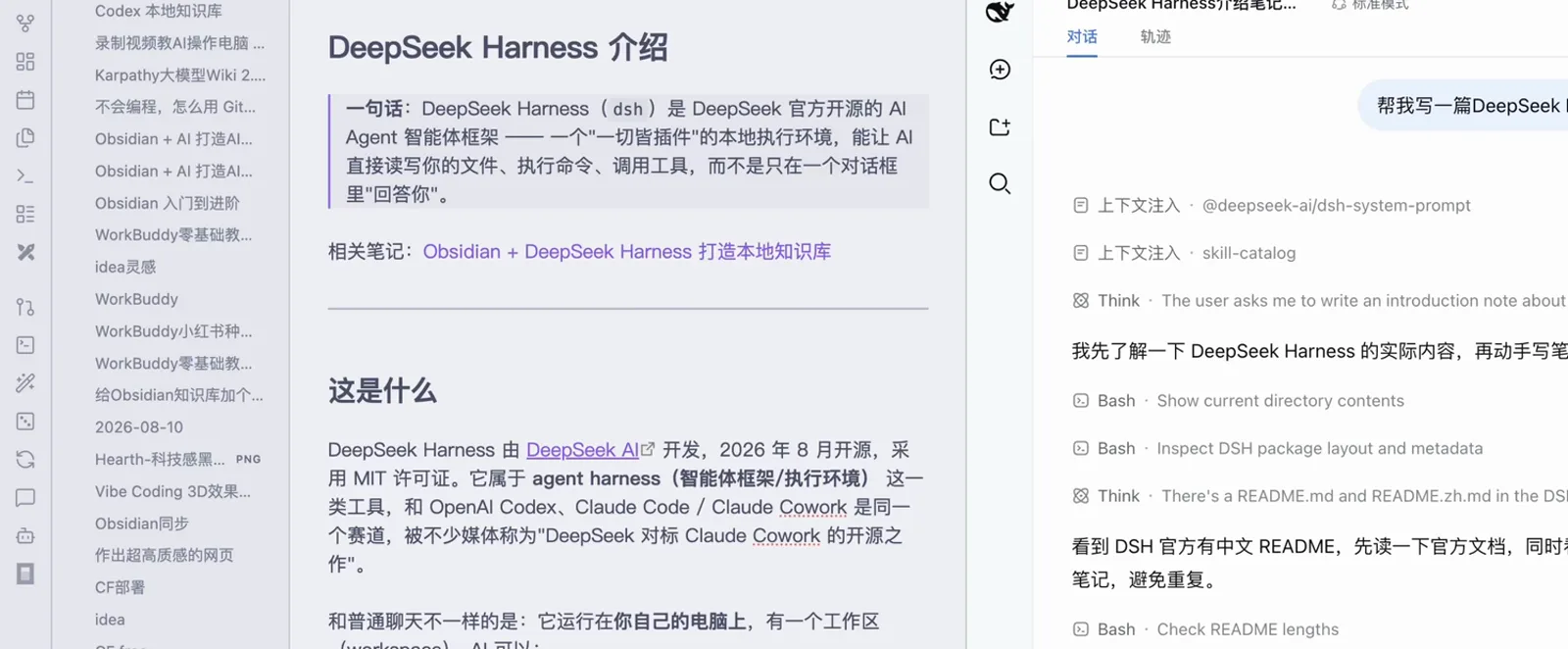
"Write me an introduction note": Bash directory checks first, then reading the existing notesWatch at 0:26 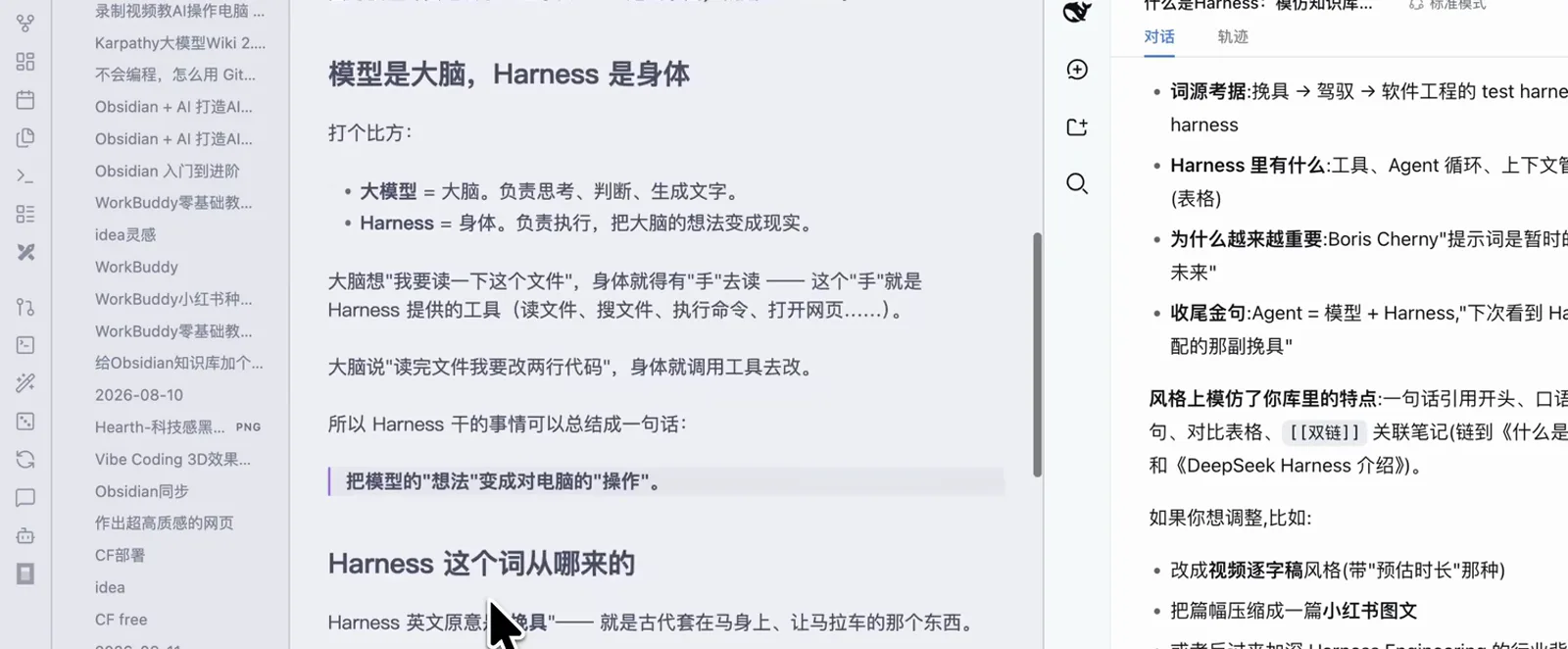
The new note lands in the vault, imitating your own etymology-and-table styleWatch at 2:51 - 7
Accept delivery against the constraint table
The agent hands over a deliverables list (AGENTS.md + writing workflow + projects + a three-layer material tree) with a constraints-compliance table: folder counts and the zero-content rule ticked off one by one. Add "split materials into articles / videos / clients" and it verifies before acting — that’s an acceptable knowledge base.
把资料下面再分 文章/视频/客户 三层目录总数 10 ✓ · 零内容约束 仅 AGENTS.md ✓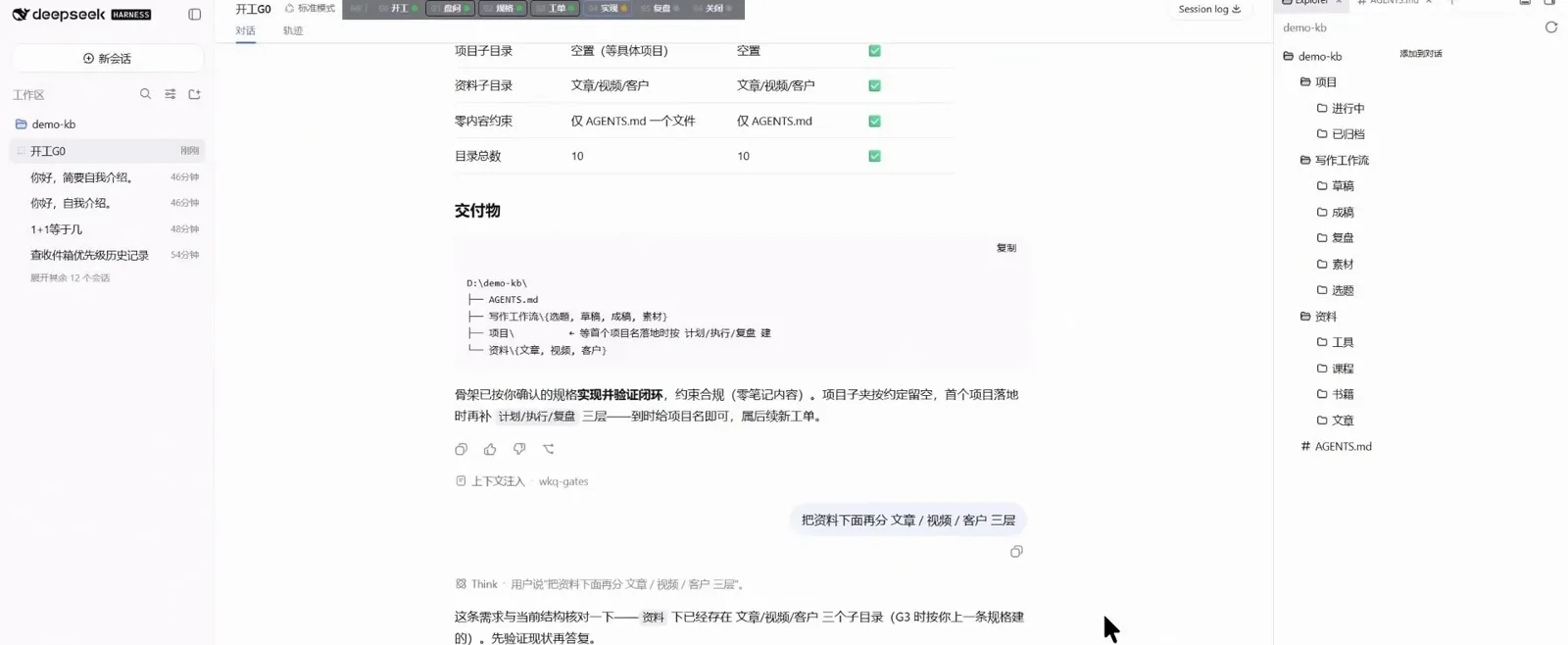
Deliverables list plus the constraints-compliance table — done only when everything ticksWatch at 2:43
Keep the knowledge base growing
- ▸Have the agent write every new note in the vault’s own style — it flags style drift itself
- ▸Change constraints in AGENTS.md first, then let the agent migrate folders — verify before it acts, like step 7
- ▸Run long jobs in the background and review what it read and changed in the trajectory panel
- ▸Keep sensitive notes in a separate vault outside the workspace — mounted scope equals visible scope
FAQ
Four questions readers ask about dsh knowledge bases
Which dsh version do I need? Is it free?
dsh itself is open source and free; model calls are billed through the DeepSeek API. The screenshots were recorded on the 0.1.5 developer preview — other versions may look slightly different, but the everything-is-a-plugin workspace mechanism is the same.
Do I have to use Obsidian?
No. Any local folder can be added as a workspace. Markdown is just Obsidian’s native format — wiki-links and properties make the vault easier for the agent to understand — but a plain folder of .txt files works too.
Are my notes uploaded to the cloud?
No. File reads and writes happen locally; dsh only sends the conversation and the snippets the agent reads to the model API as context. Notes you want kept out belong in a vault outside the workspace.
How is this different from memory / RAG plugins?
A workspace means direct file access: the agent operates your real notes with Bash/Read tools and changes land on disk. Memory/RAG plugins chunk text for vector retrieval instead — better when you don’t want the AI touching files. The two can coexist.
Related guides
Fold this workflow into your daily driver
Installing dsh plugins, end to end
Haven’t installed dsh yet? Three install methods plus China acceleration in one guide
Read the guideMemory & context plugin collection
Prefer the AI not to touch files directly? Browse the RAG and memory picks
Read the guideWriting skills that stick
Turn repeated knowledge-base moves into a skill you invoke in one line
Read the guideSubagents in parallel
Let several subagents read and reorganize your notes at the same time
Read the guideOffice docs by prompt
Beyond the knowledge base: PDF, Word and PPT from one sentence
Read the guideVideo sources & credits
All 8 screenshots come from the two Bilibili videos below, frame-checked with watermarks and face bubbles cropped; each image links back to the exact second of its source. For the full install walkthrough see Installing dsh plugins, end to end