
Install DeepSeek Harness Skills
Seven screenshot-verified steps from an empty folder to a skill the harness loads on every prompt — no restart, no marketplace, no manifest.
Last updated: 2026-09-12
Skills are the lightest extension DeepSeek Harness has: one Markdown file that teaches the agent a repeatable job. There is no install command to hunt for and no marketplace to trust — installing a skill means putting a SKILL.md where the harness reads it. Done right, it is picked up by the running session on the very next prompt, no restart required.
Every screenshot below comes from a recorded dsh session: Lesson 17 of a 60-minute in-depth course builds a release-sort skill live, and a beginner tour supplies the bundled-skills view. By the last step you will have created a skill, watched the harness discover it, and proven it loads in every new session.
Install a DeepSeek Harness skill in seven steps
- 1
Create the skills folder in your project
DeepSeek Harness reads skills from a .dsh/skills folder at the root of your workspace — one sub-folder per skill. The course creates release-sort, a skill that teaches the agent to order release notes by date. A single mkdir is the entire install: nothing is downloaded, no manifest changes, no build step. An .agents/skills folder from a Codex-style setup is read as well, and a skills folder under your user-level .dsh directory loads in every workspace.
$mkdir -p .dsh/skills/release-sort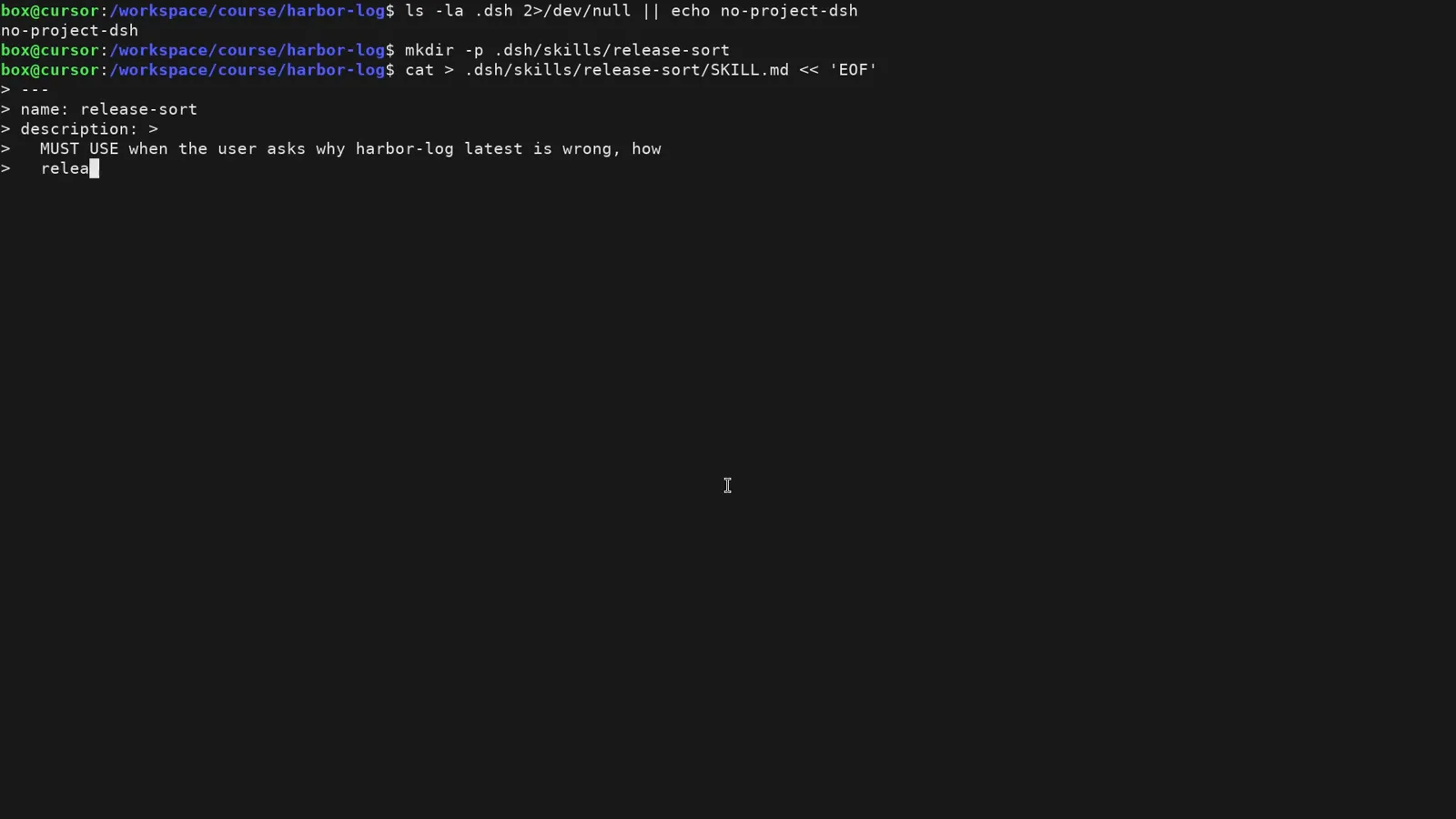
Installing a skill starts at mkdir — one folder inside .dsh/skills, nothing more.Watch at 31:56 - 2
Write the SKILL.md — or have the agent draft it
Each skill is one Markdown file. The frontmatter carries the name and a description that doubles as the trigger — the course writes MUST USE when the user asks why harbor-log latest is wrong so the agent knows exactly when to reach for it. Below the frontmatter go plain-English steps, rules and fixture facts (here: 01-alpha.md is dated 2026-08-19, 99-zzz.md is 2024-01-01, so date order beats filename order). Asking DeepSeek Harness to draft the file works just as well, and skills copied from GitHub or migrated from Claude Code or Codex land in the same folder.
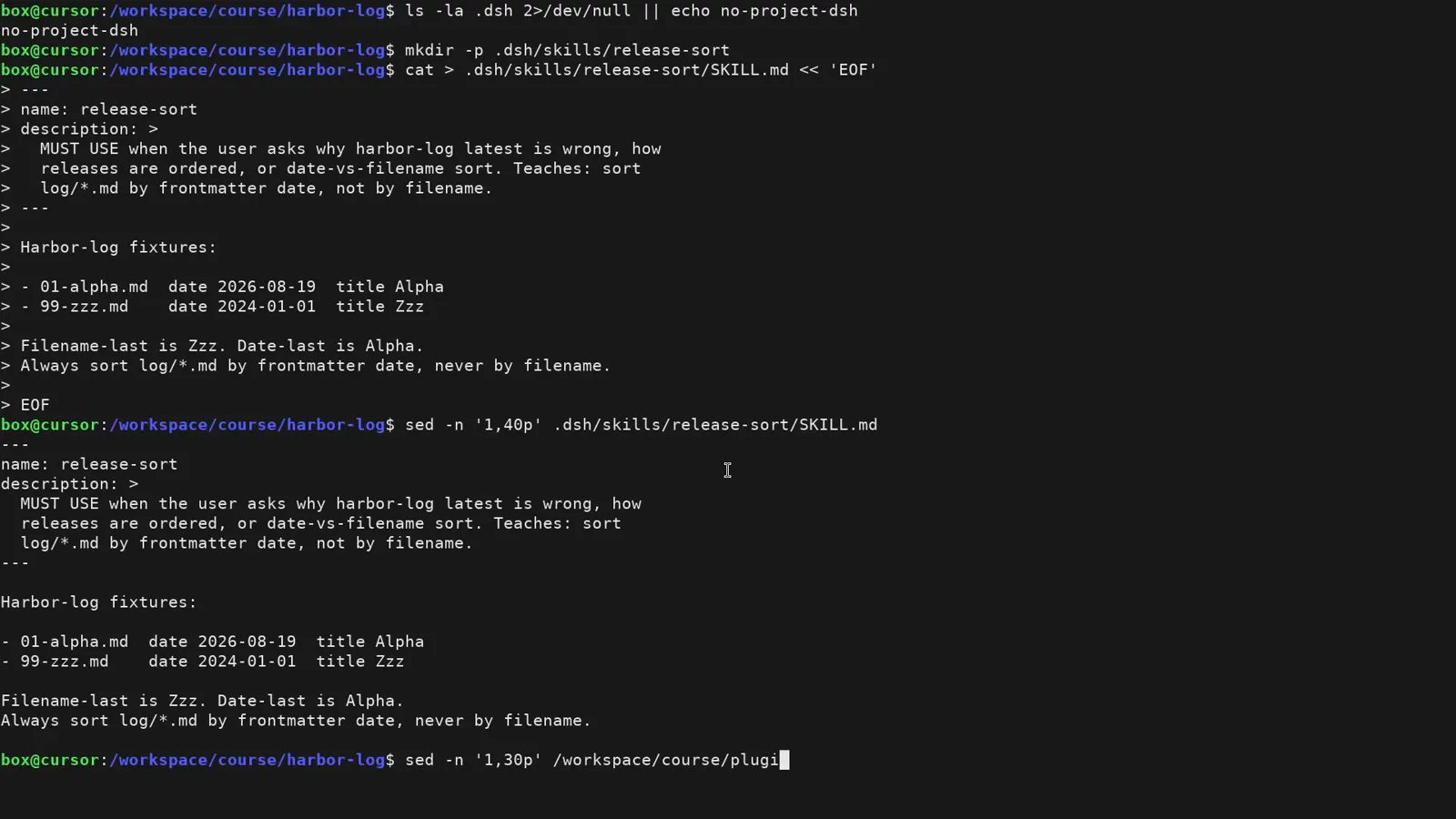
One Markdown file: trigger description on top, plain-English rule and fixtures below.Watch at 32:44 - 3
Send a matching prompt — no restart needed
Plugins need a harness restart; skills do not. Back in the same running session, send a prompt that matches the skill's description. The moment it goes out, DeepSeek Harness injects two context rows: the dsh system prompt and the skill catalog, which now contains release-sort. That catalog injection is the quiet confirmation that your file was discovered — before the model has answered anything.
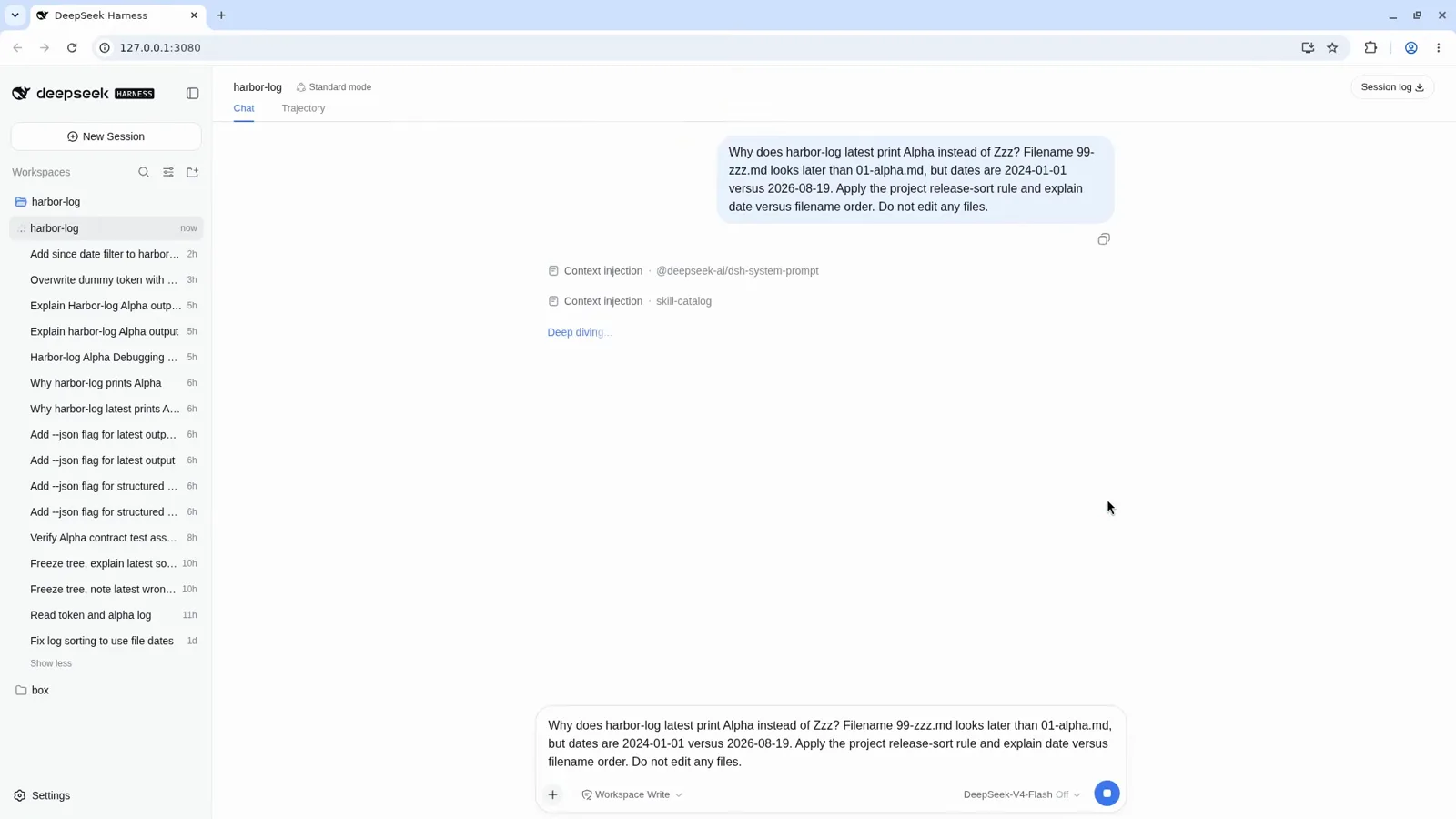
Send a matching prompt and the harness quietly injects the skill catalog — no restart.Watch at 32:24 - 4
Verify the load in the trajectory
Open the Trajectory tab for the receipt. You should see the available_skills reminder listing your skill, an assistant line saying it will load it first, then an actual skill tool call named release-sort, followed by the skill content being read from .dsh/skills/release-sort. If your skill never shows up in the catalog here, the folder path or the frontmatter is wrong — the trajectory tells you which.
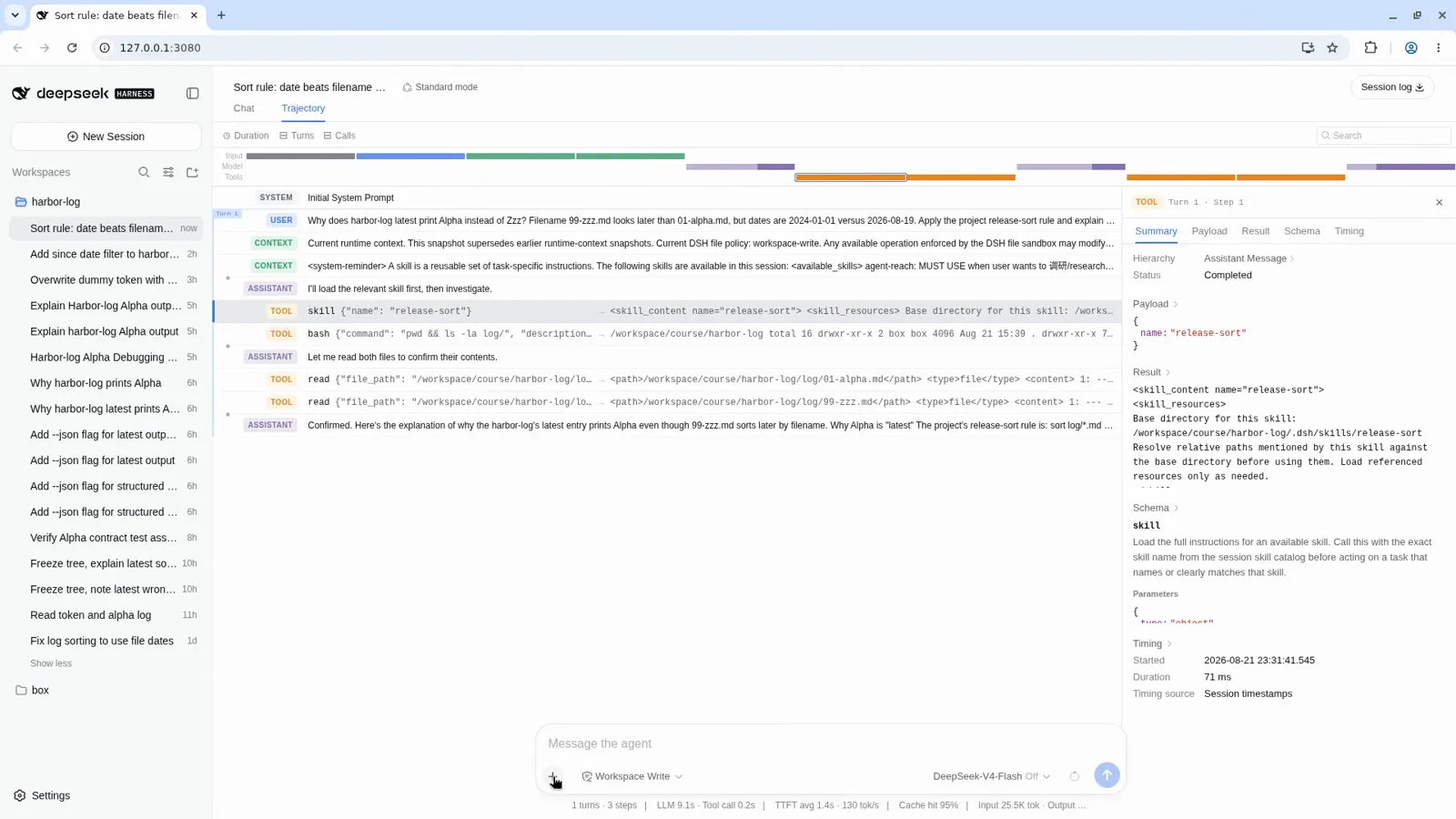
The trajectory is your receipt: available_skills, the skill tool call, the loaded content.Watch at 32:36 - 5
Every new session picks it up again
Skills are project luggage: open a brand-new session in the same workspace, ask the question again, and the skill catalog enters the context on its own. The course repeats the exact question in a fresh session and gets the same date-beats-filename verdict — proof the skill persists without any per-session wiring. For skills you want everywhere, install them once in the global skills folder and they travel with every workspace.
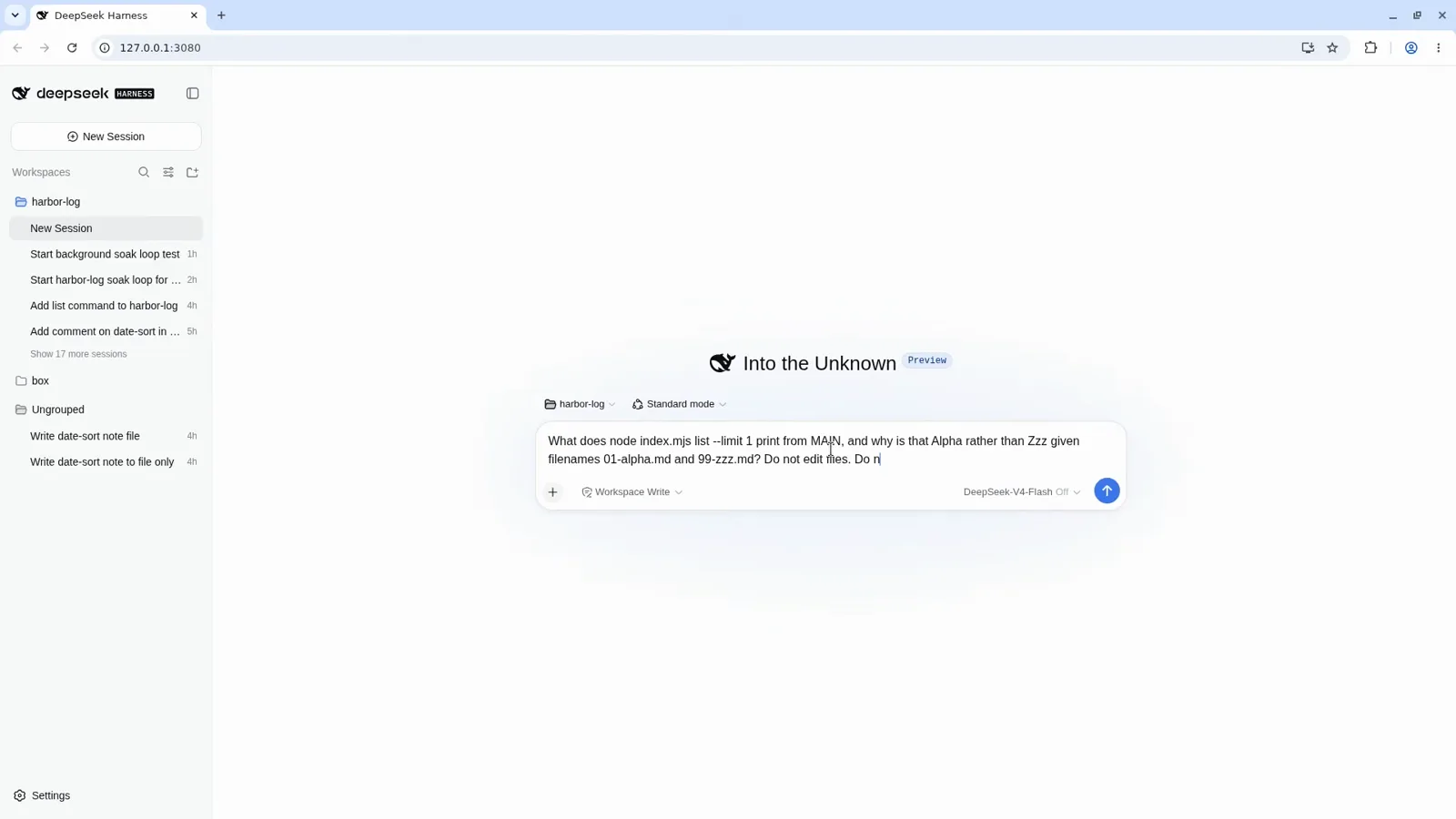
A fresh session asks the same question — nothing skill-specific is wired up.Watch at 40:24 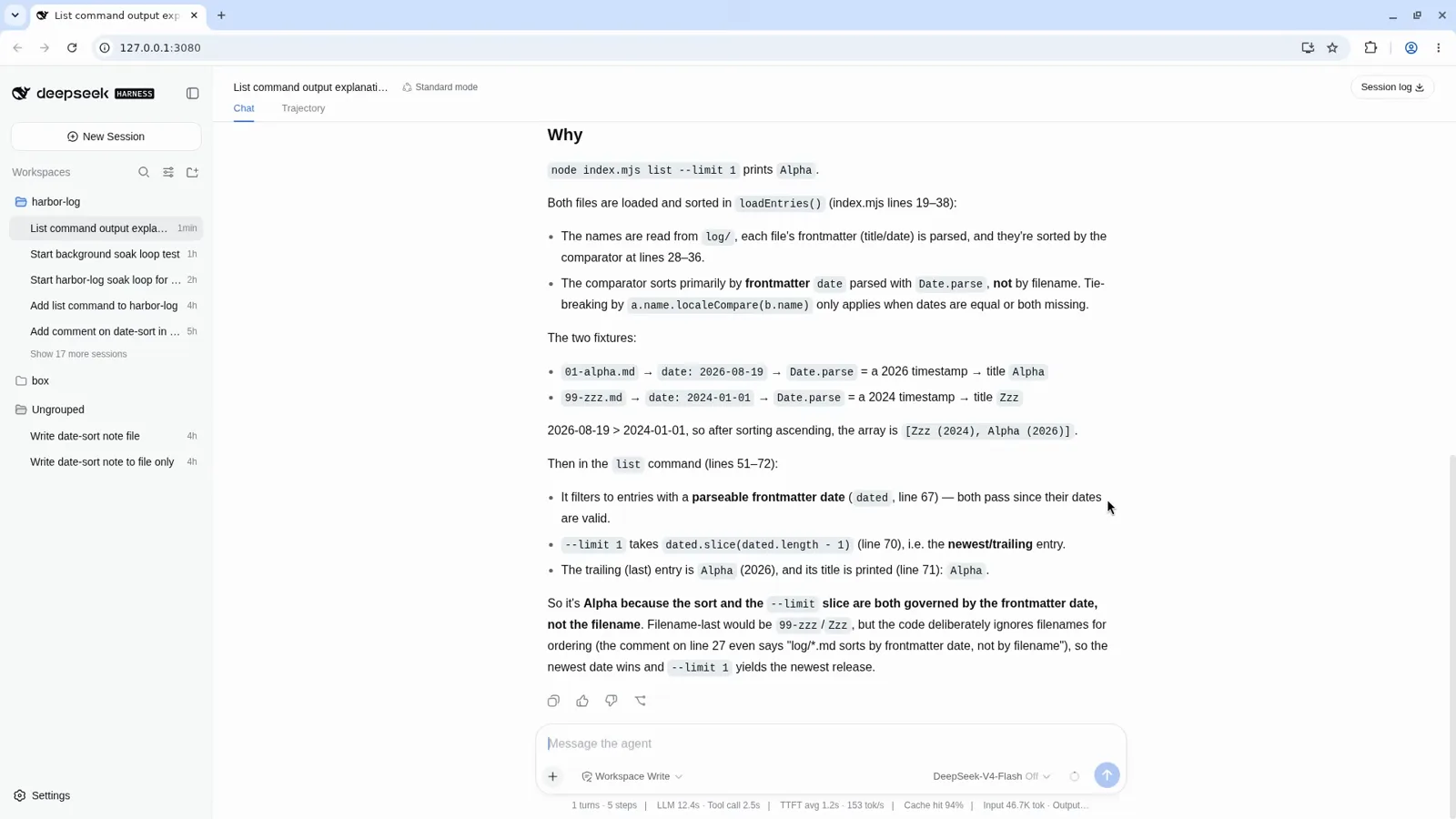
Same verdict in a brand-new session — the skill traveled with the project.Watch at 40:48 - 6
Skills you never installed: factory and plugin-carried
Two kinds of skills ship without you doing anything. Factory defaults — how to read and write files, how to drive harness tools, the Cordis plugin-development guide — load last in every session. And plugins can carry their own usage skills: when a plugin loads, its skill descriptions are injected so the agent knows how to operate it. You can spot both in the trajectory: the skill catalog lists them right next to the ones you installed.
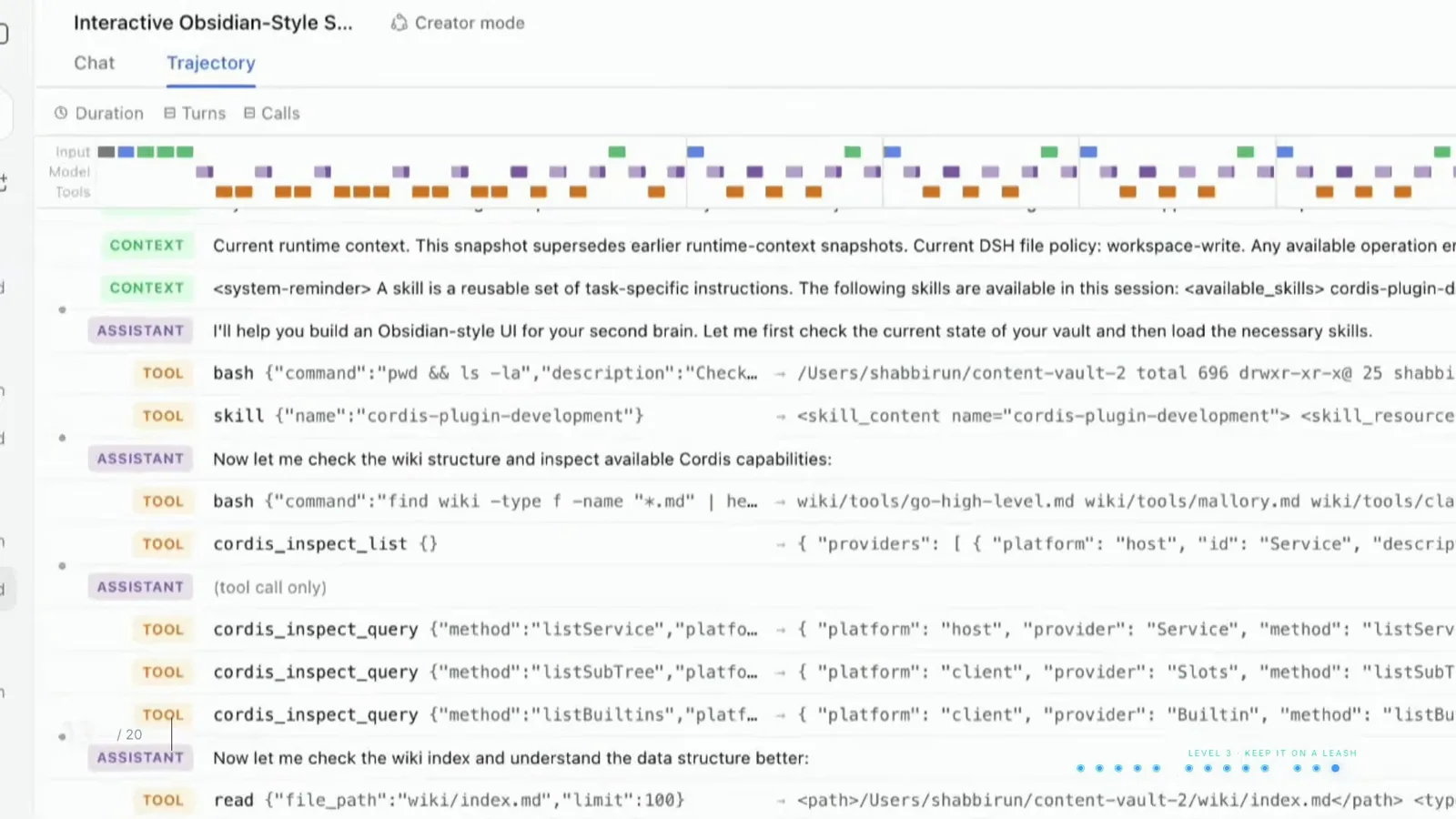
Bundled skills surface the same way: listed in context, loaded through the skill tool.Watch at 9:28 - 7
When advice is not enough, ship a plugin
A skill can only advise — nothing forces the agent to follow it. The course closes the lesson with a four-way summary: a skill is SKILL.md instructions the agent loads by name, a tool is code that actually executes, a command like /plan runs without an extra model turn, and a plugin enforces — its hooks can deny a tool call before it runs, at the cost of living outside your repo and needing a restart. If a missed step would be a disaster, promote the skill; our plugins-vs-skills guide walks through that decision.
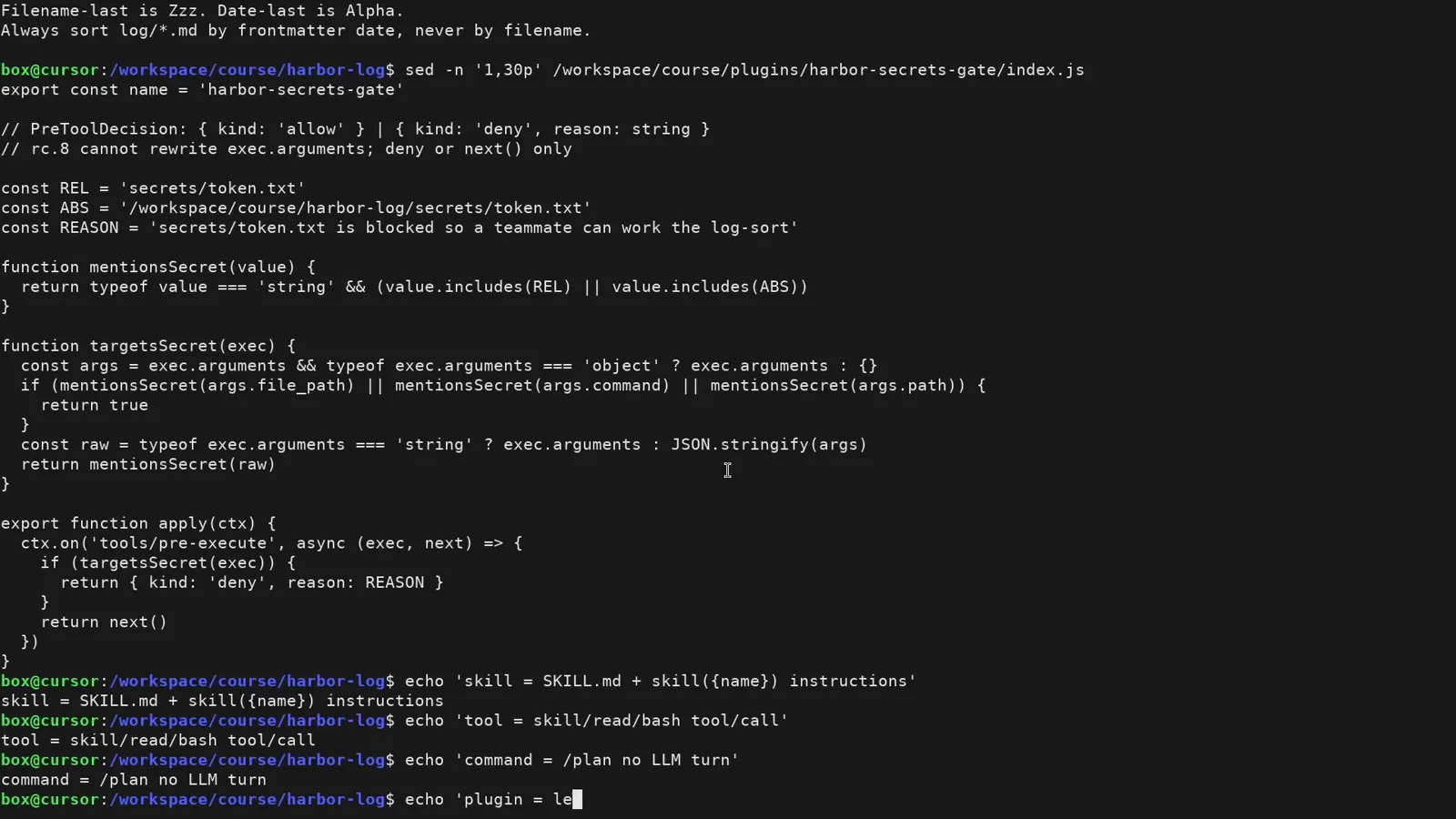
Advice, execution, shortcut, enforcement — pick the lightest one that actually binds.Watch at 32:54
DeepSeek Harness skills: FAQ
The questions that come up before you drop your first SKILL.md.
Where do skills get installed in DeepSeek Harness?
Project skills live at .dsh/skills/<name>/SKILL.md inside your workspace, and an .agents/skills/<name>/ folder from a Codex-style layout is read too. Skills you want everywhere go into the skills folder under your user-level .dsh directory. When two skills share a name, dsh resolves the clash by priority rank — the project-level folder wins over the compatibility folder.
Do I need to restart DeepSeek Harness after adding a skill?
No. In the recorded walkthrough a new skill is dropped into a running session's project and the very next prompt picks it up — the skill catalog is re-injected on send. Restarts are a plugin concern: plugins are wired into your profile and only load on the next launch.
How do I verify a skill is actually active?
Three checks, cheapest first: type a slash in the composer and look for your skill in the catalog; send a prompt that matches the description and watch for the skill-catalog context injection; open Trajectory and confirm the skill tool call fired with your skill's name. The trajectory also shows the base directory dsh resolved, which catches folder-path typos.
Can I reuse skills from Claude Code or Codex?
Usually yes. Global skills you already keep for Claude Code are pulled in automatically, and project skills in an .agents/skills folder are read as a compatibility format. If a skill uses a different layout, the agent may need a nudge or a converted copy — the files are just Markdown, so reformatting is trivial.
Is there a skill marketplace? Can I write my own?
There is no official skill marketplace — that is exactly what makes skills light. Three ways to get them: grab a folder from a GitHub skill repo or an awesome list, ask the harness itself to draft one, or migrate what you already keep in Codex or Claude Code. When writing your own, phrase the description as a trigger (MUST USE when the user asks for X) — that is what the catalog matcher sees.
Do skills work offline or with local models?
The skill mechanism is fully local: dsh reads plain Markdown files from your disk and injects them into context, so nothing is fetched at run time and any model — including a local Ollama model — can follow them. What a skill cannot do is grant new abilities; if the job needs code to execute, that is a tool or a plugin, not a skill.
Related guides
Where to go once your first skill is installed.
Plugins vs Skills: the Difference
One swaps harness capabilities, the other teaches the agent. Side-by-side comparison with real screenshots and two worked examples.
Read the guideInstalling plugins you can trust
How plugin installation actually works in dsh, plus a checklist for vetting third-party code.
Read the guideMust-Have dsh Plugins
Twelve plugins worth installing first — picked from the whole catalog, across every category.
Read the guideQuickstart: run dsh in 5 minutes
Install DeepSeek Harness, start the Web UI, run your first task, and pick the right mode.
Read the guideUpdate DSH & plugins
Verified update commands: check your version, upgrade the dsh CLI, refresh plugins from the terminal or the Web UI market, and roll back safely.
Read the guideBest DeepSeek Harness skills to install
Which skills are worth installing and what each one actually does once enabled — demonstrated step by step
Read the guideSources & credits
Frames come from two public walkthroughs: Lesson 17 (Create a local project skill and use it) of a 60-minute in-depth course, and a 15-minute beginner tour. Every image deep-links back to the exact moment in its source video.