
dsh-tavern: the SillyTavern tavern, inside DeepSeek Harness
A frame-checked, 13-step walkthrough: install the plugin, import character cards, open a scenario, steer with Guide and image generation, then debug the card by conversation.
Last updated: 2026-10-03
dsh-tavern is an agent tavern built on DeepSeek Harness (dsh) that is compatible with the SillyTavern ecosystem: character cards import directly and just work. The front-end model writes only the prose while a back-end model settles the variables, and the status bar is rendered from templates instead of model-formatted text — roughly 10 seconds per turn with a 95%+ cache hit rate.
This guide follows a real screen recording through install → card import → first scenario → Guide, rewrites and image generation → conversational card editing → /debug-card. Every screenshot was frame-checked and deep-links back to the exact moment in the source video. Want the wider picture of roleplay plugins first? Browse the roleplay collection. Roleplay plugin collection
TL;DR
- ▸Install: one-click Windows installer; a one-line curl on Linux (Node ≥ 22.19); DSH Desktop terminal on macOS; an Android APK exists too.
- ▸Character cards import as multi-selected PNG/JSON; presets, world books and scenario assets get their own libraries; MVU, regex and tavern helper scripts keep working.
- ▸Bind a scenario for scripted runs; prose lands in about 10 seconds; Guide steers the plot, single turns get rewritten with an opinion, one tap adds an illustration.
- ▸When the card misbehaves: conversational edits → reload with a valid:true check → /debug-card reads your play log and proposes a fix.
From install to self-debugging in 13 steps
Install and set up
- 1
Install dsh-tavern
On Windows, grab the one-click installer (.exe) and double-click; on Linux run the command below; on macOS use the DSH Desktop terminal with the same script (DSH_TAVERN_HOST=desktop). CLI installs need Node.js ≥ 22.19. Once installed, launch it from dsh and the play entry is on the left.
$curl -fsSL https://cdn.jsdelivr.net/gh/flizzywine/dsh-tavern@main/install.sh | DSH_TAVERN_HOST=cli sh - 2
Import SillyTavern cards (PNG/JSON, multi-select)
Open the character-card library and hit the import button: several PNG or JSON cards can be selected at once. Presets, world books and scenario assets each get their own library tab. Whole tavern card packs move over, and per the README, MVU, regex, tavern helper scripts and front-end styling keep working.
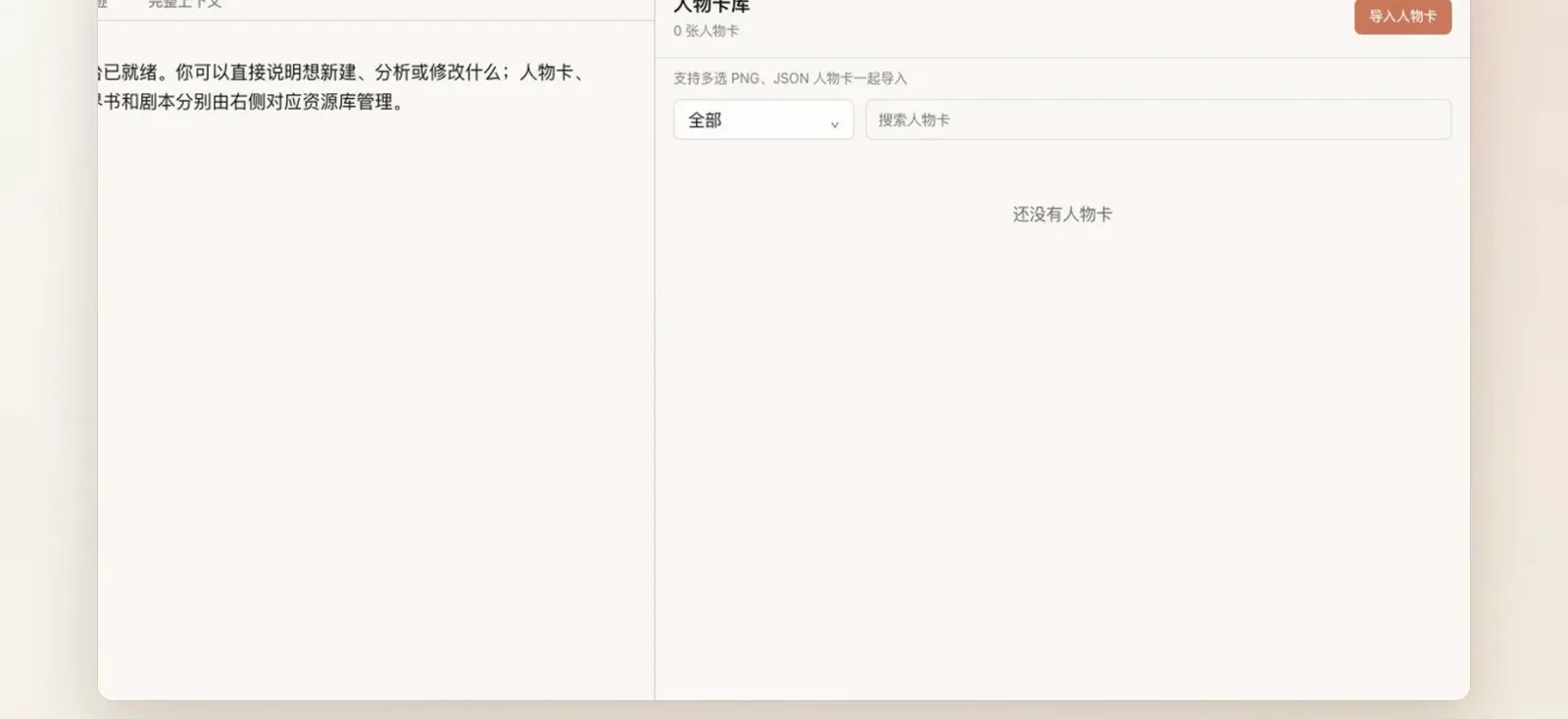
Cards, presets, world books and scenario assets get four separate libraries — tavern card packs move in bulk.Watch at 0:08 - 3
Open a run: review the demo card, start a new game
Pick a card to open game setup: three pages to confirm location, weather, the current clue and the character-state meter, plus a name for your player character (it defaults to your last one). The Golden Sheaf demo card opens on a rainy night with the town locked down by a storm.
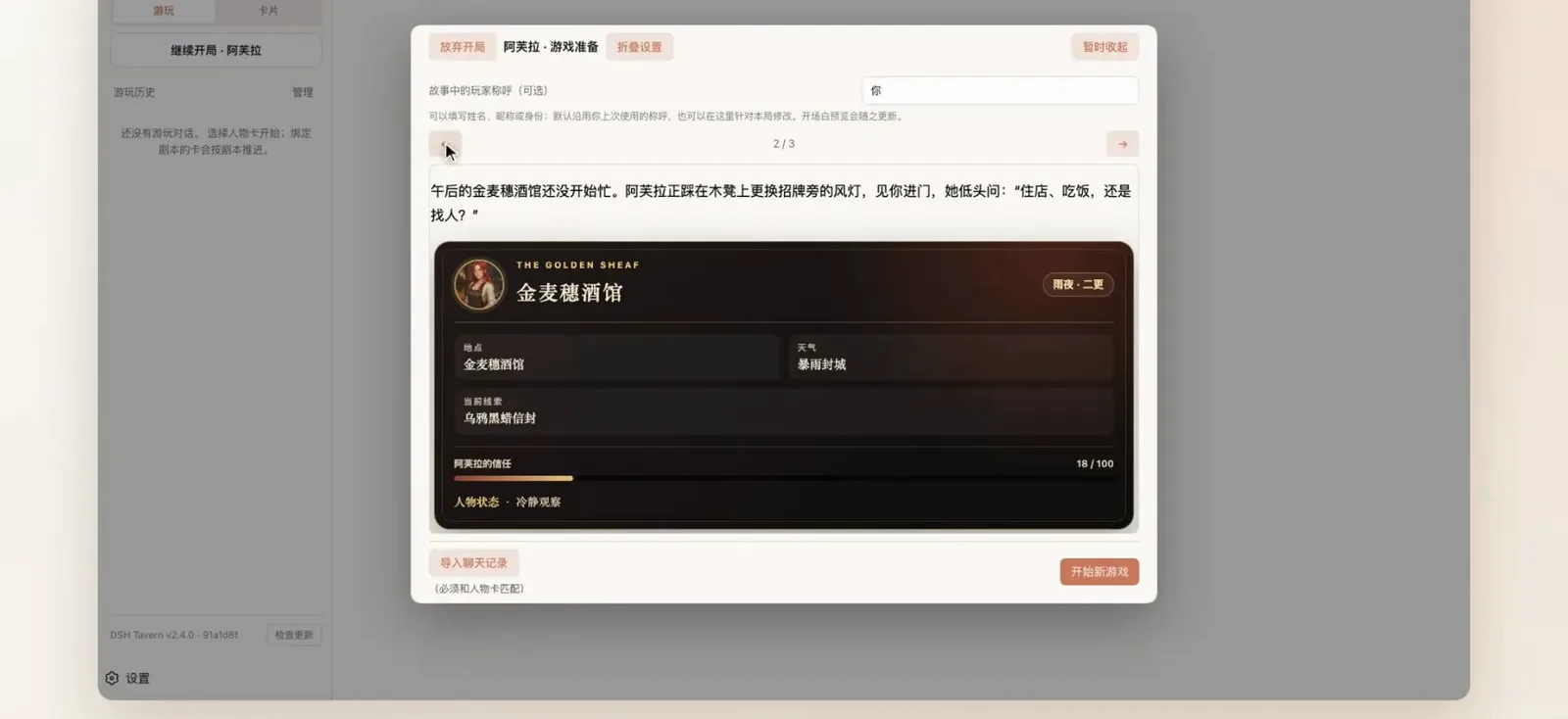
Setup runs three pages; confirm the scenario, name your character and start a new game.Watch at 0:26 - 4
Bind a scenario (script mode) and world book
In the card settings, attach a scenario file such as the-missing-silver-bell-caravan.md: new playthroughs then enter script mode automatically, where the agent reads and continues the script segment by segment instead of loading it all at once. The world book rides along with the card, main book first.
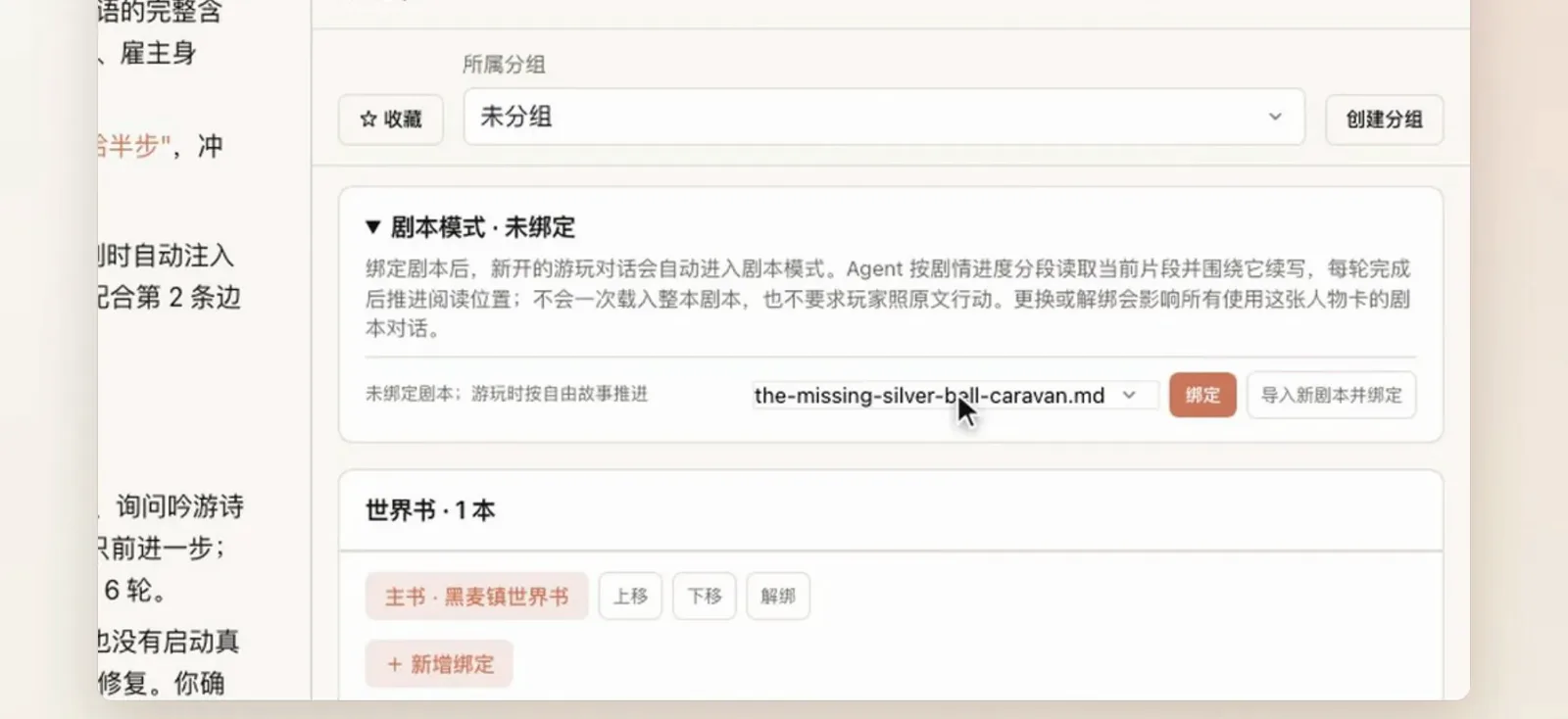
Once bound, new playthroughs enter script mode and the agent continues the story segment by segment.Watch at 2:24
Play: generation, steering, art
- 5
Watch a turn generate in real time
After you act, a “DeepSeek is thinking” indicator appears while the status card on the right keeps tracking the clue and character state. Prose lands in roughly ten seconds; variable settlement runs in the back-end model, off the prose budget.
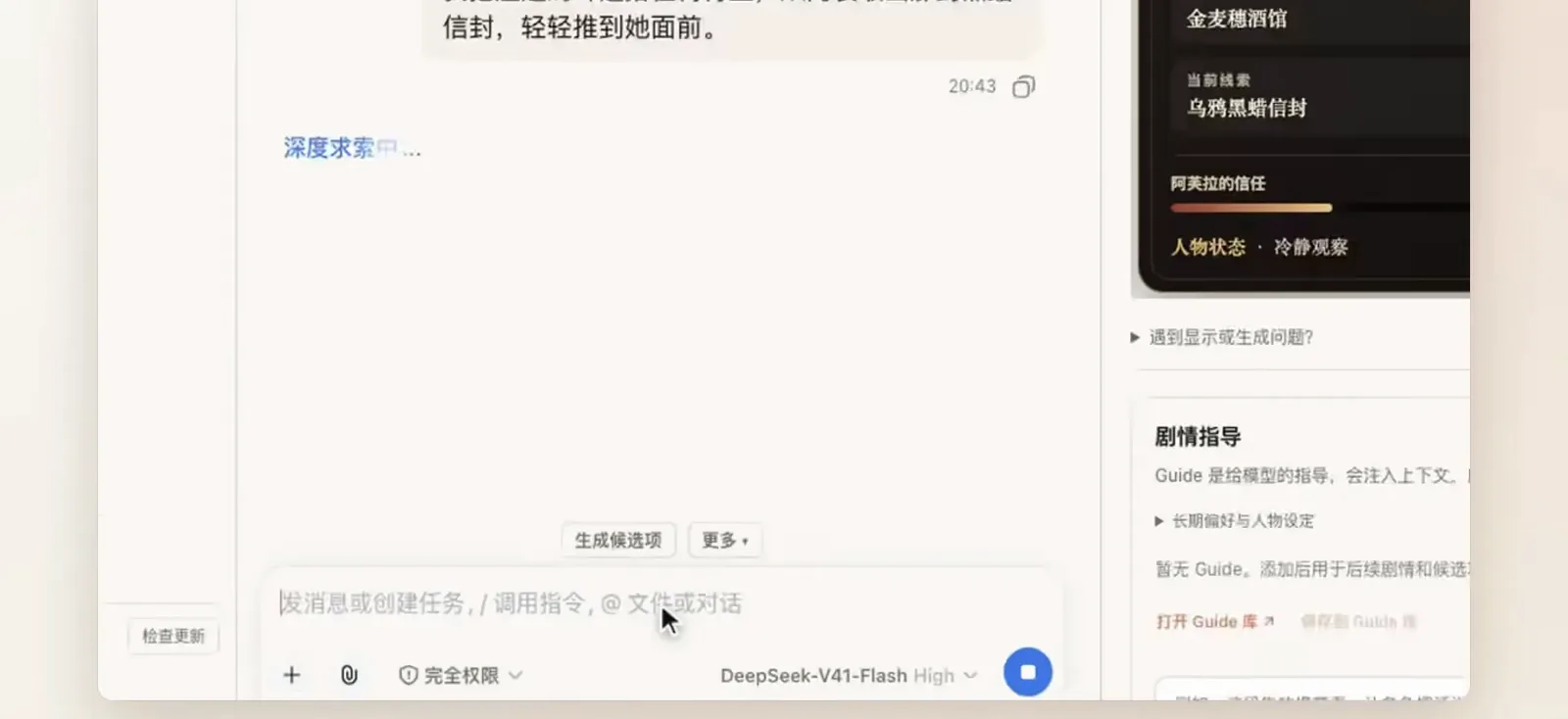
About ten seconds per turn — variable settlement already finished behind the scenes.Watch at 0:34 - 6
Read the status card: variables live on the card
The Golden Sheaf status card condenses location, weather, the current clue and Avra’s trust meter into one panel. Because the status bar is template-rendered rather than model-formatted, it does not drift apart as the story grows.
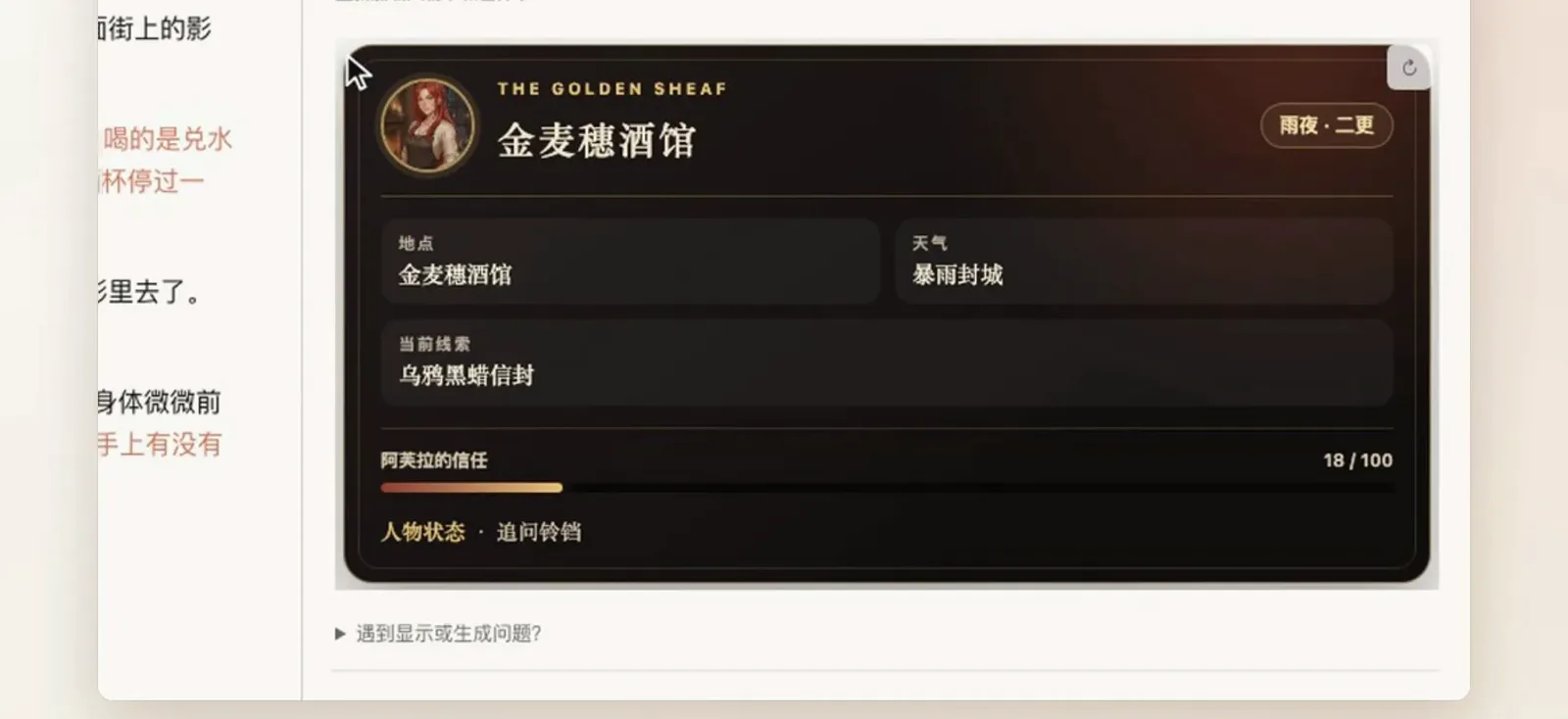
The status bar comes from templates, not model-formatted prose, so it never falls apart late-game.Watch at 0:40 - 7
Steer the plot with Guide
The story-Guide panel injects direction into context to shape plot and prose style: “Avra never dumps the whole clue at once — write her small gestures and hesitation.” Then generate candidates: five options tagged as character actions or scene changes; take one freely or append it to the input box.
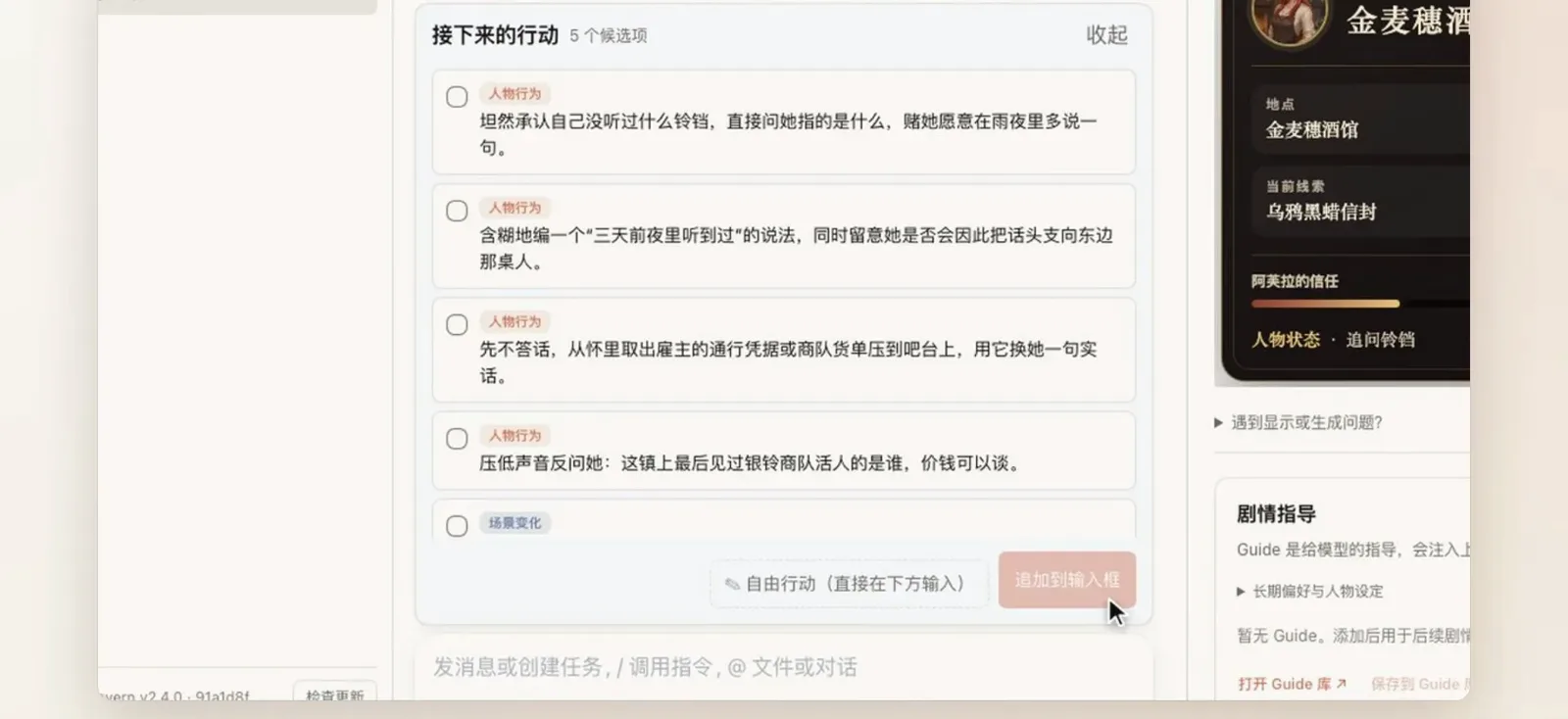
Append a candidate to the input box; one line in Guide keeps tone and plot on track for good.Watch at 0:48 - 8
Rewrite one turn with an opinion
Not happy with a passage? Open regenerate-prose, type an opinion like “more of the view outside the window”, and the new text replaces just that turn — 5.2K tokens and 11 seconds in the recording. The rest of the story stays untouched.
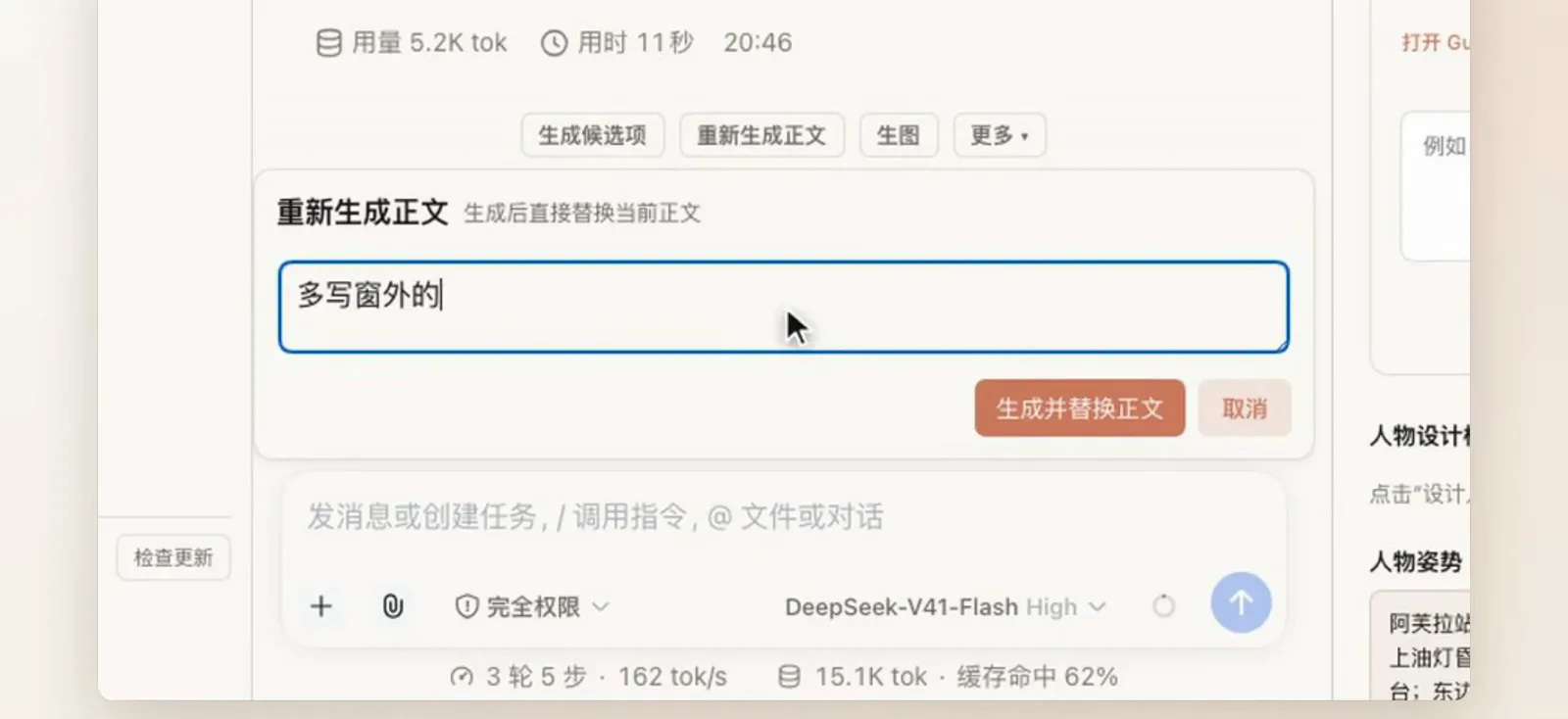
One directional sentence is enough — this rewrite cost 5.2K tokens and 11 seconds.Watch at 1:04 - 9
One-tap scene illustration
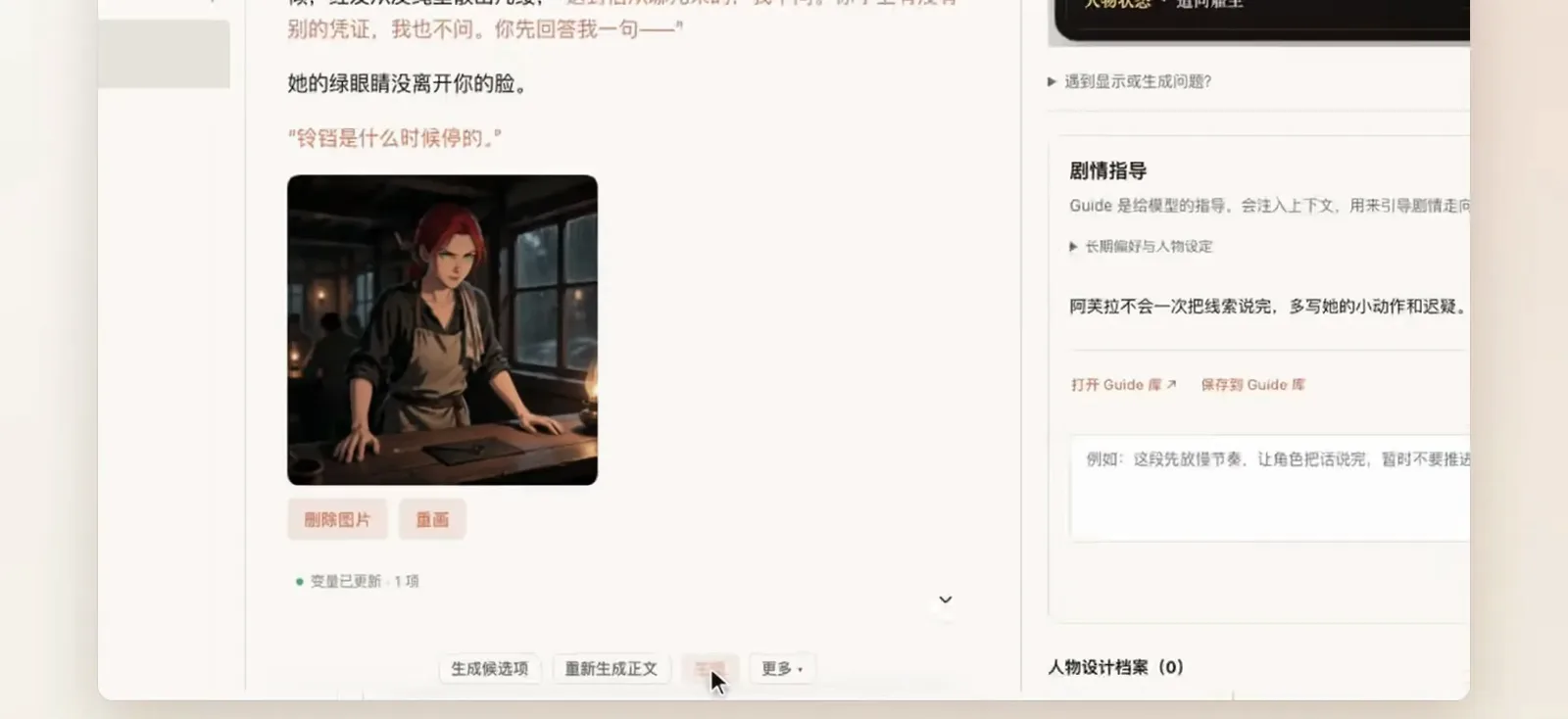
Tap image-gen and the illustration drops straight into the conversation: nine image services are supported, including Grok, NovelAI and ComfyUI, with delete/redraw right there and variables settled as usual (variables updated · 1 item).
Nine image services are supported, including Grok, NovelAI and ComfyUI — redraw on the spot.Watch at 1:12
Design characters, fix cards
- 10
Design a new character by conversation
Open design-character and leave the note empty to let the agent design from the current story and existing profiles, or type a direction. Finished profiles are written into the local world book automatically, and the archive counter ticks up.
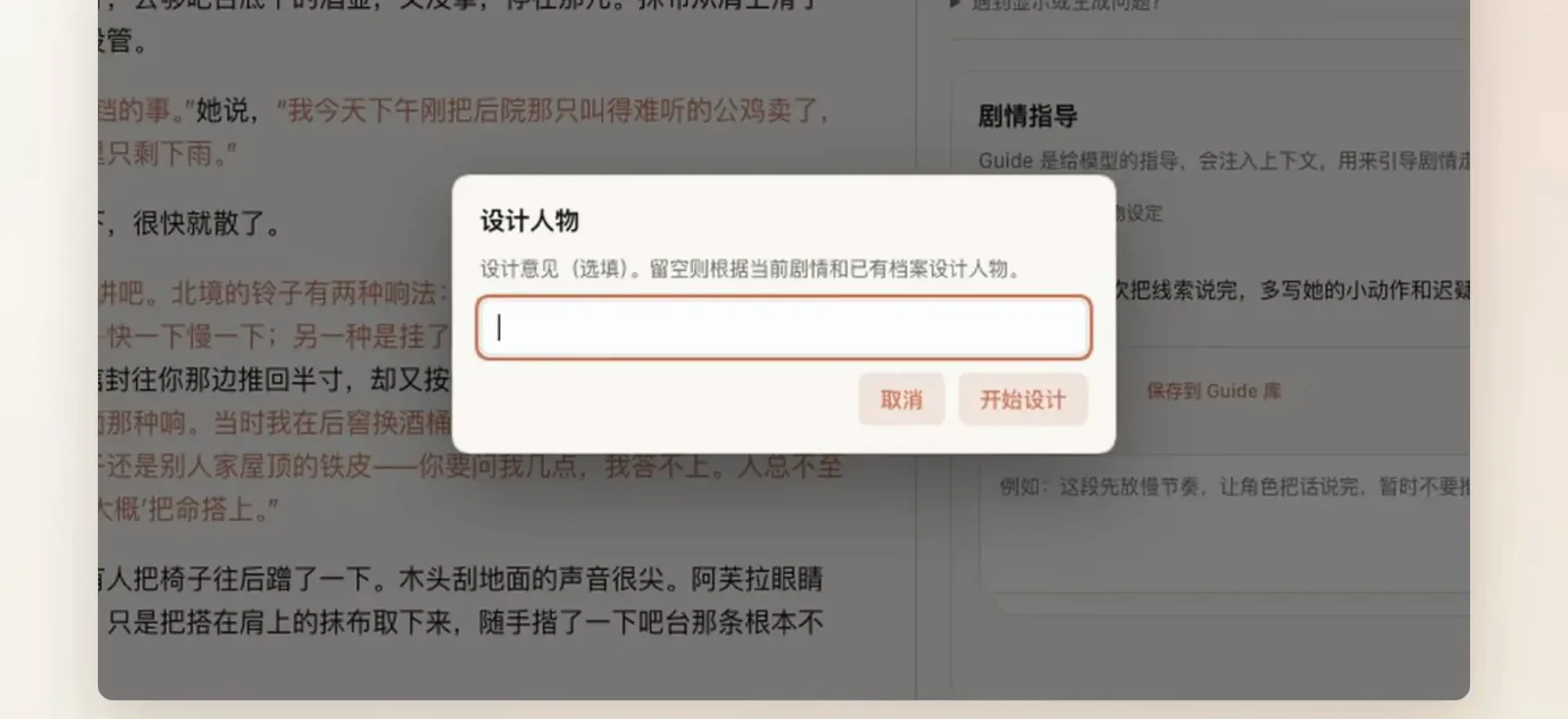
Finished profiles land in the local world book automatically; the archive counter ticks up.Watch at 1:20 - 11
Edit a card by talking to it
In card mode, just say what to change — “make the dialogue a sardonic, rhetorical style”. The edited card comes back as highlighted prose diffs, an iteration loop instead of a JSON form.
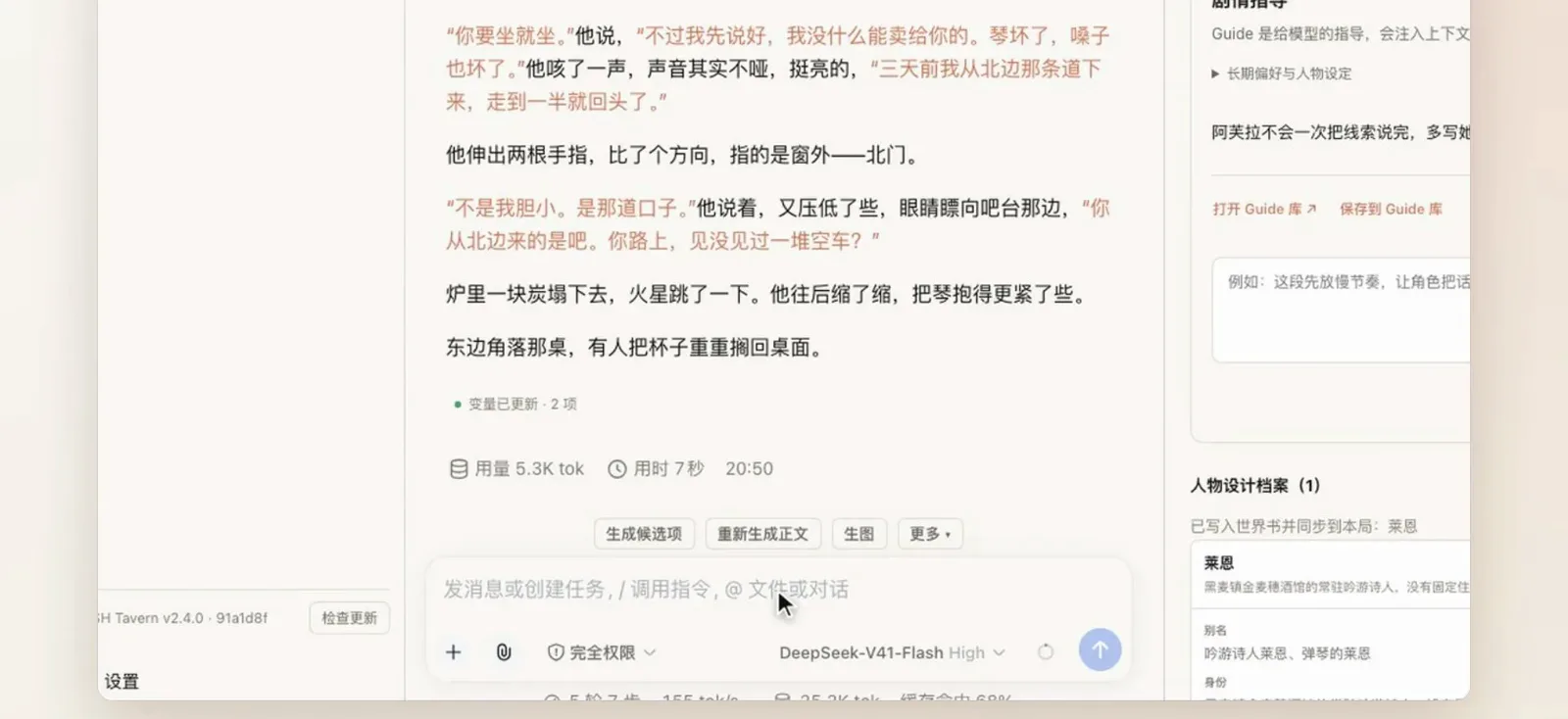
Say what to change like chatting; the card comes back as highlighted diffs, not a form.Watch at 1:36 - 12
Reload and fast-check the card
After the write-back, read the check report first: valid:true with no errors, and first_mes, alternate_greetings and friends listed as untouched. Static checks skip regex, scripts and MVU settlement — how often that nickname lands is something only play reveals.
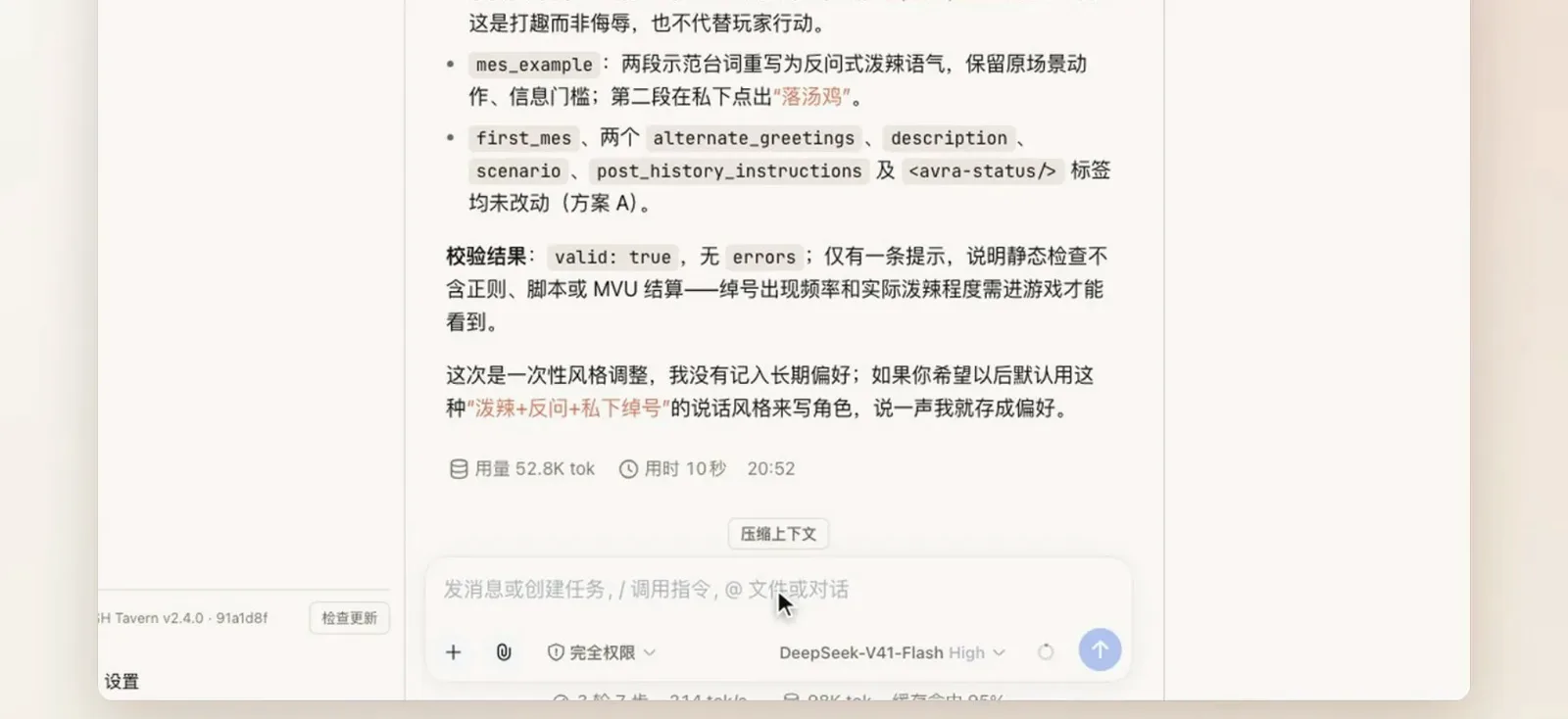
Reload the card in one tap, then verify the status keys — the rest you’ll see in play.Watch at 1:52 - 13
Status bar broken? Hand it to the card Agent
For display or generation problems — regex not loading, front-end styling conflicts, odd content — hit hand-off-to-card-Agent or type /debug-card: the agent reads your play log, isolates the cause and proposes a fix.
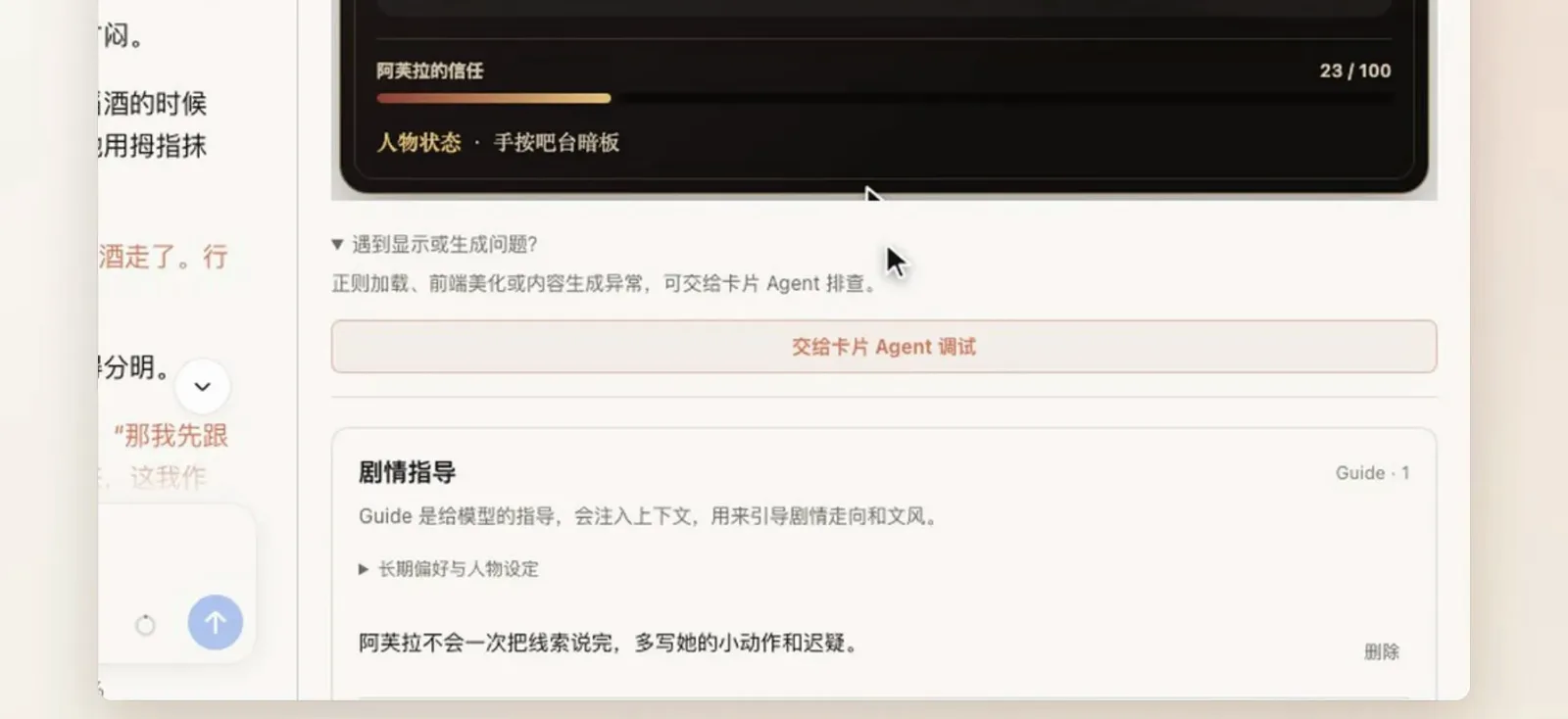
Hand over your play log: the card Agent isolates the cause and proposes a fix.Watch at 2:08
Frequently asked questions
Six high-frequency questions about dsh-tavern: licensing, character cards, models, platforms and how it compares to SillyTavern.
Is dsh-tavern free? What’s the license?
Free and open source: AGPL-3.0 on GitHub (★636 when we re-checked on 2026-10-03). You run it against your own dsh install and your own model keys; the Windows one-click installer, the Linux script and the Android APK are all free downloads.
Can I bring my existing SillyTavern character cards?
That is the core promise: cards import directly as PNG or JSON with multi-select, and per the README the SillyTavern ecosystem features keep working — MVU variables, regex, tavern helper scripts and front-end styling. World books and presets import through their own libraries.
Which models can I use, and do I need two?
Any model works — not just DeepSeek; local models are supported too. The architecture splits roles: the front-end model writes prose only, while a back-end model handles variable settlement and task-like work. You configure keys per role; the demo used DeepSeek V4.1 Flash.
What about NSFW content?
dsh-tavern itself ships no content — the bundled demo card is all-ages, and the project is self-hosted under AGPL-3.0, so there is no platform moderation. What appears in your stories depends on the models and keys you connect, which is governed by your model provider’s terms. Check those before importing third-party cards.
Does it run on Windows, macOS or a phone?
All three. Windows gets a one-click installer; Linux a one-line curl (Node ≥ 22.19); macOS via the DSH Desktop terminal; and there is an Android APK (Android 11+, ARM64). A phone can also remotely attach to a desktop instance by scanning a QR code.
How is this different from just running SillyTavern?
SillyTavern is a standalone frontend; dsh-tavern is an agent tavern that lives inside dsh and borrows its tooling. The practical differences: the front/back model split (prose vs variable settlement), a template-rendered status bar that never loses format, 95%+ cache hits, script mode bound per card — and the whole dsh plugin ecosystem one command away.
Related guides
Other ways to stretch dsh.
Roleplay plugin collection
The catalog of tavern-style community plugins like liketavern and nexttavern, plus roleplay presets — “what exists” lives here, “how to install” is this page.
Read the guideNovel writing with dsh
Another long-form route: instead of playing cards, have the agent take you from outline to manuscript.
Read the guideAgent presets guide
Tune agent behavior and system prompts — general-purpose capability that also serves tavern play.
Read the guideShort drama creation
Episode-based narrative workflows — an interesting mirror to the tavern’s script mode.
Read the guidePlugin install guide
The three ways to install dsh plugins and the common pitfalls — learn this first, then tackle the tavern.
Read the guideSources and credits
All frames come from 发泡阿布’s Bilibili screen recording (the same channel’s wrapper video BV1NAeq6iELC served only as evidence of the official repo name; no frames were taken from it). The feature list and install commands were cross-checked line by line against the GitHub README (★636, AGPL-3.0, verified 2026-10-03). Every screenshot links back to its moment in the source video.