
Build a DeepSeek Harness Plugin by Chatting (No Code)
One sentence of idea, a co-created spec, Creator mode, a version approval and two rounds of bug-fixing: watch a "what to eat today" plugin get born without a single hand-written line of code.
Last updated: 2026-09-20
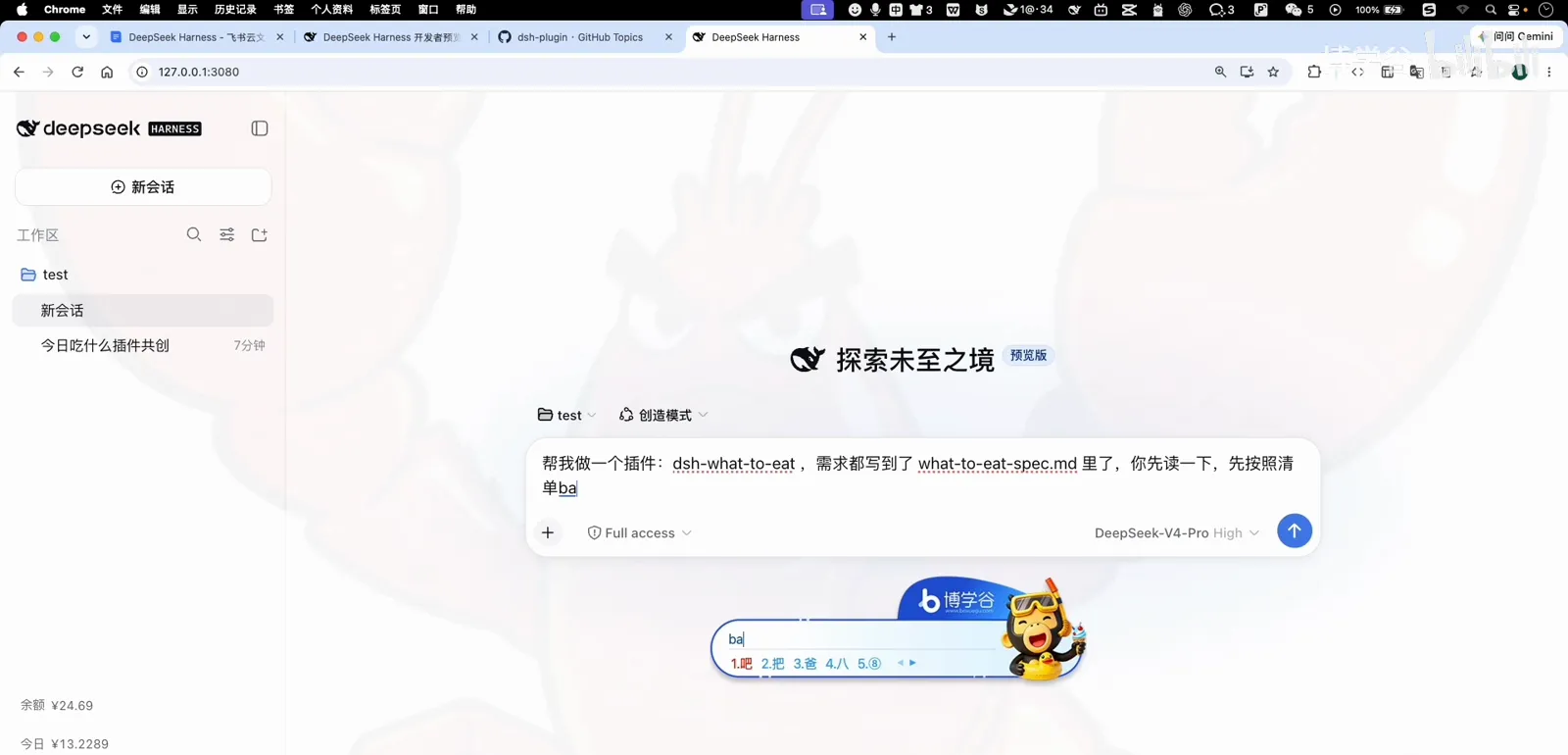
DeepSeek Harness's official plugin docs are excellent — and written for programmers. But the Creator mode hides a second road: describe what you want in plain language, let the agent co-create the requirements with you, write the spec to a file, and build it. This guide follows a complete recorded case: a "what to eat today" plugin that recommends lunch from your taste library — 70% favorites, 30% surprise — reachable from a button next to the input box.
Nothing in the case below is hand-coded. Your job is the part only you can do: knowing what you actually want, and answering the agent's questions honestly.
TL;DR
- ▸The loop: one-sentence idea → the agent asks the product questions → you decide → it writes the spec, then the code, then installs the panel.
- ▸The demo ships for real: an 「吃啥」 button by the input box, a two-tab panel (today's pick + taste library), a 70/30 favorites-to-surprise split and repeat protection.
- ▸Chat-built plugins are prototypes until registered — restart loses them. To make one permanent, follow the create-plugin guide's registration step.
From one sentence to a working panel
- 1
Know both roads
The official developer docs take the code-first route: scaffold a project, learn the host/client lifecycle, register the bundle. If you enjoy coding, our create-plugin guide covers that path. This page is the other road — the one where you never leave the chat.
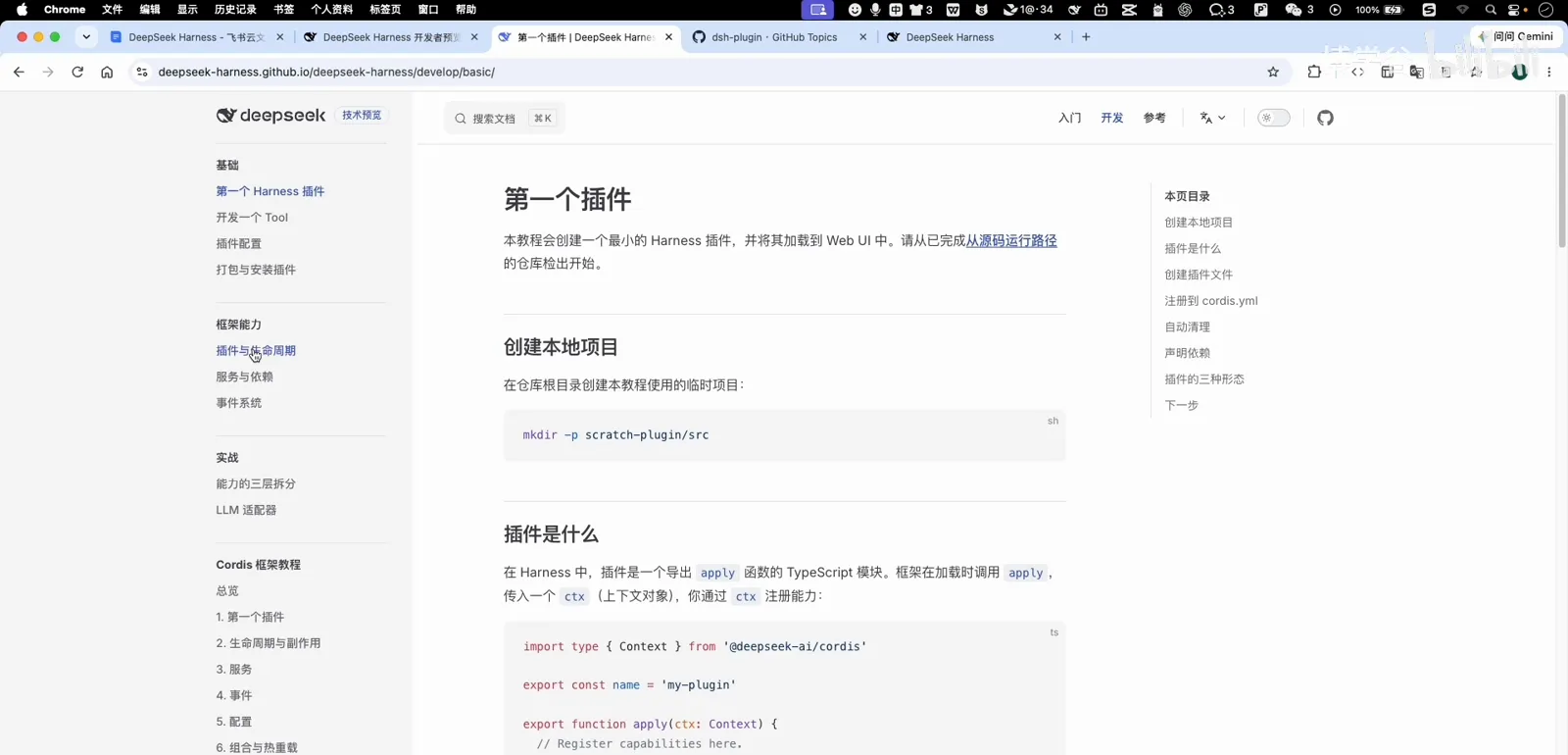
The docs route: excellent, and written for programmers.Watch at 3:10 - 2
Say the idea in one sentence
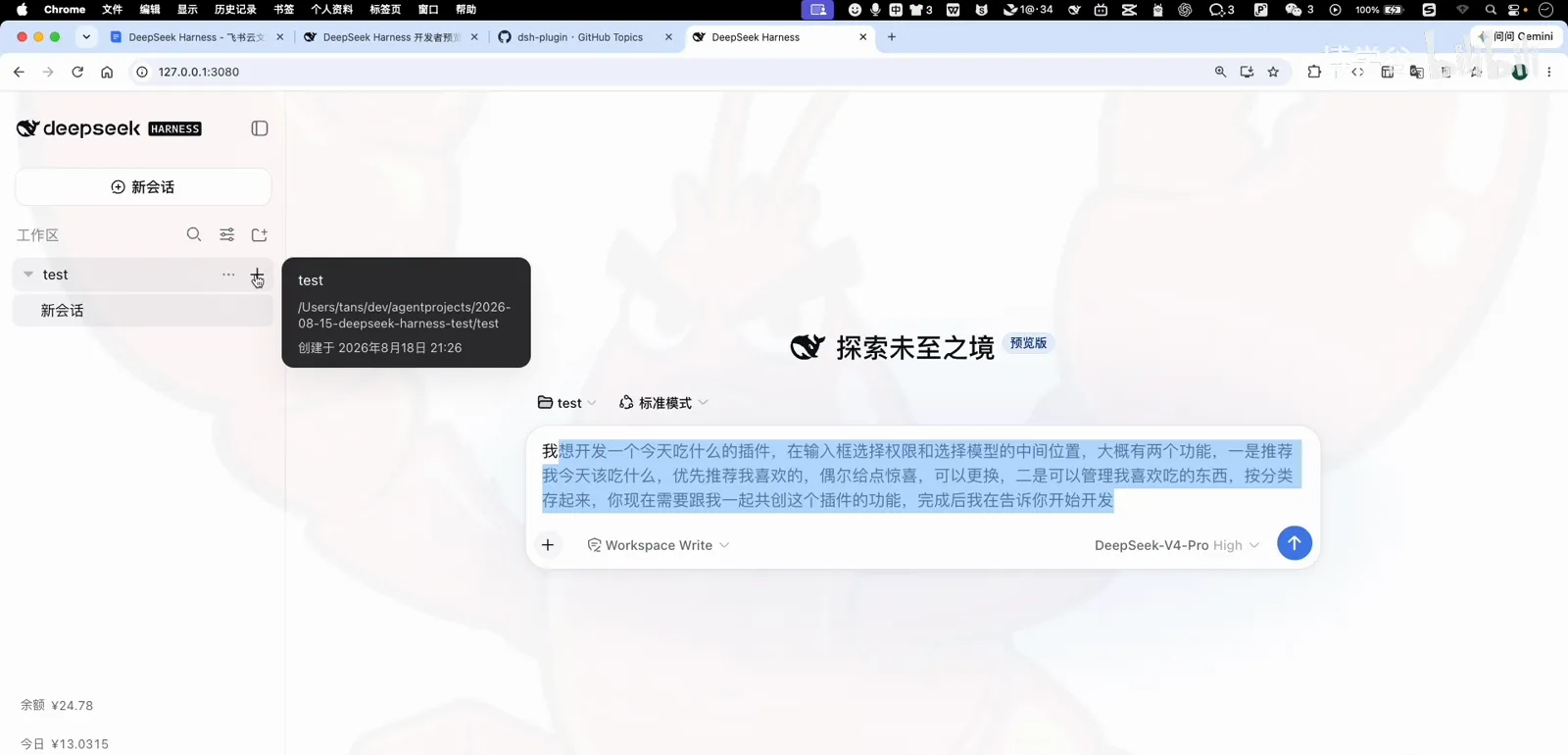
The case starts with a pain everyone shares: noon arrives and nobody knows what to eat. The whole brief, typed into chat: put a 'what to eat today' recommender near the input box — prefer my favorites, surprise me sometimes, and let me manage the things I like. That's enough to start; the details come from dialogue.
The whole brief: one sentence of plain language.Watch at 5:00 - 3
Let it ask you the real questions
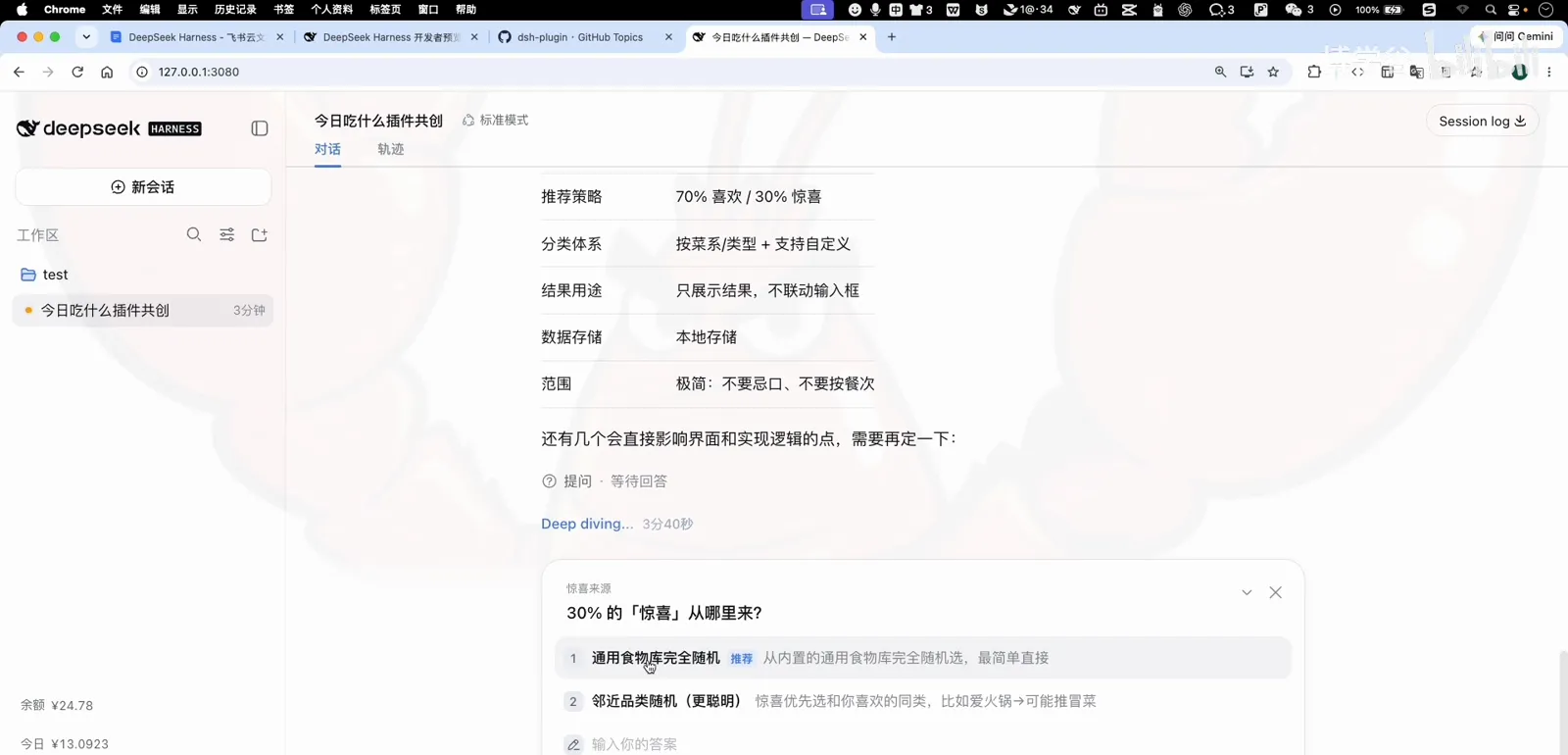
Instead of building on guesses, the agent comes back with the decisions that matter: how should favorites and surprises be balanced (70/30, adjustable), how is the taste library organized (cuisine categories, custom), what happens after a recommendation (just show it — keep version one simple), where does the data live (local). You answer in one line each.
It asks the product questions before writing a line.Watch at 7:00 - 4
Check its understanding
The agent restates the whole product as a requirement list — modules for the recommender and the taste library, the entry point, the behaviors. Read this the way you'd read a contractor's quote: it's the document every later step defers to.
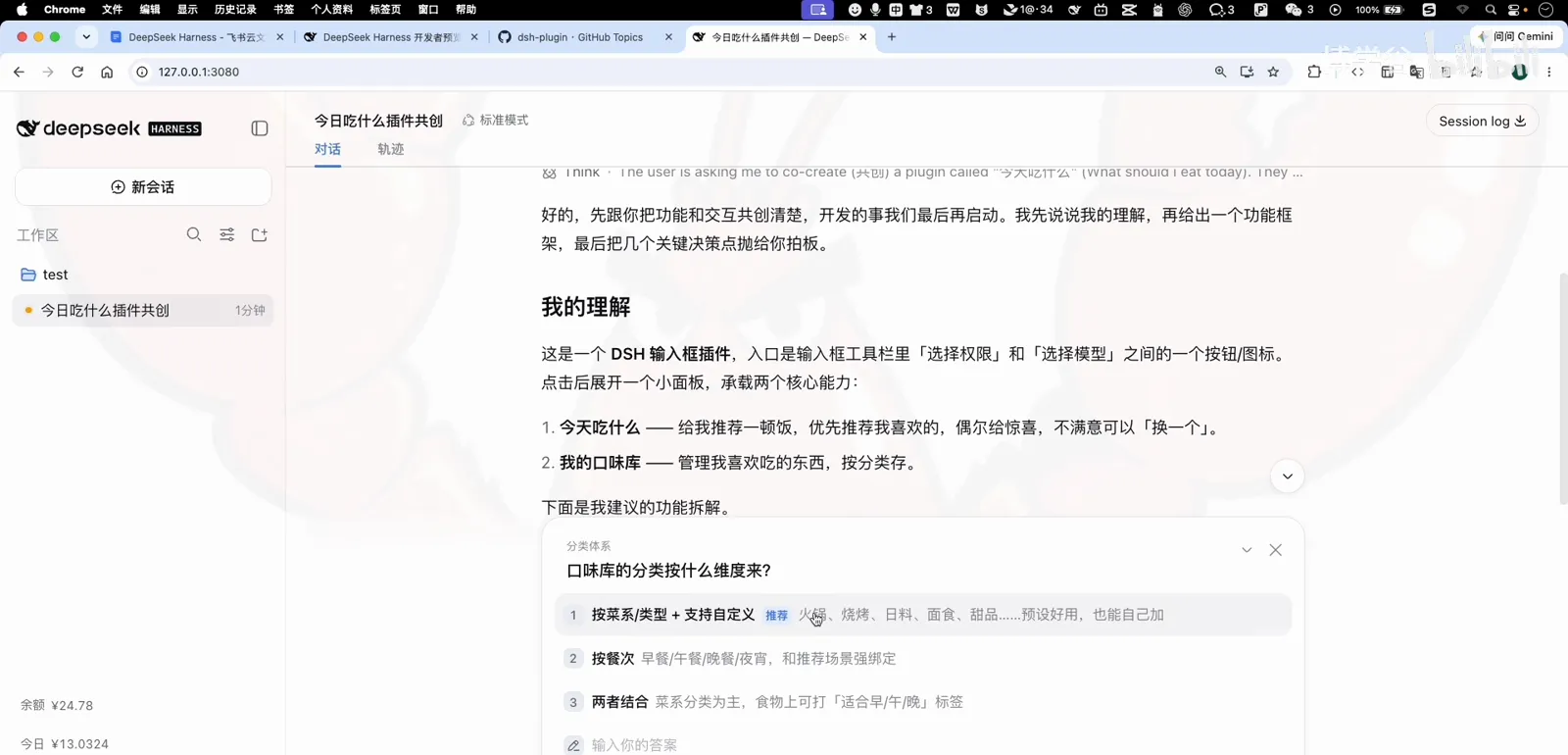
Your idea, replayed as a requirement list.Watch at 7:40 - 5
Keep version one boring
Asked whether recommendations should feed straight into the input box, the course author declines: just show the result. Minimal first, enrich later — the fastest way to a working plugin is refusing features until the second version.
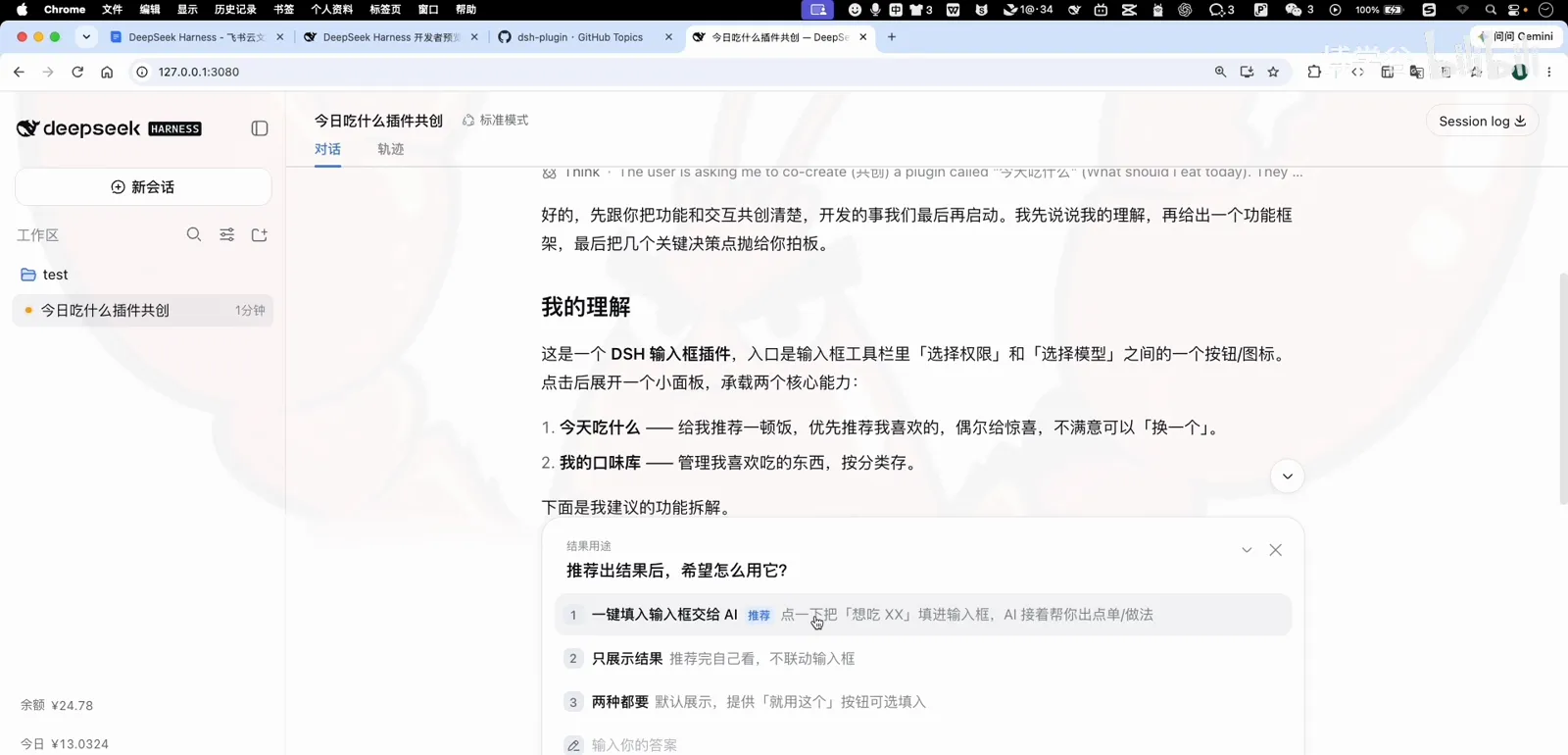
Version one stays boring on purpose.Watch at 8:20 - 6
Pin down the entry
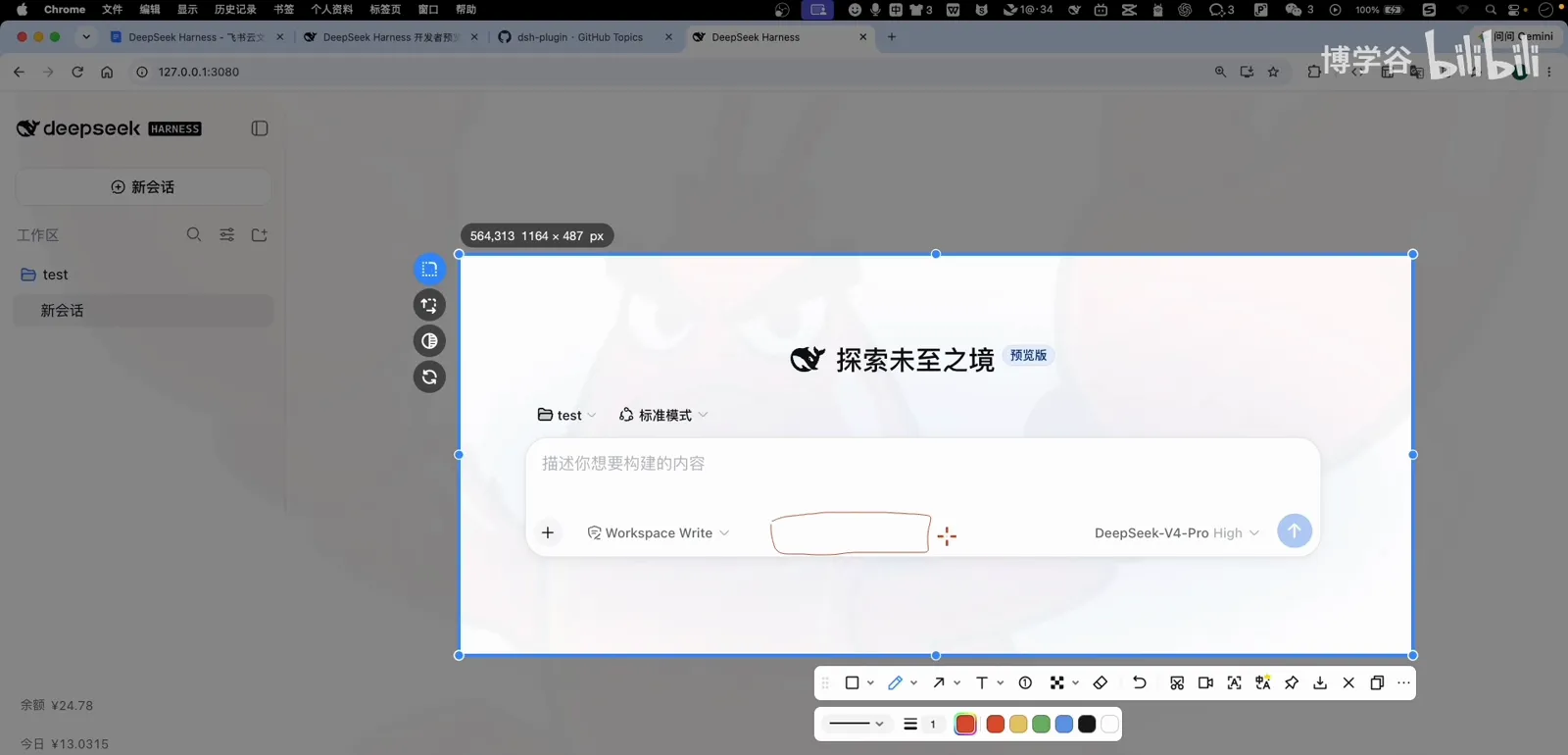
Last decisions: the entry button sits between the permission and model pickers, labeled 「吃啥」 with a rice-bowl icon, opening a panel with two tabs — today's recommendation and the taste library. Small choices, but they're yours to make, not the agent's.
Entry button, icon, panel tabs — your calls to make.Watch at 9:40 - 7
The spec lands as a file
Co-creation closes with the full specification written into the workspace as what-to-eat.spec.md — modules, behaviors, edge cases (empty library, repeat protection), the works. From here, the spec is the single source of truth.
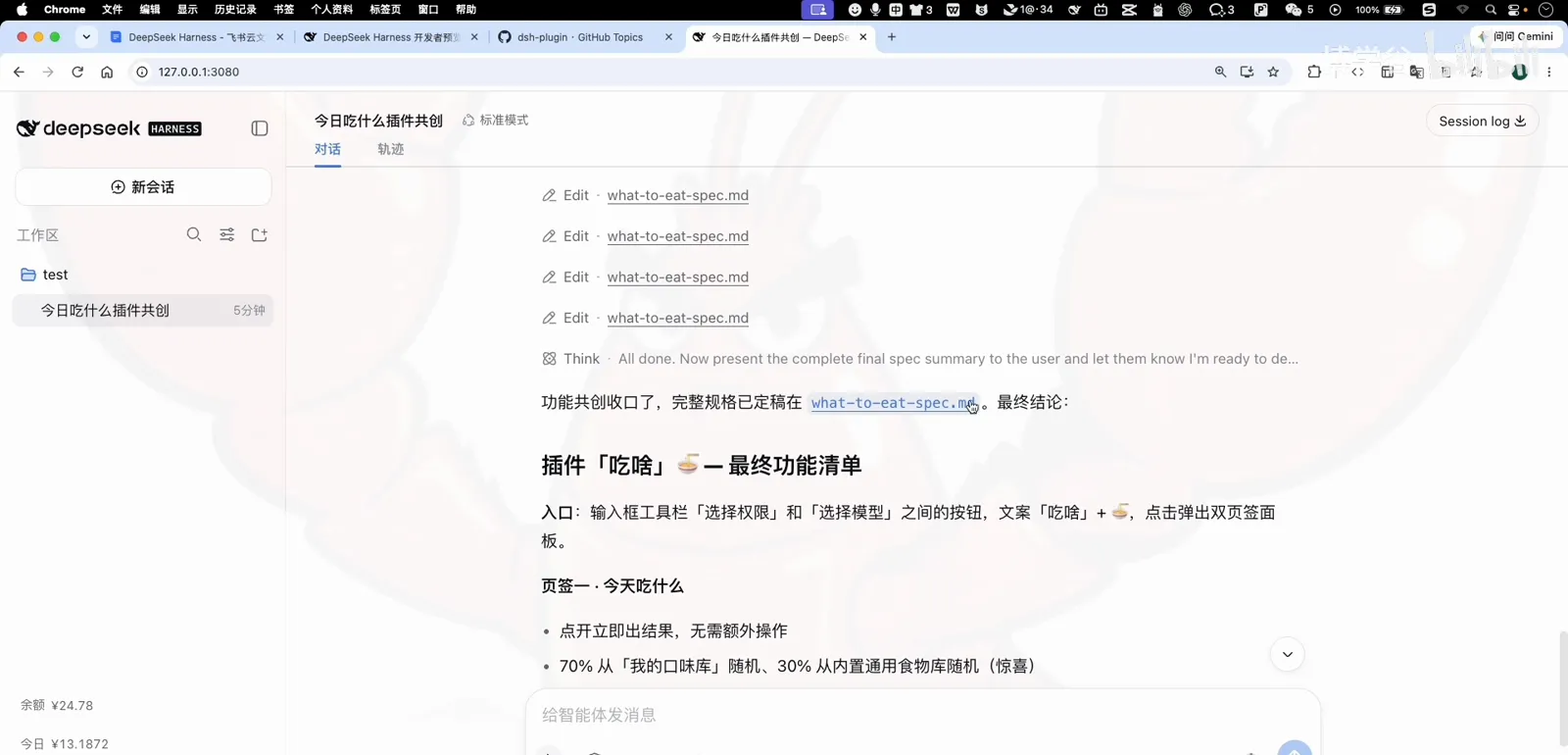
The spec lands in the workspace — the single source of truth.Watch at 10:55 - 8
Creator mode: hand over the build
New session, Creator mode, full-access permission to stop the approval prompts mid-build. The instruction is one paragraph: read the spec in the workspace, build the feature first, then package it as a plugin named what-to-eat — and narrate each step in plain language.
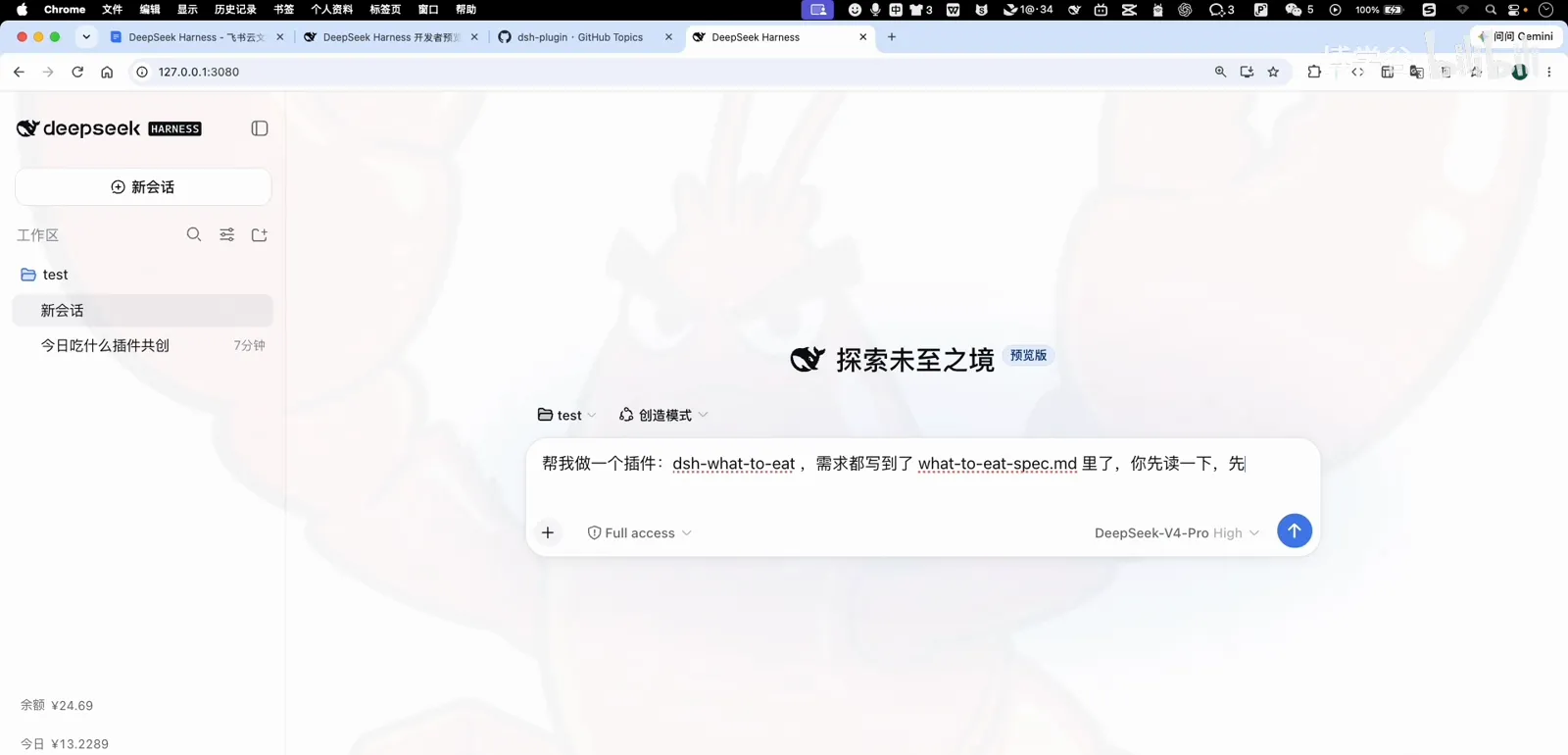
Creator mode, full access, one-paragraph brief.Watch at 12:10 - 9
Watch it work in plain language
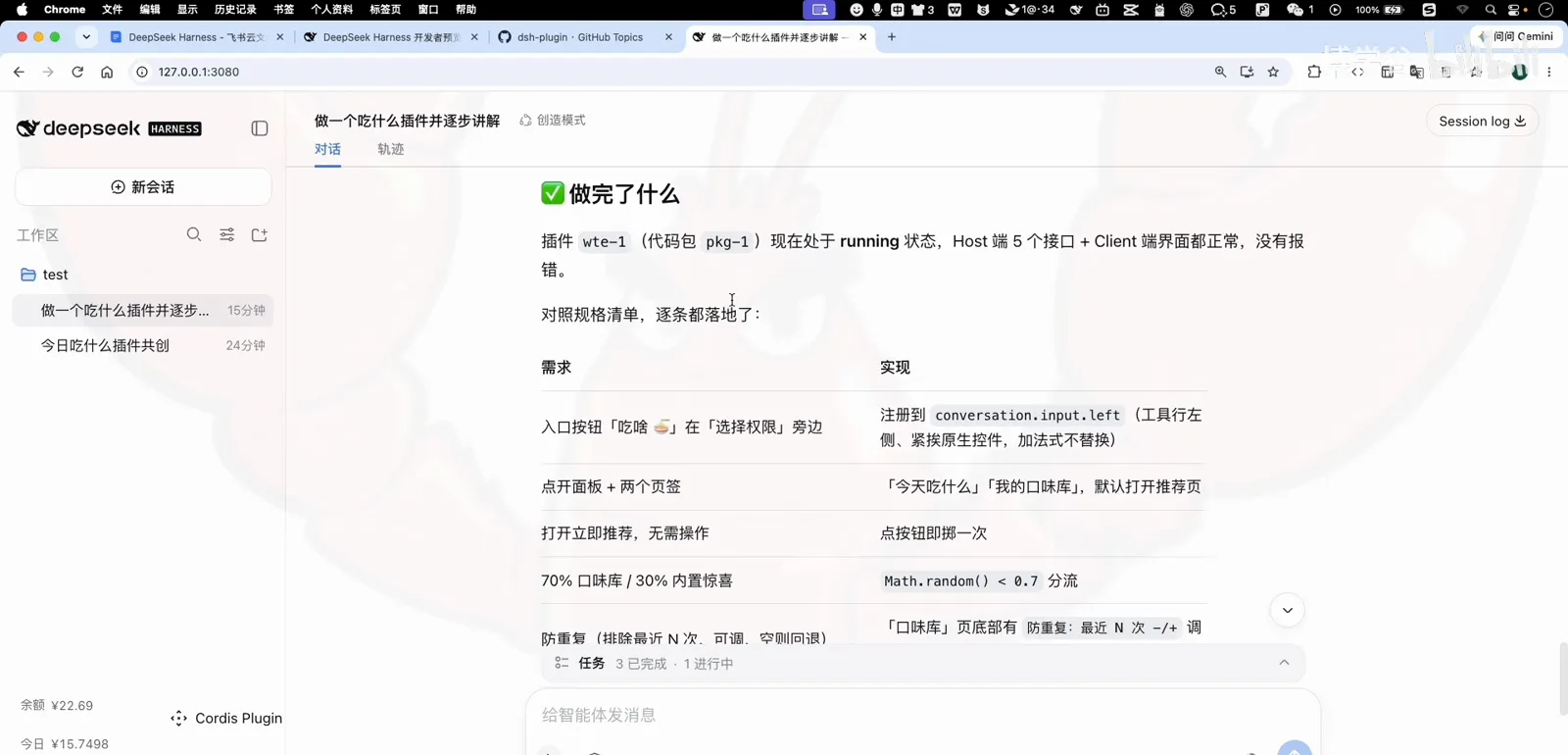
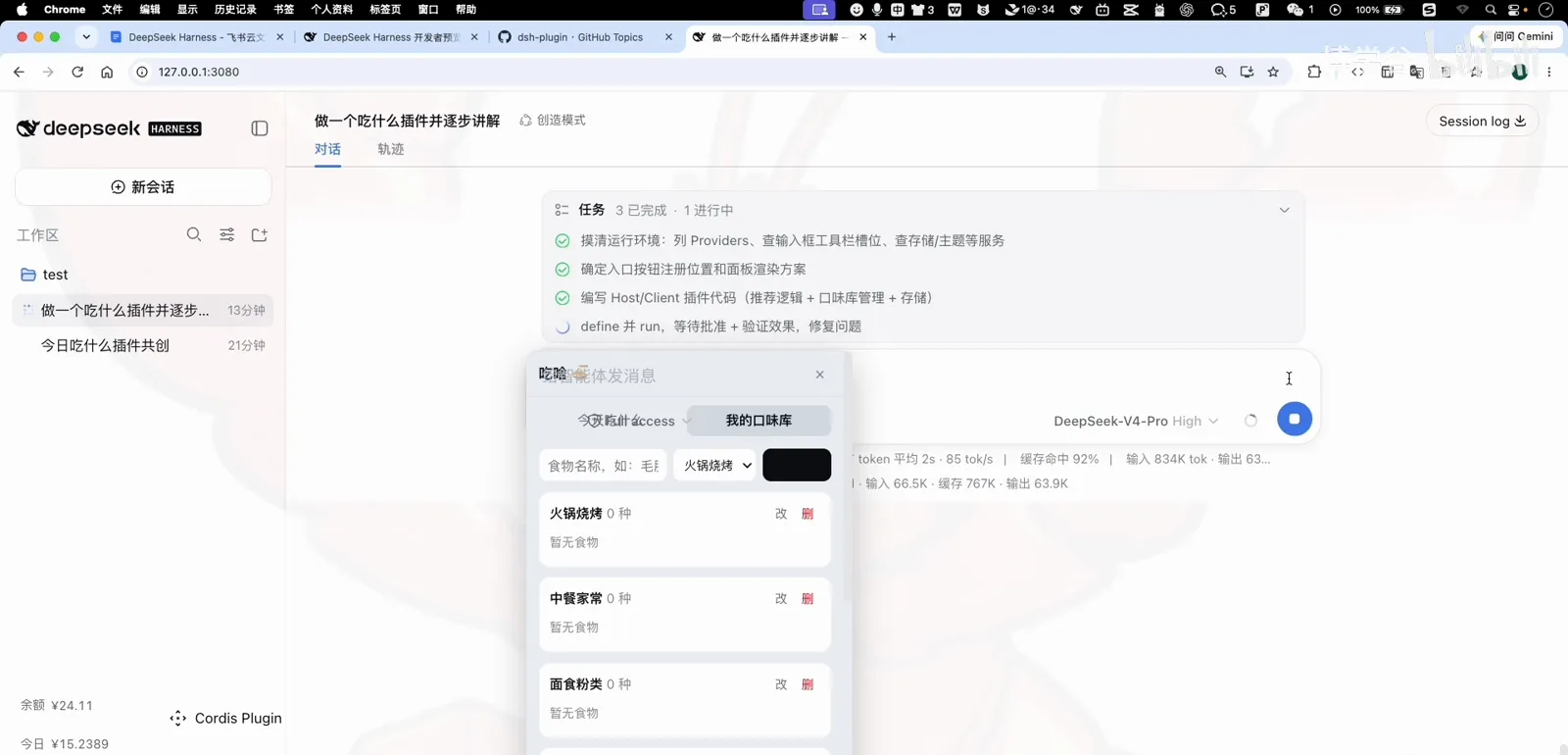
The build runs as a visible task list — read spec, scaffold the plugin, wire the panel, register the entry — each step reported in plain Chinese as it happens. You always know where the build is; nothing happens in a hidden terminal.
A visible task list, narrated as it happens.Watch at 12:20 - 10
Approve the version
When the panel is ready to mount, dsh shows a version-approval dialog: allow this version only, allow this plugin's future versions, or reject. It's the same trust gate community plugins go through — for your own build, allowing future versions saves re-approvals on every iteration.
The trust gate — the same one community plugins face.Watch at 14:35 - 11
Two small gotchas
First, the preview can't show you the real panel — the agent can't see your screen, so you are its eyes. Second, a page refresh clears the mounted panel until the build re-activates it. Neither is a bug; both are worth knowing before they surprise you.
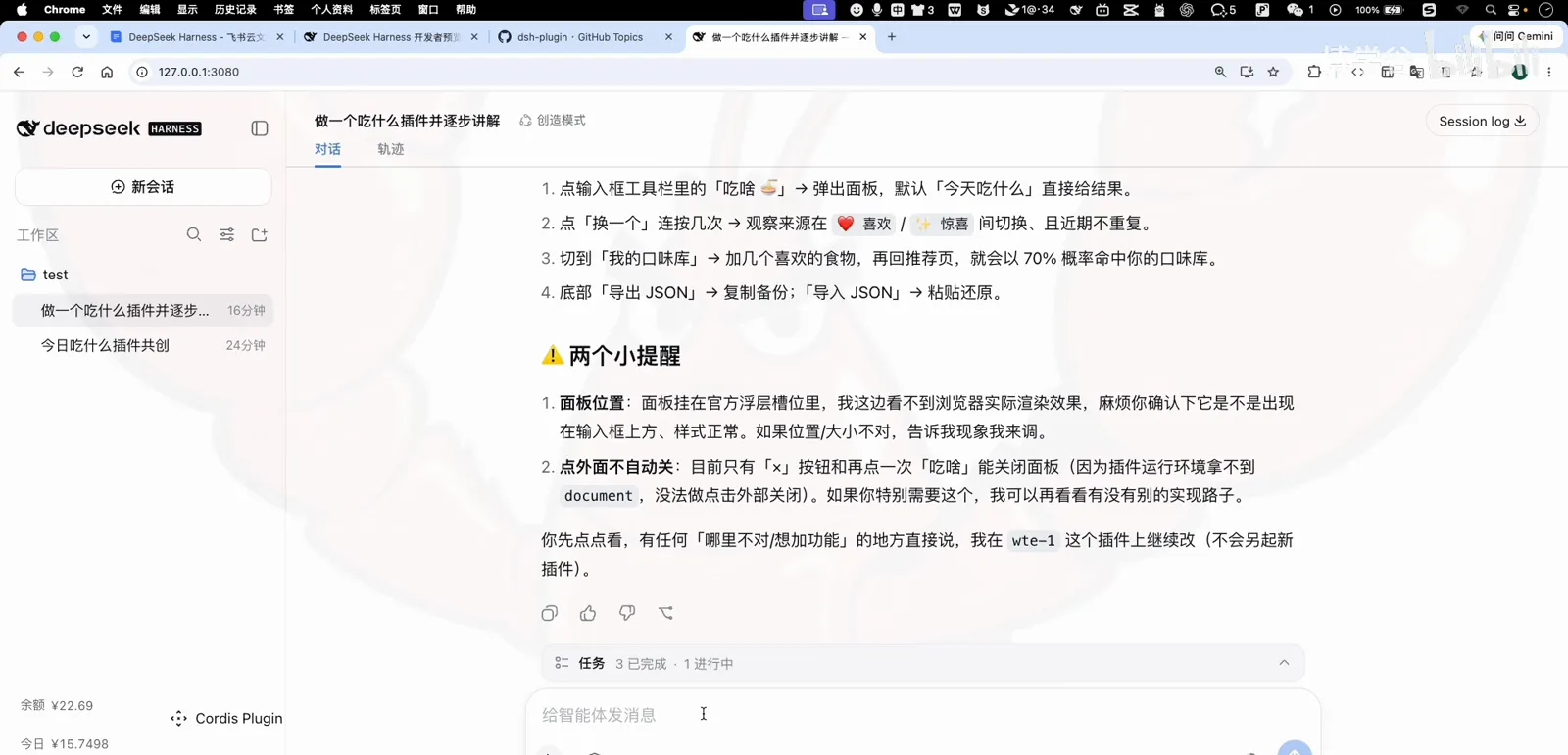
Two gotchas, worth knowing in advance.Watch at 15:40 - 12
Bugs? Describe the symptom
The first version has real defects: the panel covers the permission picker, one button renders black, and the panel vanishes after refresh. The fix loop is pure description — report what you see, where, and when. The agent locates each cause, patches, and rebuilds a new version.
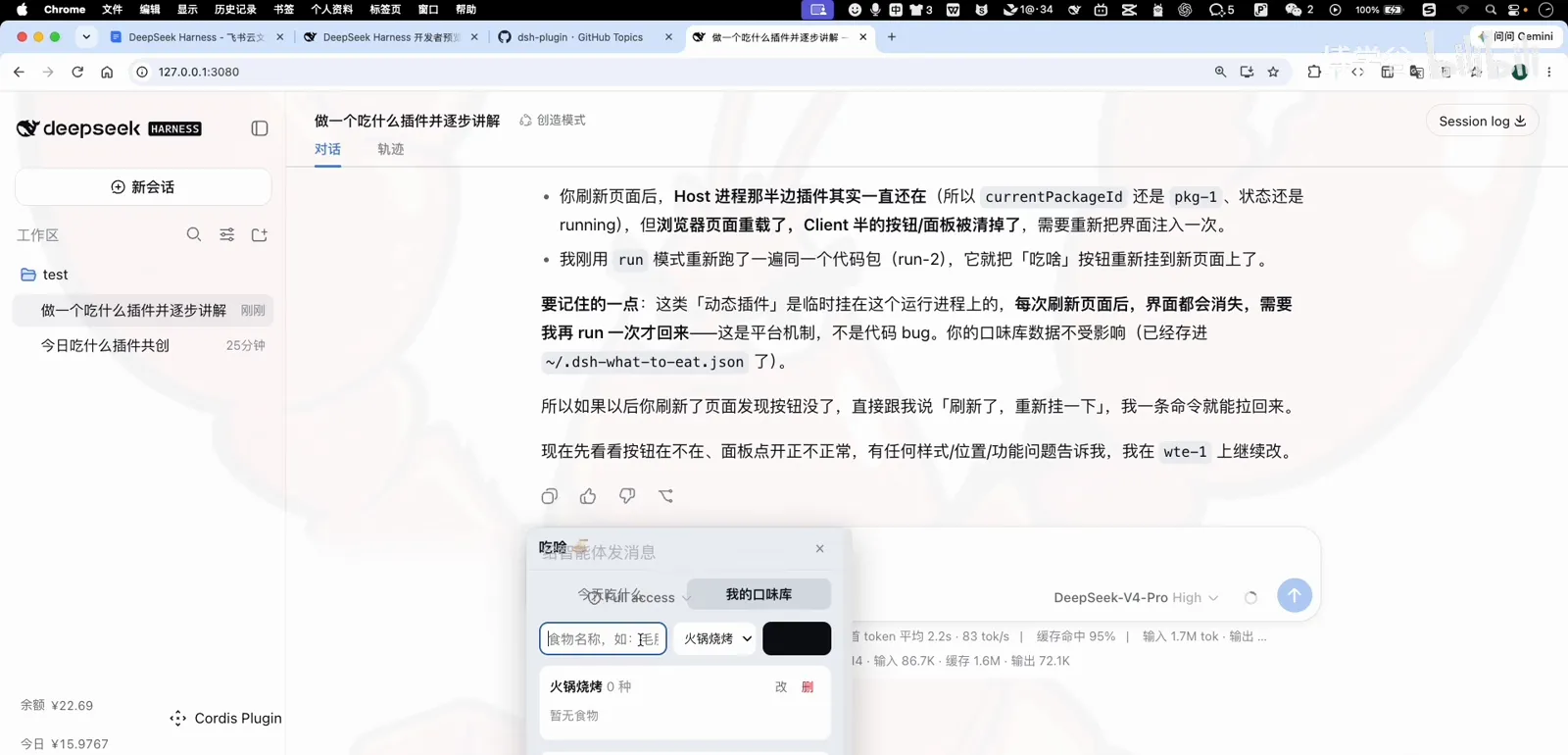
Describe the symptom; it finds the cause.Watch at 16:45 - 13
Verify and call it done
The agent proposes the acceptance test itself: click 吃啥, the panel opens; click the X, it closes; click outside, it closes too. Passed — then two refinements (move the panel to the right edge, make it narrower) and the plugin is done: recommendations from your taste library, surprises included, zero code written by hand.
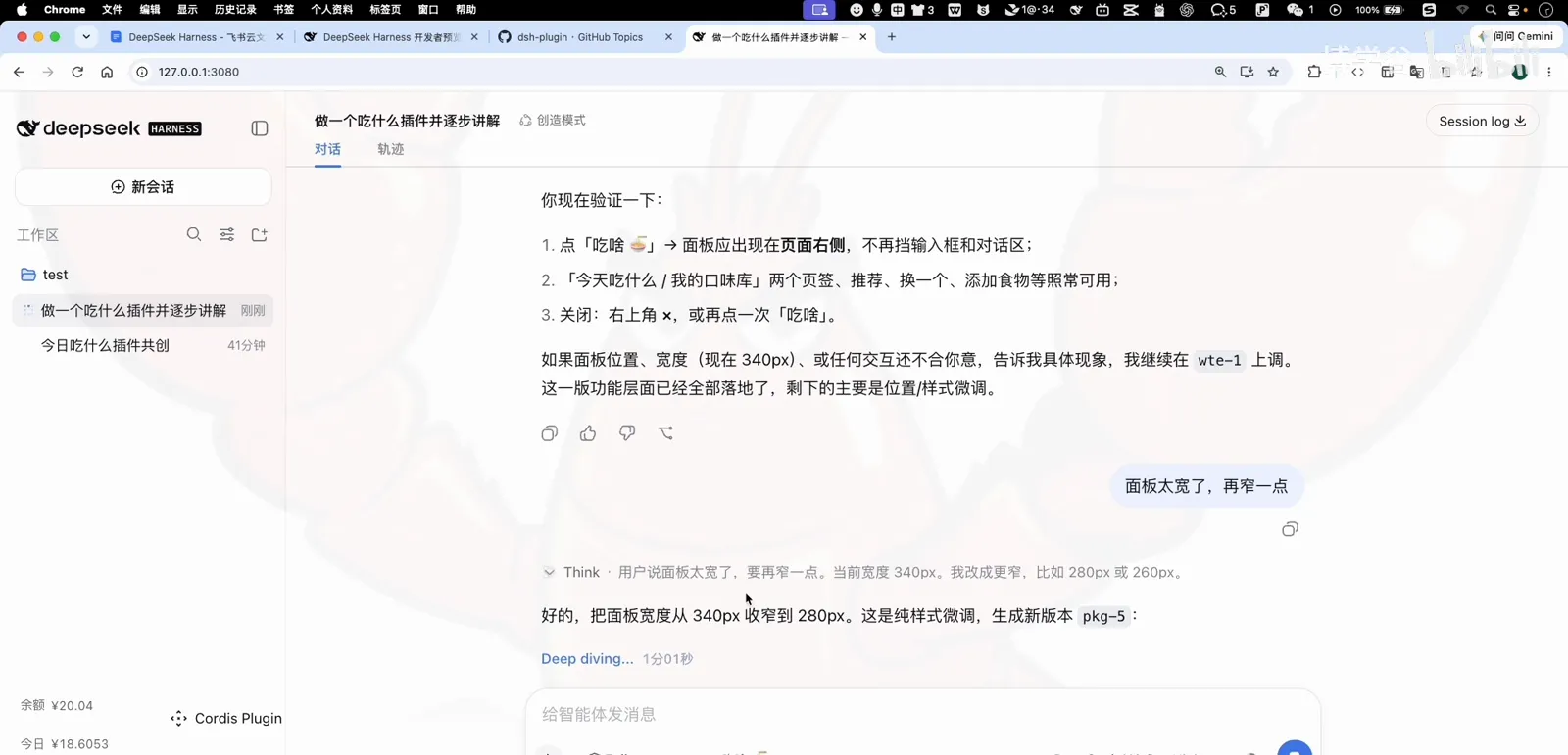
Three actions verified — plugin done.Watch at 24:00
FAQ
Before you describe your first plugin.
Can I really build a plugin without writing any code?
Yes — the recorded case never touches an editor. You supply the idea and the product decisions; the agent writes the spec, the code and the panel. The skill you need is describing what you want precisely, which the co-creation questions are designed to draw out.
Does the plugin survive a restart?
Not yet. A chat-built panel is a prototype mounted into the running session — quit dsh and it's gone. To make it permanent, register it as a standard plugin (config plus a cordis.patch.yaml mount), which our create-plugin guide walks through step by step.
Is 'allow future versions' safe?
It's a trade-off. Allow-once means every new build asks again; allow-future is convenient for a plugin you are iterating on yourself. For plugins from strangers, allow-once — or reject — keeps the trust gate meaningful.
What if the built plugin has bugs?
Describe the symptom instead of guessing the cause: what you clicked, what appeared, what vanished. The case's three defects (overlap, a black button, refresh clearing the panel) were all fixed from plain-language reports — the agent locates the cause in its own code.
Which mode do I need?
Standard mode handles the co-creation fine — it's just conversation. Switch to Creator mode for the build itself: it carries the plugin-development toolset on top of everything standard mode has.
Related guides
From no-code prototypes to the developer's road.
Create a plugin: the developer route
Scaffold, config schema and registration — make your prototype permanent.
Read the guideCustom agent presets
Package workflows into modes your whole team can switch to.
Read the guideThe four DSH modes
Standard, PTC, Minimal and Creator — what each one can and can't do.
Read the guideInstall plugins: the full guide
Marketplace, git and CLI installs, profiles and troubleshooting.
Read the guideSource & credits
Screenshots in this guide come from the course episode below and are used with attribution to explain the workflow; every step deep-links back to the exact timestamp.