
dsh-skill-mcp-center
Curated pickMaintenance: Activemax-null/dsh-skill-mcp-center
Skill and MCP management center for DeepSeek Harness: browse and toggle user/project skills, add/edit/remove MCP servers hot without restart, with live per-session status in the sidebar.
$ dsh plugin add dsh-skill-mcp-centerInstall
dsh has no central install command — add this plugin’s entry (documented in its README below) to your profile or patch config, then restart.
How installs work1
stars
2
forks
TypeScript
Language
MIT
License
2026-08-17
Created
2026-09-14
Last push
README
dsh-skill-mcp-center
本插件属于 @max-null/* 插件系列——这一系列共同构成 SSID(思灵 · Seek Soul in Darkness) 桌面体验。SSID 是整合它们的盒:dsh-capture · dsh-chat-rail · dsh-chinese-thinking · dsh-draft-polish · dsh-guardian · dsh-habit · dsh-memory · dsh-node-appearance · dsh-plugin-center · dsh-quick-toolbar · dsh-skill-mcp-center · dsh-ssid-panels · dsh-ssid-zh-ui · dsh-achievements。
This plugin belongs to the @max-null/* family — a set of plugins that together form the SSID (思灵 · Seek Soul in Darkness) desktop experience.
Skill & MCP management center for DeepSeek Harness (dsh) — manage skills and MCP servers in Settings, with live MCP status in the sidebar.
Skill 与 MCP 管理中心:在设置里管理 skills 与 MCP 服务器,右侧边栏查看 MCP 实时状态。
Features / 功能
- Skill management / Skill 管理 — browse every skill by tier (system / user / workspace / runtime), toggle model invocation via the
disable-model-invocationfrontmatter (disk-backed skills only). Covers skills shipped inside plugin packages (e.g.@max-null/dsh-skills), not just the user-level roots — the host-level skill filesystem is disabled in web-app, so a plugin's ownskills/directory would otherwise be invisible while its skills are loaded and in effect. - MCP management / MCP 管理 — add / edit / remove
mcp-clientservers, enable/disable without deleting config, all hot-applied throughctx.loader(no restart). - Live status / 实时状态 — a sidebar "MCP" tab (via
dsh-better-sidebar) showing per-server connection state; click a server row to expand its tools' names and descriptions (collapsed by default — a server can expose dozens of them). Names come fromtools.schemas(); the redundantmcp__<server>__prefix is hidden while the full name stays on hover. Polled while visible and following the session. - Skin-compatible / 皮肤兼容 — every color uses
var(--dsw-*)tokens.
截图
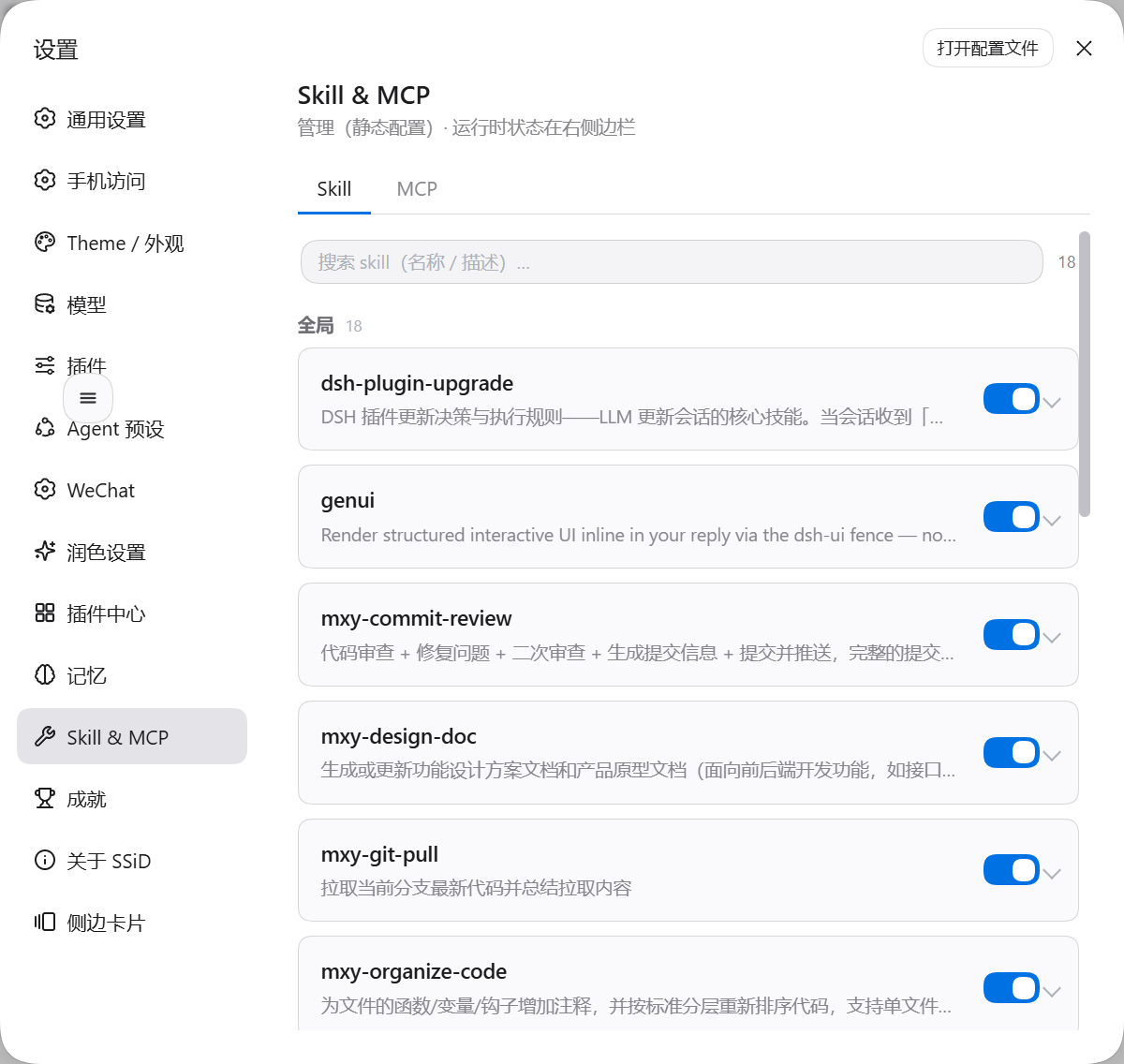
设置页:集中管理
装完后设置里多出「Skill & MCP」一项,可逐条控制各模型对 Skill/MCP 的可见性。入口: 设置 → Skill & MCP
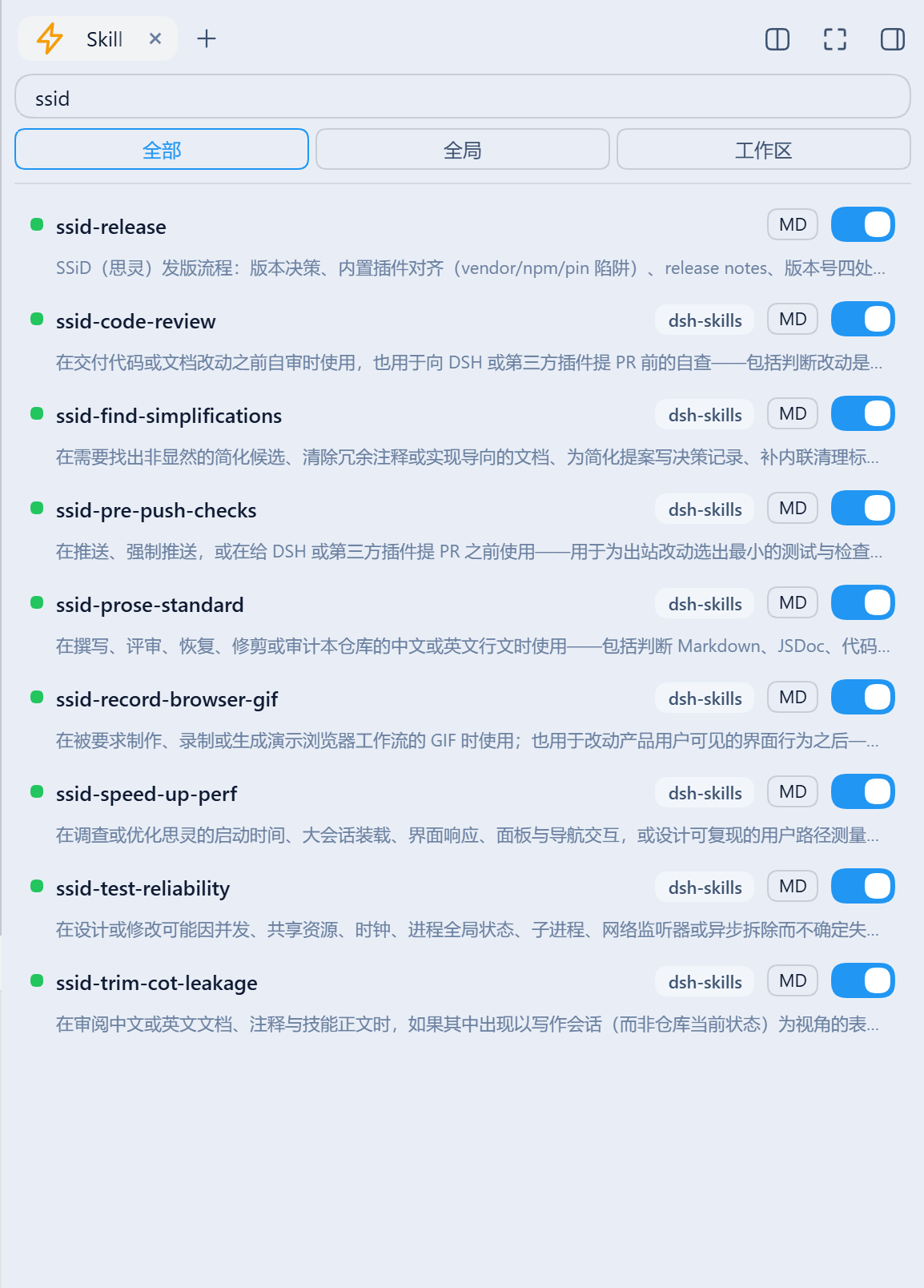
侧栏:Skill 一览
搜索 + 命名空间筛选(全部 / 全局 / 工作区),每条带开关与 MD(查看 SKILL.md)。插件包内自带的 skill 同样列出,并标出来源插件——下图里 8 个 ssid-* 来自 dsh-skills,而用户级的 ssid-release 没有来源标签,这正是两者的区别:
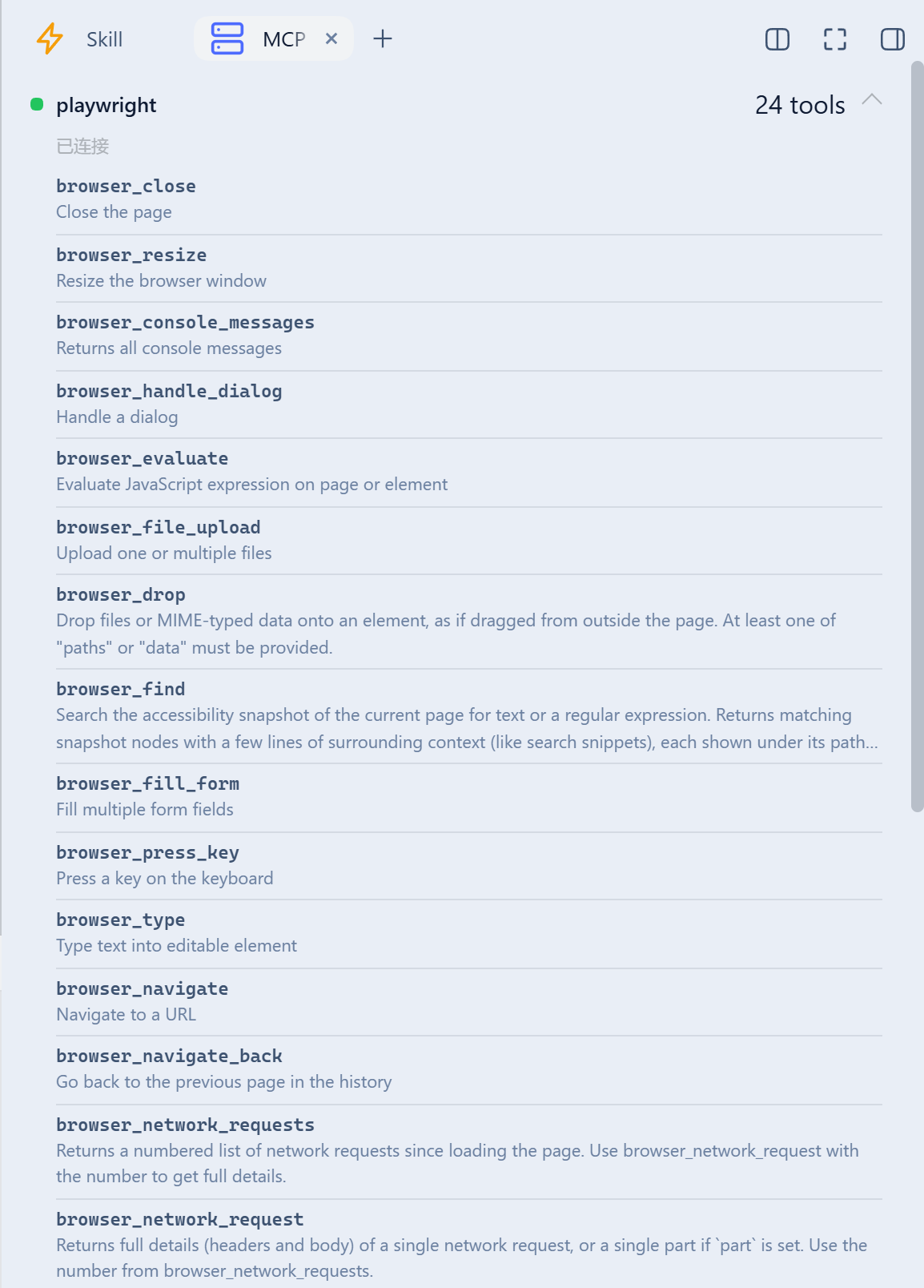
侧栏:MCP 状态与工具
每个 mcp-client 服务器的连接状态与工具数;点服务器行展开工具清单(默认收起,避免几十个工具占满面板)。工具名取自工具表、描述取自 tools.schemas(),冗余的 mcp__<server>__ 前缀隐去(全名留在 hover):
Install / 安装
dsh plugin --profile web add github:Max-Null/dsh-skill-mcp-center
# or from npm, once published / 或通过 npm(发布后)
dsh plugin --profile web add @max-null/dsh-skill-mcp-center
Restart dsh web, then open Settings → Skill & MCP. The sidebar "MCP" tab appears only when dsh-better-sidebar is installed (optional peer).
Development / 开发
pnpm install
pnpm build   # tsc (host) + esbuild (browser bundle)
License / 许可
SSID 系列
More in Developer Tools
dsh-routing-suite
by yjh051108
dsh-routing-suite — injector + router-standard kit: install the runtime injector first, then the task-aware reasoning-mode router preset (measured P1-P23).
brooks-lint
by hyhmrright
AI code reviews grounded in 12 classic engineering books — decay risk diagnostics with book citations, severity labels, and 6 analysis modes including full-sweep auto-fix
dsh-plugin-shop
by livxue
The most comprehensive DeepSeek Harness plugin market — refreshed daily, sourced across the Internet, reviewed before publishing.
anolisa
by agentic-os-org
ANOLISA (Agentic Nexus Operating Layer & Interface System Architecture) | Agentic OS with runtime, security, observability, and Tokenless response compression for lower token usage and cost.