
README
@allmodels/dsh-speech
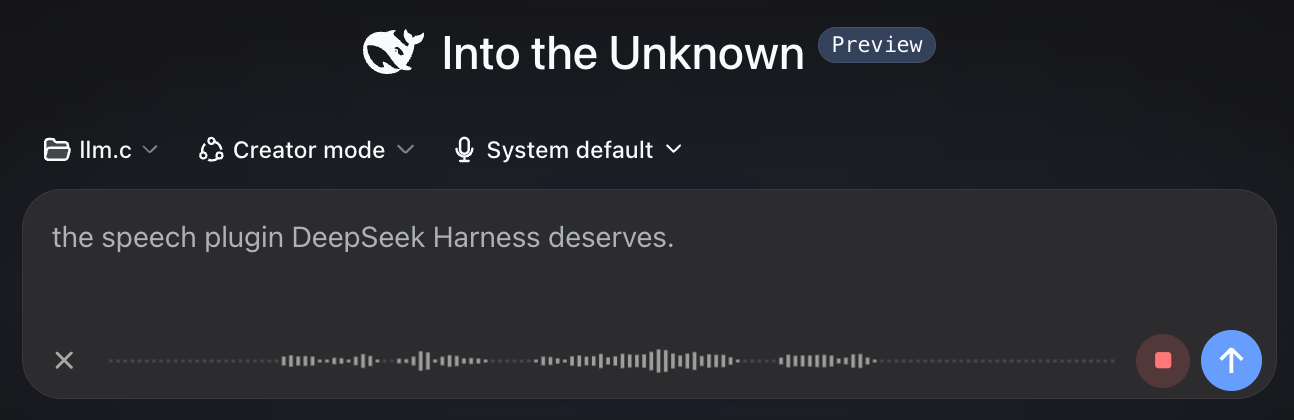
The speech plugin DeepSeek Harness deserves.
Talk to your coding agent, see your words appear in real time, and hear a concise spoken summary when the work is done. Powered by AllModels.io.
Demo
https://github.com/user-attachments/assets/a727afab-777d-487d-a145-175f5e570eca
Install
dsh plugin --profile web add @allmodels/dsh-speech
Restart DeepSeek Harness, then open Settings → Speech.
Connect AllModels
Enter your email address and AllModels will send you a sign-in code. New accounts get $1 free credit, which should last for plenty of hours of transcription and spoken summaries.
Already have an AllModels API key? You can use that instead.
Talk to your agent
Click the microphone next to Send and start talking. Your transcript appears as you speak, ready to edit or send.

Hear the summary
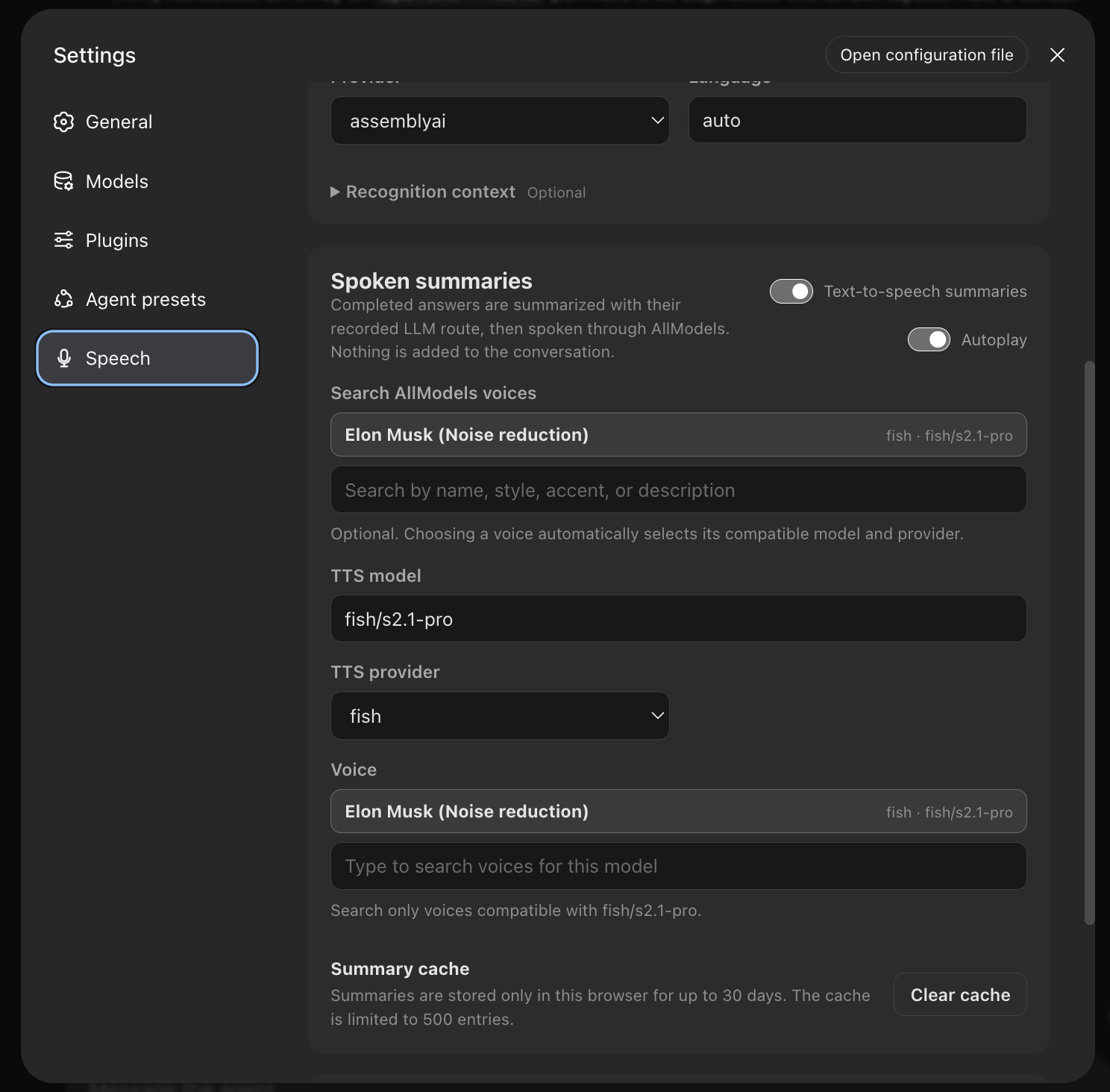
When the agent finishes, the plugin turns its final message into a short spoken summary. Enable autoplay to hear it immediately, or play it whenever you want.
Settings
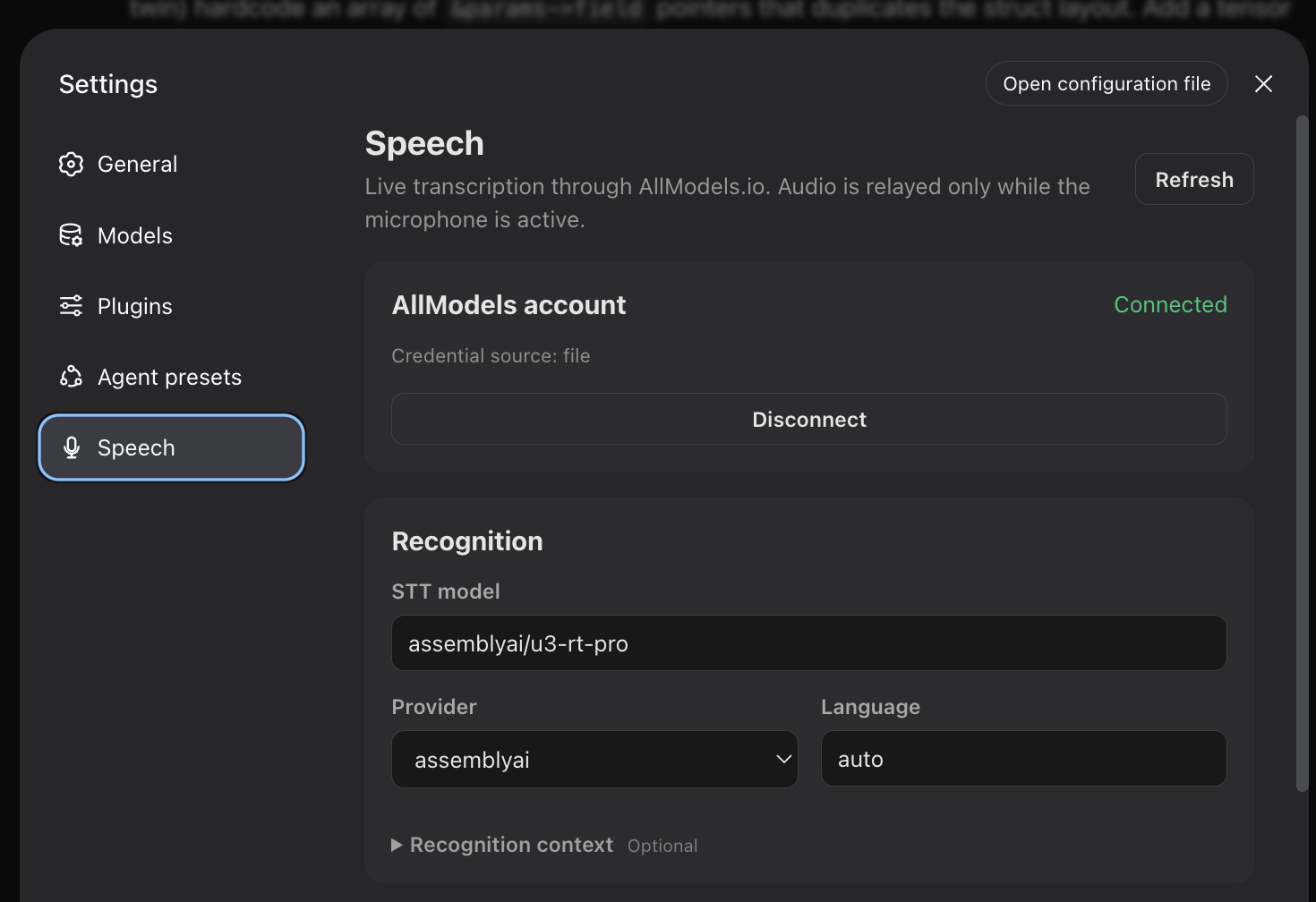
Recognition
Spoken summaries
Compatibility
- DeepSeek Harness web profile
0.1.5-rc.2 - Node.js
^22.19.0 || >=24.0.0 - Local DeepSeek Harness web client
Contributing
Development, testing, release, and compatibility-monitoring notes are in CONTRIBUTING.md.
License
MIT
更多「语音」插件
vox-director
作者 alisa0808
将主题自动生成 Vox 拼贴风解说或广告视频的智能体技能,全流程在 Atlas Cloud 与 ffmpeg 上自动完成。
dsh-voice-ai-girlfriend
作者 beiyege-01
语音 AI 女友(Voice AI girlfriend for DeepSeek Harness):Whisper 语音输入 + Qwen3-TTS 声音克隆 + 句子级流式朗读 + 数字人动画窗。插话/排队双模式,说话即打断。
dsh-voice-scribe
作者 pensivefei
语音输入插件:按 Alt 说话,文字直接进输入框;默认 Web Speech 零配置,可选兼容 OpenAI 的 ASR。
dsh-plugin-tts
作者 1624318455
Edge TTS 语音朗读插件:朗读回复、自动朗读开关,免费无需 API key