
README
Liquid Glass — DSH Apple Liquid Glass
An Apple-style liquid-glass material for the DeepSeek Harness web client: composer, sidebar controls, model picker, and send button, with a faint flowing blue glow along the composer's top edge and sides that freezes while you type. The opening is a rotating blue-particle Earth with blank oceans and flowing land particles; it reads the visitor IP, spins 4 seconds, then blinks a red spot at that location for 3 seconds, with a glass skip button. Switching models spawns a small particle orb above the model trigger, and a Dynamic Island at the top integrates the conversation header and Liquid Glass settings. The original four per-surface scope switches are preserved. Intensity, scope, and splash are configured in Settings → Liquid Glass. The page background stays untouched.
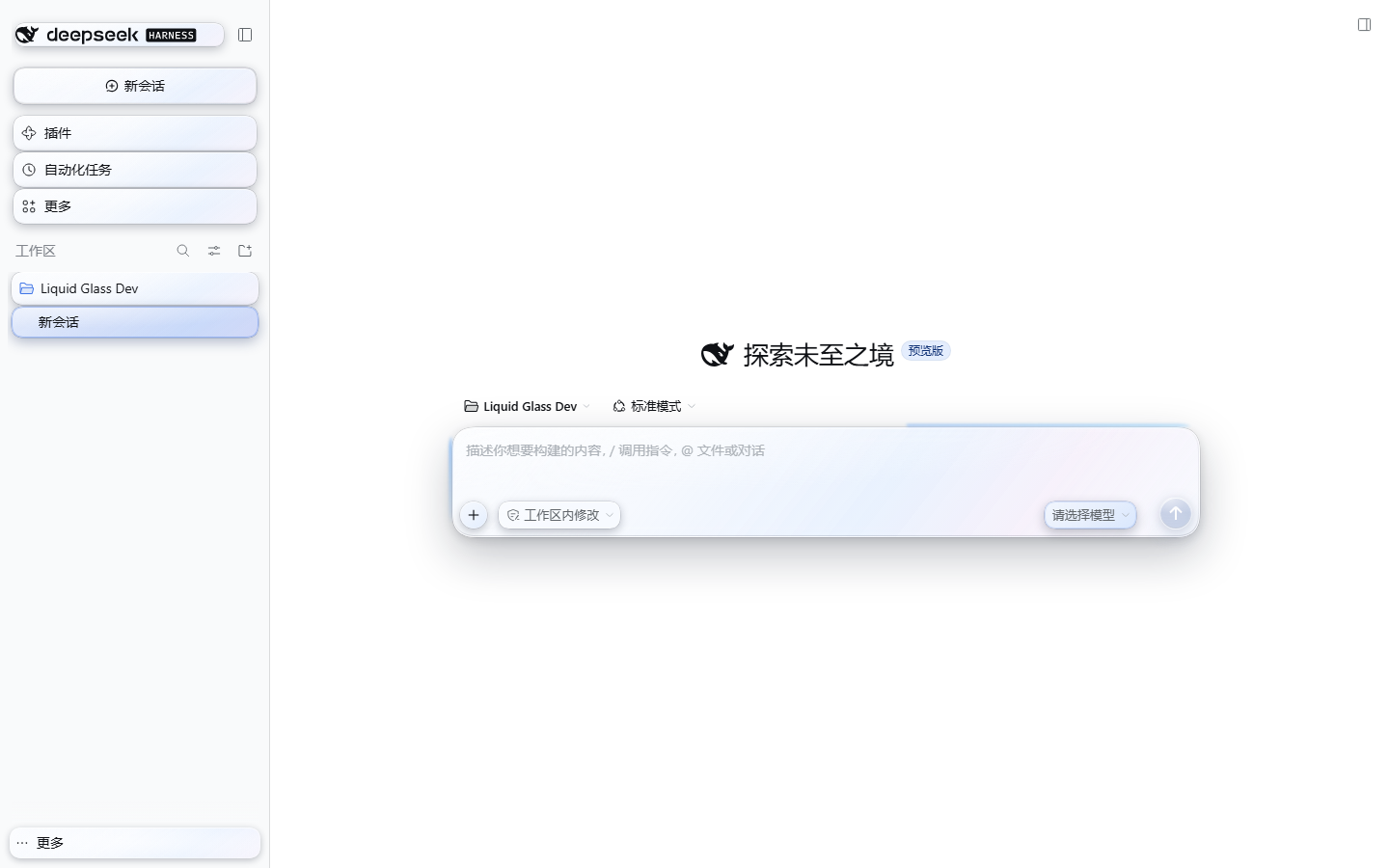
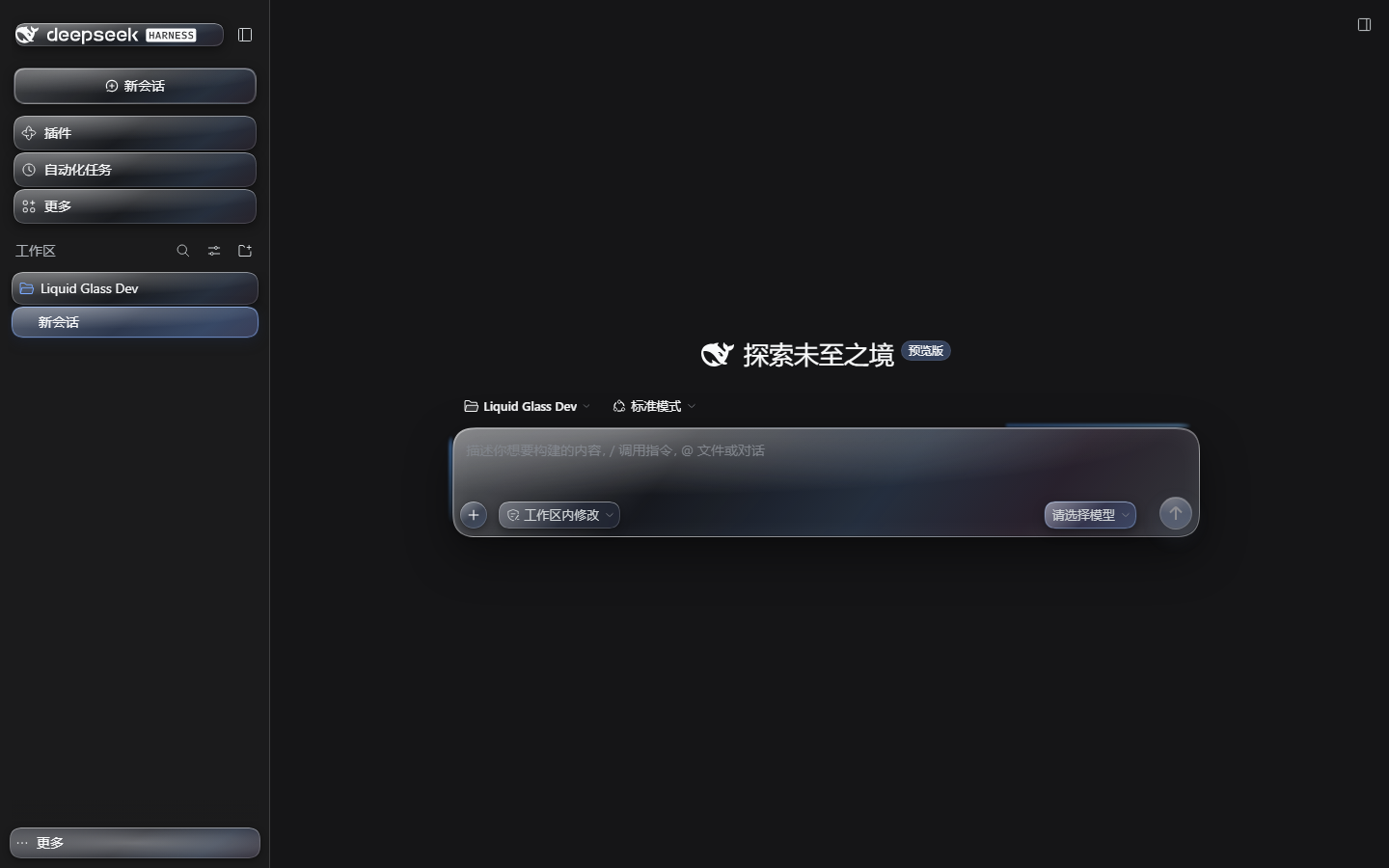
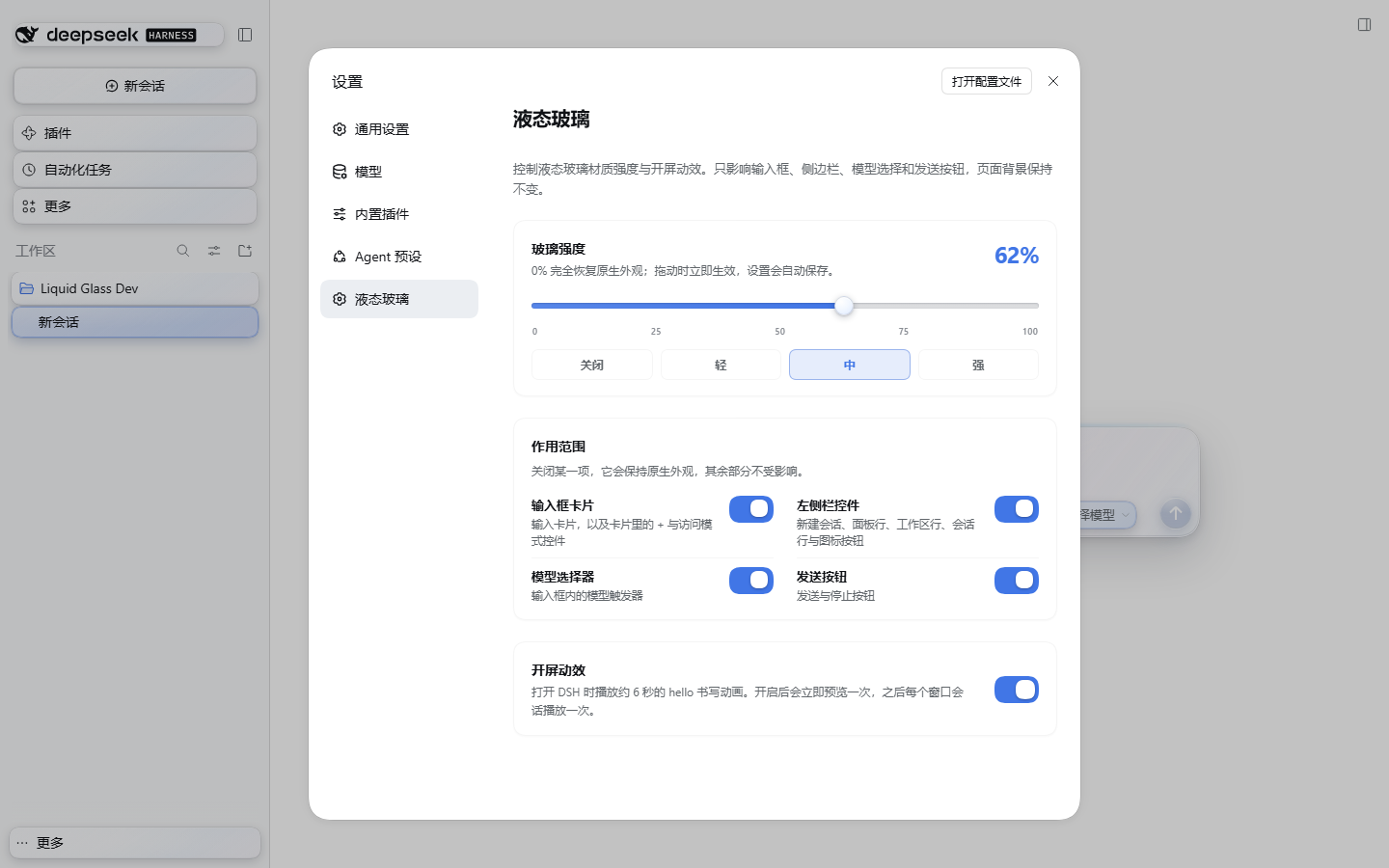
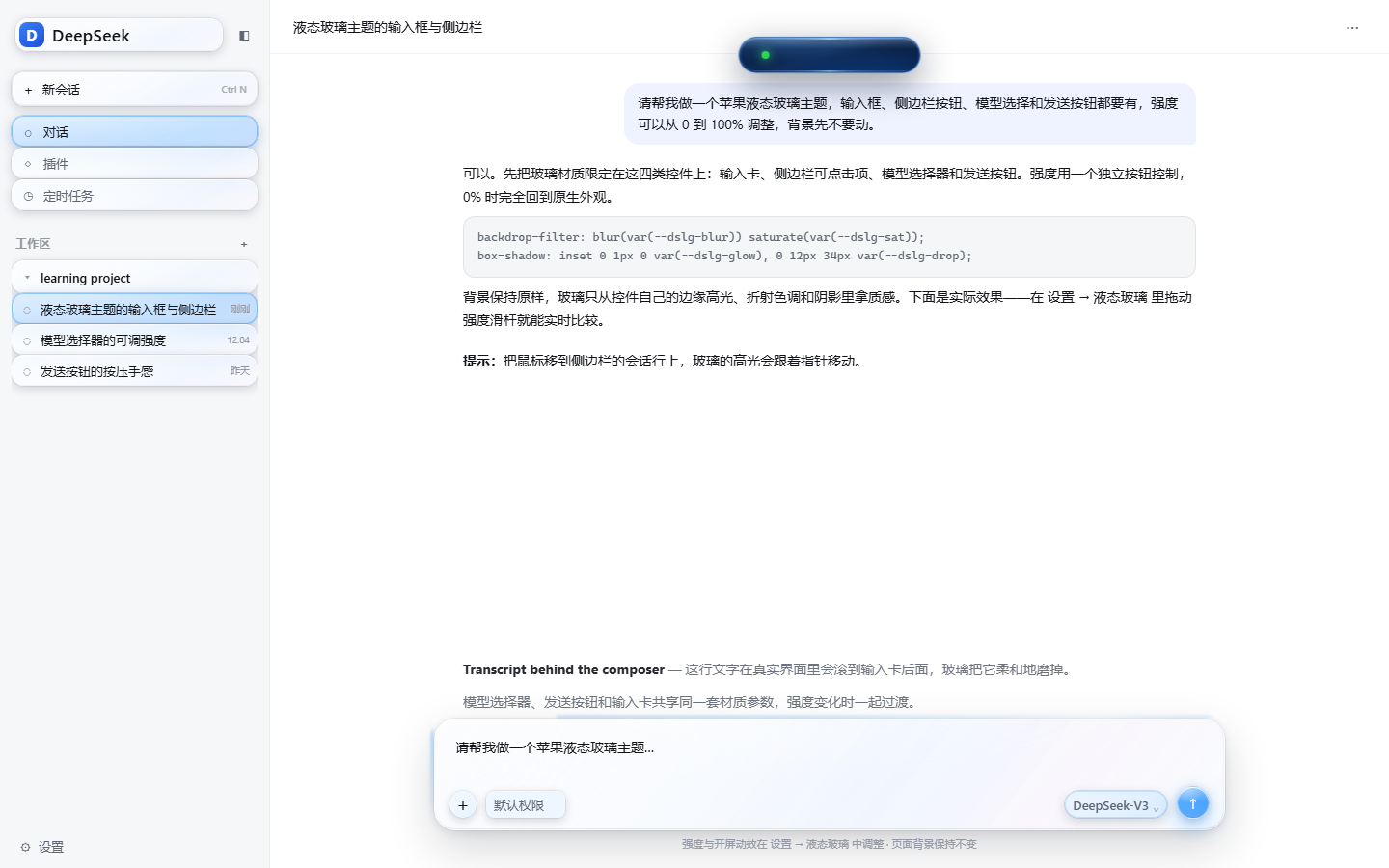
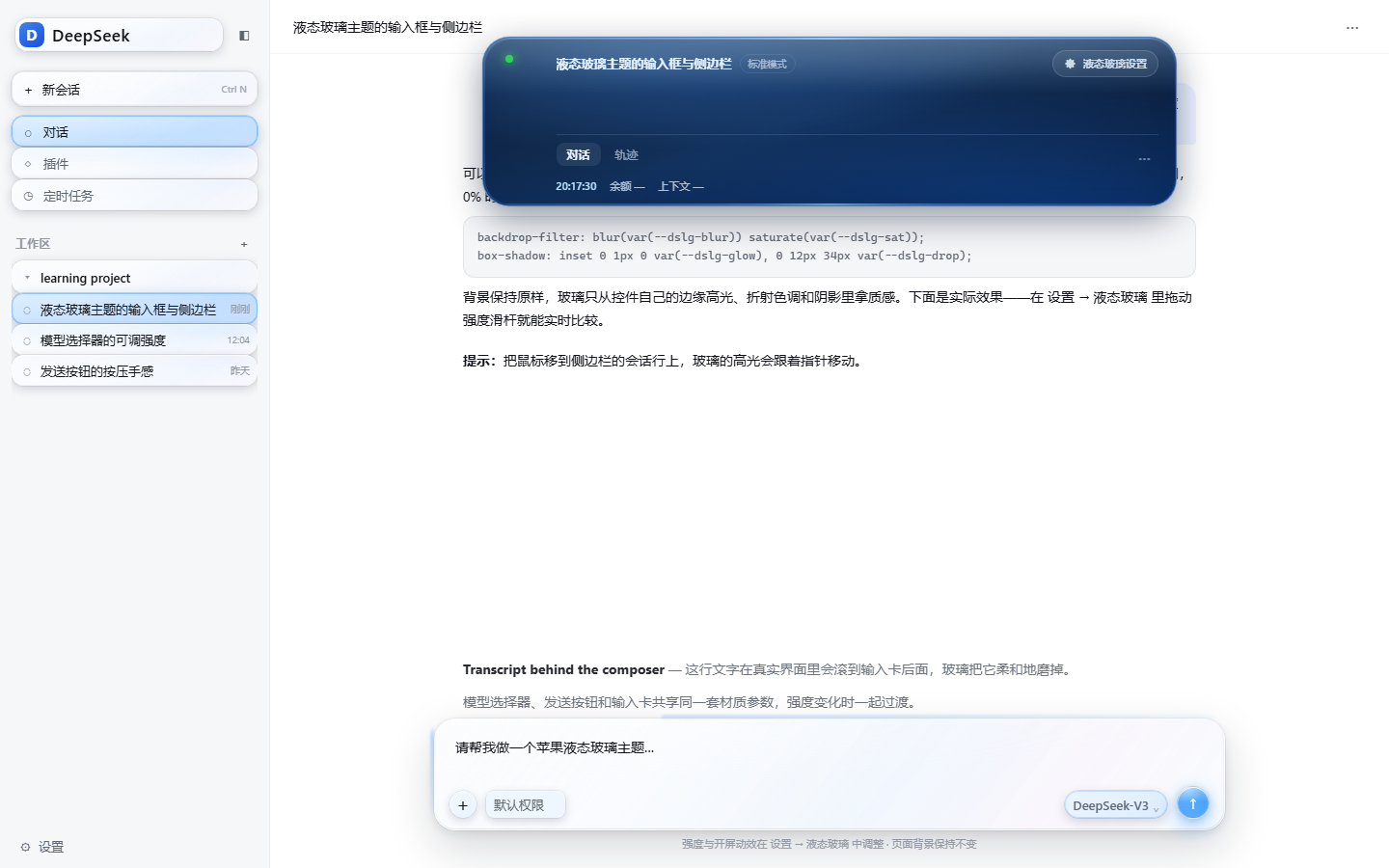
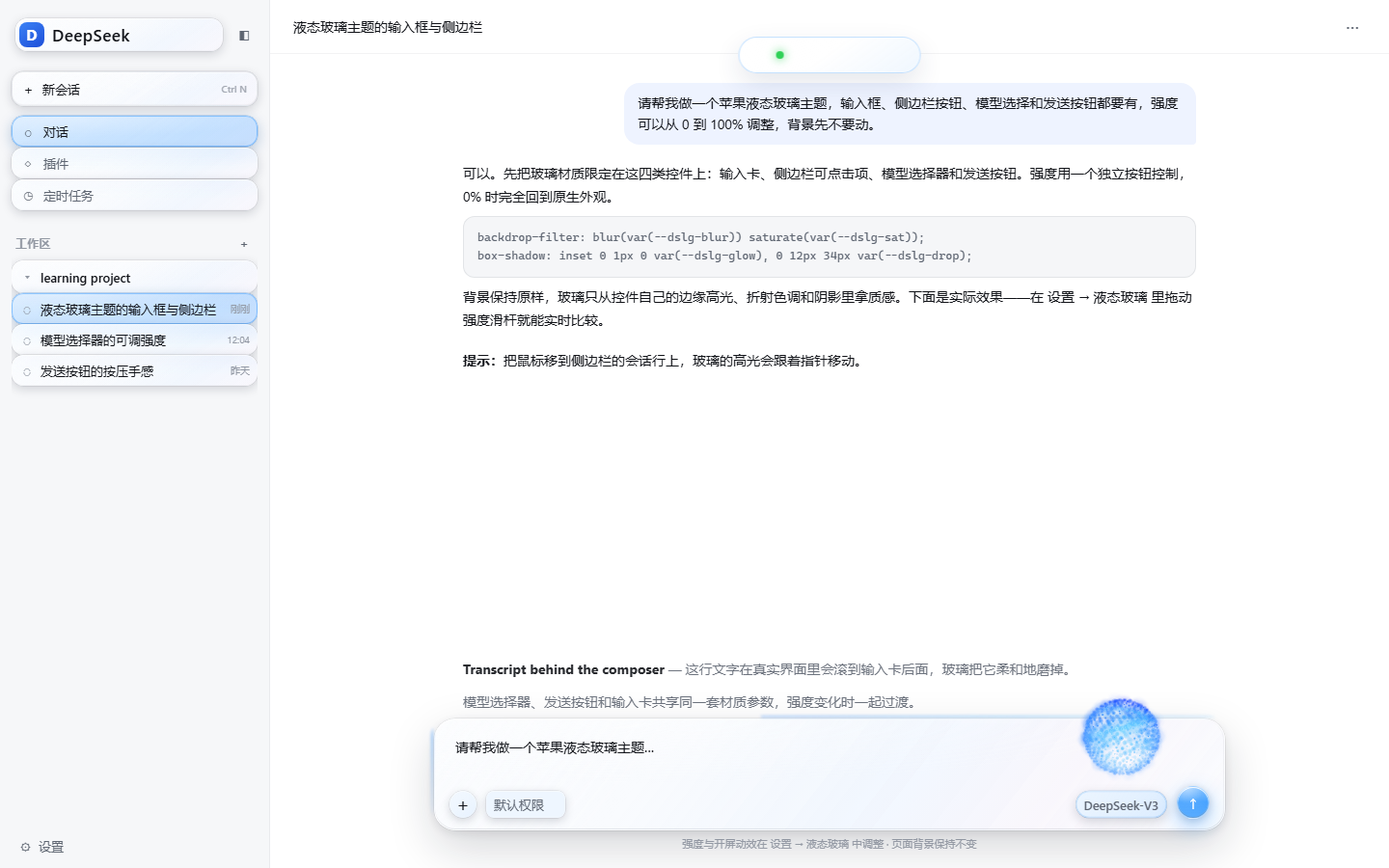
Captured in a real DSH 0.2.1-rc.5 web profile.
Install
Repository: https://github.com/tianyuec11-design/dsh-apple-liquid-glass
From GitHub (recommended)
DSH Desktop
-
Open Plugins in the sidebar.
-
Click Add plugin / + and choose Install a third-party plugin.
-
Paste the repository URL:
https://github.com/tianyuec11-design/dsh-apple-liquid-glass -
Install, then Enable it. Refresh the page (or restart if the host asks).
-
Open Settings (bottom-left account menu → Settings) → Liquid Glass. The intensity slider and the Opening animation switch live there.
dsh web
dsh plugin --profile web add 'github:tianyuec11-design/dsh-apple-liquid-glass'
Restart dsh web afterwards. dsh plugin needs pnpm on PATH; the Desktop app ships its own package manager.
GitHub Release tarball
A pinned release is also available as:
https://github.com/tianyuec11-design/dsh-apple-liquid-glass/releases/download/v0.10.0/dsh-apple-liquid-glass-0.10.0.tgz
dshmarket's Themes tab only lists themes in its catalog. A GitHub-installed theme appears under Installed plugins; it is still a complete bundle theme and can be enabled or disabled normally.
From a local folder (development)
-
Plugins → Add plugin / + → Install a third-party plugin.
-
Paste the absolute path to this folder (replace with your local checkout):
C:\path\to\dsh-apple-liquid-glass -
Install → Enable → refresh.
Local dsh web install:
dsh plugin --profile web add "C:\path\to\dsh-apple-liquid-glass"
From a self-built tarball
node scripts/build.mjs
npm pack
Then install dsh-apple-liquid-glass-0.10.0.tgz through the plugin manager.
Use
Everything lives in Settings → Liquid Glass; the chat surface has no floating button.
- Glass intensity: 0–100% slider with presets Off / Light / Mid / Strong = 0 / 35 / 65 / 100; applies live and saves automatically.
- Surfaces: the original four independent switches — composer card, sidebar controls, model picker, send button. Turn one off and it keeps its native look while the rest stay glass.
- Dynamic Island: a 5cm × 1cm deep-navy glass pill at 1cm from the top, centred on the composer column, with a refractive rim. Collapsed it has no text, only a state dot 0.6cm from its left (red while DSH is thinking, green when idle). Click to expand into the conversation title, mode, chat/trajectory tabs, time, balance, context usage, and the Liquid Glass settings shortcut.
- Opening animation: switch. Enabling it previews once; afterwards it plays once per DSH window session (a same-tab refresh does not repeat it).
- Power menu: a power button beside Archive opens two independent liquid-crystal pills. Light red fully quits every DSH process; light green restarts DSH.
- Archive manager: the island Archive button opens a carousel of archived sessions. Each card has Unarchive and Delete file floating buttons. Unarchive restores the session to its workspace; Delete sends the session storage folder to the Windows Recycle Bin, and restoring it brings the card back.
- News entry: the island News button opens a liquid-glass panel with a summary and the latest DeepSeek official news; the Ask button beside the summary asks AI for a deeper analysis.
- Tip entry: expand the island and click ♥ Tip to open the native DSH Platform top-up view directly on the payable QR code. After the balance increases, a heart (≤10), sports car (10–20) or rocket (>20) effect plays automatically.
- Model-switch particle orb: automatic. After switching to a different model, a ~1/6-size blue orb appears just above the model trigger, flows for 5s and fades for 5s. It is transparent and pointer-transparent.
- The choice persists per browser in
localStorage(keydsh-apple-liquid-glass.settings.v1). - 0% removes every surface override; the opening animation remains controlled by its own switch.
Surfaces
In Settings → Liquid Glass → Surfaces, each switch is independent:
| Switch | Covers |
|---|---|
| Composer card | The input card, +, access-mode pill, and the blue top/side glow |
| Sidebar controls | New session, panel rows, workspace rows, session rows, icon buttons, search field |
| Model picker | The model trigger inside the composer |
| Send button | Send / stop button |
All four are on by default. Turning one off restores that surface to native immediately while the others stay glass; the choice survives a reload. The blue edge glow belongs to Composer card, so turning that off removes it too. At 0% every surface is native, but the four switch states are preserved.
Composer edge glow
更多「主題與外觀」外掛
dsh-qq2006
作者 laplaceyoung
DSH (DeepSeek Harness) 的 QQ2006 皮膚外掛:註冊 qq2006 主題、映象 body[data-ds-skin]、全域性皮膚表與完整素材
dsh-beauty-skins
作者 xierw
給 DeepSeek Harness 用的美女系列皮膚:設定裡從 哲風桌布 拉預覽網格,點一張即應用,配色從桌布提取。支援動態桌布,也保留自定義選圖。
deepseek-harness-skin
作者 heigeai
DeepSeek Harness 換膚系統:21 套內建皮膚 + 一張圖生成整套配色的自定義皮膚。資料來源驅動,保對比度推導,構建期校驗可讀性。
whaleisle
作者 chisaalter
鯨嶼 Whale Isle · DeepSeek Harness 開源社群桌面版:AI 對話、終端與 Git、鯨橋 API/訂閱接入、主題桌布、鯨魚娘桌寵、用量統計與手機遠端連線。Community-enhanced DeepSeek Harness desktop client.