
dsh-connection-card-host-preview
維護狀態: 活躍noob-stupid/dsh-connection-card-host-preview
DSH 會話連線卡片宿主預覽版,用於在不同會話之間建立有狀態連線。
$ dsh plugin add dsh-connection-card-host-preview1
星數
0
Fork
TypeScript
語言
MIT
授權條款
2026-09-29
建立於
2026-10-26
最近推送
README
dsh-connection-card-host
中文 | English
Contribute: Card & adapter list → · Contribution guide → · 中文清单 Any ordinary DSH plugin can be listed as a card. One row per PR, with evidence.
Let your DSH sessions see each other, talk to each other, and share tools — without getting in each other's way.
Running several DSH sessions at once (one researching, one coding, one running experiments) is normal — but they're isolated: they can't see what the others are doing, and can't hand conclusions over.
This plugin makes a connection a first-class object in DSH: sessions are nodes, a connection is the container, cards are connection-scoped plugins.
|
In practice (screen recording) 
|
Structure (diagram) 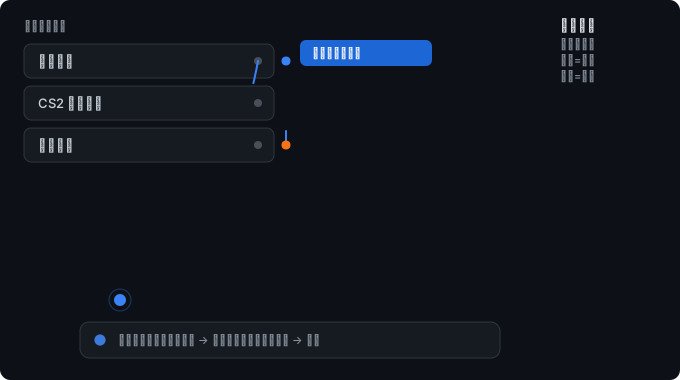
|
Left: the real thing (source video) · Right: the same action as a diagram, showing the toggle semantics
Contents
What it does
| See each other | Look up which files the other session is editing, how far its plan has got, what tools it last used — collected automatically, no effort required from the other side |
| Talk to each other | Send a message with one of three urgencies you choose: notify only (no interruption) / queue / interject |
| Share tools | Mount cards on a connection: a card can provide tools to the sessions, even with tens of MB of real dependencies |
| Shared premises | A "convention box" holds what you agreed on: interfaces, units, naming, who owns what |
| Stay out of the way | Awareness is pull-based — zero cost unless the other side asks. Unrelated connections never interrupt you |
Quick start
- Connect: hold the circle to the left of the composer (or the
…on a session row) and drag it onto a row in the session list.
|
Drag from the anchor (recording)
|
Drag from a session row → after connecting (recording) 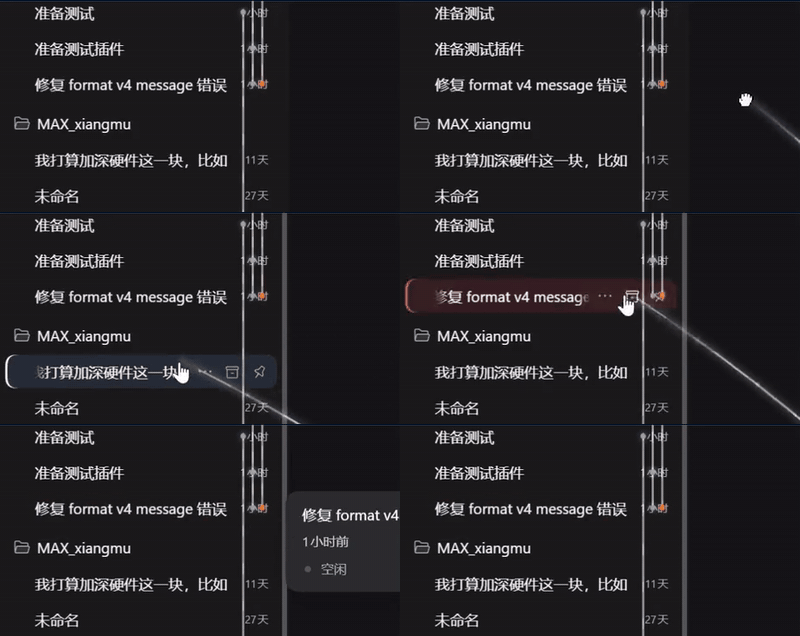
|
anchor source video · session-row source video
- Toggle semantics: drop on an unconnected row = connect; drop on an already connected row = disconnect (the hover hint tells you which)
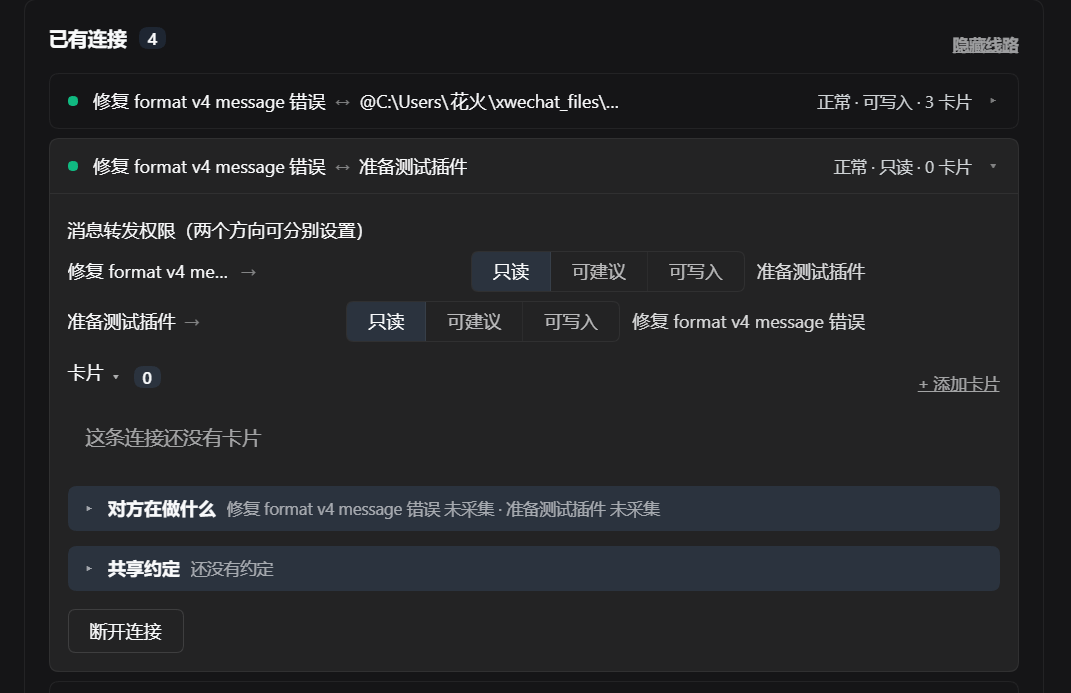
- You can also pick two sessions from the "Connections" panel in the sidebar
- Done. Both ends get one quiet notice (who you're connected to, what it enables) — nobody is interrupted.
- Want more detail? Open "Connections" in the sidebar, or have the session call
connection_peer_workitself.
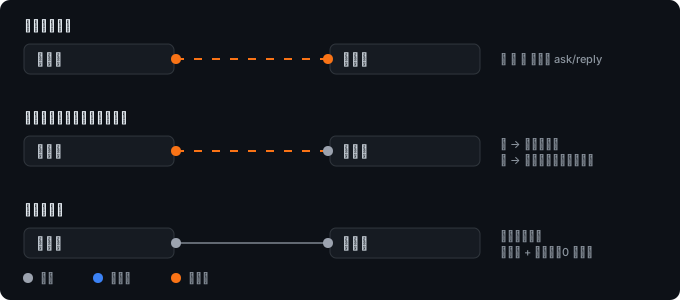
Once connected, a rail appears beside the session rows, with a coloured dot at each end — that's the permission for that direction:
Three layers: awareness / conventions / messaging
These are separate, because their costs differ enormously:
| Layer | Mechanism | Enters the other's context? | Forces the other to act? | Cost |
|---|---|---|---|---|
| A. Work state | pull (the other asks) | only when it asks | ❌ no | 0 |
| B. Convention box | pull (the other asks) | only when it asks | ❌ no | 0 |
| C. Messaging | push (into its inbox) | unconditionally | ✅ always | every message |
The key fact: in DSH, delivering a message forces the other session to run a turn — the agent loop has no "saw it but ignored it" state. So "talking" and "being aware" have to be built separately: to make the other side know, use A/B; only to make it act, use C.
A. Work state (automatic, zero cost)
Collected from runtime events — it asks nothing extra of the model:
【session-bd5ac1b1】
status: running a command (2s ago)
recently touched: water-boat/src/water.js
progress: turn 69 / step 39
B. Convention box (explicit, zero cost)
What you agreed on: interface signatures, units, coordinate systems, naming, who owns what.
Editable in the panel; sessions read and write it with connection_conventions / connection_declare.
更多「清單與資源」外掛
dsh-plugin-index
作者 polang233
Open Plugin Market — Community plugin index for DeepSeek Harness (DSH). 照顧小開發者的外掛索引、外掛市場、開放外掛市場
dsh-find-plugins
作者 eray114514
Find DSH plugins across five community catalogs plus live GitHub and npm search, ranked by relevance × trust × freshness × popularity — not stars alone. 跨五個社群目錄併疊加 GitHub 與 npm 即時搜尋來找 DSH 外掛,按相關度 × 可信度 × 新鮮度 × 熱度排序,而不是隻看 star。
my-dsh-plugins
作者 baosfeng
DSH(DeepSeek Harness)外掛與技能集合倉庫:外掛獨立版本、GitHub Release 釋出(外掛與技能清單見倉庫 README)
dsh-plugin-market
作者 losebird
DeepSeek Harness plugins market|DSH 外掛市場