
README
DSH Box
English · 简体中文
Managed DeepSeek Harness desktop runtime — run, isolate, and extend multiple DeepSeek Harness environments on your own machine, no browser tab required.
DSH Box is a lightweight desktop shell built with Tauri 2 that installs, launches, and manages independent DSH Containers — each with its own DSH version, profile, plugins, skills, workspace, and logs — and renders them in an embedded WebView.
Highlights
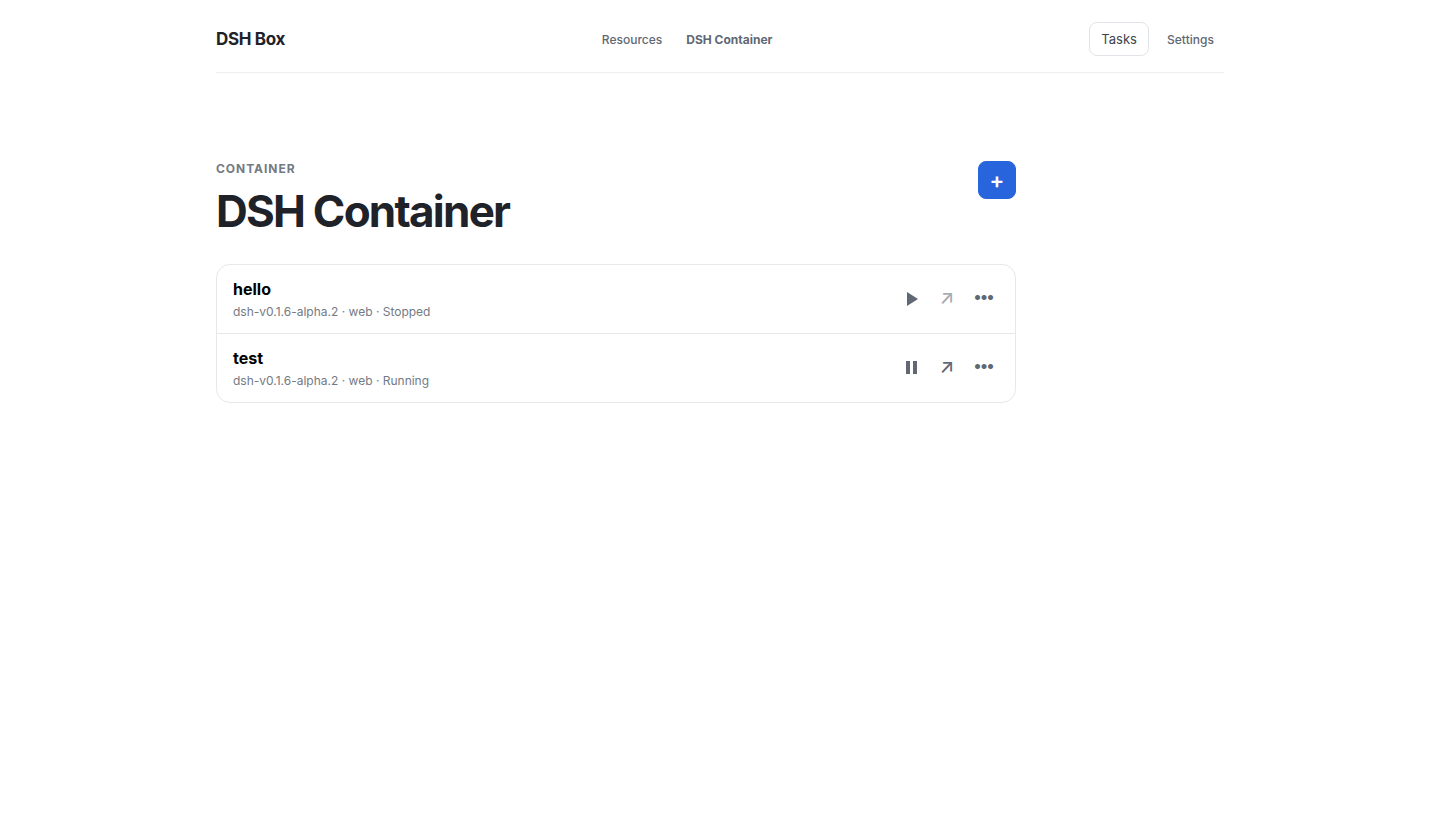
- Isolated containers — one DSH version, profile, workspace and host process each.
- Optional VM runtime (experimental) — a container may declare
runtime: "vm"/"vm:<backend>"; host mode stays the default. Windows uses one WSL2 distro per container, Linux a libkrun microVM. See the runtime design note. - Embedded WebView — the DSH UI opens in a native window; no ports, no URLs to paste.
- Ready in seconds — a pulled Harness version arrives with its client artifacts built;
runis a copy (~10s). - Plugin dependency graph — what loads, in what order, why: depth bands, halves apart, fold a depth away.
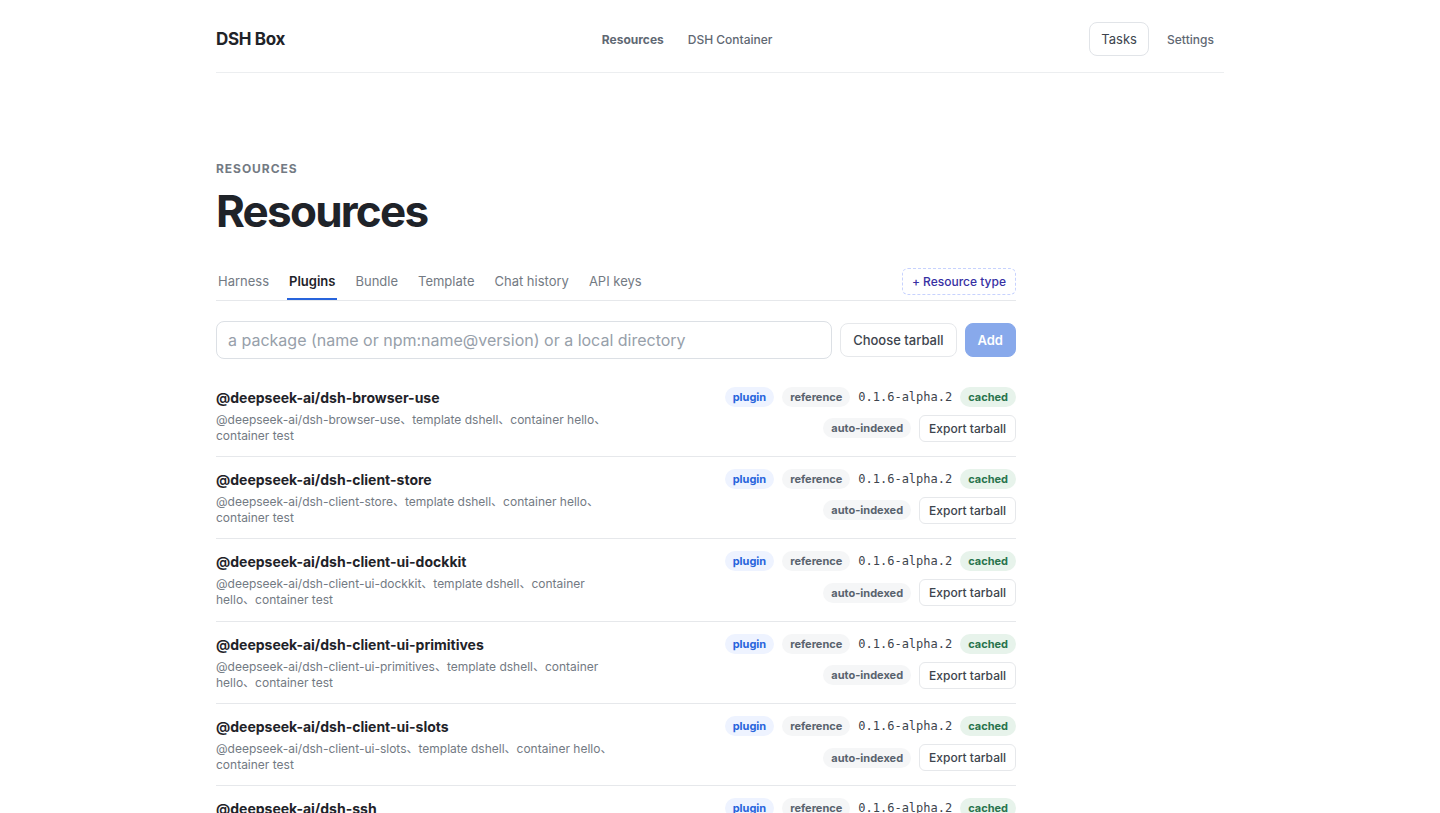
- Resources: extract, inject, edit — conversations, keys and plugin state as named copies; any YAML block editable by key path.
- An agent surface —
dshbox apply -fconfigures resources from one document; every verb answers--json. - An agent inside a container — the
dsh-box-sandboxplugin gives an agent running inside a container typedbox_*tools, so it drives the box that contains it with no shell and nothing to install. - Zero-dependency install — bundled Node, npm, pnpm and Git (Windows), in a clean room.
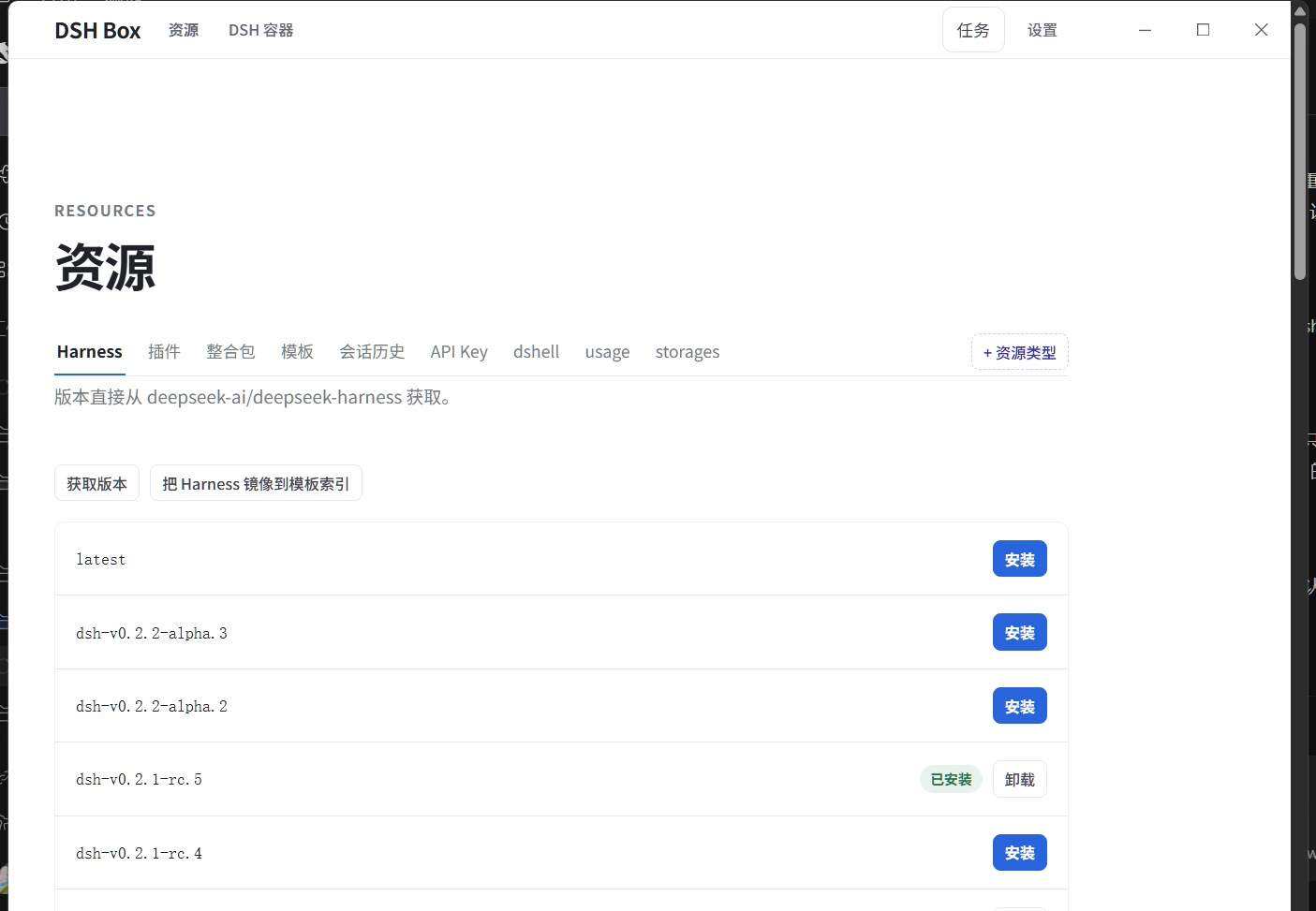
- Version manager — install any Harness tag and pin a version per container.
- Boxfiles —
FROM+ADDdescribes a template; build once, run many. - Portable templates — every payload is materialised into the template, so containers depend on nothing mutable.
- Bundles — group plugins and skills, then export quick (URLs kept) or full (one archive).
- Tasks you can watch — every task declares its stages up front, and each stage carries its own bar, its elapsed time and its budget, so a step that is taking minutes looks different from one that has hung. Cancellable, logged, with history.
- A slow daemon never freezes the window — commands run off the main thread and every RPC is bounded.
- An older server is kept, and said so — a service from a previous build keeps running, with a topbar line naming both.
- Our own window chrome — a custom title bar that blends into the page: drag to move, double-click to maximize, drawn min/max/close; a maximized window stays inside the work area, clear of the taskbar.
- RPC + events — one
POST /rpcand one SSE stream serve the UI, the CLI and agents alike. - Network-friendly — GitHub mirror, optional GitHub API token (sent direct to
api.github.com, never through the mirror), npm registry mirror, automatic proxy detection. - Tray and background service —
dshboxdkeeps working with the window closed. - Lightweight — Tauri, not Electron.
- Bilingual UI — English and 简体中文.
Install
Download the installer for your platform from the Releases page of this repository:
| Platform | Artifact | Notes |
|---|---|---|
| Windows (x64) | dshbox_<version>_x64_<locale>.msi |
MSI installer with bundled runtime and sidecar |
| Linux (x64) | dshbox-<version>-amd64.deb |
Debian/Ubuntu package |
| macOS (arm64) | dshbox-<version>-arm64.dmg |
Apple Silicon |
Grab the latest version from the Releases page — artifact names follow the
<product>-<version>-<arch>convention. Every tagged release carries all three platforms, built by the release workflow.
No runtime prerequisites on Windows — the bundled Node/npm/pnpm/Git runtime travels inside the installer. Linux needs a system Git (apt install git or your distro equivalent); its configuration is isolated per-runtime-directory, so your host ~/.gitconfig is never read by DSH Box builds.
Quick start
- Launch DSH Box and pick a writable runtime directory when prompted (all DSH data lives there).
- Open Resources → DSH Versions → Load versions, then install the DSH tag you want.
- Open Resources → Templates, then pull an official DSH template or build a reusable template from a Boxfile.
- Open Container → create a Container from that template (name and profile).
- The first create prepares the Container in its final directory (offline dependency install, local plugins, frontend build). Press Start — DSH Box launches that prepared copy and opens the DSH UI in the embedded WebView.
- Use Resources to import plugins/skills, assemble bundles, or create Boxfiles for reusable plugin-enabled templates.
Tray
The app minimizes to the system tray on close. Use the tray menu to open the window or start/stop/restart the dshboxd background service.
When the server is from an older build
更多「其他」外掛
dsh-oil-creator
作者 oil-oil
AI 輔助的本地創作者工作臺,支援在 DeepSeek Harness 中創作內容
dsh-novel-writer
作者 akira399
大肥魚的小說工坊 — DSH 網路小說創作外掛:九階段門禁式創作流程 + 世界書設定注入 + 本地書籍匯入 + AI 一鍵潤色 + 去AI味 + 黃金三章診斷 + 百萬字一致性 + 市場調研與模板複製。
dsh-multica-runtime
作者 multica-ai
為 Multica 平臺提供 DeepSeek Harness 執行時支援,讓智慧體工作流無縫執行。
dsh-plugin-radar
作者 adamplatin123
DSH Plugin Radar — open-source ecosystem radar for DeepSeek Harness plugins: continuous discovery (21k+ candidates), k8s runtime validation (13k+ tests), 15-min snapshots; the catalog is a generated artifact — 開源 DSH 外掛生態雷達:持續發現 2.1 萬+ 候選、k8s 執行級實測 1.3 萬+、15 分鐘快照;外掛目錄為自動生成的產物