
README
Beyond Glass
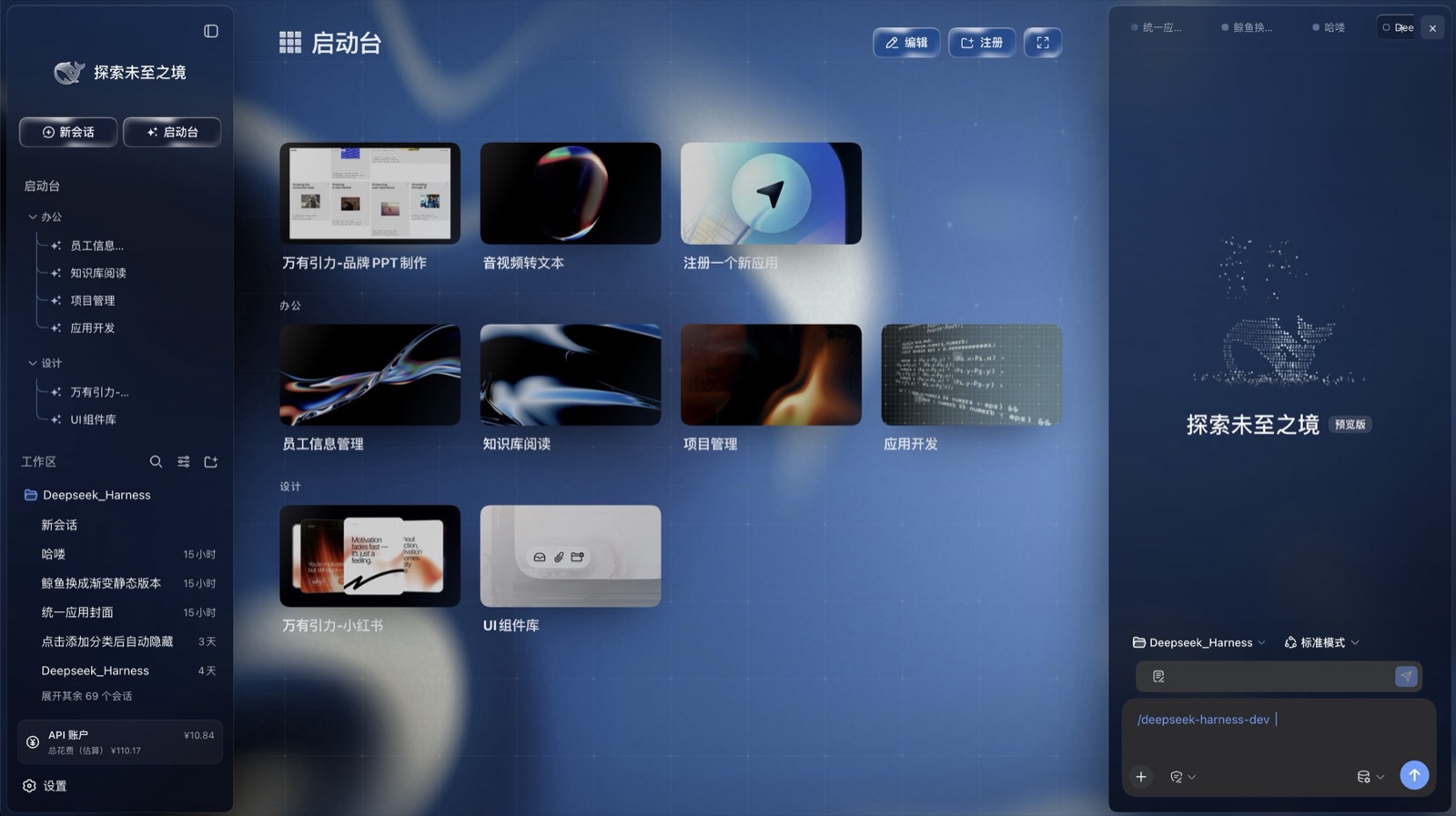
A three-column glass UI for deepseek-harness, delivered as a set of installable packages. No fork, no patching: six packages mount into a profile of their own, and removing them puts you back where you started.
Live gallery → — all nine wallpapers in one page, switchable, with the fluid field running live around the frame. The window plays nine seconds of the shell on the way in — folding a column away, changing wallpaper, switching on the data island — and hands straight back to a still. Scroll back up to it, or try another wallpaper and return to that one, and it plays again.
- The three blocks
- Design
- Install: no harness yet / the harness is already installed
- What is in the packages, what is not
- Compatibility · License
The three blocks
| Block | What it is | Packages |
|---|---|---|
| Glass shell | The three-column frame — brand rail, left column, right column, all on translucent panels | ui-layout ui-sidebar ui-sidebar-right |
| Launcher | The centre panel of the home view: category grid, app cards, and the dashboard behind immersive mode | ui-workbench |
| Wallpaper | The wallpaper picker in the right column, plus the glass token sheet every panel reads | ui-wallpaper |
Only the harness package is a profile layer; the other five are mounted by the rows it patches.
Design
The glass shell
The left column carries identity and navigation (brand wordmark, new-session / launcher,
category tree, session list, API account). The centre is the launcher. The right column is the
current workspace: sessions, wallpaper, and whatever other panels register into it. All three sit
on one set of glass tokens — a translucent gradient, backdrop-filter: blur(28px) saturate(1.8),
and a 0.5px outline.
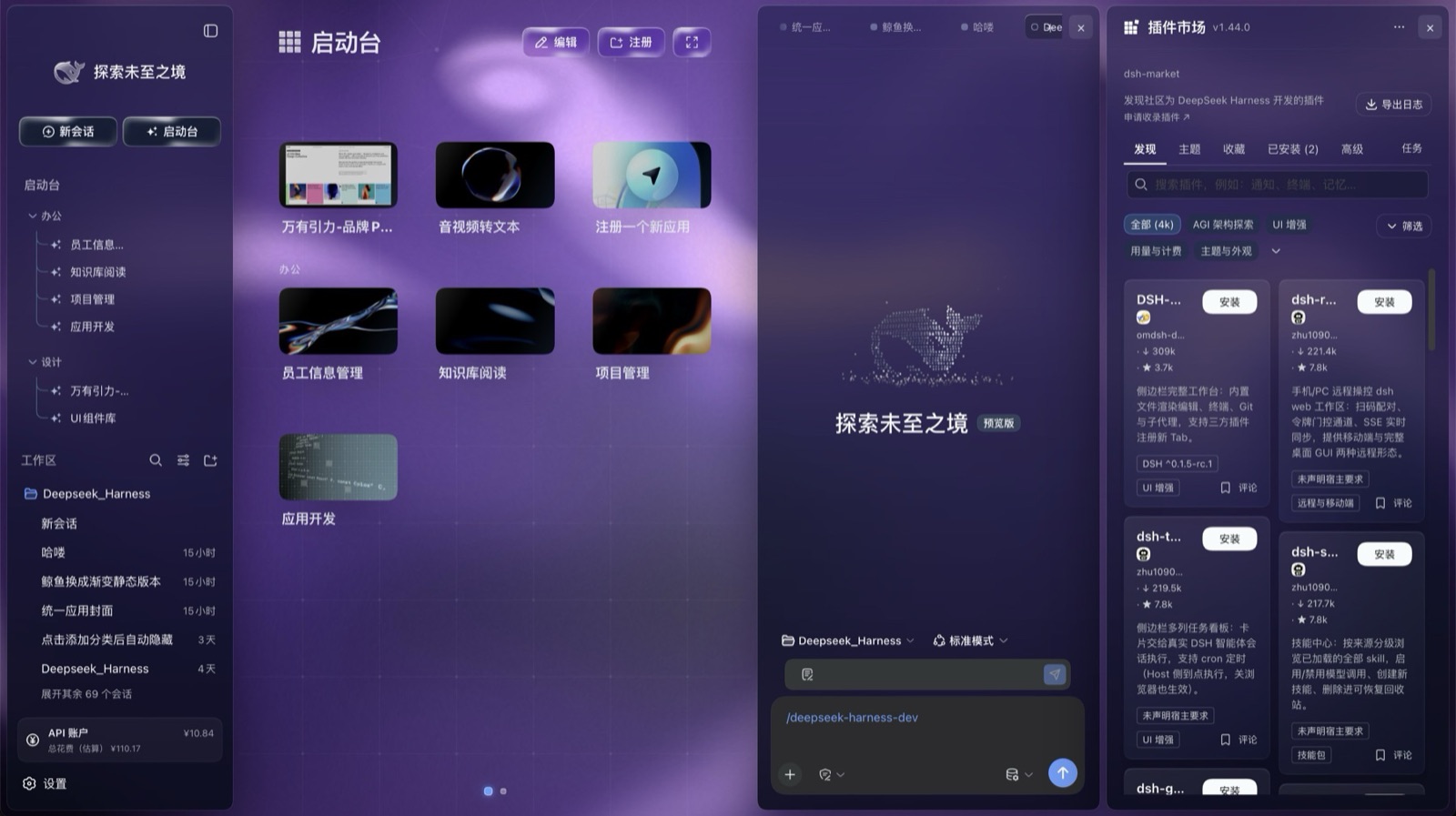
The left column collapses to an icon rail, the right column folds away entirely, and the wallpaper shows through underneath.
The right column is a workspace rather than a fixed panel: it can be sessions, it can be wallpaper, it can be any panel another plugin registers into it (below: a plugin market).
Wallpaper
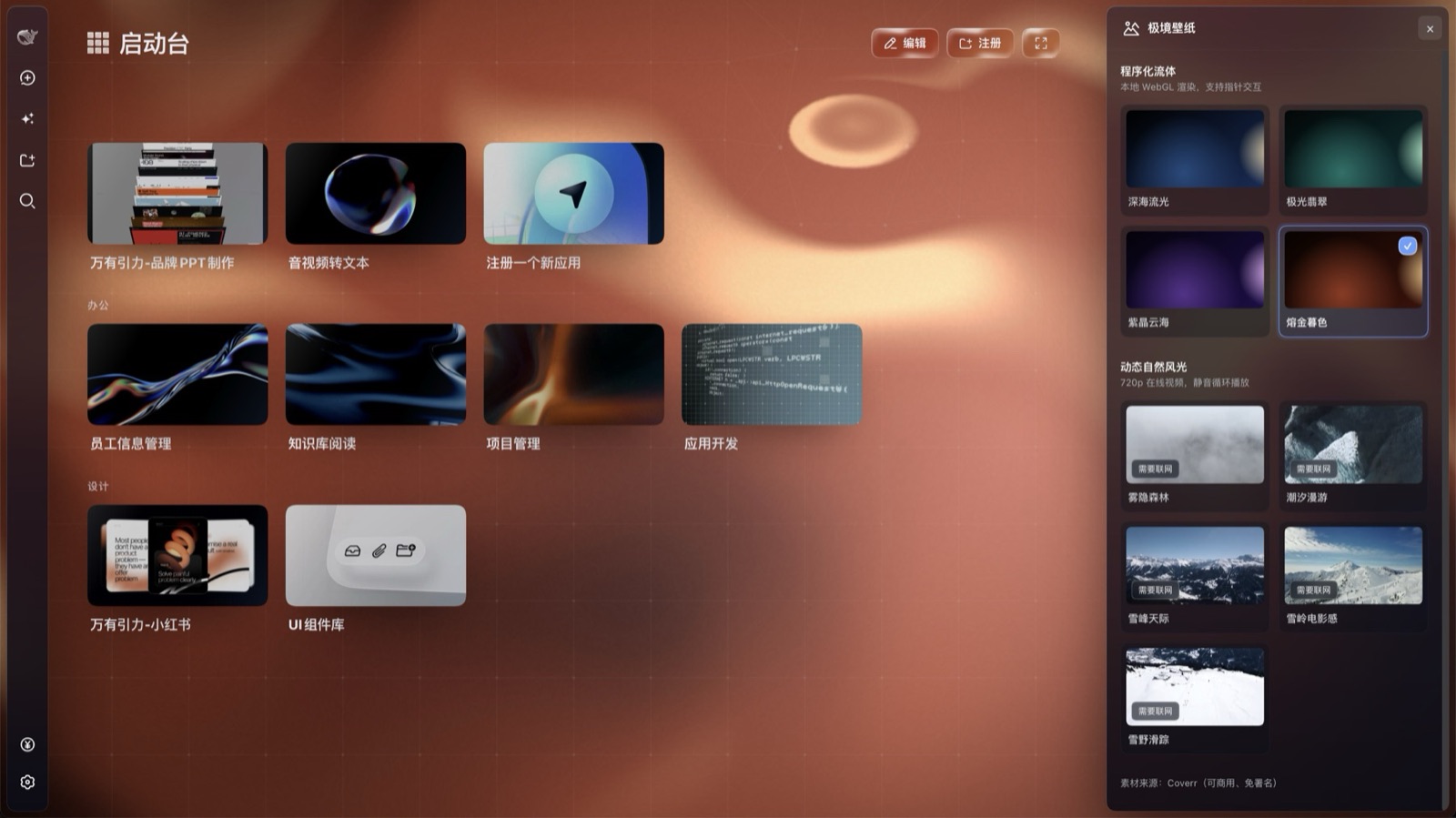
The 极境壁纸 panel offers two families: four procedural fluids (深海流光, 极光翡翠, 紫晶云海, 熔金暮色) and five motion landscapes (雾隐森林, 潮汐漫游, 雪峰天际, 雪岭电影感, 雪野滑踪).
The fluids are drawn in the page and need no network. The landscapes are video and need a network on first play (the panel marks them 需要联网). Footage from Coverr — free for commercial use, no attribution required.
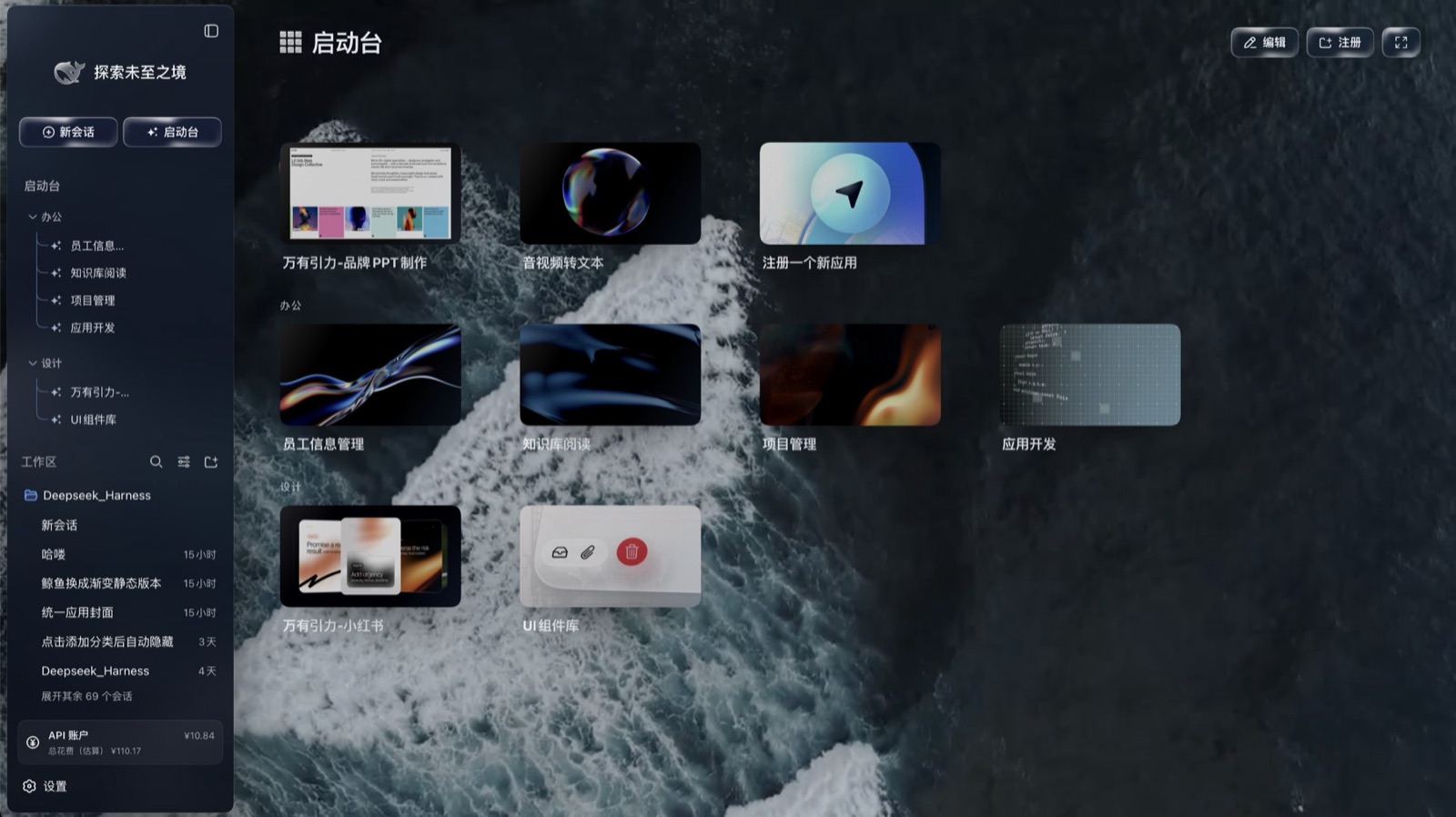
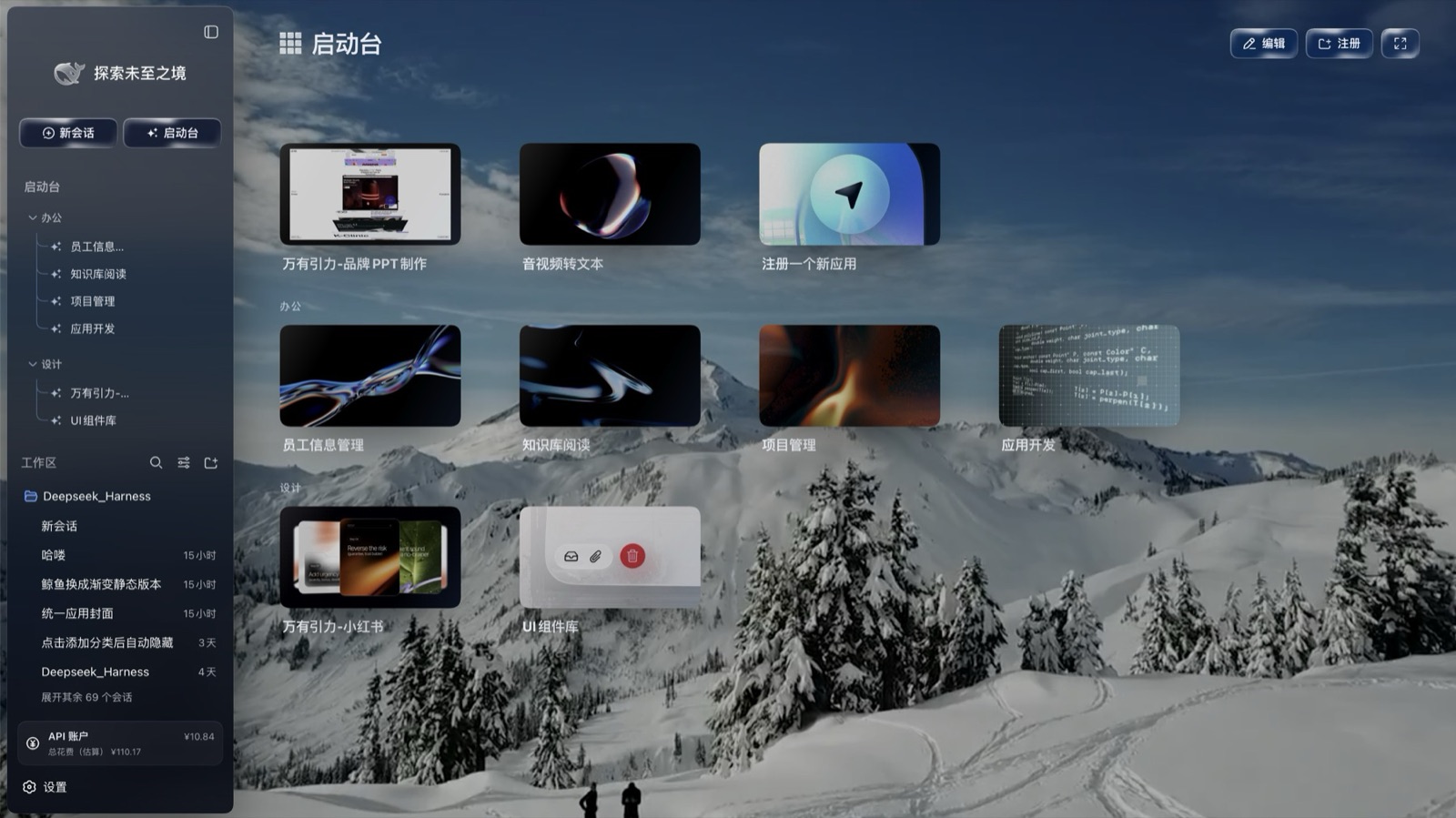
Launcher and dashboard
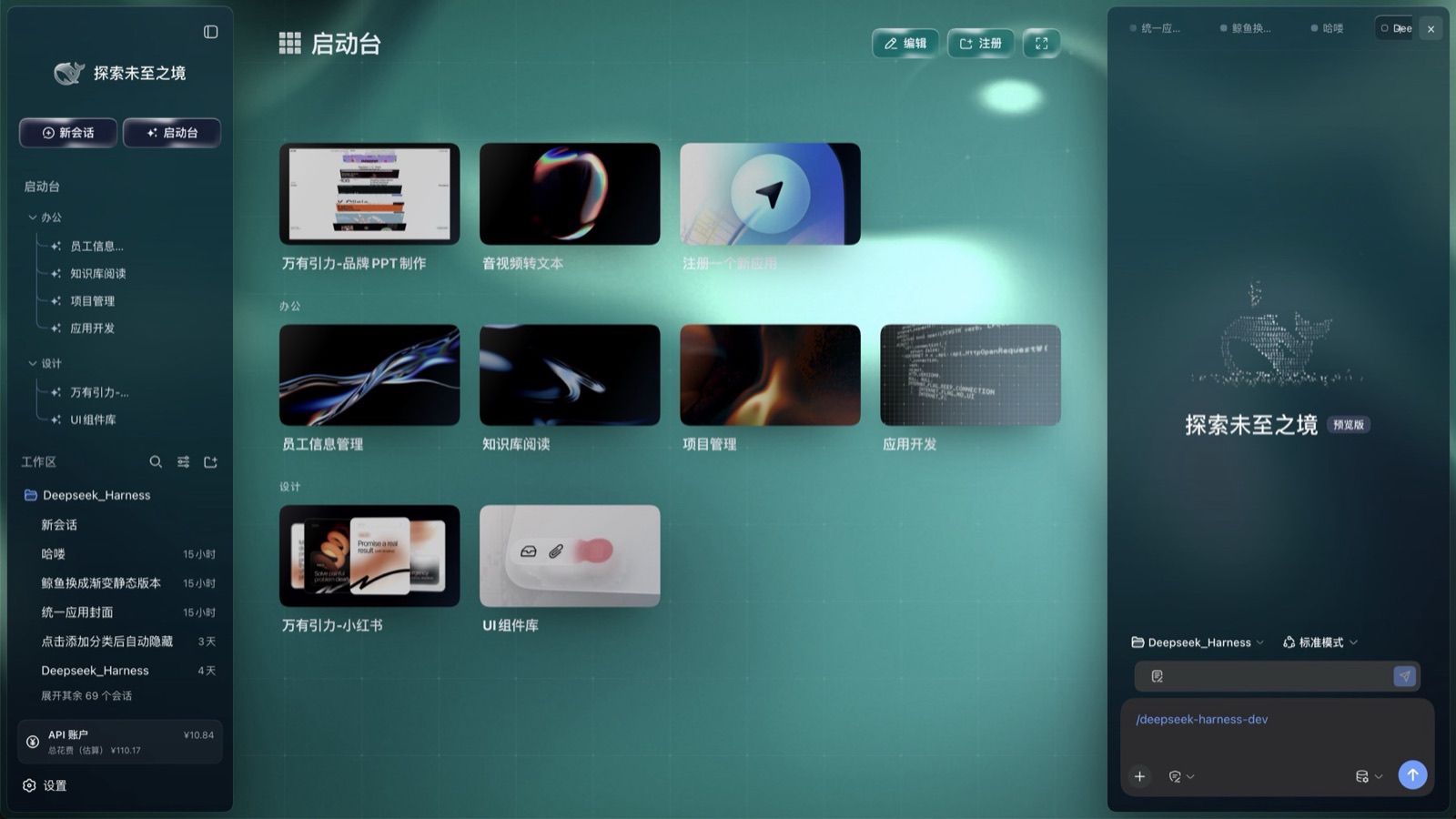
The centre panel lays app cards out by category (cover art, hover motion), with edit and register entries and paging. Immersive mode puts the dashboard in the right half — four cards:
| Card | Content |
|---|---|
| AI 热点 | A top-10 of headlines with category tags; the feed ships with the packages |
| TOKEN 用量 | Today's and lifetime token counts, switchable by day / week / month, read from your own local usage |
| 今日 | Date plus local weather: city, temperature, high/low, condition |
| 待办 | Open to-dos, synced from the right column's to-do panel |
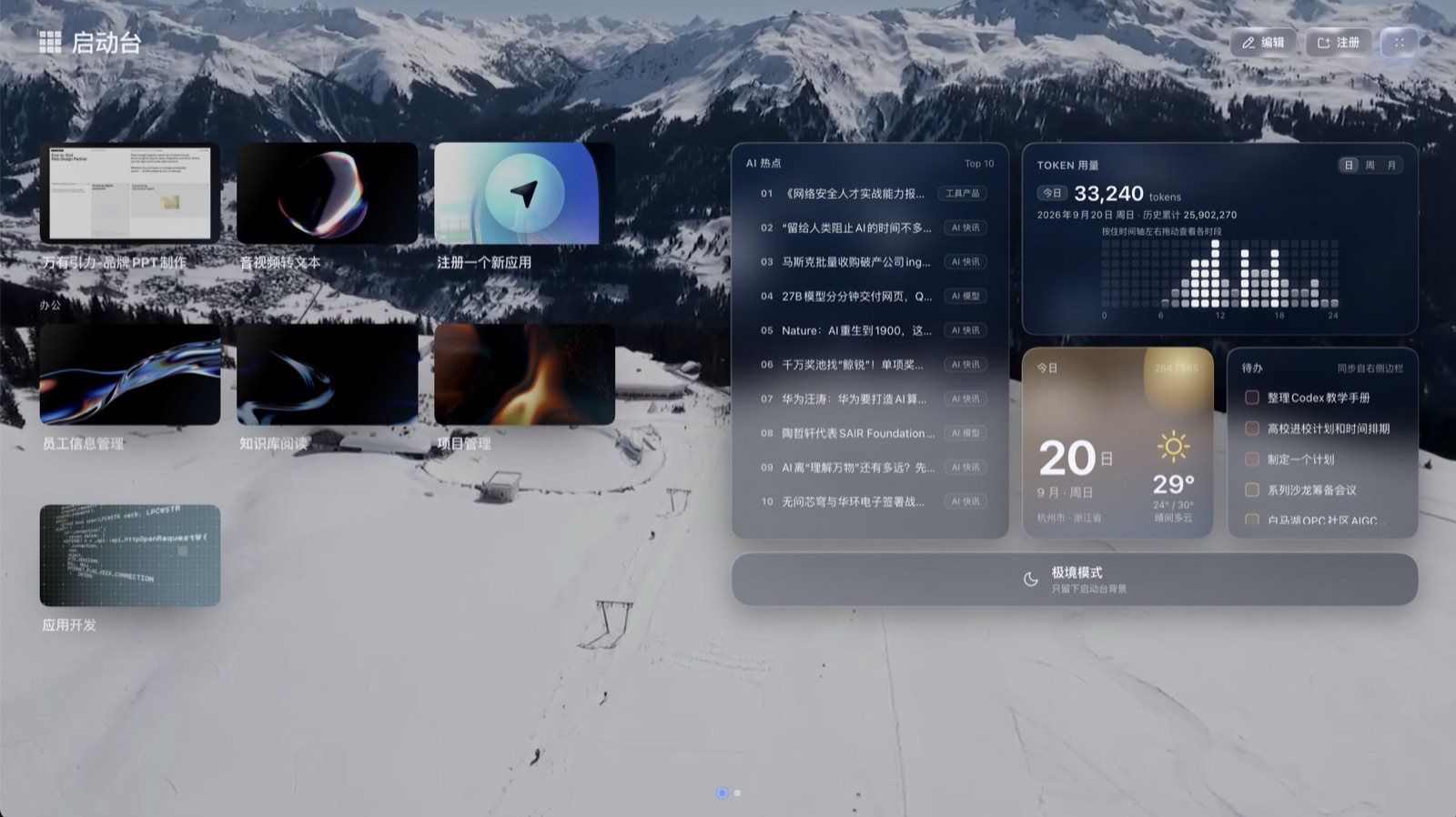
Wallpaper keeps working in immersive mode, with the dashboard over it:
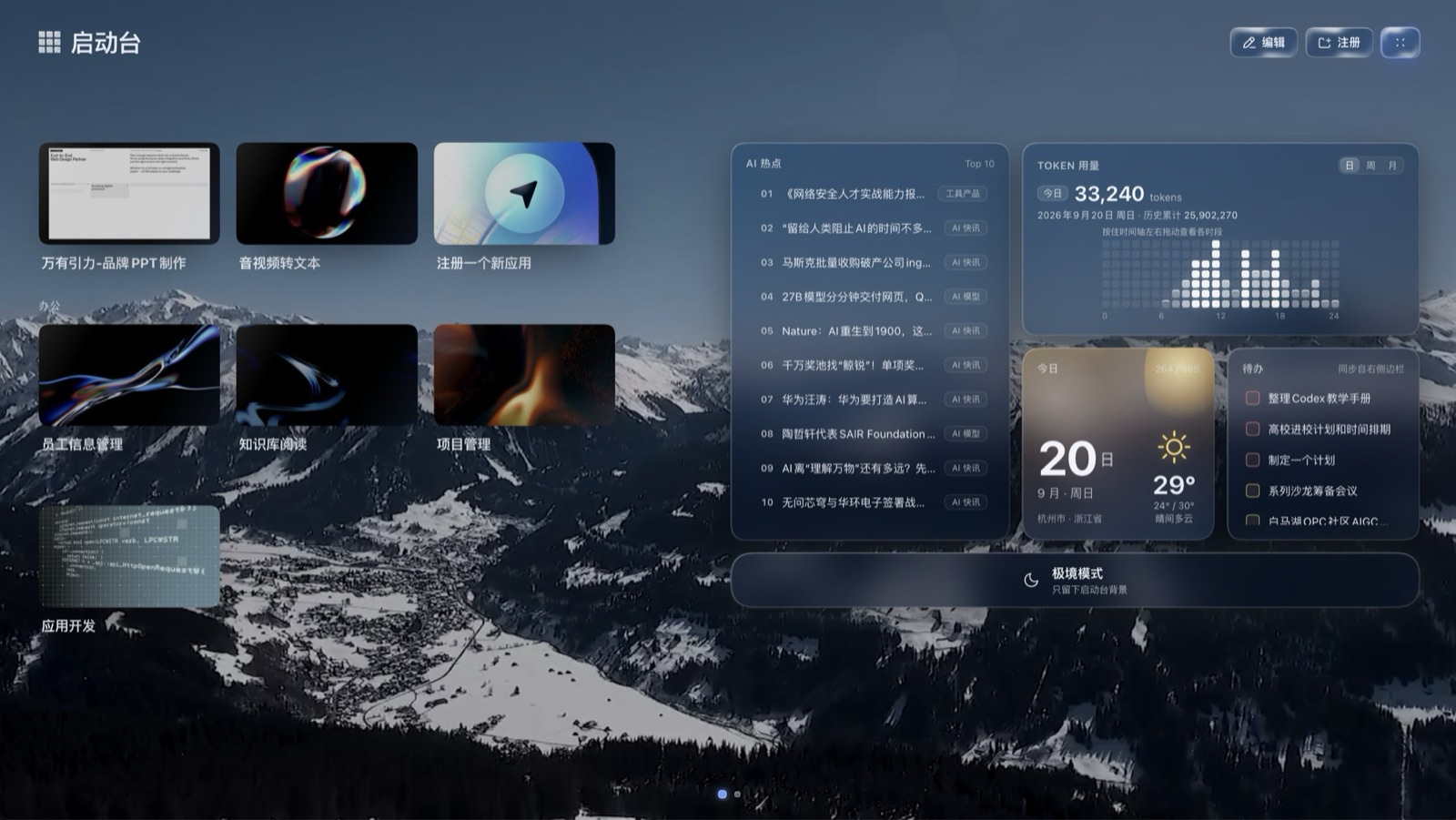
Trending and weather are host-side feeds; to-dos share data with the right column's panel. Where each of those stops is spelled out under what is in the packages, what is not.
Install
You need Node.js, pnpm, and the dsh CLI (the first command below installs dsh if you do not
have it). Nothing else — no clone, no build. dsh plugin is a pnpm forwarder underneath, so pnpm
has to be on PATH; on Windows that is the one piece a fresh Node install leaves out.
All six packages go in one add, because only the harness package is a profile layer that
mounts the other five. Installing them one at a time works too, but only the last one is a layer
and the rest degrade to plain dependencies.
Every command below is written on a single line, so pasting it line by line works exactly as well as pasting the block whole.
Each command is given twice: once for bash/zsh, once for Windows. The Windows block calls
dsh.cmd and uses no shell-specific syntax at all, so it runs unchanged in cmd.exe and in
PowerShell alike — bare dsh does not, because a default PowerShell policy blocks dsh.ps1.
No harness yet
macOS / Linux — bash, zsh
npm install -g @deepseek-ai/dsh@0.1.5-rc.2

# create the profile first — delete it beforehand if it already exists
# (plain add leaves the profile with no app layer)
dsh --profile glass --from-default-profile web --dump-config

[在 GitHub 閱讀完整 README →](https://github.com/leoethanz/dsh-beyond-glass)更多「主題與外觀」外掛
dsh-qq2006
作者 laplaceyoung
DSH (DeepSeek Harness) 的 QQ2006 皮膚外掛:註冊 qq2006 主題、映象 body[data-ds-skin]、全域性皮膚表與完整素材
dsh-beauty-skins
作者 xierw
給 DeepSeek Harness 用的美女系列皮膚:設定裡從 哲風桌布 拉預覽網格,點一張即應用,配色從桌布提取。支援動態桌布,也保留自定義選圖。
deepseek-harness-skin
作者 heigeai
DeepSeek Harness 換膚系統:21 套內建皮膚 + 一張圖生成整套配色的自定義皮膚。資料來源驅動,保對比度推導,構建期校驗可讀性。
whaleisle
作者 chisaalter
鯨嶼 Whale Isle · DeepSeek Harness 開源社群桌面版:AI 對話、終端與 Git、鯨橋 API/訂閱接入、主題桌布、鯨魚娘桌寵、用量統計與手機遠端連線。Community-enhanced DeepSeek Harness desktop client.