
Create a DeepSeek Harness Skill From a Workflow You Just Tuned
Seven screenshot-verified steps from a procedure you finally got working to a SKILL.md that shows up in the session catalog — what belongs in the file, what does not, and how to prove it catches things.
Last updated: 2026-09-22
A skill is the cheapest reusable object in DeepSeek Harness: one Markdown file inside your project that the agent reads when the situation matches. You do not build it, wire it or restart anything. That is exactly why the hard part is not creating one — it is knowing what belongs in the file, and how to tell whether it is actually working.
This page follows the Skills chapter of one recorded crash course (credited above and below), where the whole authoring loop happens live: a commit skill is requested in plain English, the generated SKILL.md is opened and read, the one step written as judgement is converted into a script, and the result is tested with a fake secret planted in the repo. Every frame comes from that chapter. Installing skills you did not write, and choosing which ones to install, are separate jobs — both linked at the bottom.
The three things to remember
- ▸You do not hand-write the file first. Describe the procedure in the session and the agent writes .agents/skills/<name>/SKILL.md, which appears in that session's skill catalog immediately — no restart.
- ▸A skill is frontmatter plus body: name, description and whenToUse decide whether the model ever reads the rest, and the body should be numbered steps with exact commands, then a Rules block of hard nos.
- ▸Any step phrased as judgement — if something looks unsafe, flag it — should become a script with exit codes, so the same repo state always produces the same verdict.
The seven steps
Where the skill file lives
- 1
Look at the project tree first — .agents sits at the repo root
Before you write anything, see where a project-scoped skill is going to live. The harness file tree shows the project root with .agents/, .obsidian/, vault/, spec.md, AGENTS.md and README.md, and the built-in editor opens any of them with a live Markdown preview beside it. A skill is a file in this tree, versioned with the repo and editable by you — not a setting buried in a menu.
$.agents/skills/<skill-name>/SKILL.md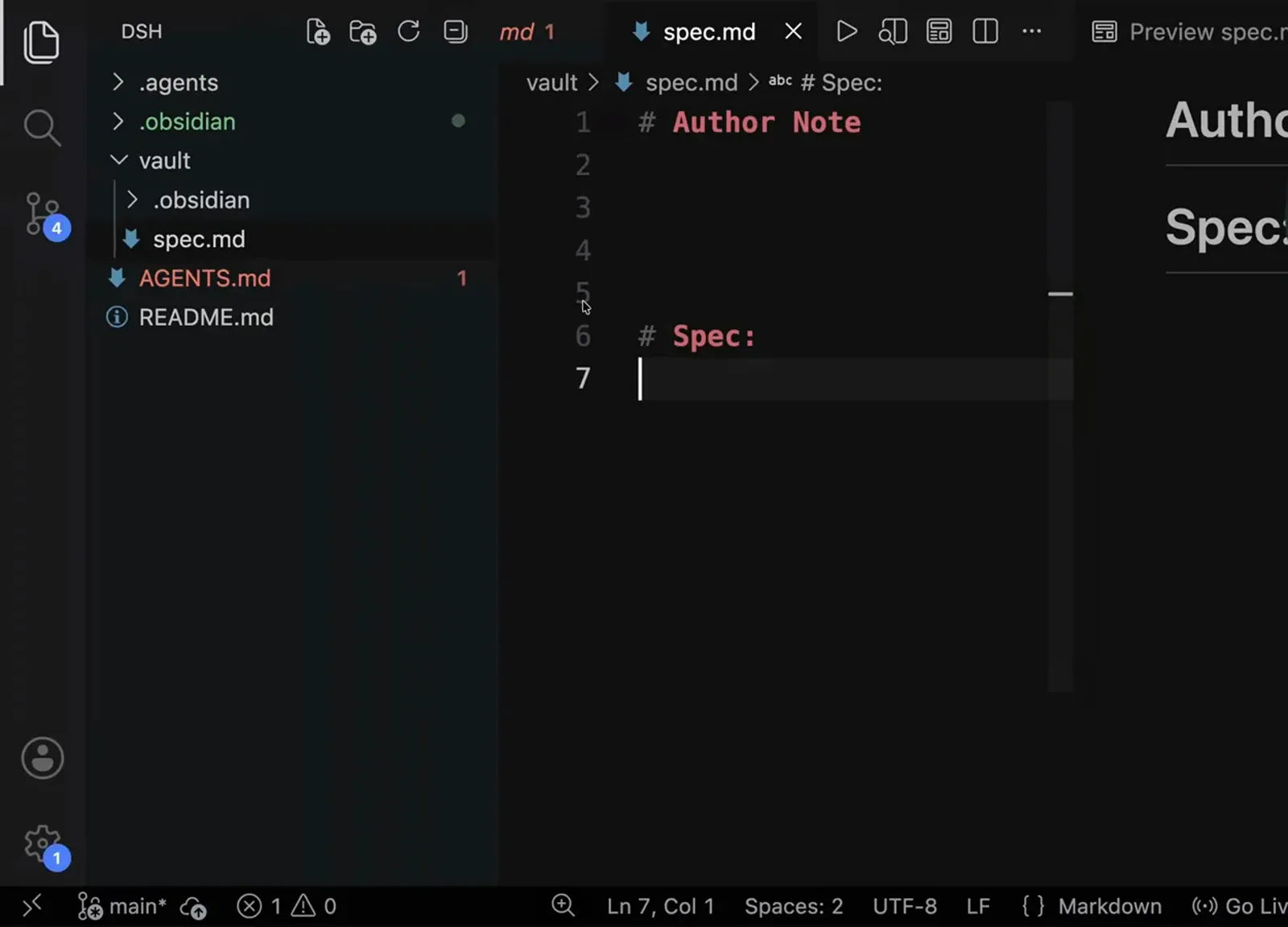
Skills are files in the repo — the same tree you already edit.Watch at 17:06 - 2
Ask for the skill, then open the SKILL.md it writes
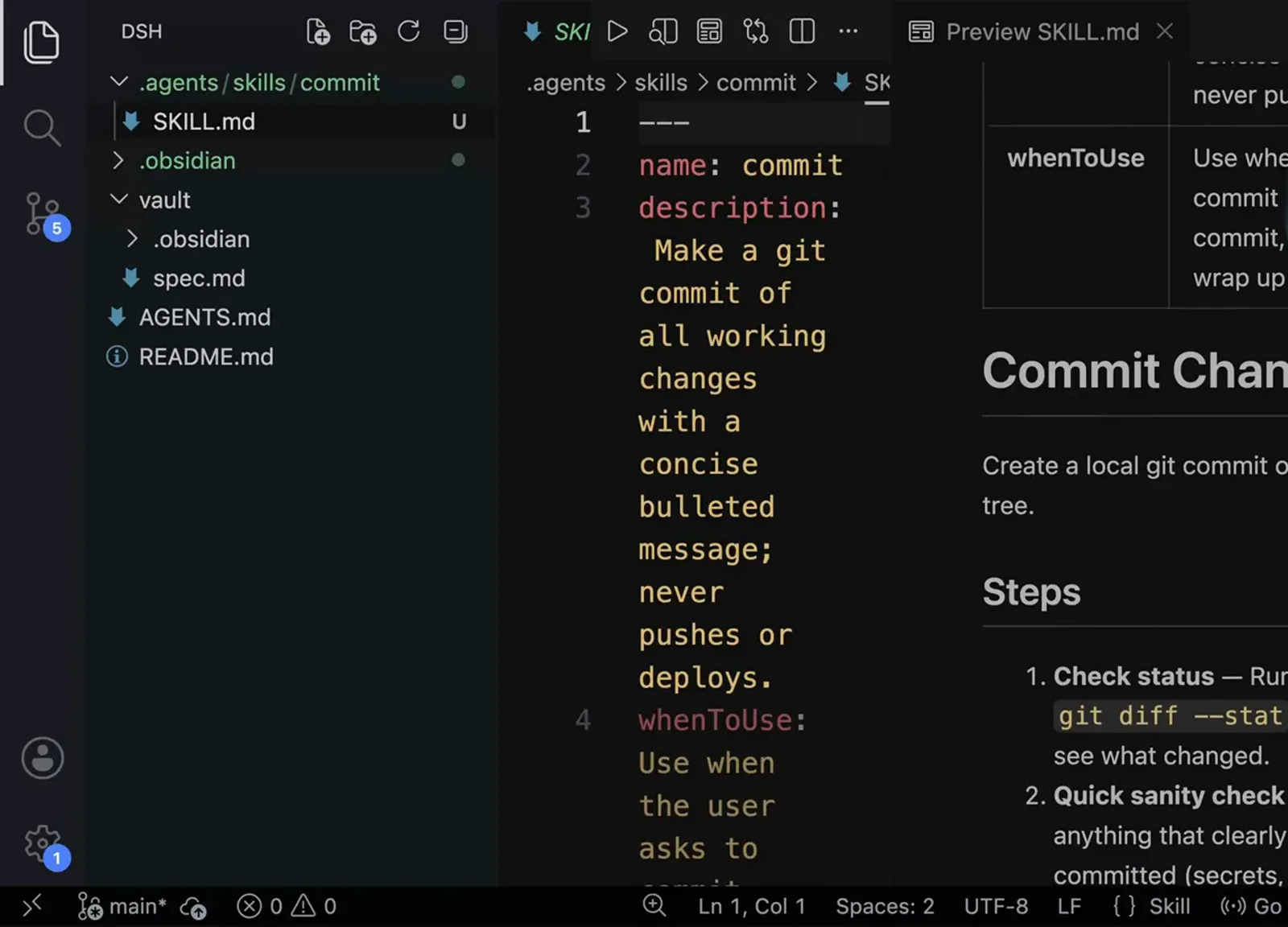
In the recorded session the request is one paragraph: make a commit skill, no AI attribution, a concise bulleted message, check quickly for anything that should not be committed, commit all working files so the directory ends empty, and never push or deploy. The agent writes .agents/skills/commit/SKILL.md, and opening it shows the shape every skill has: a name, a description that states what it does and what it refuses to do, and a whenToUse line listing the things a user actually types.
$name: commit$description: Make a git commit of all working changes with a concise bulleted message; never pushes or deploys.$whenToUse: Use when the user asks to commit changes, make a commit, check in work, or wrap up a task.Three frontmatter fields decide whether the model ever reads the rest of the file.Watch at 17:14
What belongs inside it
- 3
Keep the body as numbered steps, then a Rules block
The generated file is six steps — check status, sanity check, stage everything, write the message, commit, verify — each with a bold label and the exact command quoted (git status, git add -A, git commit -m, git log -1 --oneline), followed by a Rules section holding the hard nos: no attribution, concise bullets only, do not push or deploy. That structure is what makes a skill reviewable. Step 2 is the one to stare at: skim the status for anything that clearly should not be committed, and flag it if something looks unsafe. That is a judgement call written in English.
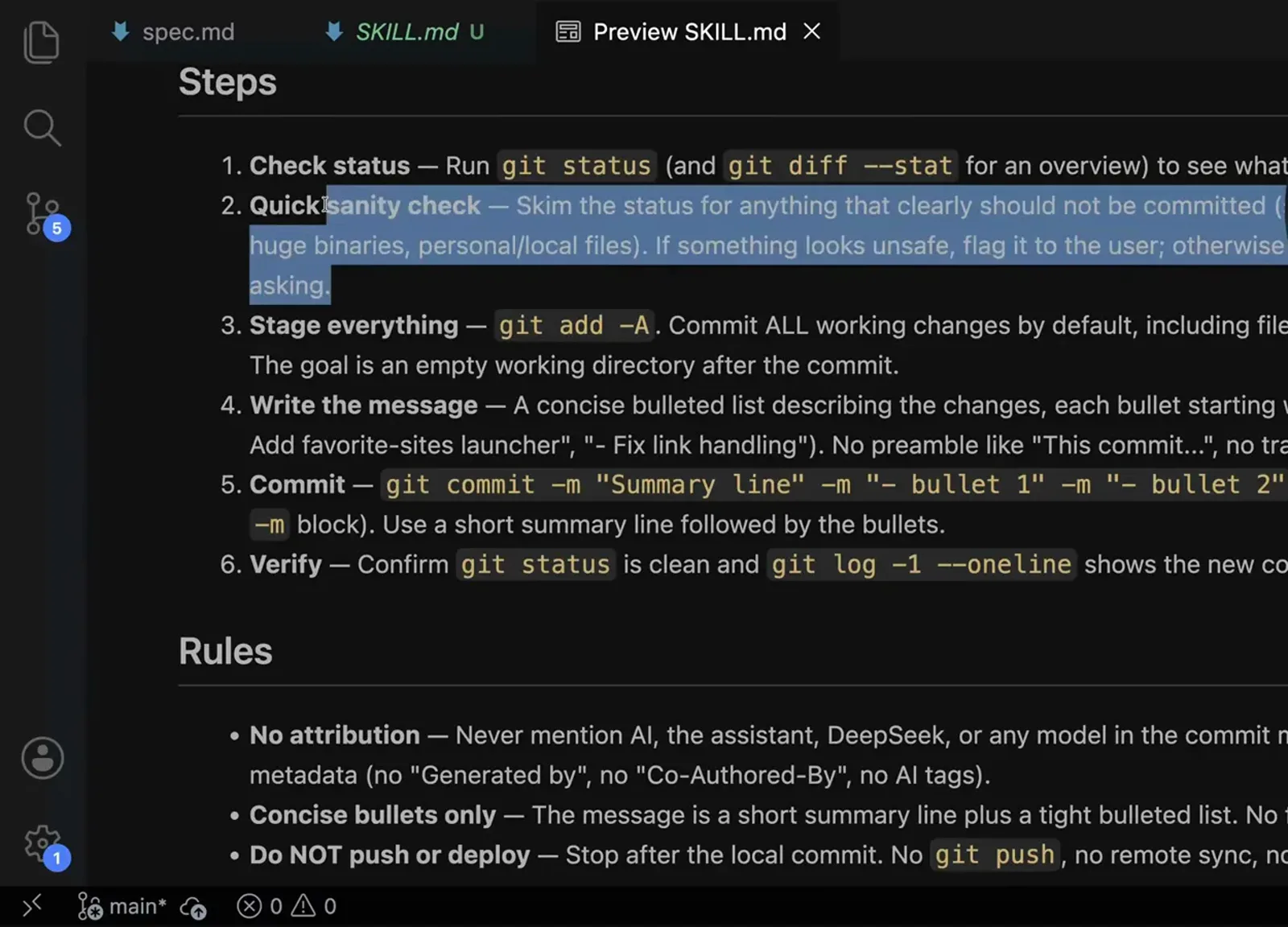
Numbered steps are the contract; the selected line is the one still left to judgement.Watch at 18:18 - 4
Rewrite fuzzy English as a deterministic script
The fix is another message that quotes the offending step verbatim and asks for it to be converted to a deterministic script. The agent adds scripts/check-commit-safety.sh inside the same skill folder and edits SKILL.md so step 2 runs the script instead of forming an opinion — same repository state in, same verdict out. Anything a machine can decide should not be left to a model's reading of a sentence.
$please convert to deterministic script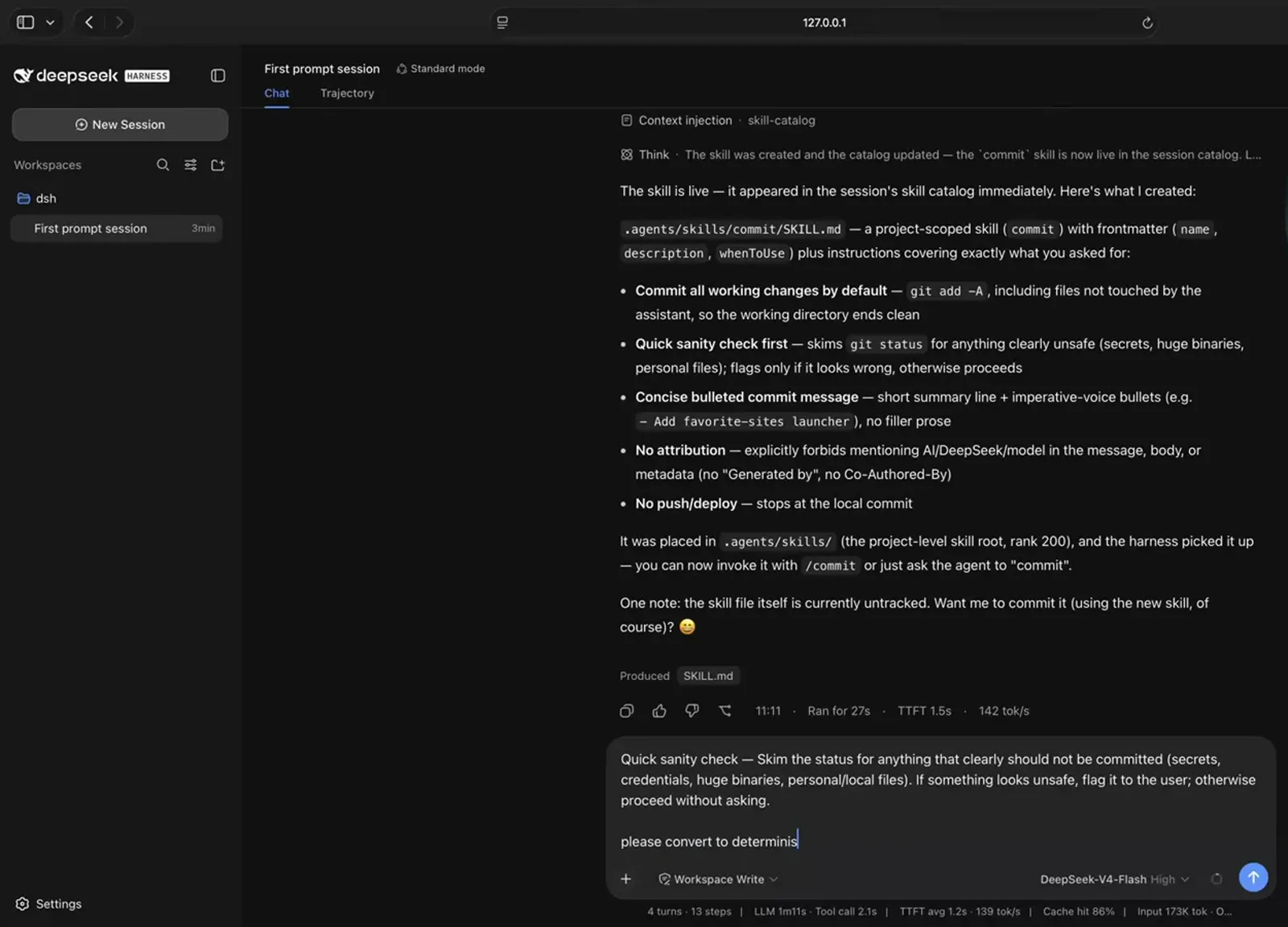
Quote the bad line, then ask for code instead of an opinion.Watch at 18:34
Prove it before you rely on it
- 5
Plant a bad file and watch the tree
Testing a safety rule means giving it something it must refuse. A .env is created at the project root with a fake password on line one, and the file tree now shows both the skill's scripts/ folder and the new .env — the same view you would use to edit either one. This is also the cheapest way to see what your skill directory actually contains once a script is part of it.
$password=secret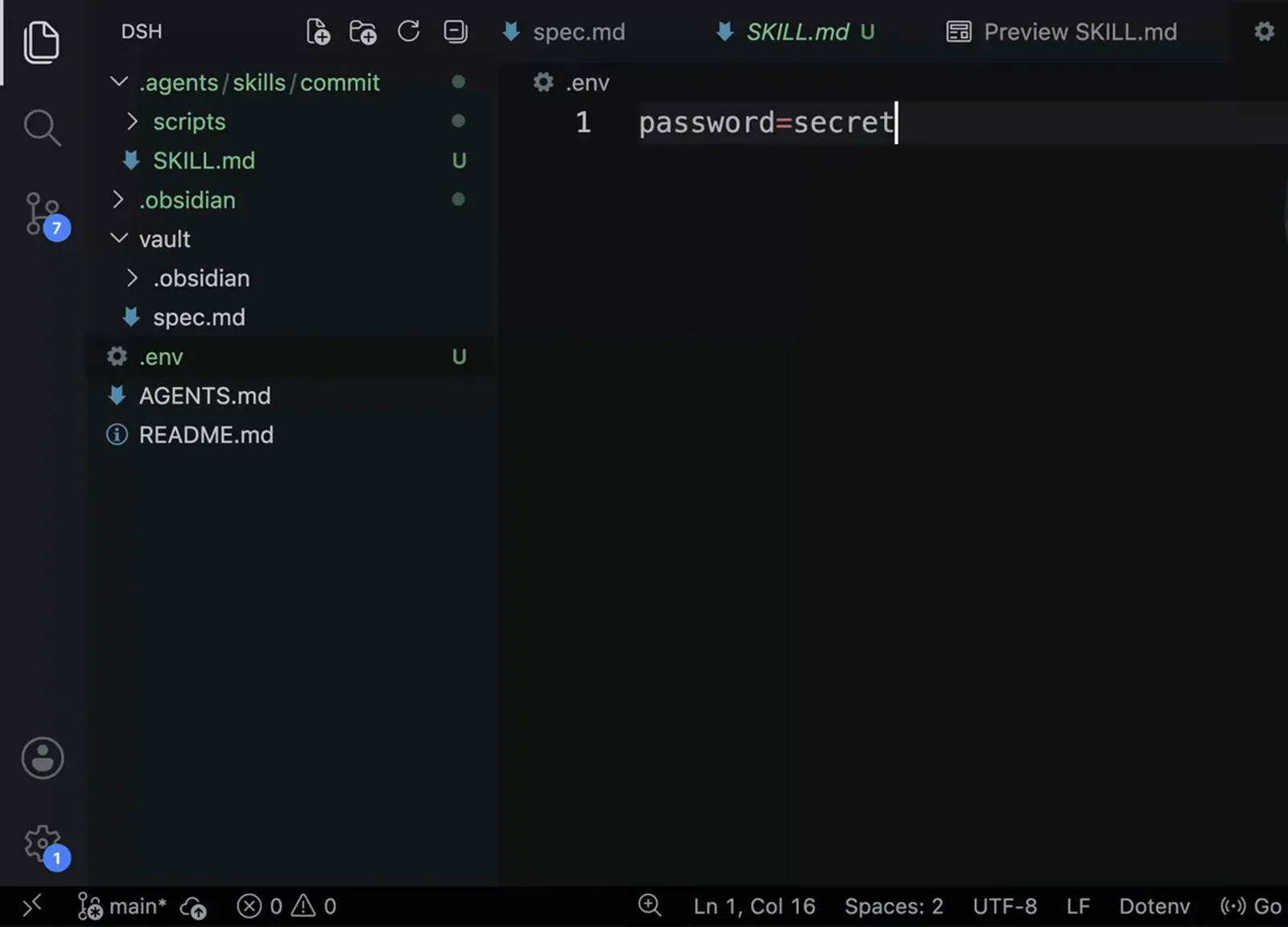
You test a safety rule by feeding it the thing it must refuse.Watch at 19:26 - 6
Read the verdict, not the vibes
The check prints what it found: Safety check FLAGGED 2 item(s) among 7 would-be-committed file(s), with .env listed twice — once by deny pattern and once as a possible secret in content. The user decides, .env goes into a new .gitignore, the re-check exits 0, and the commit lands with four imperative bullets and no attribution. The Verified list under it is the acceptance test for the whole skill: clean working tree, no AI attribution in the message, no push.
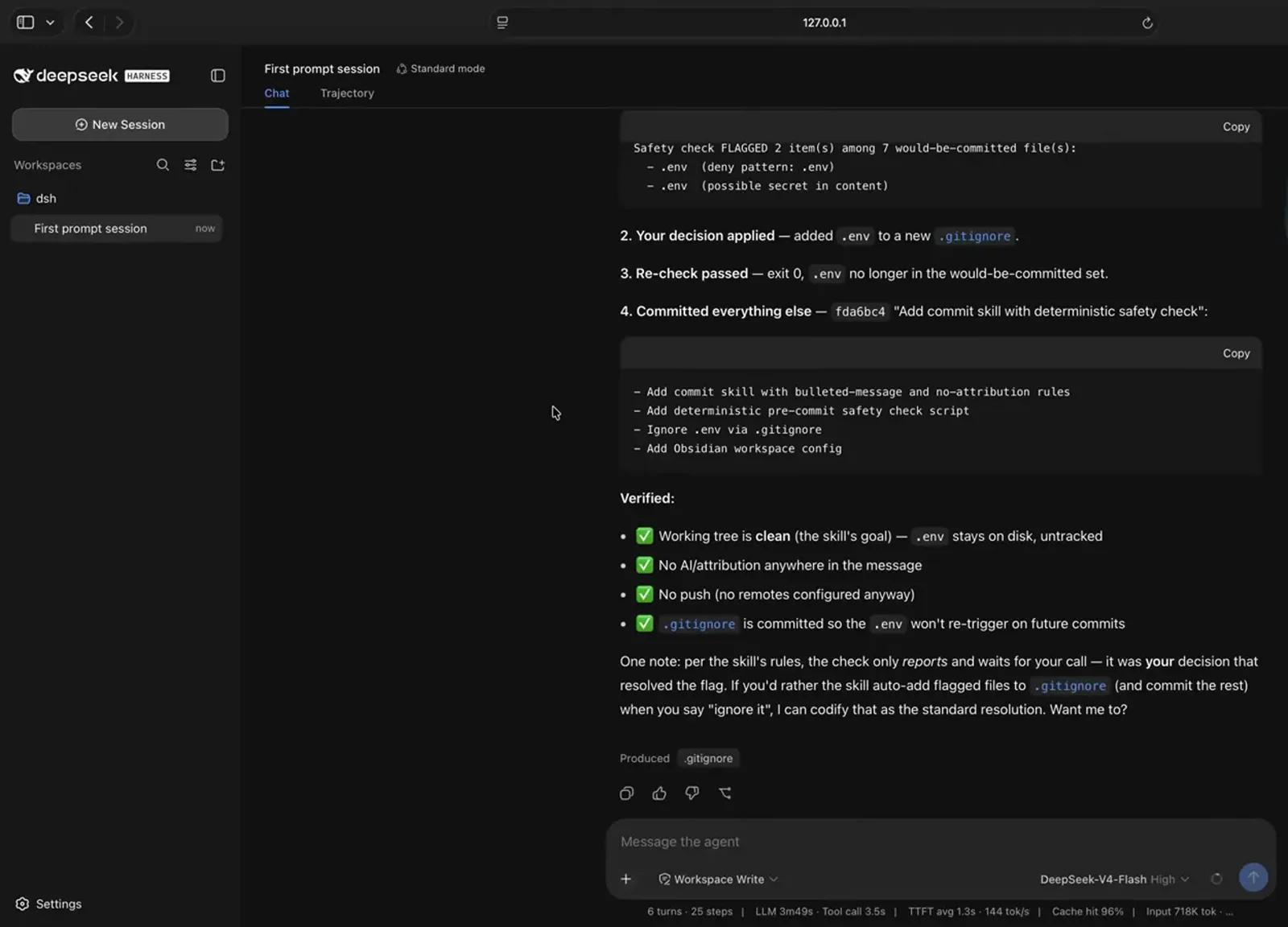
The verdict names the file and the rule, which is what makes it reviewable.Watch at 19:44 - 7
Codify the resolution you actually wanted
The agent notices that it stopped and waited for a human, and offers to make that the default behaviour: auto-add flagged files to .gitignore and commit the rest when you say ignore it. The reply is yes do this. That is the last authoring step and the one people skip — the decision you made once becomes part of the file, so the next session does not need you.
$yes do this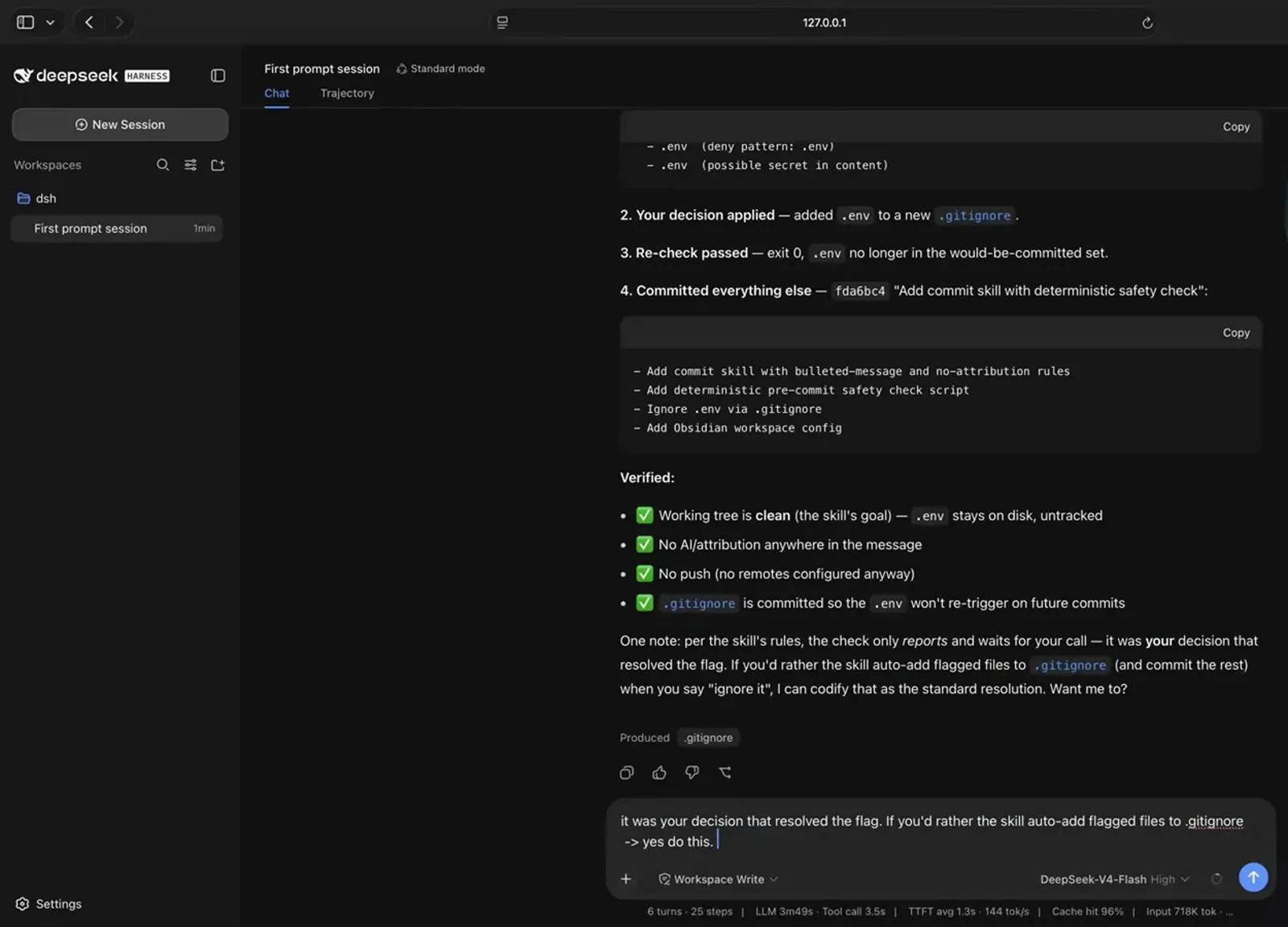
The last authoring step is writing your decision back into the skill.Watch at 20:00
A skill is not a plugin
Both can be created by asking, and both change how your agent behaves, but they are different objects with different guarantees. A skill is Markdown the model reads when it judges the situation relevant — it can only ever be advice, and it can be misread or skipped. A plugin is a package installed into the harness that hooks into the runtime: it adds tools, changes the interface, or enforces something whether the model agrees or not. If the rule must hold every single time, build a plugin; if it is a procedure you would otherwise re-explain every session, write a skill. The side-by-side comparison, with the same commit example, is on its own plugins vs skills page.
Authoring DeepSeek Harness skills: FAQ
Questions that come up the first time you write your own SKILL.md.
Where does a DeepSeek Harness skill file go?
In the project: .agents/skills/<skill-name>/SKILL.md. The recorded session says it out loud — skills are discovered from project roots at that path, ranked as project-scoped — and the file written for the commit skill is .agents/skills/commit/SKILL.md, with its helper script alongside it at .agents/skills/commit/scripts/check-commit-safety.sh.
Do I have to restart the harness after adding a skill?
No. The session's own report is that the skill is live and appeared in the session's skill catalog immediately, and the transcript of the reply shows a Context injection · skill-catalog entry right after the file write — the catalog is re-read when the file lands. That is the difference from installing a plugin, which needs a service restart and a hard reload.
What goes in name, description and whenToUse?
name is the identifier you invoke — commit. description is one line stating what the skill does and what it refuses: Make a git commit of all working changes with a concise bulleted message; never pushes or deploys. whenToUse is the trigger sentence, and it lists the phrasings a user really types: asks to commit changes, make a commit, check in work, or wrap up a task. Those fields are read to decide relevance, so write them for the model rather than for a human skimming a folder.
Can I write SKILL.md myself instead of asking the agent?
Yes — the walkthrough's point is that skills are not fancy: they are Markdown files, and skill folders that already exist in a repo can be read as they are, as long as the format matches. Asking for it is faster and usually more thorough, because the result comes with numbered steps, quoted commands and a rules block. Either way, open the file afterwards and read it, because the file is the contract.
When should a step become a script?
Whenever the step is a yes/no decision a machine can make: secrets, file sizes, path patterns, anything boolean. In the recorded build the sanity check moves from skim the status for anything that looks unsafe to a script whose exit 0 means safe, exit 1 means flagged and exit 2 means environment error — and SKILL.md is edited to say the script's verdict is authoritative and only the user can override a flag. Deterministic output for identical input is the test.
How do I know my skill actually fired?
Two places in the session. The reply stream shows a Context injection · skill-catalog line when the catalog changes, and the produced-files chip under a reply names SKILL.md when the agent wrote or read it. For behaviour rather than plumbing, feed it an input that should trip the rule — a .env with a fake key in it — and check that the output names the file and the pattern that caught it. A skill that only says it complied proved nothing.
Related guides
Installing skills you did not write, picking the good ones, and the object people confuse with a skill.
How to install DeepSeek Harness skills
The mechanics in the other direction: create the folder, drop a SKILL.md in, and verify the load in the trajectory without a restart.
Read the guideBest DeepSeek Harness skills to install first
Which skills earn their place in a session, including the same commit skill built and hardened on video.
Read the guideDeepSeek Harness plugins vs skills
The one-page answer to what the difference actually is, with a worked example of each side by side.
Read the guideHow to create a DeepSeek Harness plugin
When advice is not enough: the contract, the config schema and the install path for a plugin that enforces behaviour.
Read the guideSources & credits
Every screenshot on this page is a frame from the Skills chapter of the crash course linked above and below, cropped to remove the presenter's camera bubble and used with attribution. Each step deep-links to the exact second it came from; the structure, warnings and conclusions are this page's own.