
dsh automated code review: review presets, workbench audits and fix dispatch
How one real DeepSeek Harness setup reviews its own plugin repo: a read-only reviewer agent working from a checklist skill, verification gates that must pass before anything counts as done, and a workbench that flags README-versus-runtime mismatches on sight.
Last updated: 2026-09-29
Most AI code review demos stop at "the model commented on my diff". This 16-minute screen recording (an Ubuntu VM running the dsh Web UI on DeepSeek-V4-Flash) shows a more opinionated setup: the reviewer is a separate read-only agent; every change must clear a portability guard (37 rules) plus 19 test suites and 1,347 assertions before it counts as done; and a workbench UI cross-checks what each plugin's README promises against what it actually registers at runtime.
The workbenches and presets in the video are the author's own plugins (published on Gitee as hecong_dsh_plugins), not built-in dsh features — but the whole pattern is reproducible with the standard preset system, covered in Agent presets, hands-on
The pattern in 20 seconds
- ▸A dedicated read-only review preset (风控, "risk control") audits code against a checklist skill — input boundaries, paths and permissions, endpoints and credentials, data consistency, test quality — and reports findings with file:line and reproduction steps.
- ▸The coding preset's own rules: read the domain conventions and skills first, run preflight and tests after every change — the demo's report shows 37 guard rules passed, preflight exit 0, and 19 suites / 1,347 assertions.
- ▸A PTC (Code Mode) twin of the coding preset suits batch inspection: the model writes one TypeScript program that composes many tool calls instead of prompting round after round.
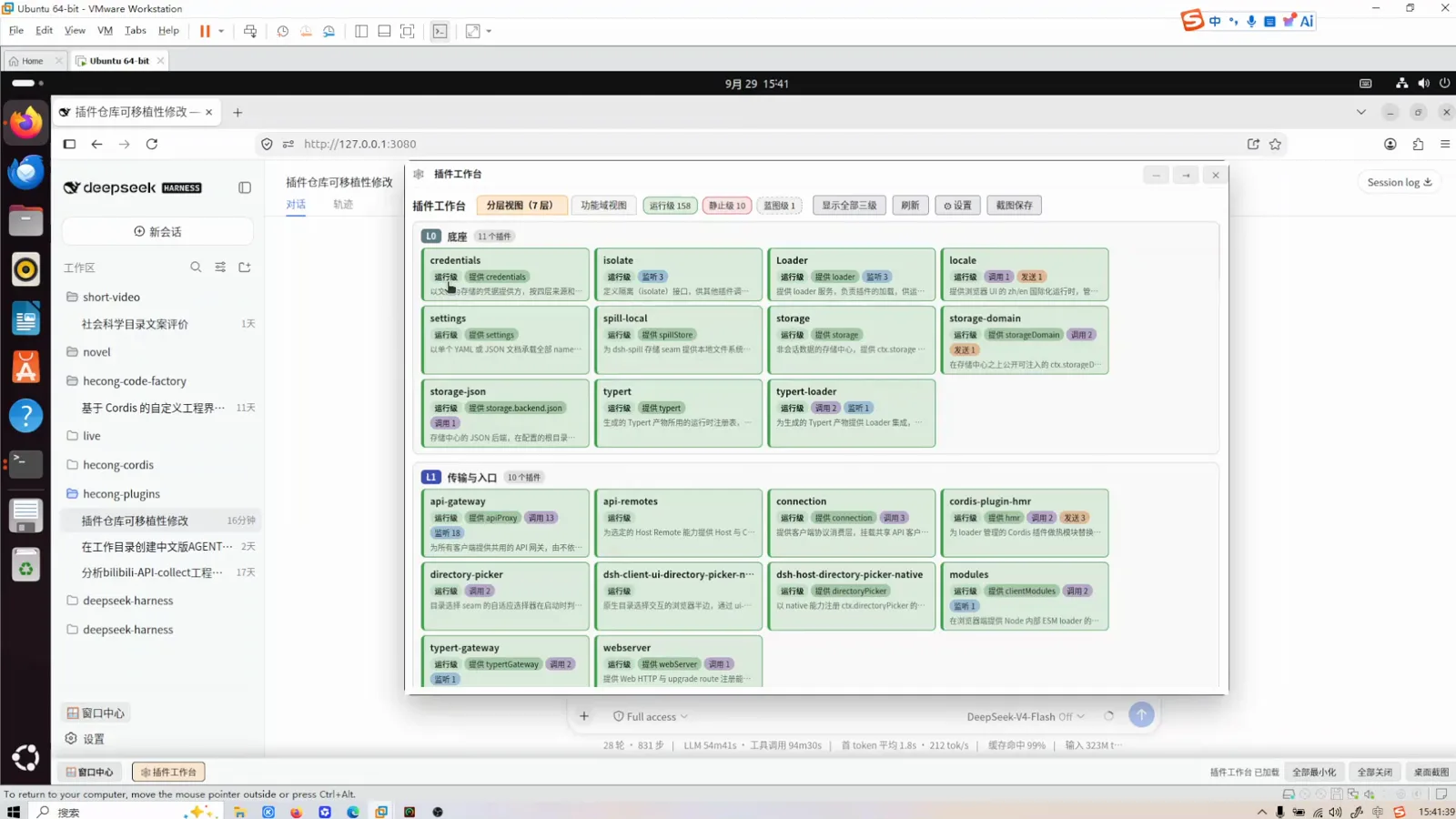
- ▸The plugin workbench audits the whole repo — 158 plugins across 7 dependency layers — and flags README-vs-runtime mismatches on the plugin card; fixes dispatch back as dev tasks.
The review loop, step by step
Assemble reviewer and reviewed
- 1
Give the reviewer its own read-only preset
In Settings → Agent presets, the author keeps the review job in a separate custom preset called 风控 (risk-audit). Its description is the whole spec: a read-only review agent that follows the code-risk-audit skill checklist — input boundaries; paths and permissions; endpoints and credentials; data consistency; test quality — and outputs findings with file:line and reproduction steps, handing fixes to the coding agent via agent_ask instead of changing anything itself. Next to it sit the coding presets: 插件编码 (read domain conventions first, always run preflight and tests after changes) and its PTC twin, marked "in use" on this session.
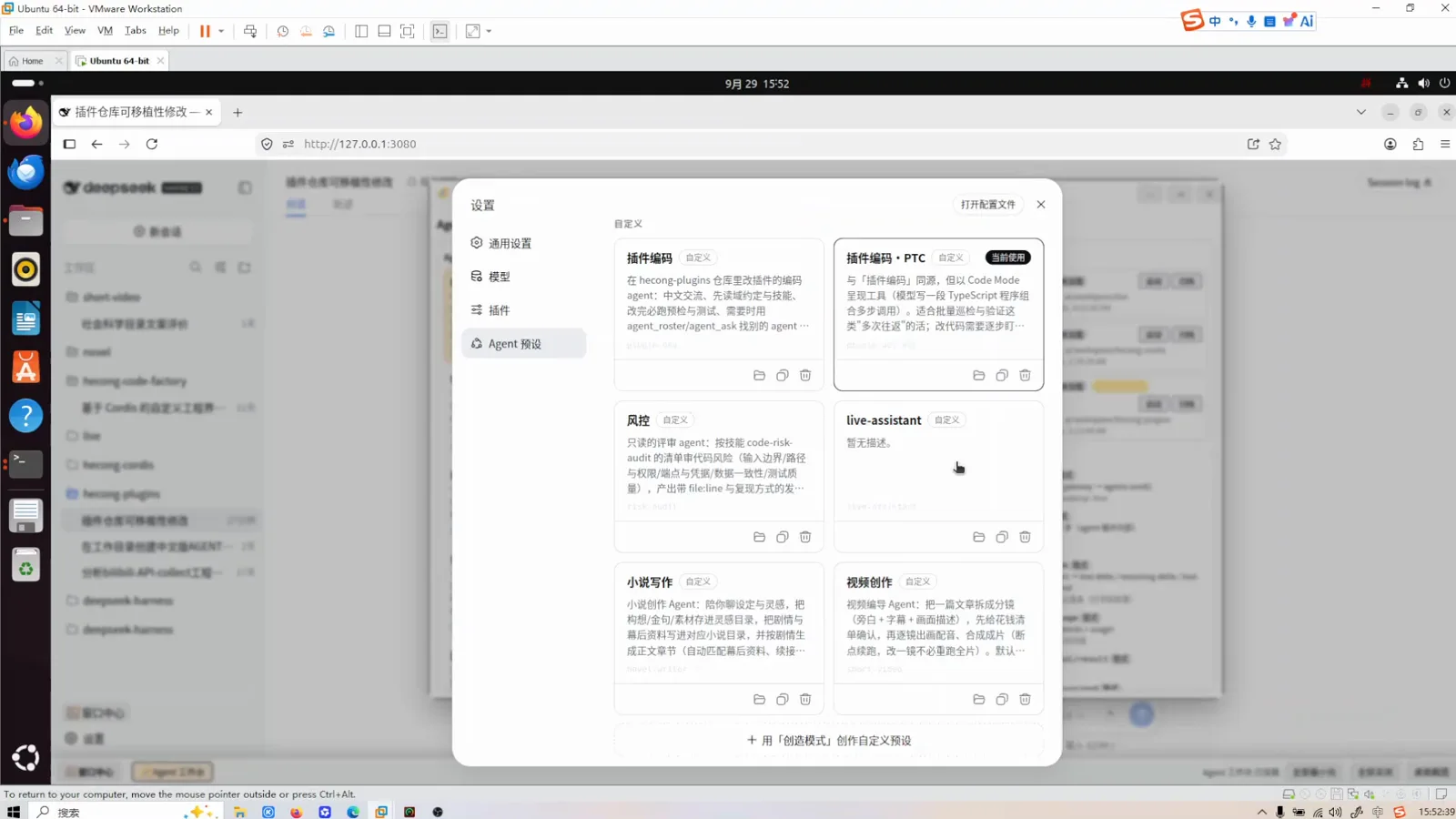
Settings → Agent presets: the read-only reviewer, the coding preset and its PTC twin.Watch at 12:30 - 2
Check what the preset actually mounts
The agent workbench is a read-only map of presets → plugin flow → sessions. Selecting the coding preset shows its two identity cards (plugin-dev and plugin-dev-ptc), the sixteen conversation-level plugins each drags in, and the L3 capability providers underneath — fs-sandbox, subprocess, jobs, skill, goal, web, settings, session persistence. The mounted-sessions panel on the right ties each session to a workspace path and a mode, so you can confirm the reviewer and the coder never share a context before letting them loose.
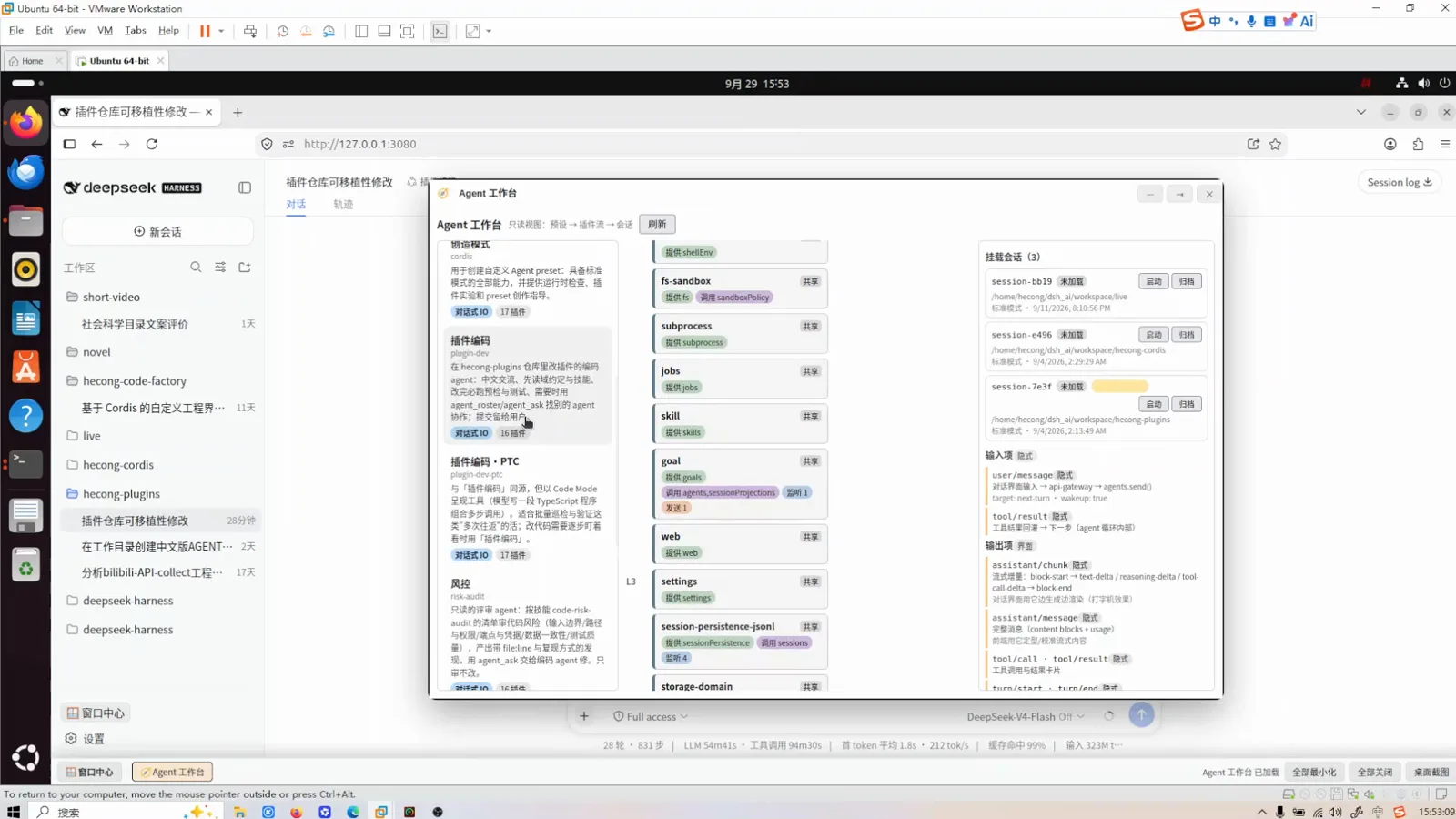
The agent workbench maps preset → plugin flow → sessions, all read-only.Watch at 13:00
Run the review, read the report
- 3
Run the review and read all three report layers
The recording opens on a finished pass over the plugin repo, and the report reads like a release checklist. Findings: files the agent wrote landed as permission 600, so they were chmod-ed to 644 — while 59 pre-existing 600 files were left alone, because that's the local umask state and git only tracks the executable bit. Verification: 37 portability-guard rules passed, preflight exited 0, and the full self-test ran 19 suites and 1,347 assertions. Boundaries: the agent notes the license attribution is the author's to decide, and states plainly it did not git commit — the commits were left to the human, by design.
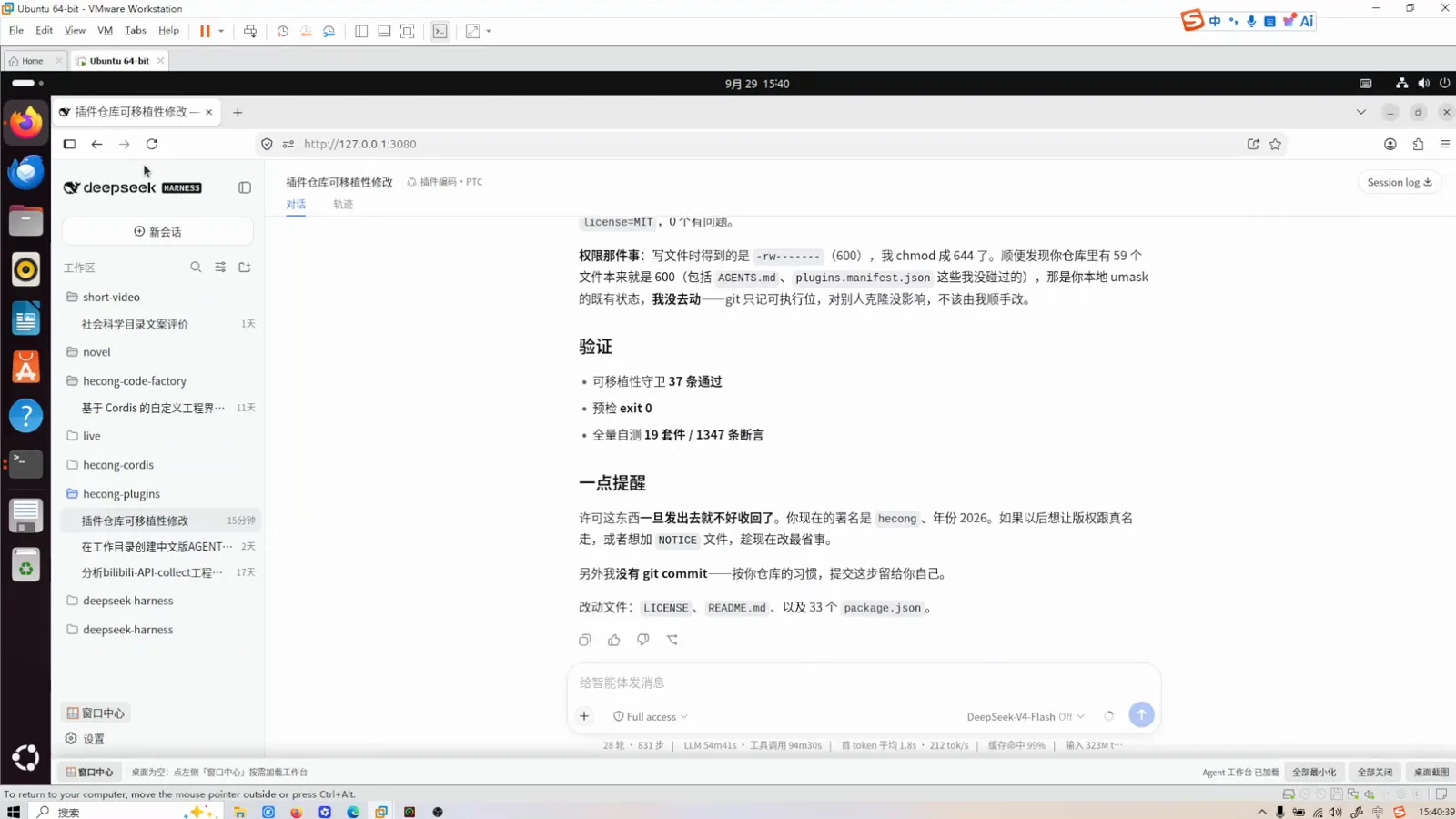
The report has three layers: findings, machine verification, and explicit boundaries.Watch at 0:30 - 4
Audit the whole repo in the workbench
The plugin workbench renders every plugin in the repo as a card: 158 running-level plugins sorted into 7 dependency layers (L0 foundation: credentials, isolate, loader, locale, storage; L1 transport: api-gateway, webserver), each with provide/call/send badges and violation counts. Switch to the functional-domain view and the same plugins group into media generation, audio, vision, novel, live and platform domains — stopped plugins highlighted red, incident-level ones tagged. The layer and domain counters are live: unload a plugin and it moves between views.
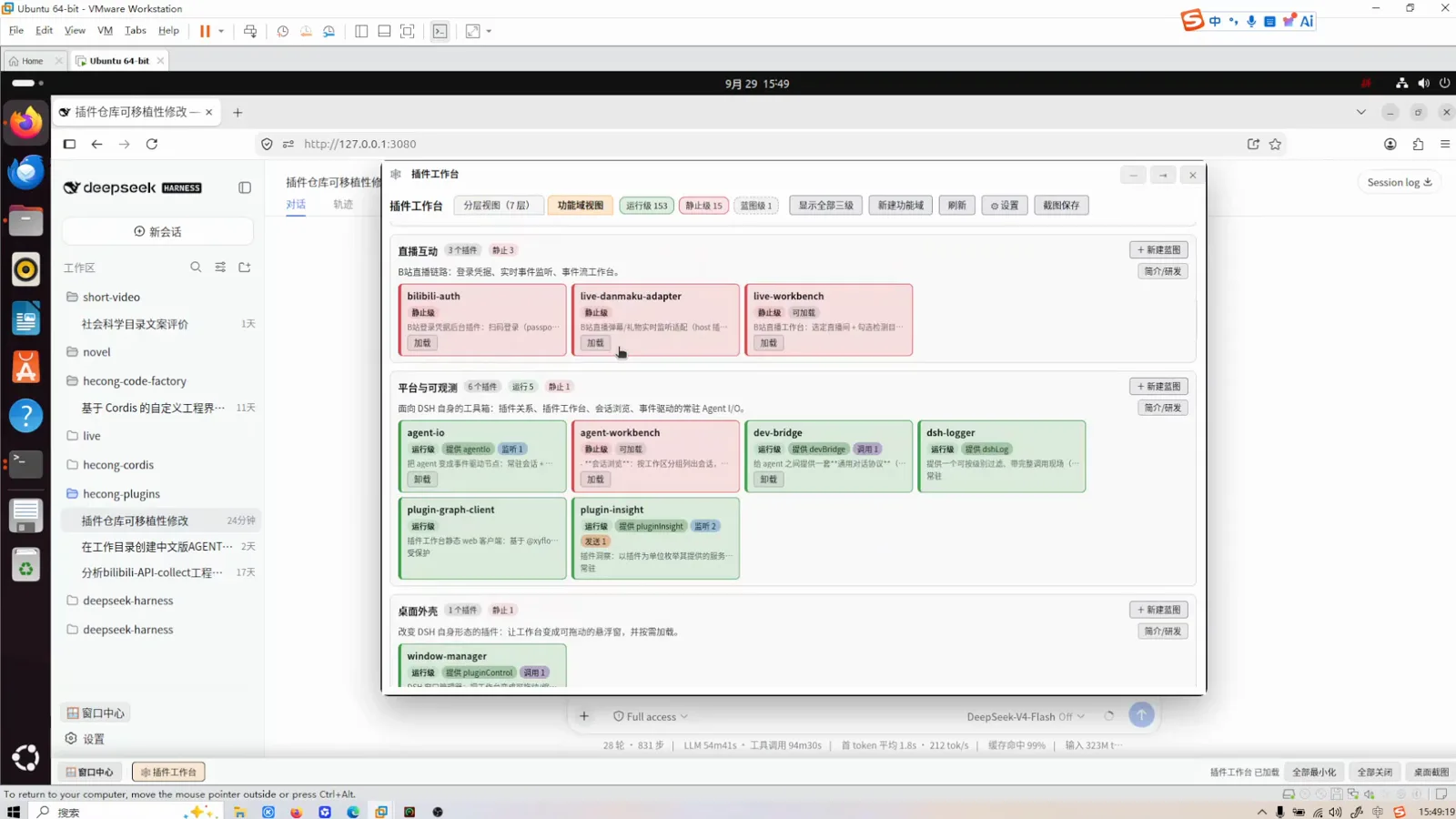
Functional domains: stopped plugins in red, the platform domain holding the observability tooling.Watch at 9:10 - 5
Catch README claims that don't match runtime
Open any plugin card and the workbench shows what the plugin declares versus what it actually does at runtime. For the audio-player plugin, the "declaration vs fact" section lists consumes/listen entries that exist only in the README (webServer "registers routes, serves"), only at runtime, or in both — the kind of doc drift that survives eyeballing but breaks integrations. The description is editable right there, sourced from the plugin's README with its file path shown.
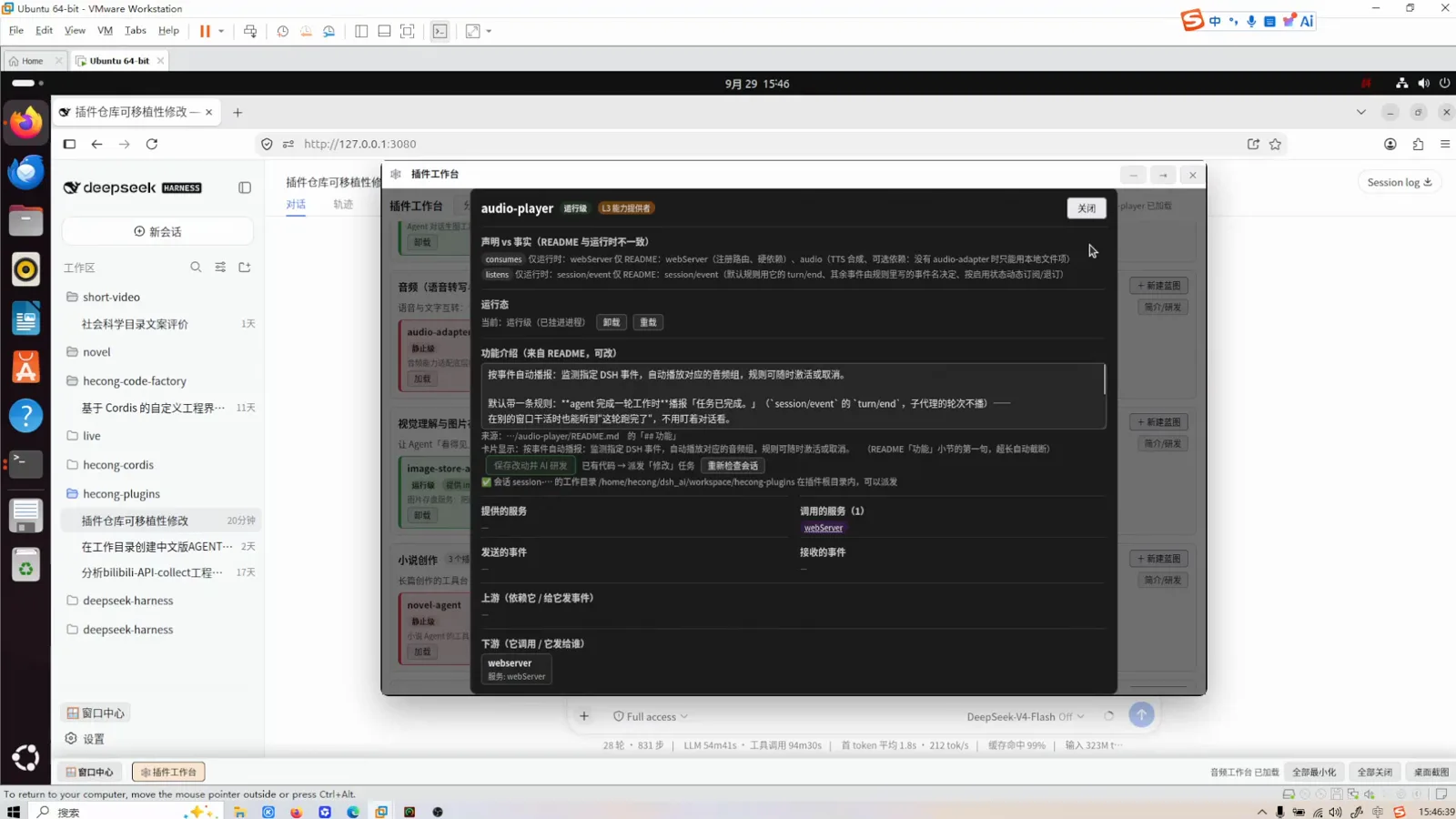
Declaration vs fact: the workbench diffs each README against live runtime registrations.Watch at 6:30
Dispatch fixes, re-verify, publish
- 6
Dispatch the fix as a task, not a chat message
The same dialog turns review findings into work: type the intended behavior into the description ("I want you to be responsible for …"), and the toolbar offers save-and-dispatch to AI development, a blueprint version that hands off to a "dev" task, and a re-check-session action. The dialog tracks its own dirty state ("changed, not saved") and shows the session's working directory, so the edit lands in the same workspace the coding agent will run in.
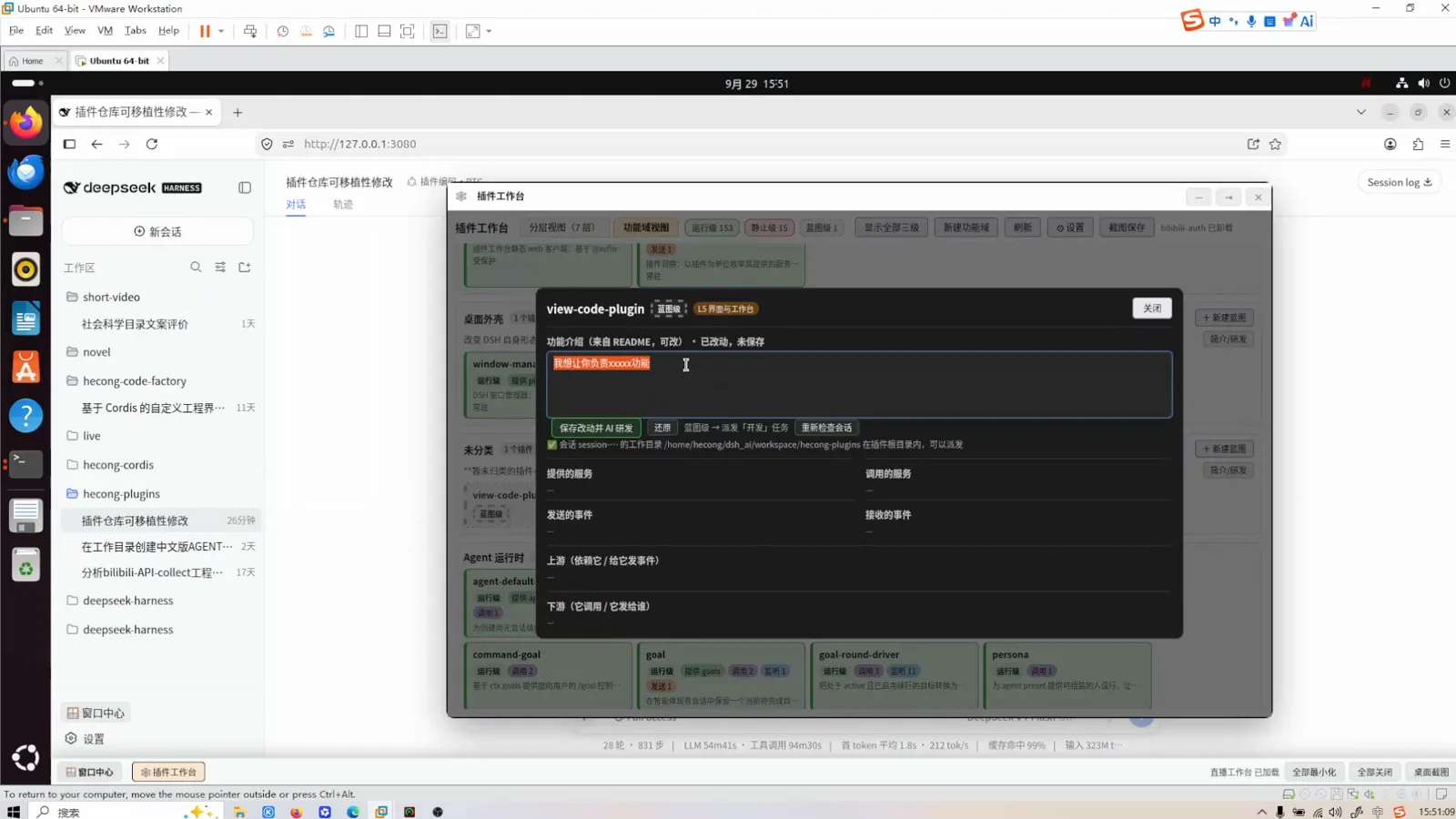
Findings become tasks: edit the description, then dispatch — no copy-pasting into chat.Watch at 11:00 - 7
Gate the result behind bootstrap and preflight
The video ends on the author's published Gitee repo (hecong_dsh_plugins, MIT), whose README turns the whole discipline into two commands: bootstrap installs build dependencies, repairs symlinks, builds artifacts and self-checks; preflight must exit 0 before starting dsh. The prerequisites table pins Node.js 18+ (v22 and v24 tested), npm any version, and first-run network access for esbuild and winbox — offline afterwards. That is the review loop's last property: the machine-verified gate lives in the repo, not in anyone's memory.
$node scripts/bootstrap.mjs$node scripts/preflight.mjs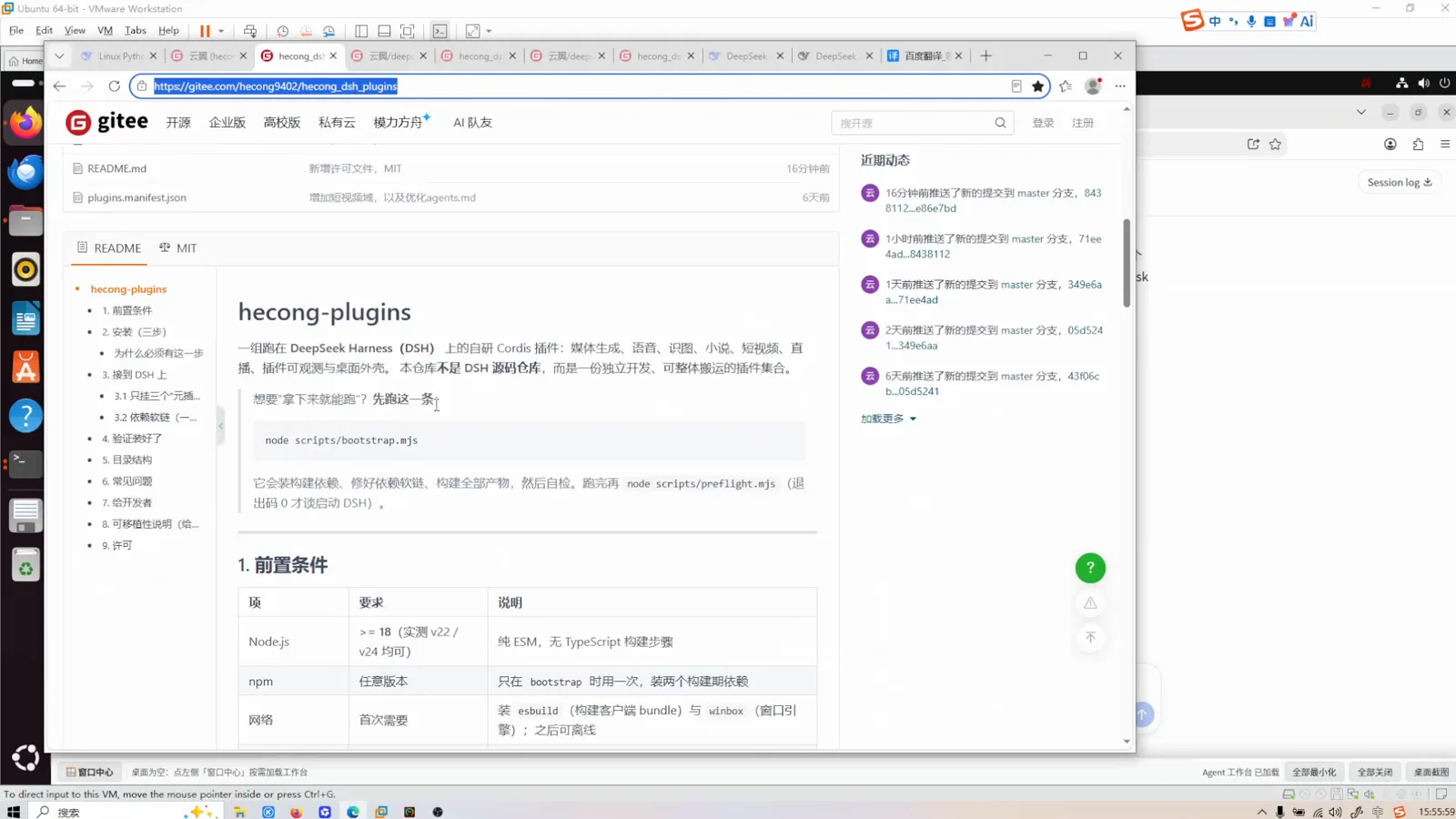
The published repo turns the discipline into two commands: bootstrap, then preflight.Watch at 15:50
Frequently asked questions
What's built-in, what's the author's own, and what to copy.
Is the plugin workbench or the risk-audit reviewer part of official dsh?
No. The workbenches, the 风控 reviewer and the 插件编码 presets are the video author's self-developed Cordis plugins, published on Gitee as hecong9402/hecong_dsh_plugins under MIT. dsh itself ships four built-in presets (standard, PTC, minimal, creator). What the video demonstrates is a pattern — a read-only reviewer preset, verification scripts in the repo, a runtime-inspection UI — each piece reproducible with documented dsh mechanisms.
What does the code-risk-audit checklist cover?
Per the preset card shown in the video: input boundaries; paths and permissions; endpoints and credentials; data consistency; and test quality. Findings come with file:line locations and reproduction steps. It's a custom skill on the author's machine — you can write your own checklist as a skill and point your reviewer preset at it.
Why keep the reviewer read-only?
So the agent judging the code is never the one that wrote it. The preset text ends with 审不改 ("reviews, doesn't fix"): findings go back to the coding agent through agent_ask. The separation also gives you two report streams — the coder's "it's done" and the reviewer's "here's what's still wrong" — which is exactly the structure of step 3's report.
Why use the PTC variant for batch inspection?
The PTC preset card explains it: it presents tools the Code Mode way — the model writes a TypeScript program that composes many tool calls — which fits many-round-trip jobs like sweeping a repo or re-running verification. Step-by-step code changes still go through the normal coding preset, where each edit can be watched one at a time.
Related guides
Build the same loop from documented parts.
Agent presets, hands-on
The preset system the reviewer and coder presets ride on: four built-ins, custom presets, config files and switching.
Read the guideThe best dsh skills
Checklist skills like code-risk-audit are just skills — browse what a well-made one looks like.
Read the guideSubagents: split the work
agent_ask-style handoffs between reviewer and coder, and how subagent sessions report back.
Read the guidePlugin development
How plugins like the workbench itself get built, registered and loaded into dsh.
Read the guideSource & credits
All eight screenshots come from the Bilibili video below (1080p, no caption track; on-screen text verified frame by frame), each deep-linked to its timestamp. The workbenches and presets shown are the author's own plugins, published on Gitee as hecong9402/hecong_dsh_plugins (MIT) — the README was cross-checked against the video on 2026-09-29. The page text is original; nothing is transcribed from the video.